
Check your version:
This article applies to all MetaDefender Kiosk version releases deployed on Windows.
Overview:
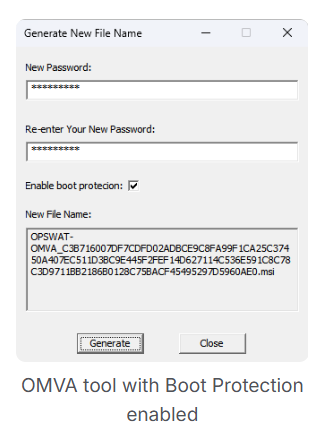
The OMVA Tool is used to configure the OPSWAT Media Validation Agent (OMVA) installer before deployment. During configuration, administrators can set the OMVA password and optionally enable the Boot Protection feature. This article explains the purpose of the Boot Protection setting and how it functions.
Question:
When the Boot Protection option is enabled in the OMVA Tool, should it prevent a computer from booting from external or unverified drives (for example, a recovery USB or WinPE image)?
Clarification:
Enabling Boot Protection in the OMVA Tool does not stop a system from booting from external drives. This setting only affects how OMVA handles removable media access timing once the agent is running on the device. Specifically, Boot Protection ensures that any external removable media connected before the operating system starts remain inaccessible until OMVA is fully loaded and able to scan them. This helps prevent unverified or potentially malicious devices from being accessed before OMVA’s protections are active.
Additional Notes:
OMVA Boot Protection is a media access control feature, not a boot source restriction feature.
To prevent booting from unauthorized operating systems or devices, use BIOS/UEFI configuration and Secure Boot policies. These system-level settings determine which devices are allowed as boot sources.
Support:
If you have questions, concerns or issues regarding MetaDefender Kiosk, please open a Support Case with the OPSWAT team via phone, online chat or form, or feel free to ask the community on our OPSWAT Expert Forum.