
This article applies to the current My OPSWAT Central Management console and all MetaDefender Endpoint releases deployed on Windows systems.
My OPSWAT Central Management - Endpoint Security policies allow administrators to exclude specific missing patches from the Patch Management issue reporting component.
To utilize this feature and exclude specific missing patches, please follow the instructions below.
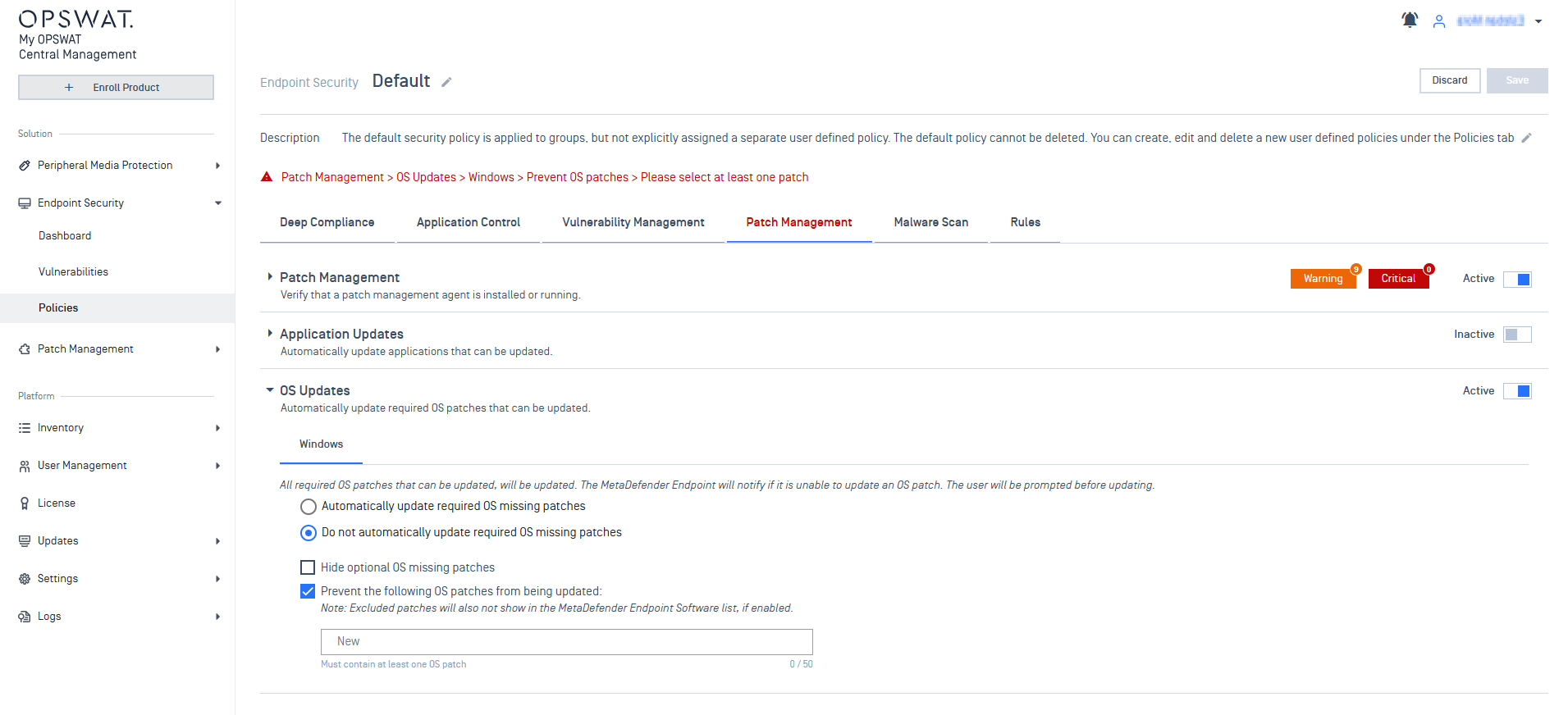
Log into the My OPSWAT Central Management console and navigate to Endpoint Security > Policies > selected policy > Patch Management > OS Updates.
Check the option to Prevent the following OS patches from being updated, as illustrated below:
In the provided field, type out the ID of each patch to be excluded, hitting Enter after each name:
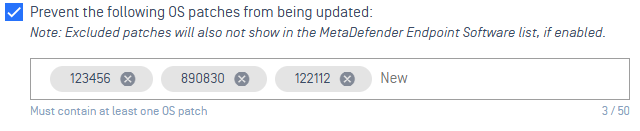
To remove a patch exclusion, simply click the X alongside the relevant patch.
Once all the required patches have been submitted, click Save to apply your settings, before confirming with your PIN, as required.
If you have followed the instructions above but are having further queries regarding How To Exclude Specific Missing Patches, please open a Support Case with the OPSWAT team via phone, online chat or form, or feel free to ask the community on our OPSWAT Expert Forum.