
This article applies to all MetaDefender Endpoint releases deployed on Windows, Linux, macOS, iOS or Android systems.
As of V7.8.0, My OPSWAT includes a setting that allows administrators to Enable/Disable the MetaDefender Endpoint’s ability to report to My OPSWAT when files from the system on which the Endpoint is installed are copied from that local drive to a removable media.
To make use of this setting, please follow the instructions below.
Log into your My OPSWAT Console and navigate to Device Policies>Relevant Policy.
If Threat Detection is disabled, enable it by checking the box alongside EnableThreat Detection.
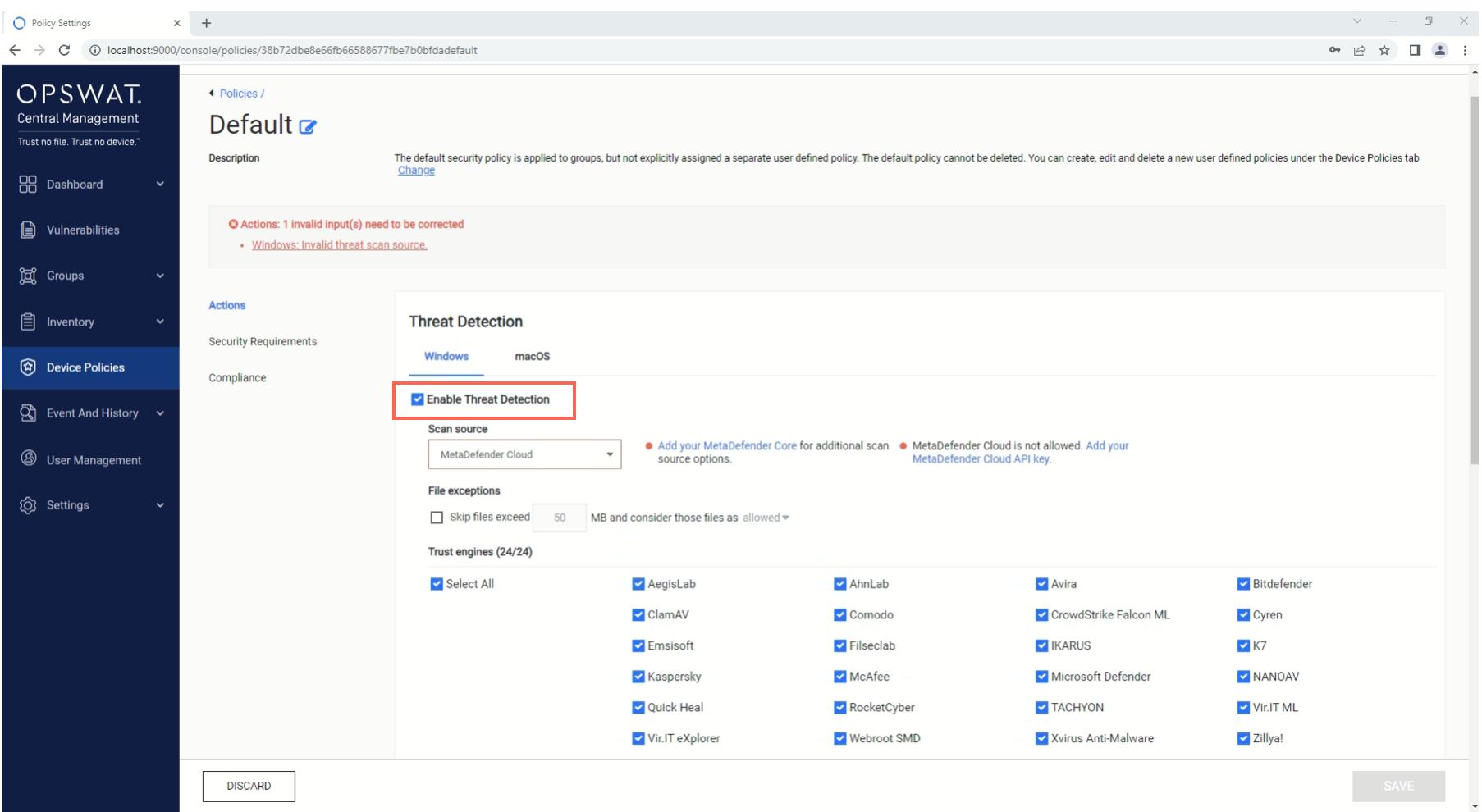
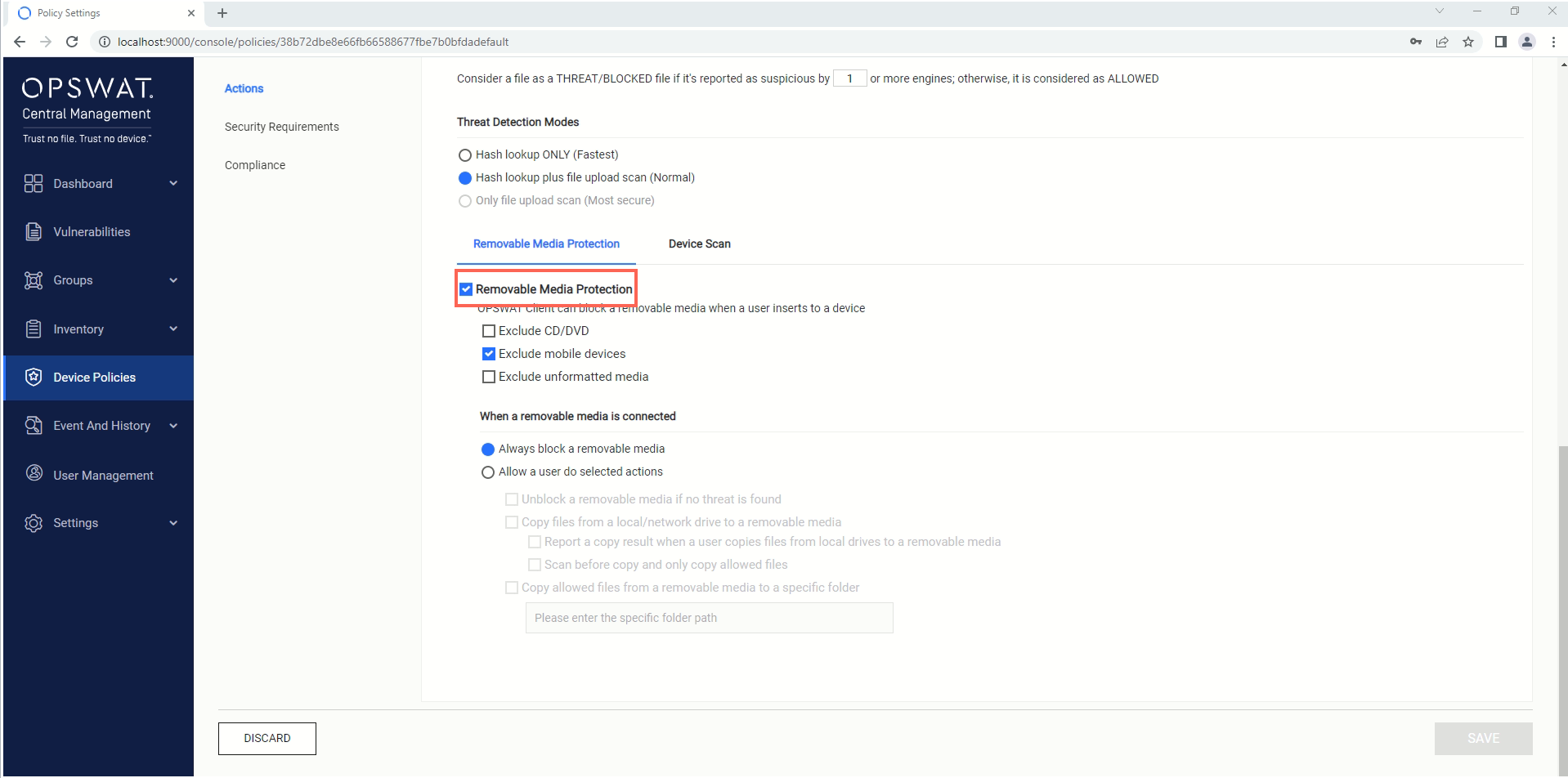
Under your Threat Detection settings, scroll down to the section on Removable Media Protection and check the selection box to enable the feature and open up the configuration options.
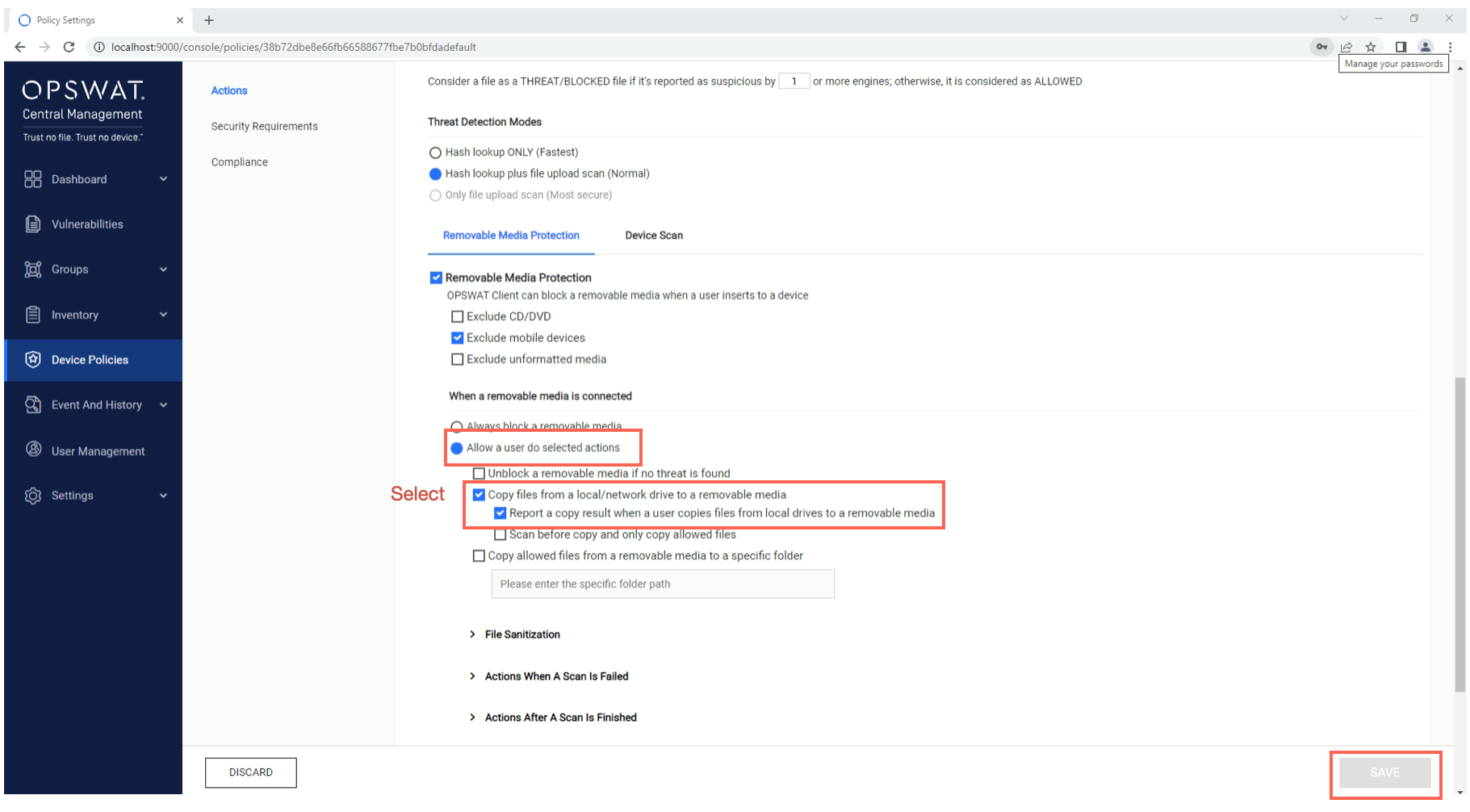
Now, check the option to Allow a user to do selected actions, as well as the options to Copy files from a local/network drive to a removable media and to Report a copy result when a user copies files from local drives to a removable media.
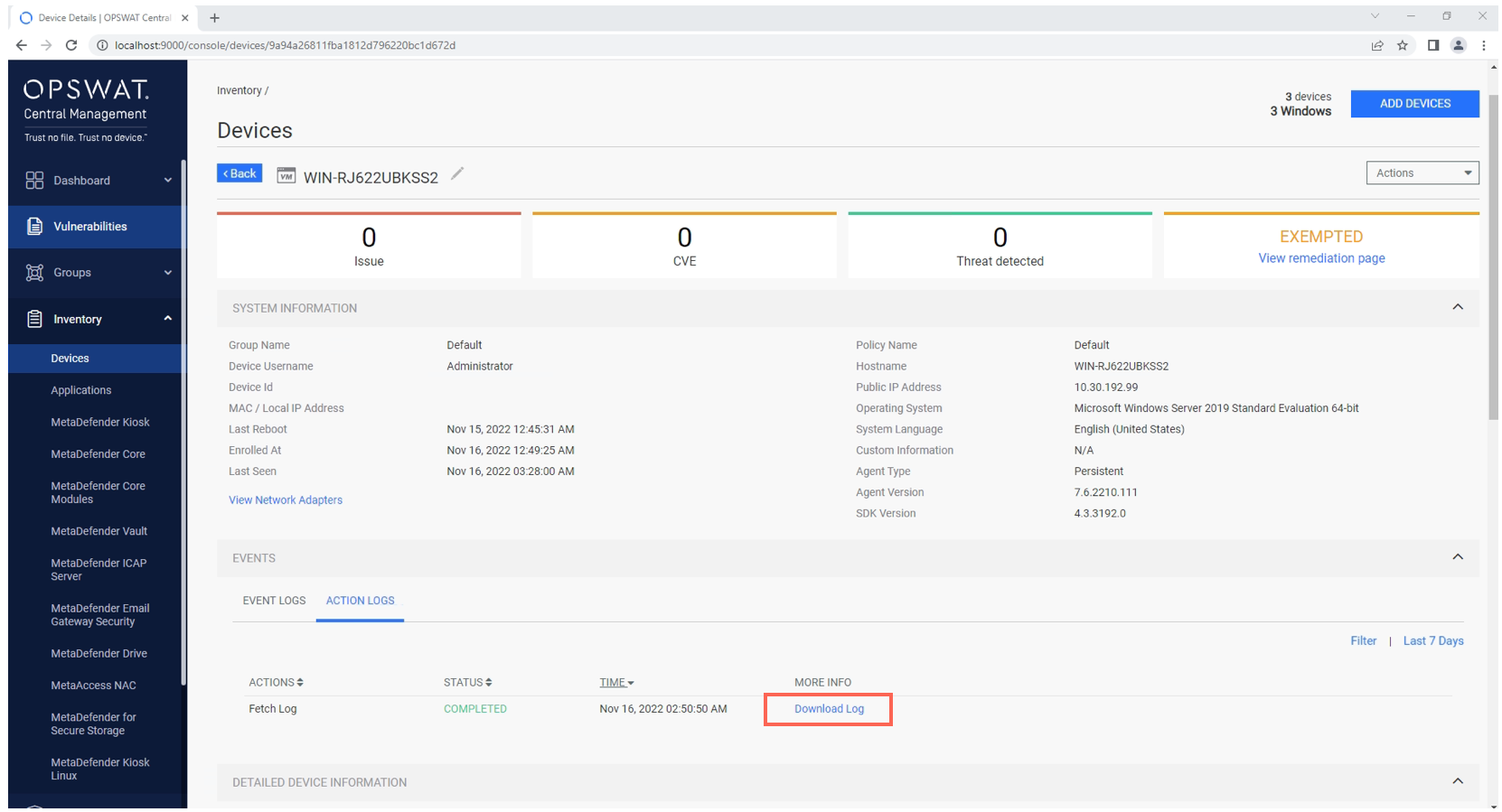
With these settings enabled, the MetaDefender Endpoint on all devices under this policy will report to My OPSWAT whenever files from their respective local drives are copied to removable media. These reports can be downloaded (once logs have been fetched for a given device) via the My OPSWAT Management Console>Inventory>Devices>Relevant Device>Events>Action Logs, as illustrated in the screenshot below. For detailed instructions on retrieving device logs, please Read This.
Finally, in the lower right-hand corner of the screen, click the Save button to implement your settings.
If you have any difficulty Enabling The Copying Of Files From A Drive To A Removable Media, please open a Support Case with the OPSWAT team via phone, online chat or form, or feel free to ask the community on our OPSWAT Expert Forum.