
This article applies to ESET Endpoint Security for Windows, the current MetaDefender IT-OT Access Console and API, and all MetaDefender Endpoint releases deployed on Windows systems.
The following article covers three common MetaDefender IT-OT Access device compliance warnings that users may encounter when running ESET Endpoint Security in conjunction with MetaDefender IT-OT Access/MetaDefender Endpoint.
These warnings/flags are triggered by device issues and will appear under MetaDefender IT-OT Access Console>Inventory>Devices>Relevant Device>Detailed Device Information>Deep Compliance>Anti-Malware.
Please follow the relevant instructions below.
MetaDefender IT-OT Access Compliance Warning: ESET Endpoint Security - No Successful Scan Recently
Launch ESET Endpoint Security for Windows.
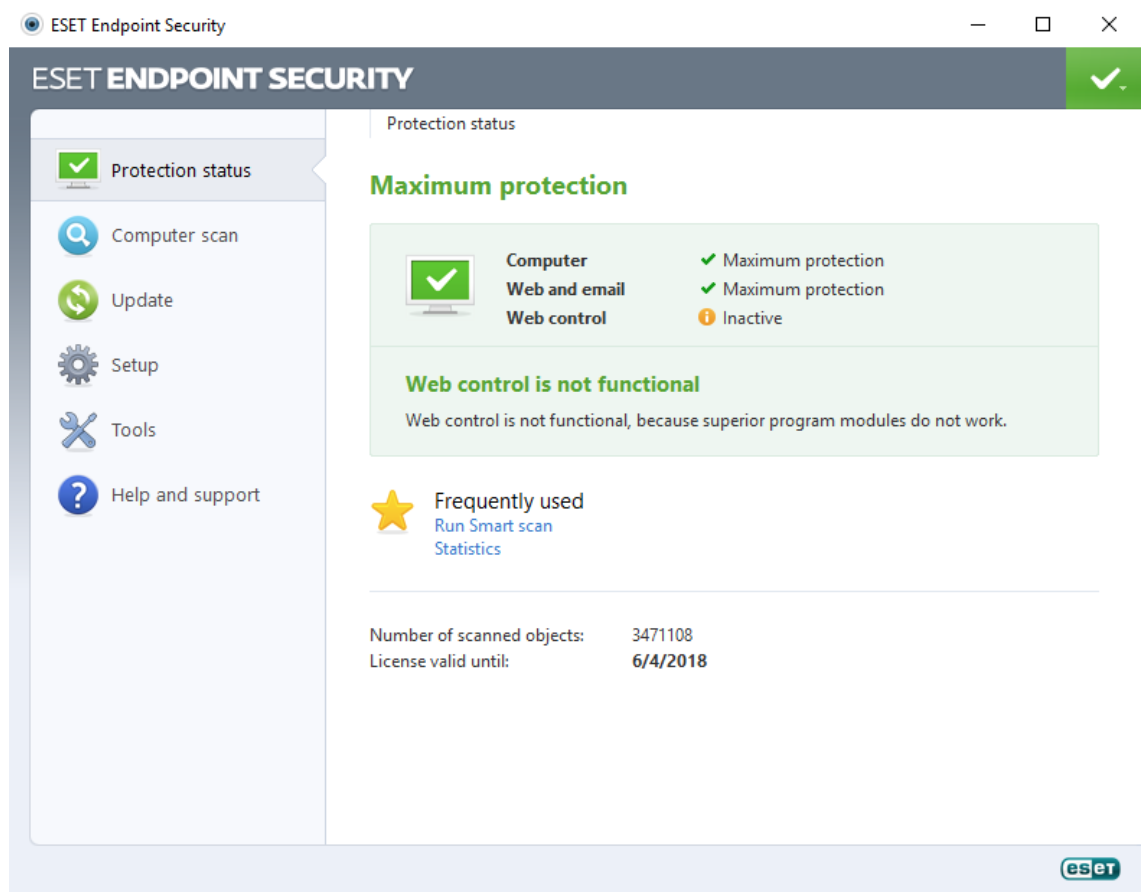
Click Computer scan in the left-hand navigation bar.
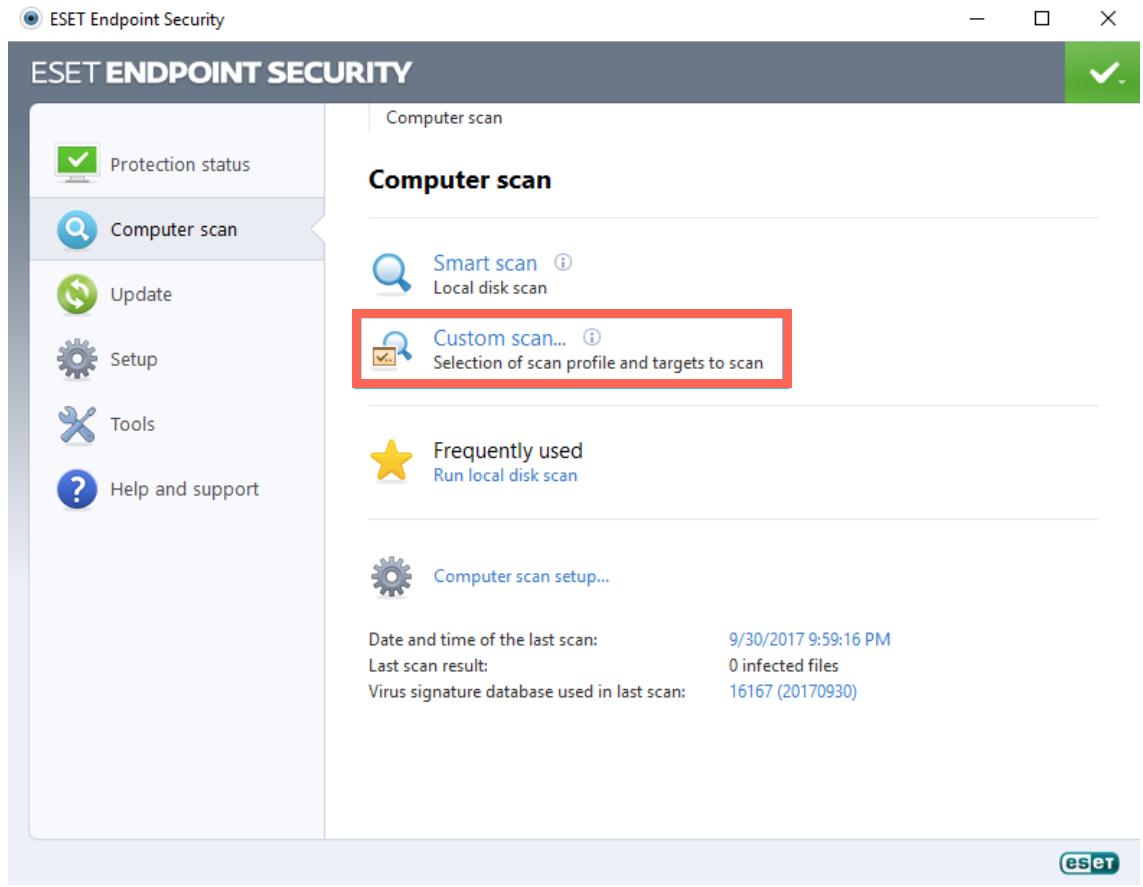
On the Computer scan page, click on Custom scan.
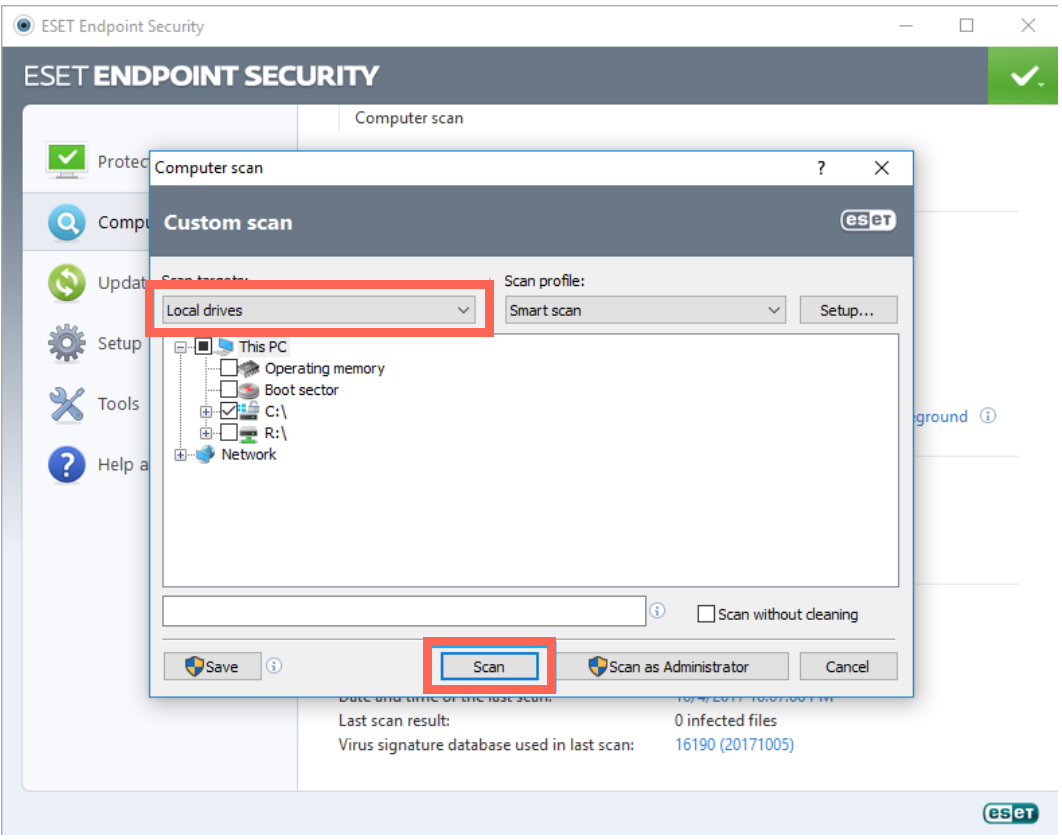
From the Custom scan pop-up window, select Local drives, then click the Scan button, as illustrated below.
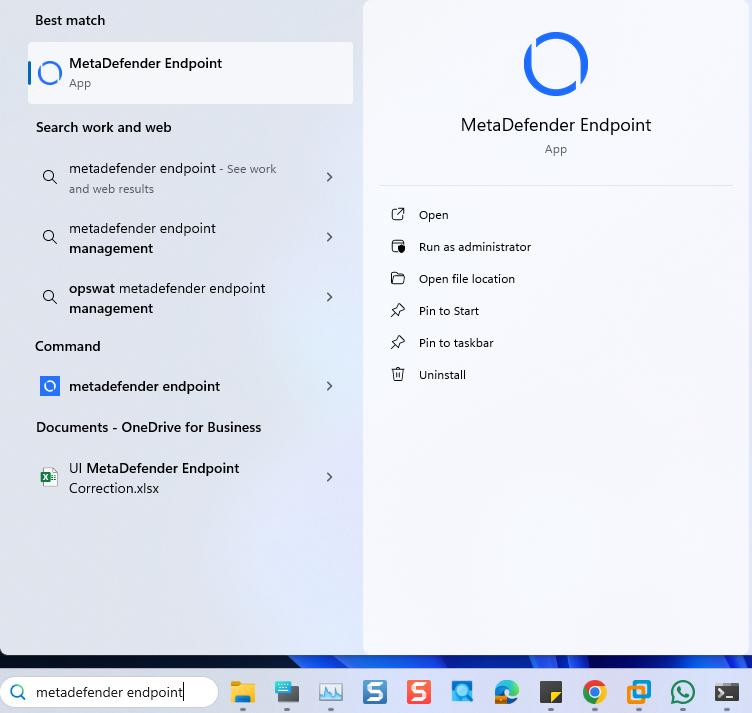
Open the Windows Start menu, then search for MetaDefender Endpoint (or MetaDefender IT-OT Access) and select Run as administrator.
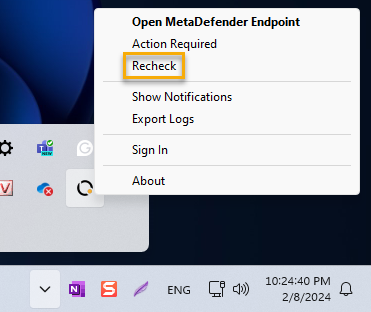
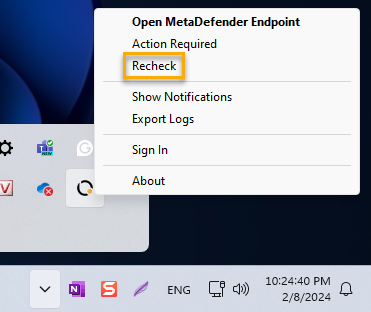
Once the app is running, right-click on the MetaDefender Endpoint tray icon and, from the pop-up menu, click Recheck.
This will trigger the MetaDefender Endpoint to scan all device compliance data and report to the MetaDefender IT-OT Access servers again.
MetaDefender IT-OT AccessCompliance Warning: ESET Endpoint Security - Realtime Protection Disabled
Launch ESET Endpoint Security for Windows.
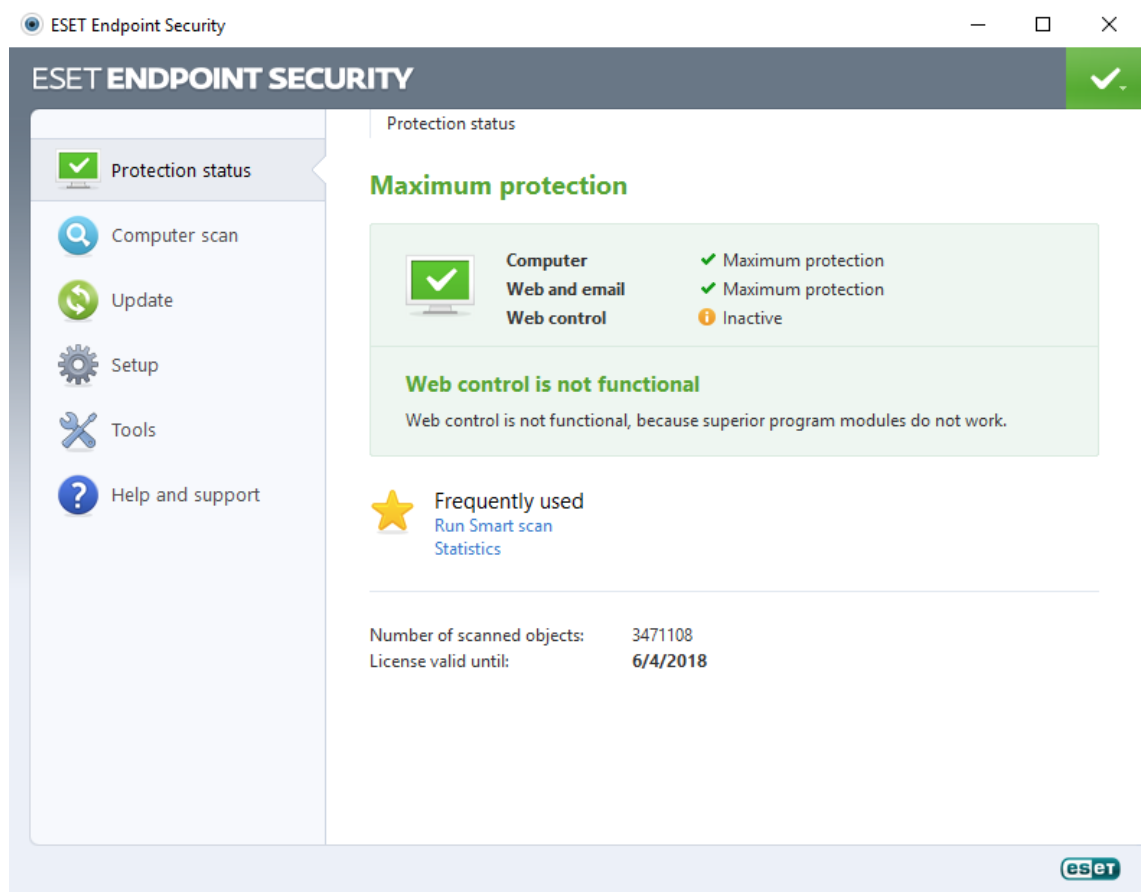
Click Setup in the left-hand navigation bar.
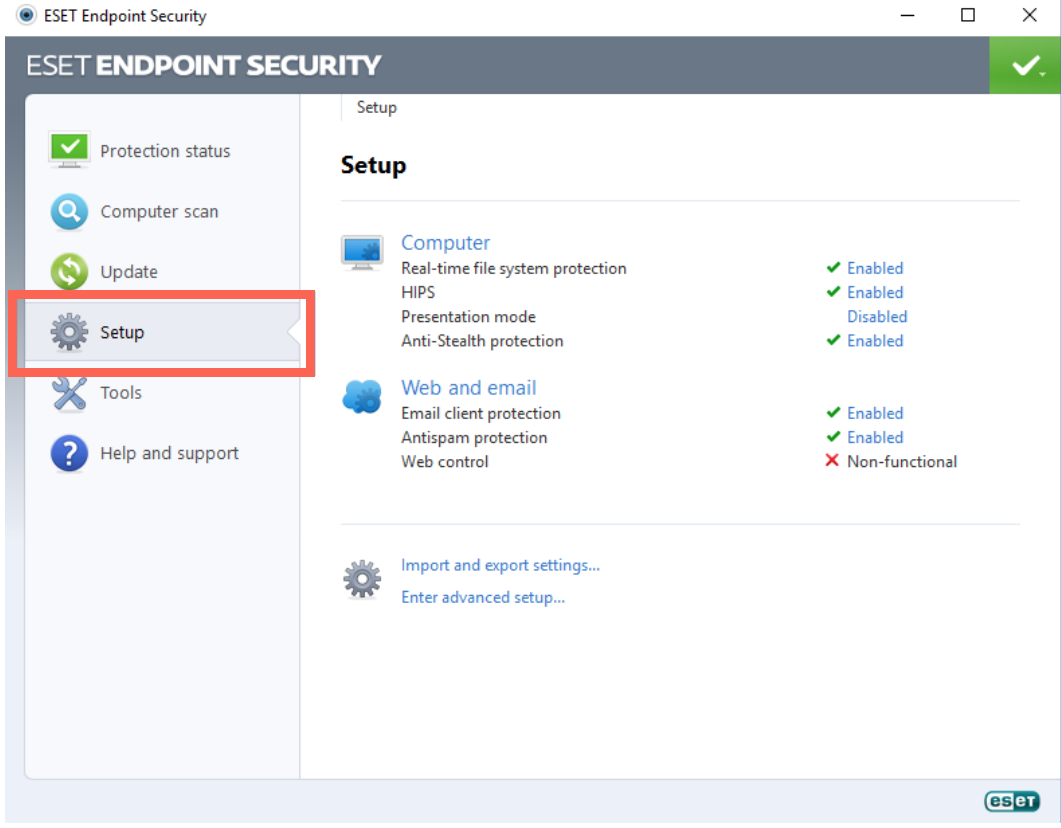
On the Setup page, click Real-time file system protection to enable it.
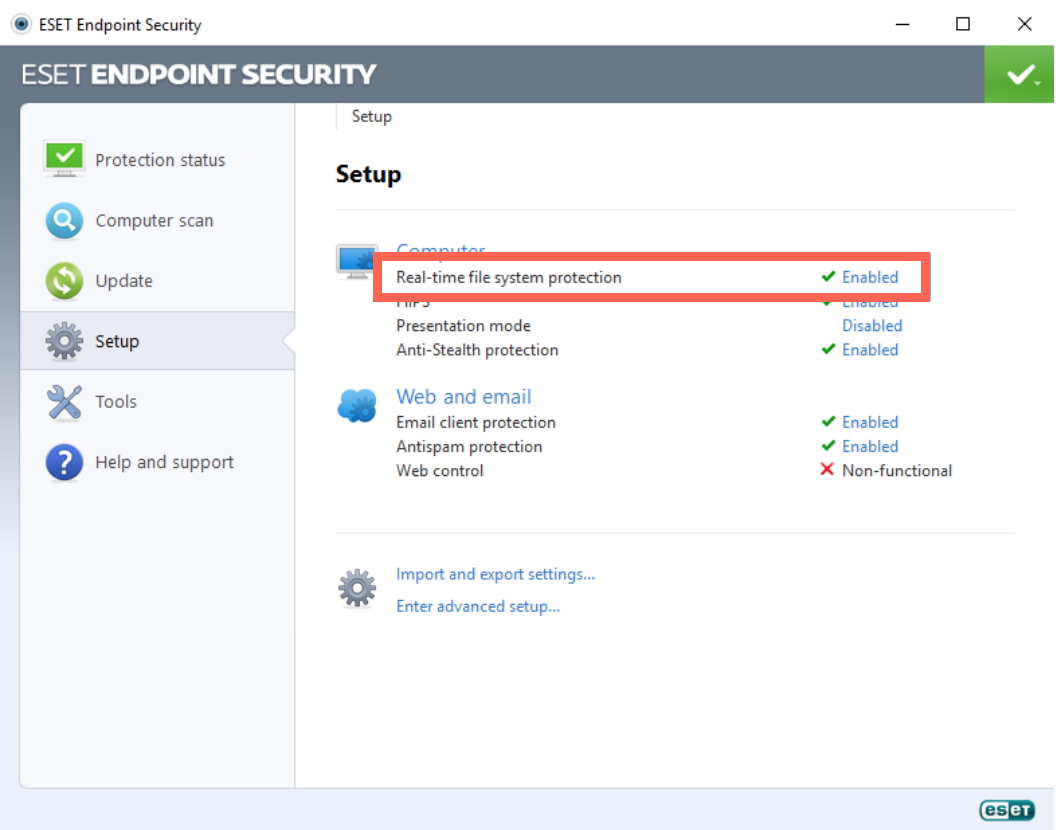
Open the Windows Start menu, then search for MetaDefender Endpoint (or MetaDefender IT-OT Access) and select Run as administrator.
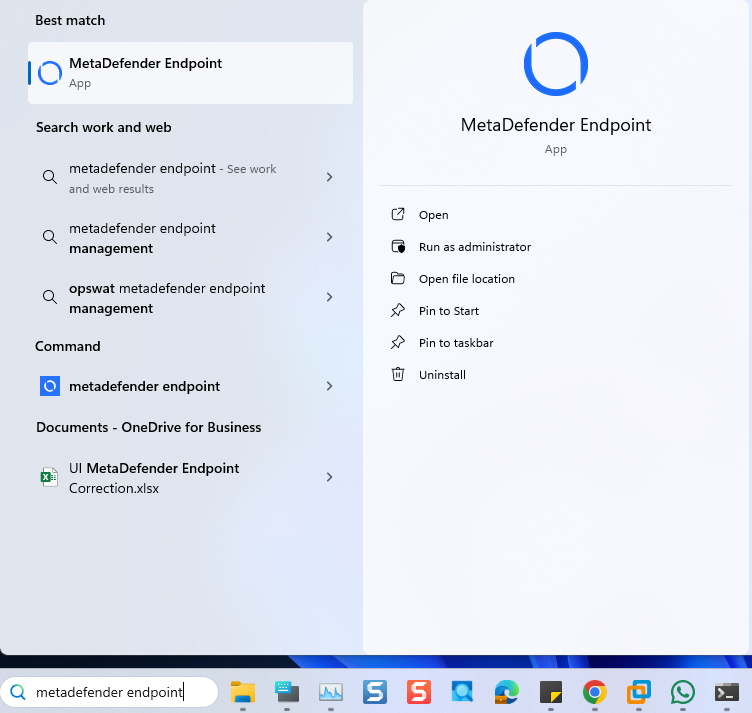
Once the app is running, right-click on the MetaDefender Endpoint tray icon and, from the pop-up menu, click Recheck.
This will trigger the MetaDefender Endpoint to scan all device compliance data and report to the MetaDefender IT-OT Access servers again.
MetaDefender IT-OT Access Compliance Warning: ESET Endpoint Security - Virus Definition Out Of Date
Launch ESET Endpoint Security for Windows.
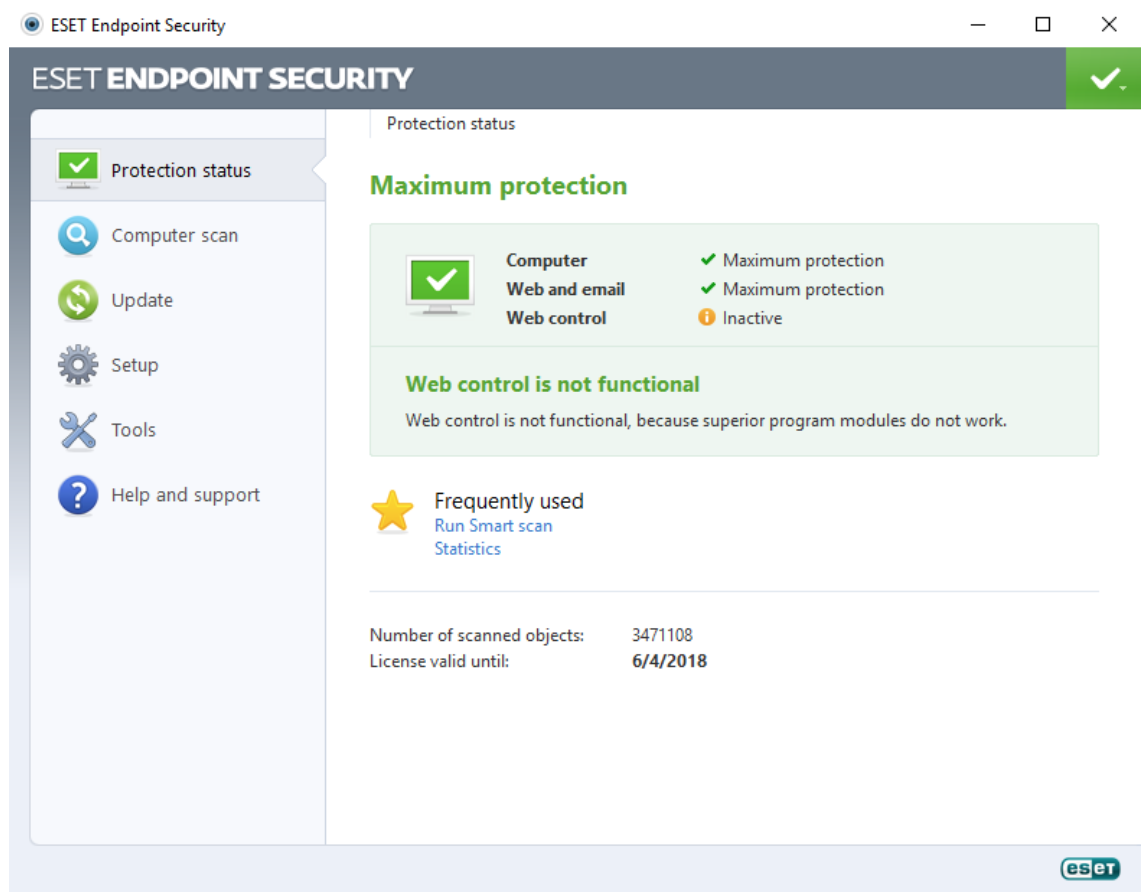
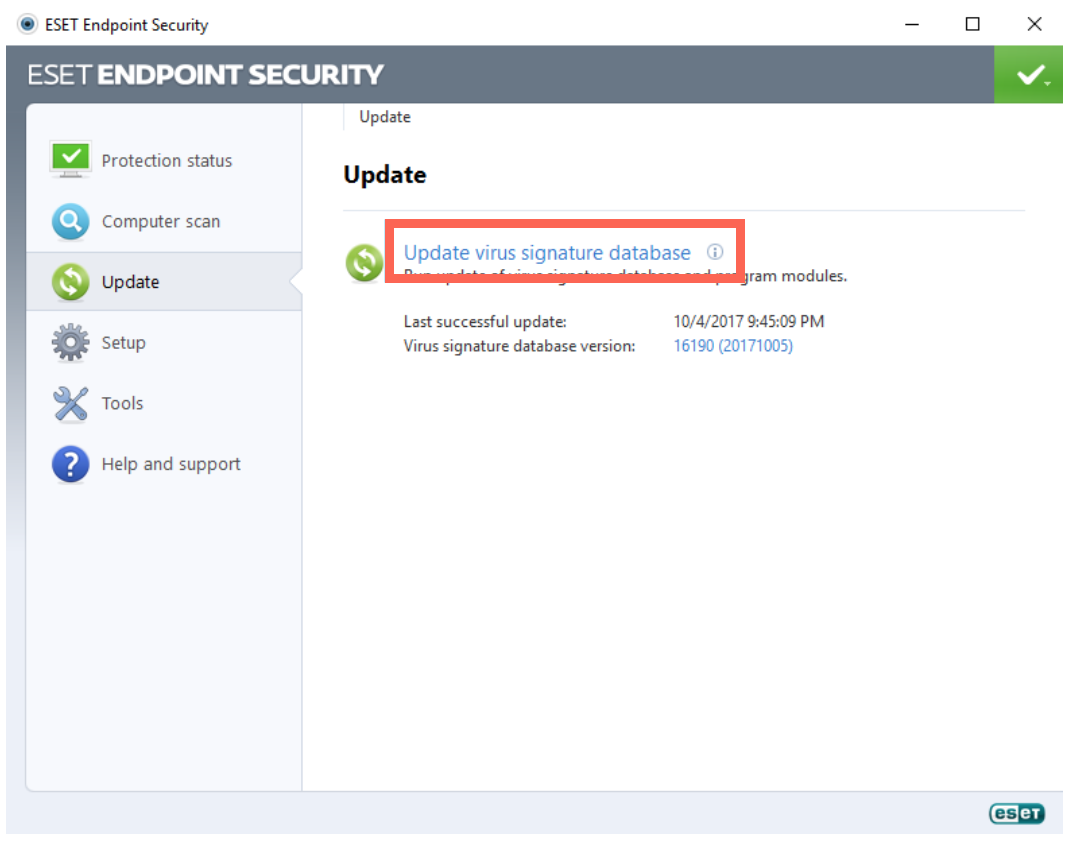
Click Update in the left-hand navigation bar.
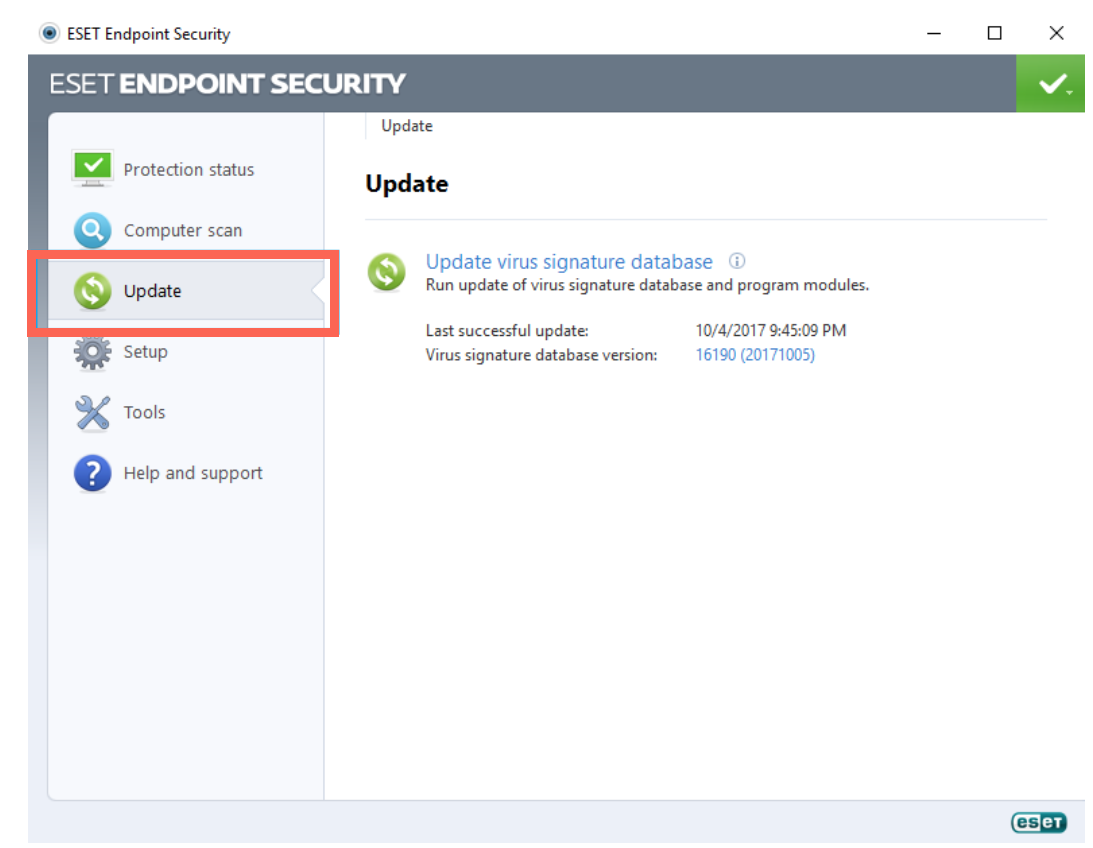
On the Update page, click on Update virus signature database.
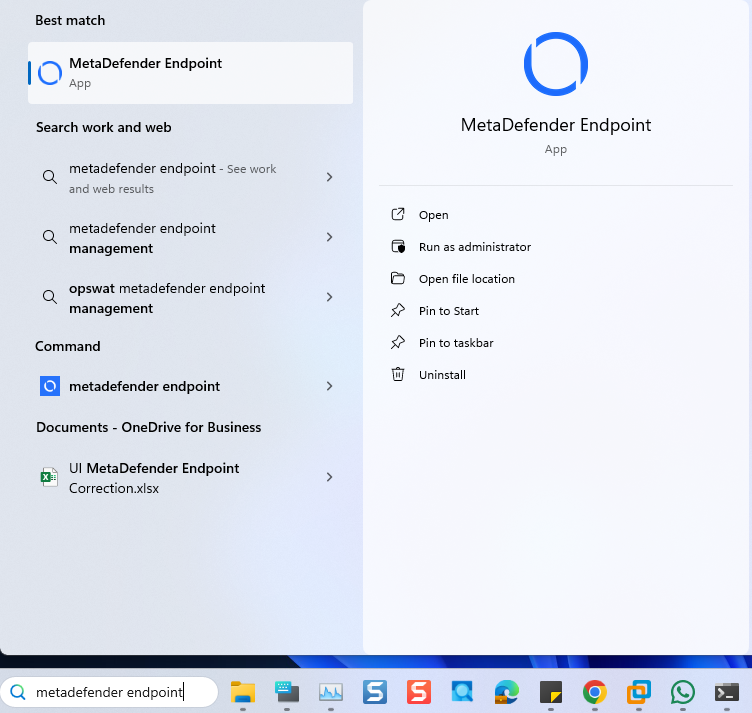
Open the Windows Start menu, then search for MetaDefender Endpoint (or MetaDefender IT-OT Access and select Run as administrator.
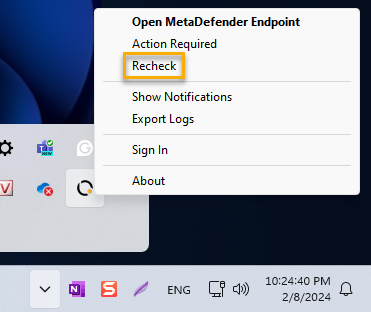
Once the app is running, right-click on the MetaDefender Endpoint tray icon and, from the pop-up menu, click Recheck.
This will trigger the MetaDefender Endpoint to scan all device compliance data and report to the MetaDefender IT-OT Access servers again.
If you have followed the instructions above but Continue To Experience ESET Endpoint Security Issues On Your MetaDefender Endpoint/MetaDefender IT-OT Access Devices, please open a Support Case with the OPSWAT team via phone, online chat or form, or feel free to ask the community on our OPSWAT Expert Forum.