Knowledge Base
v4.4.1
Search this version
Knowledge Base
Knowledge Base
Title
Message
Create new category
What is the title of your new category?
Edit page index title
What is the title of the page index?
Edit category
What is the new title of your category?
Edit link
What is the new title and URL of your link?
Failed to Request Scan. File size exceeded the maximum size
Copy Markdown
Open in ChatGPT
Open in Claude
Issue
Files are skipped during a scan with the message: "Failed to Request Scan. File size exceeded the maximum size permitted for your configuration."
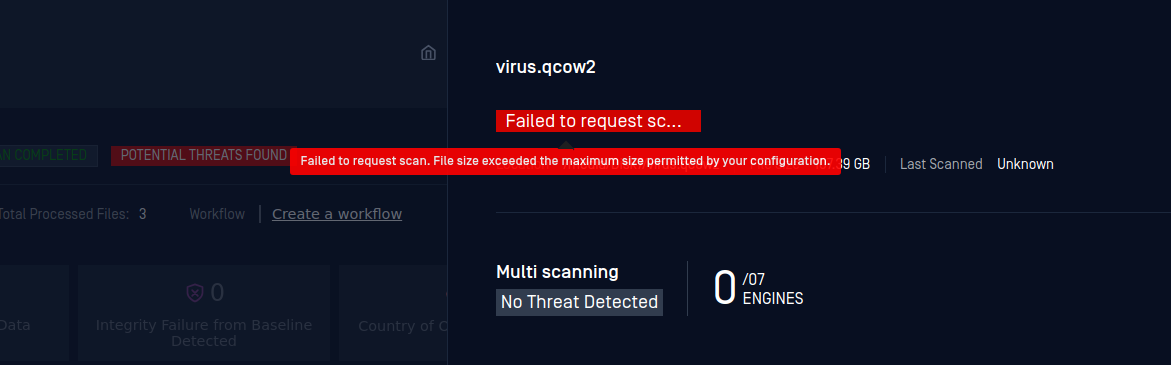
Cause
A scanned file is larger than the Max File Size value from the Scan Settings. In most cases, the issue occurs because the user doesn't change the Max File Size value from the default value, which is 2000.
Solution
Increase the Max File Size to Scan value:
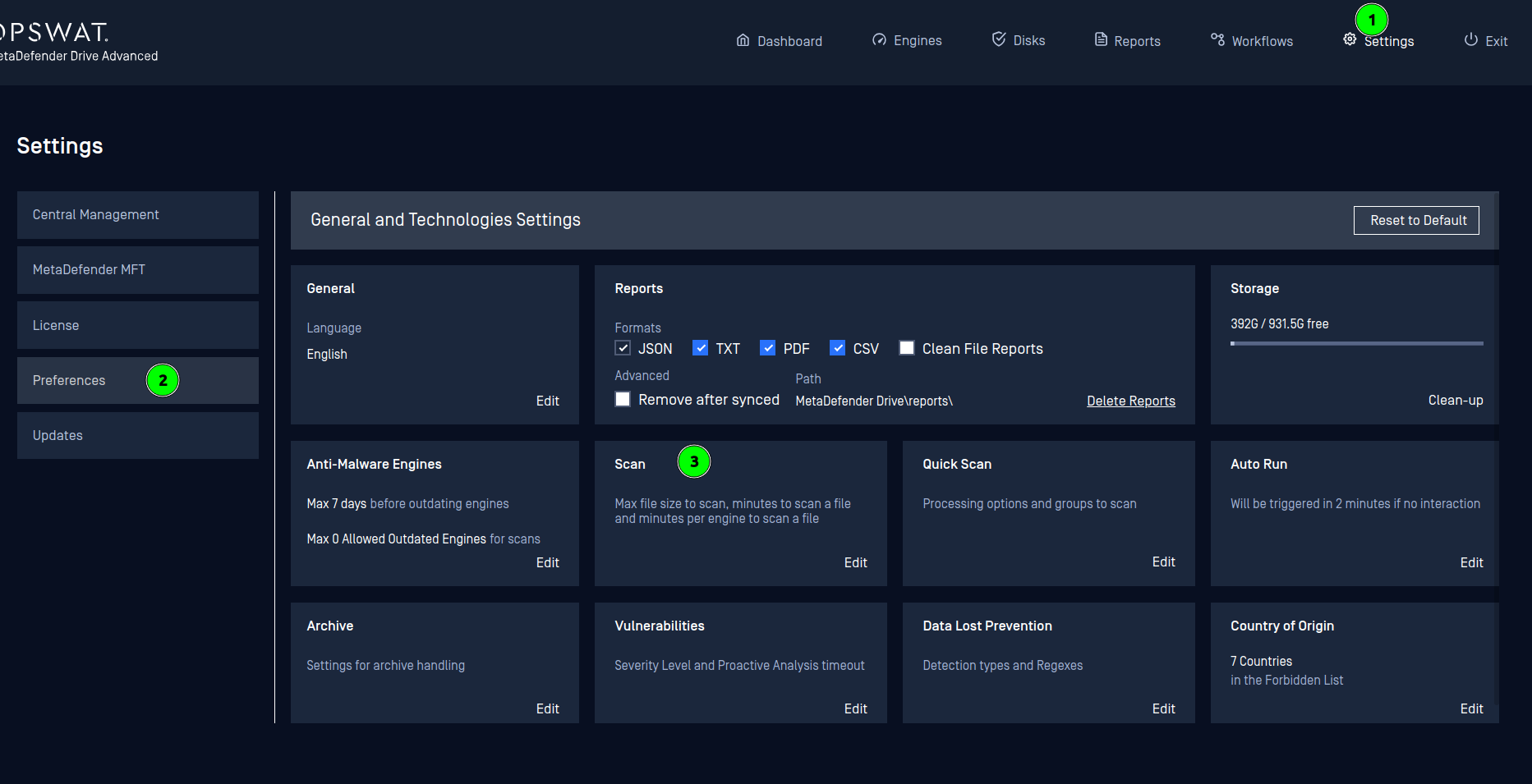
- Go to Settings → Preferences → Scan.

The Preferences page
- In the Scan Settings window, set the new Max File Size value (in megabytes). In the following image, the value is set to 20,000.
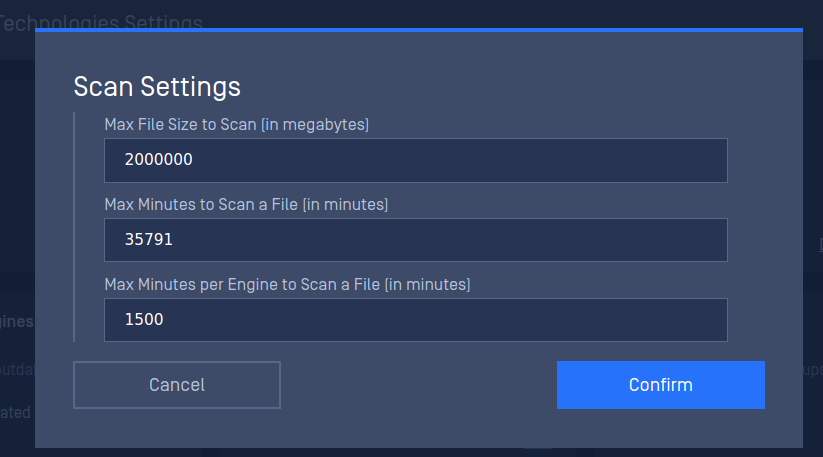
The Scan Settings window
.
Type to search, ESC to discard
Last updated on
Was this page helpful?
Discard Changes
Do you want to discard your current changes and overwrite with the template?
Archive Synced Block
Message
Create new Template
What is this template's title?
Delete Template
Message