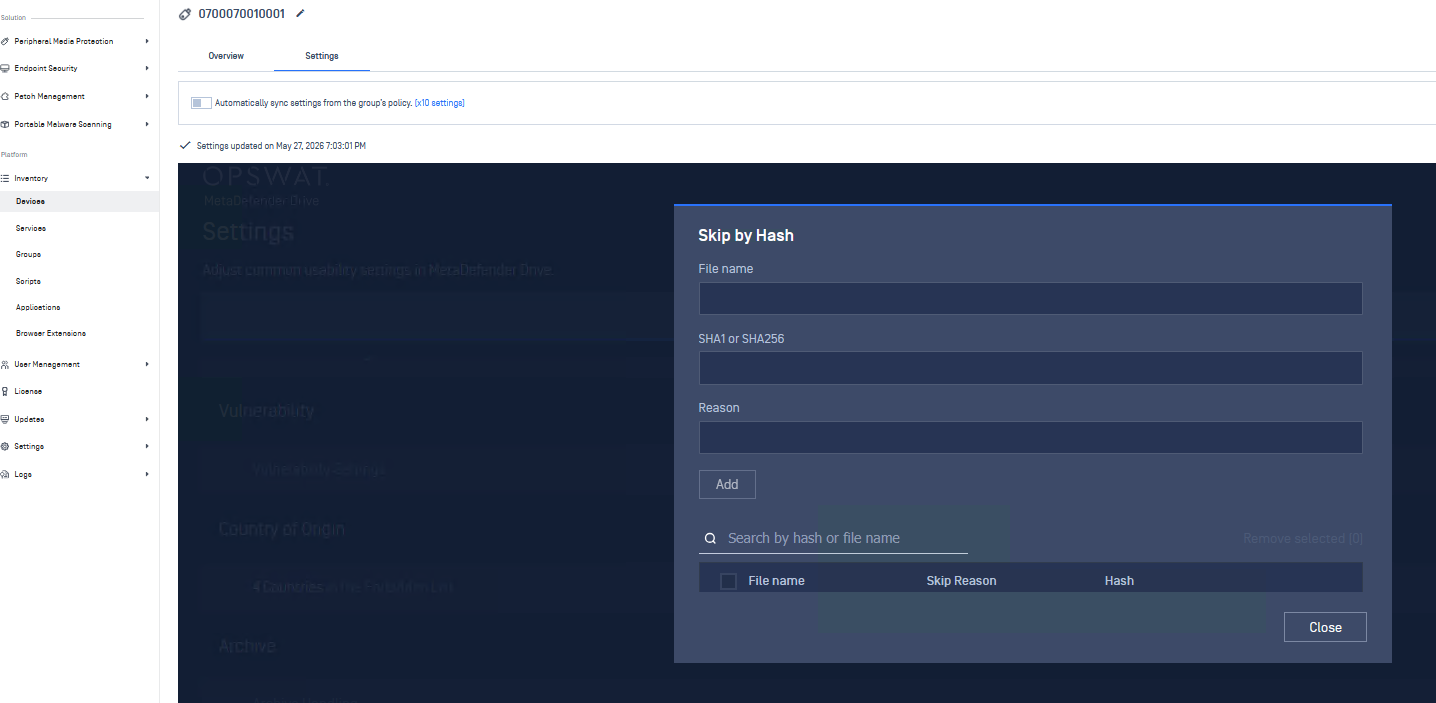
The Skip by Hash feature enables you to exclude a specific file from subsequent scans, identified by its file hash, rather than its name or path. In MetaDefender Drive 4.4.9, the list can be managed from OPSWAT Central Management for any enrolled MetaDefender Drive. See Manage MetaDefender Drives with OPSWAT Management for enrollment instructions.
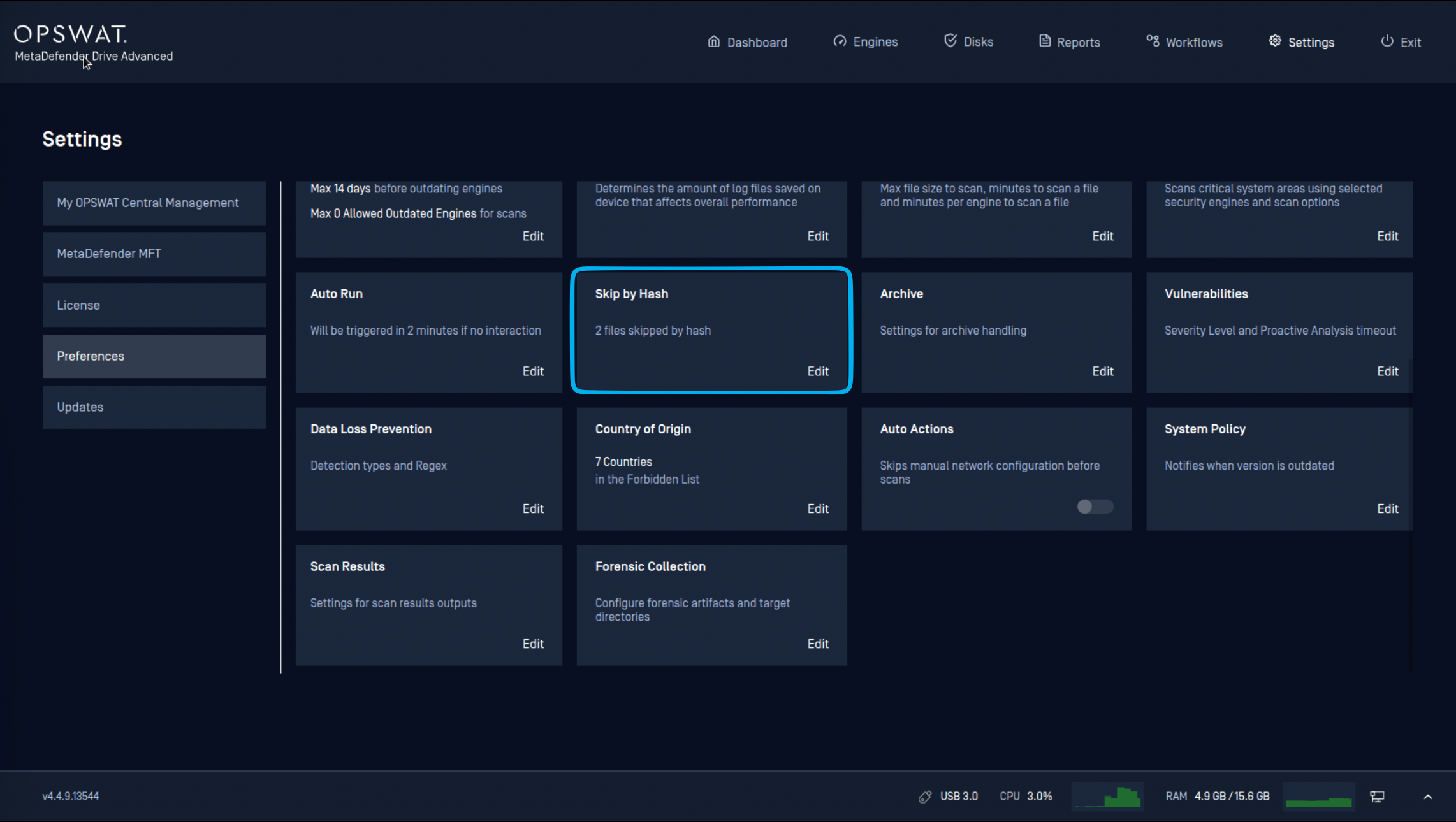
Add an Entry on MetaDefender Drive
Navigate to Preferences → Skip by Hash.
Click Edit Settings, then Add.
Enter the File name, its SHA1 or SHA256 hash, and a Reason for skipping the file.
Click Save.
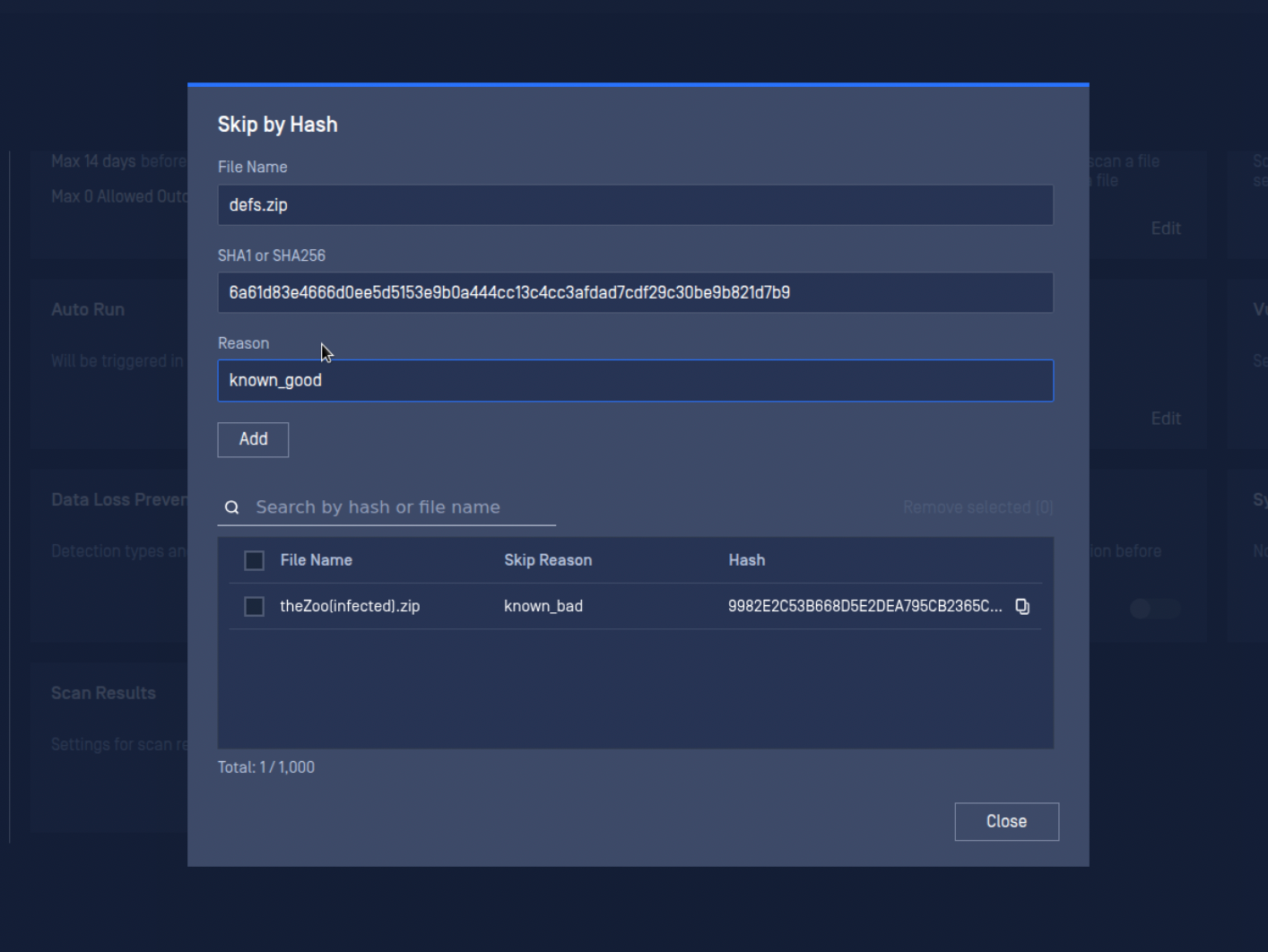
Field limits
Field | Limit |
|---|---|
File name | 255 characters |
SHA1 hash | Exactly 40 hexadecimal characters |
SHA256 hash | Exactly 64 hexadecimal characters |
Reason | 30 characters |
Remove an Entry
Removing an entry from the list only affects scans run after the removal. A report already generated before the entry was removed keeps its original "Skipped by hash - <reason>" entry unchanged.
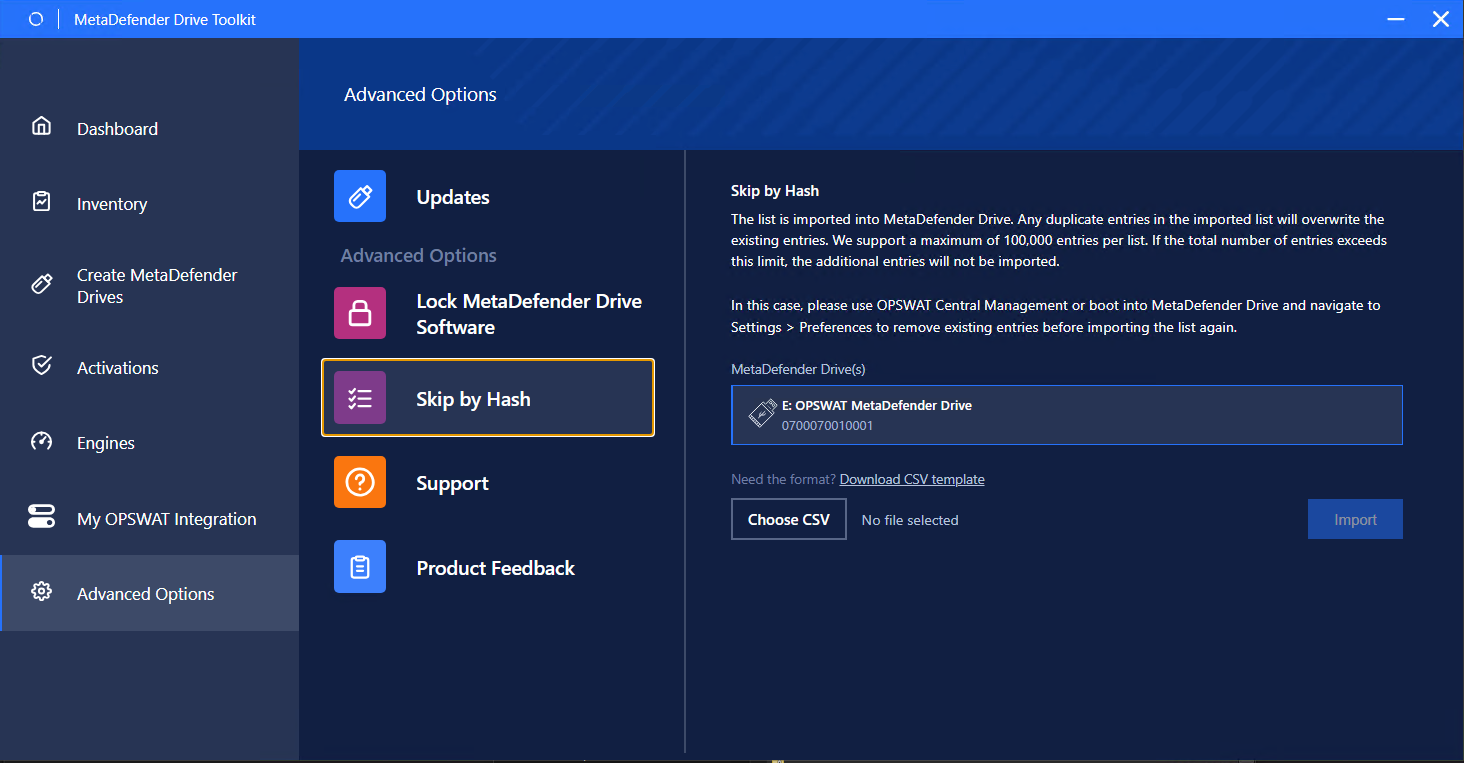
Import a List of File Hash Values
From version 4.4.10, administrators can import a hash list. Refer to the Skip by Hash page for setup information.
Add an Entry on My OPSWAT Central Management
The hash value to skip can also be added remotely and centralized from My OPSWAT Central Management by navigating to Inventory → Devices → Settings → Skip by Hash.