
Knowledge Base
10.7.26100
Search this version
How do I increase the score of Firewall on Security Score Windows devices?
How to get max score
Step 1: Open MetaDefender Endpoint and Refresh the data.
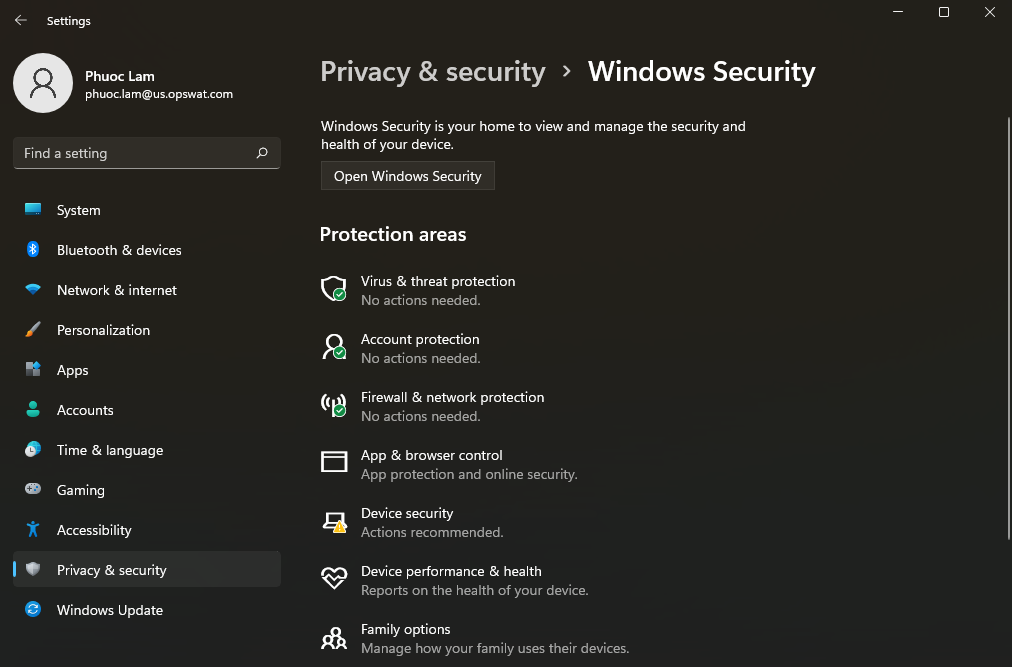
Step 2: If Firewall is not enabled → open Windows Settings.
Step 3: Step in “Privacy and security” tab → select “Firewall & network protection”
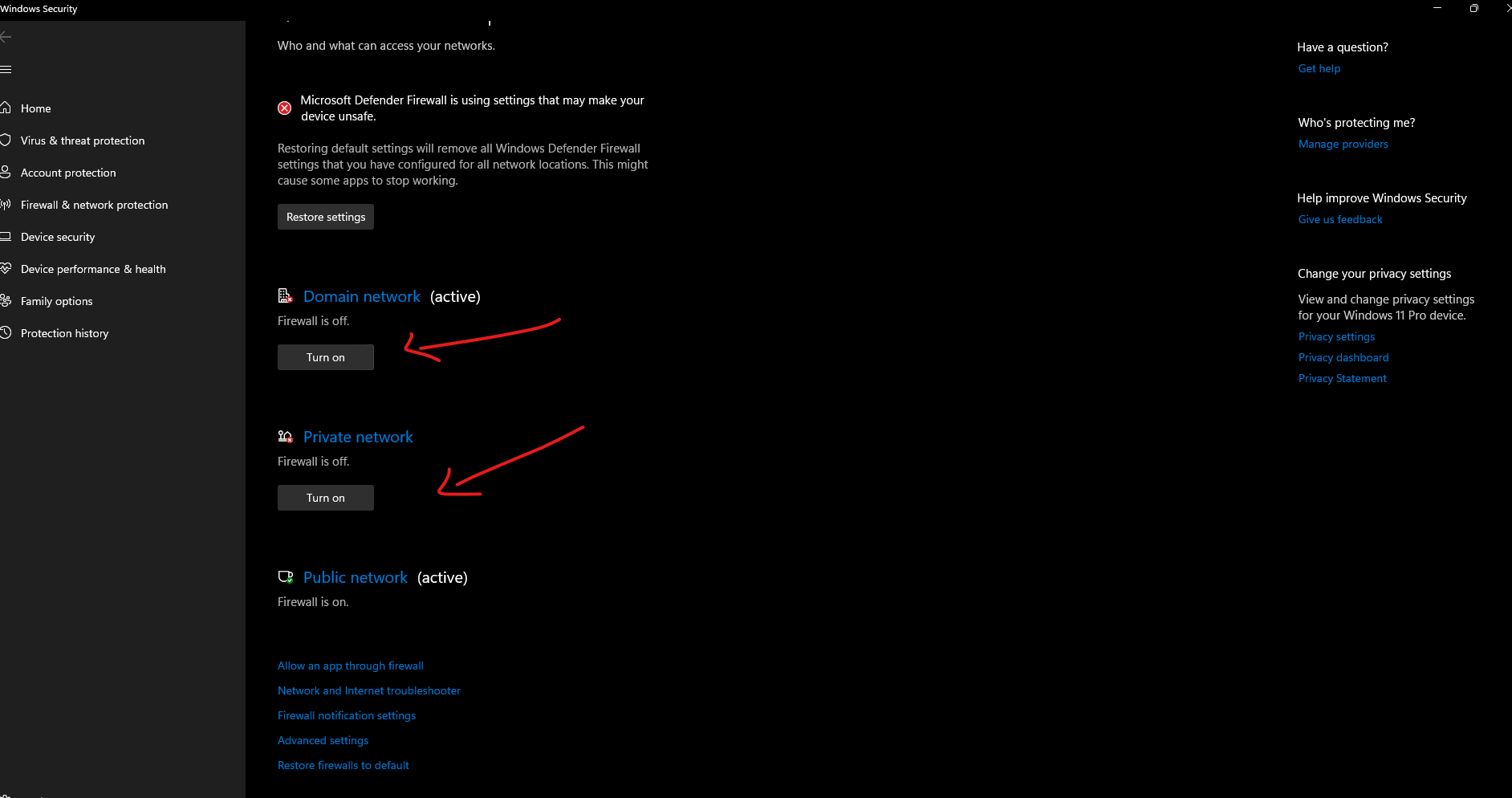
Step 4: Click turn on to all network that is currently off
Step 5: Back to MetaDefender Endpoint and refresh new score
Last updated on
Was this page helpful?
Knowledge Base
Knowledge Base
METADEFENDER ENDPOINT
GENERAL
MOBILE CLIENT
Integration
Others