
Check Your Version:
This article applies to the MyOPSWAT Central Management (On-premises)
After integrating the MetaDefender Core (Core/Linux) and MetaDefender Drive into MyOPSWAT Central Management (MOCM) On-Premise for the first time, you may encounter an issue where the Module page shows “no modules found”, even after clicking the Update Now button repeatedly.

This issue happens because the MOCM doesn’t have the metadecriptor file yet to query the list of needed engines to download from the Update Server.
You can do this process manually by triggering the engine update from the product console.

Update All from MD Core
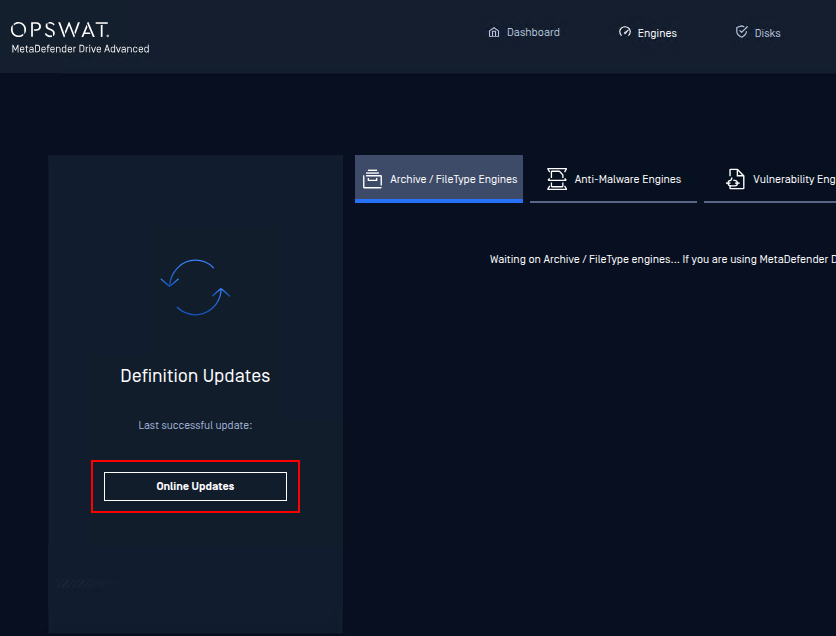
Online Update from MD Drive UI > Engines
By this, the product will be forced to send the metadescriptor file to MOCM, then MOCM can base on that file to get the necessary engine update.
Support:
If Further Assistance is required, please proceed to log a support case or chat with our support engineer.