
Knowledge Base
10.7.26100
Search this version
What are the troubleshooting steps for clock unsynchronization?
Adjusting the date and time on on your device might different based on your operating system and device. Here are some guidelines:
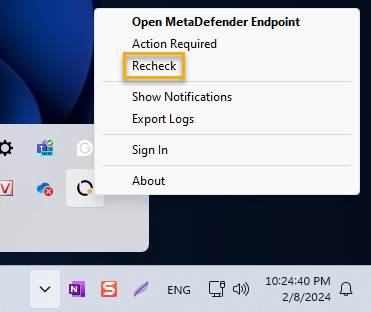
Click on MetaDefender Endpoint tray icon. Select "Recheck" or "Check applications security" depending on the agent version you are running. Wait few minutes and check again.
Support
If the issue persists, please log into OPSWAT Portal and open a support ticket with us. Attach screenshots of the installed product version o the ticket for further assistance.
Last updated on
Was this page helpful?
Knowledge Base
Knowledge Base
METADEFENDER ENDPOINT
GENERAL
MOBILE CLIENT
Integration
Others