
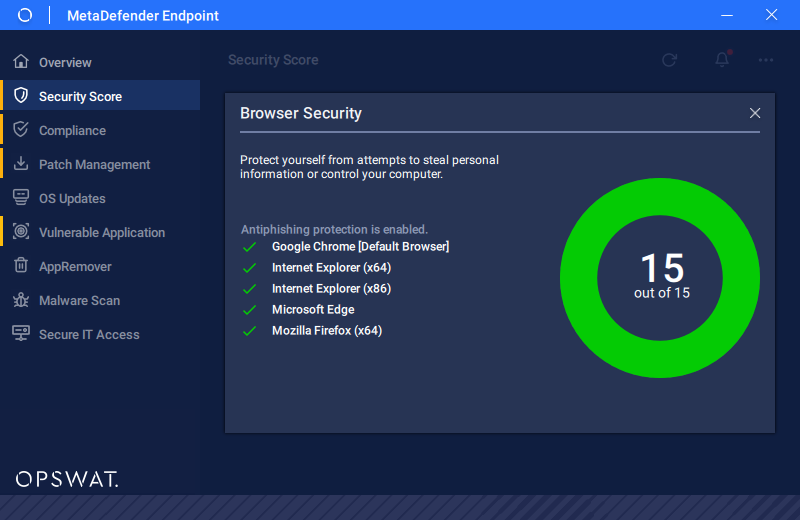
For detailed remediation instructions to increase the score of Browser Security on Windows, visit How do I increase the Phishing Protection score on Security Score Windows devices?
How to get a max score
To get the max score for this category, we need to enable Antiphishing for all the browsers on your computer.
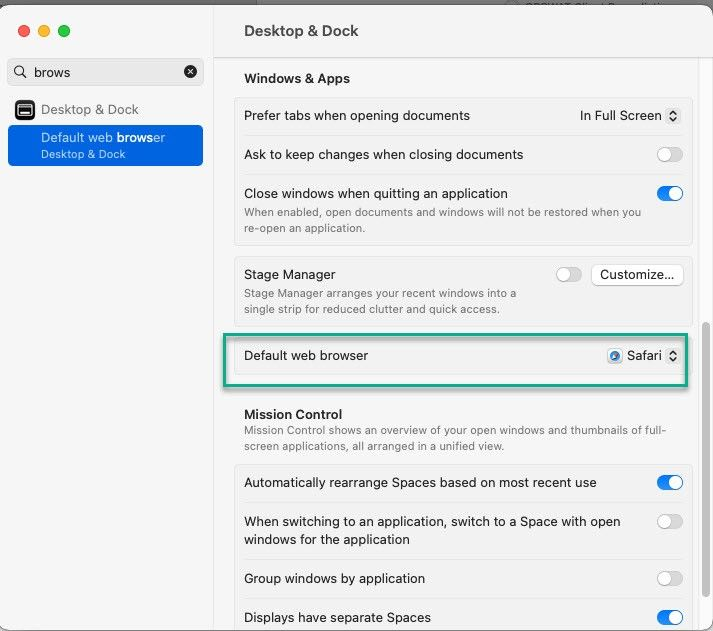
How to set default browser on macOS
Go to System Settings to search for Default Web Browser.
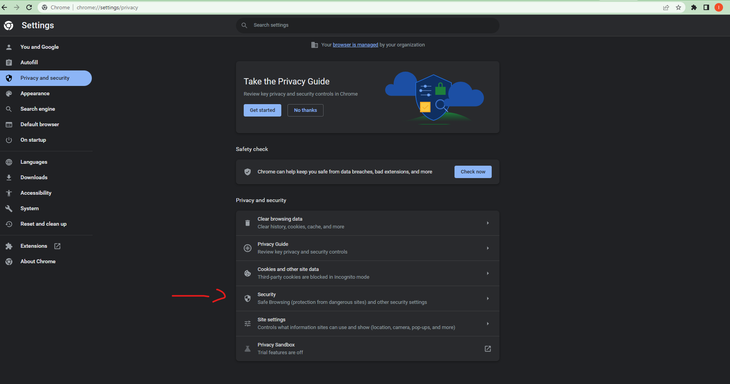
How to enable Antiphising in Chrome
Open Chrome Browser, go to the three dots on top right of the Chrome Browser, click Setting. Select "Privacy and Security on the left menu of Settings page, then choose "Security"
Select any protect options for Chrome browser to enable Antiphishing in Chrome
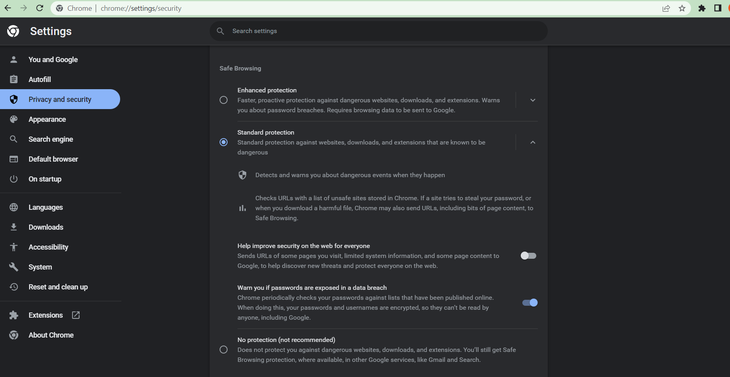
Note: This action is only valid for the dedicated profiles on Chrome. Thus, to get max score, users must enable all profiles within Chrome Browser.
Was this page helpful?
Knowledge Base