
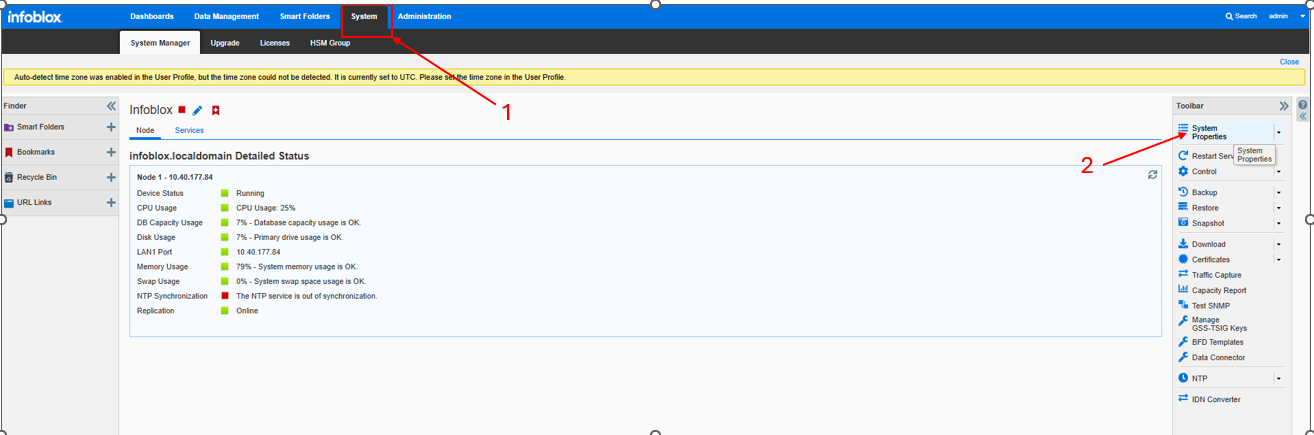
From you Infoblox Dashboard click System -> System Properties
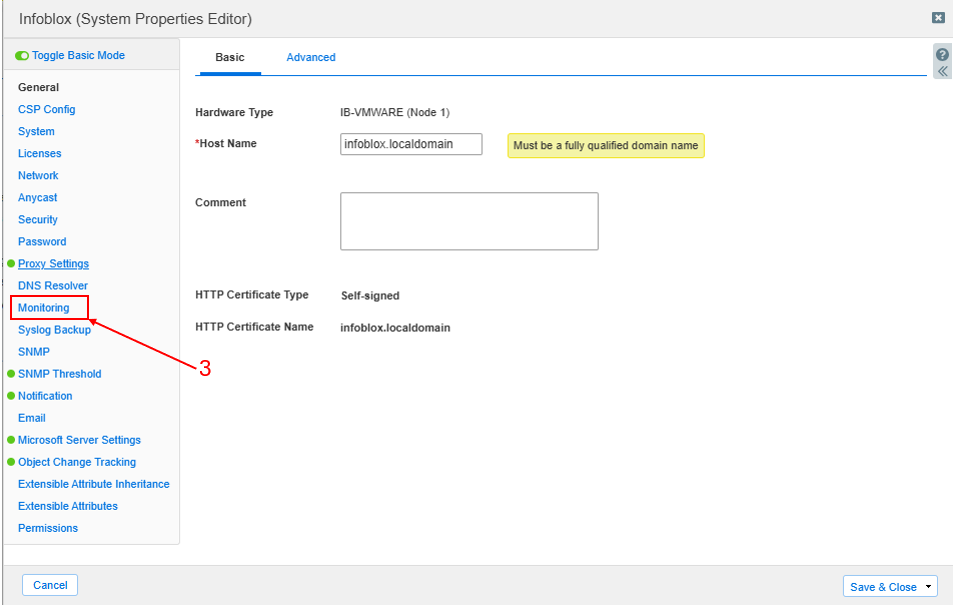
Choose Monitoring
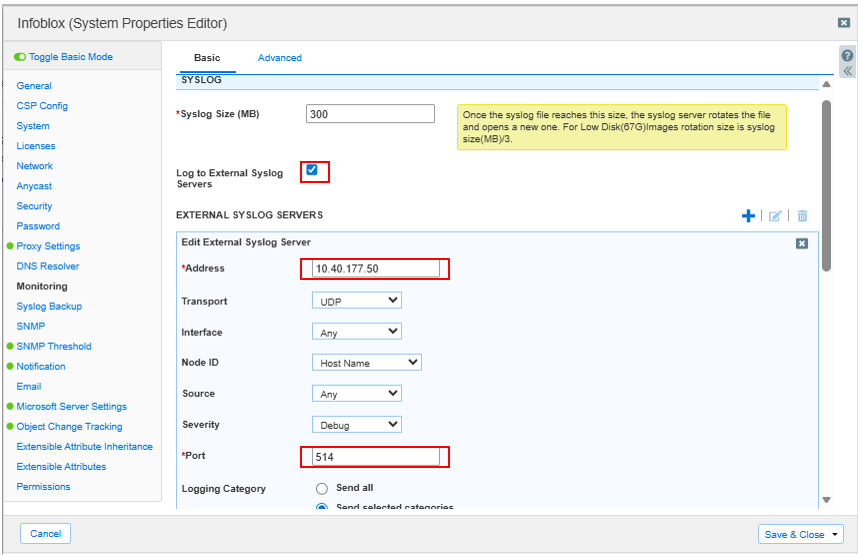
Configure as follows:
Log to External Syslog Servers: Checked
Address: [IP address of NAC Edge VM]
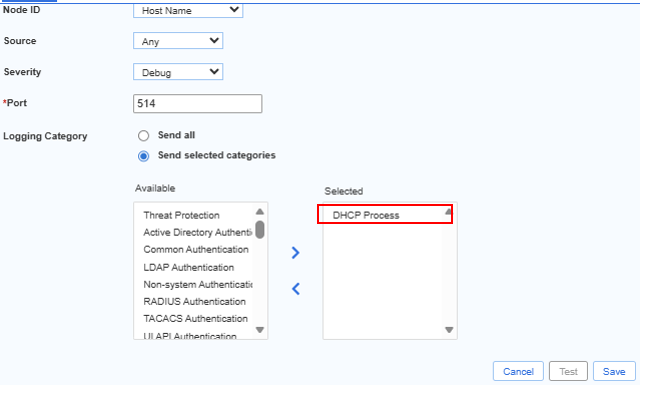
Port: 514
Logging Category: DHCP Process
Was this page helpful?
Secure Access Solution