
The System Usage feature helps administrators monitor the My OPSWAT Central Management server's health status, which include the health status of its system service and the host machine's resource usage metrics: memory, CPU and disk usage.
Administrators can configure usage thresholds and enable automated email alerts for any system health and usage issues.
Version requirement
System Usage is available in My OPSWAT Central Management 10.7.26092 and later. On earlier versions the feature is not visible and the System Usage tab does not appear under Settings → Servers.
In This Guide
System Usage Dashboard
Navigate to Settings > Servers > Open System Usage tab to begin.
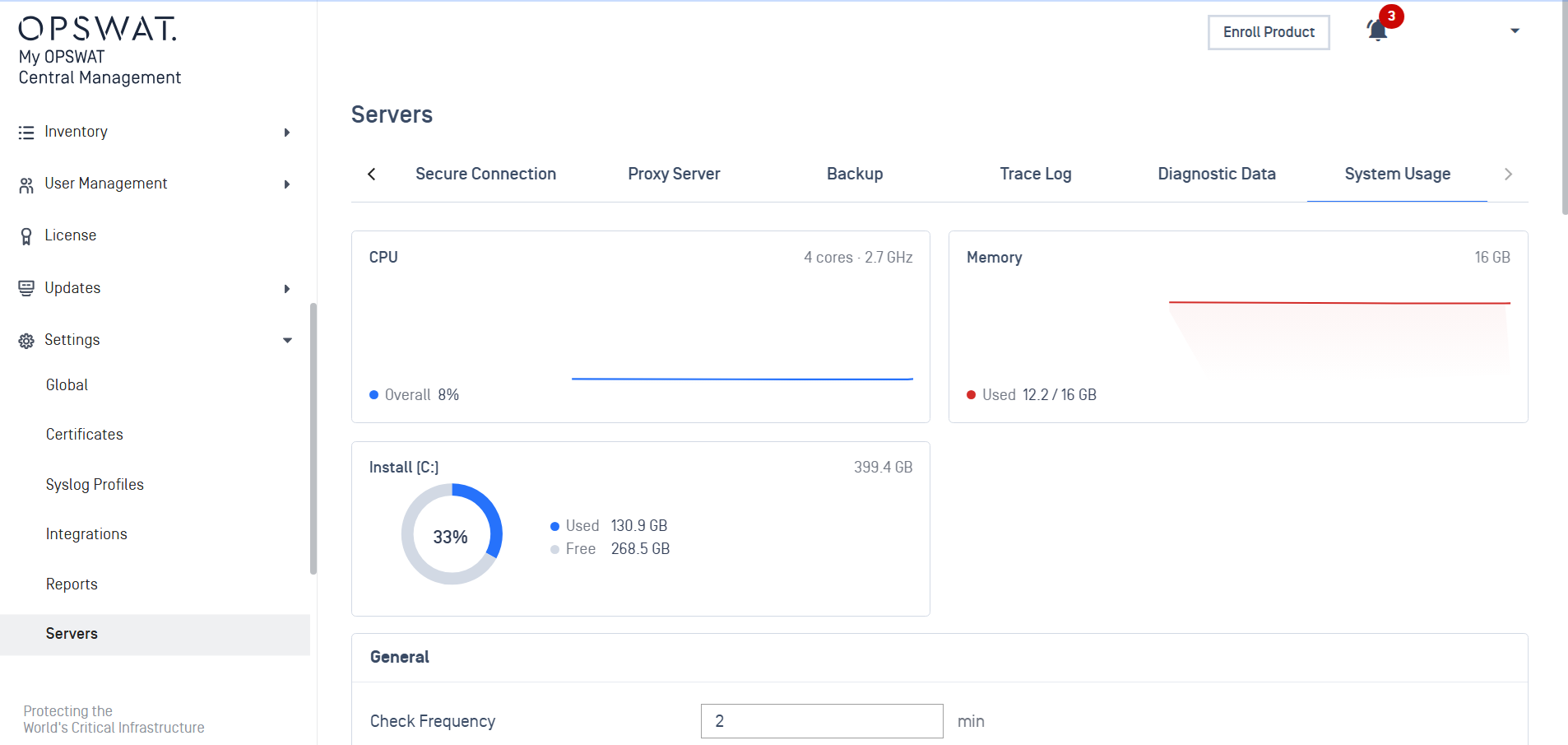
The System Usage tab provides a dashboard view of the host machine's resource usage. The following metrics are available:
CPU
Memory
Disks that are used by the My OPSWAT Central Management installation.
Email Notification Configuration
The setting sections below the dashboard let admins configure email notification feature. Please note that Email Server must be configured to use this feature.
The General section configures how the email notifications are evaluated and sent.
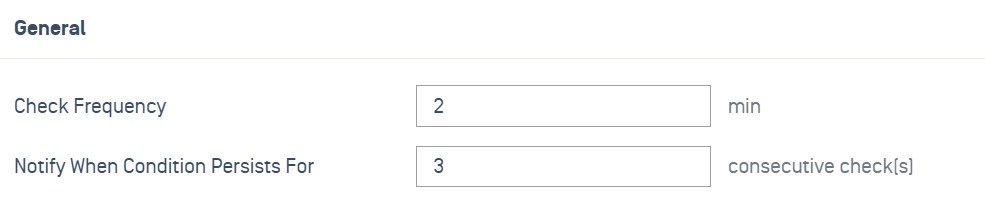
Check Frequency: The frequency of individual health checks.
Notify When Condition Persists For: The amount of consecutive failed checks required for sending email notifications.
For example, if a subcomponent or a resource metric (such as memory usage) is in a failure state for 3 consecutive checks (which ~6 minutes at 2-minute frequency) then an email notification will be triggered
On server startup, the threshold for Notify When Condition Persists For is configured to be twice of the current setting to allow for startup time.
That is, if the setting is set to 3 consecutive checks then on startup, an email notification will only be sent after 6 consecutive failed checks.
The System Service, Disk Space, CPU and Memory sections configure the individual email notification settings for each type of server health issues.
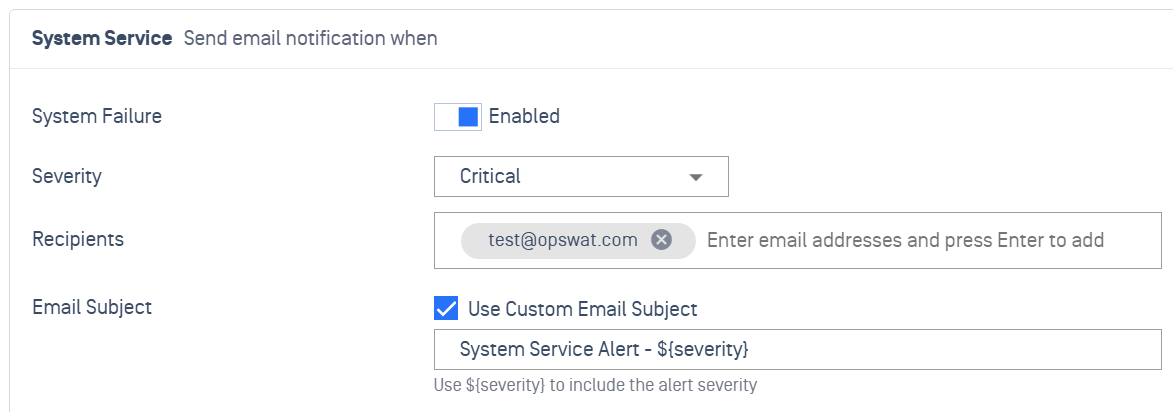
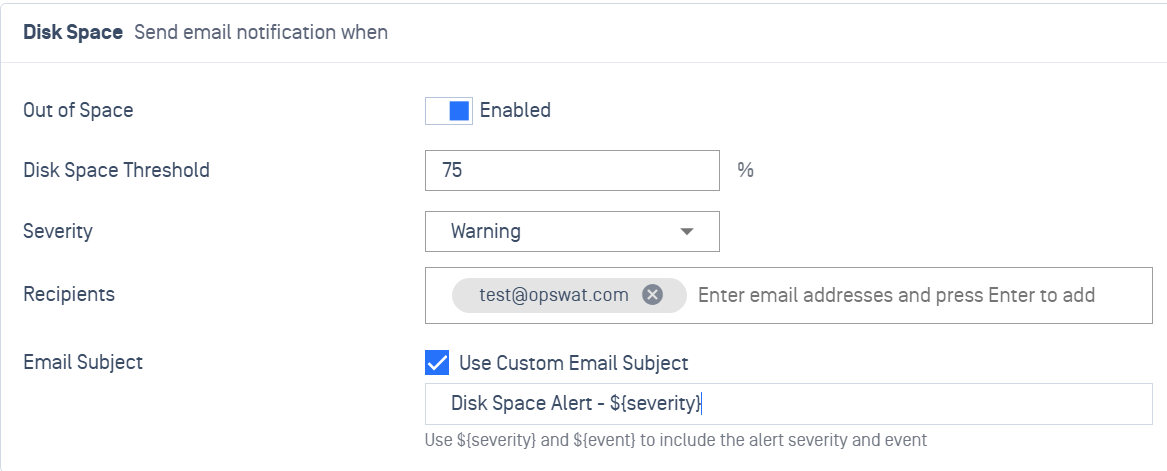
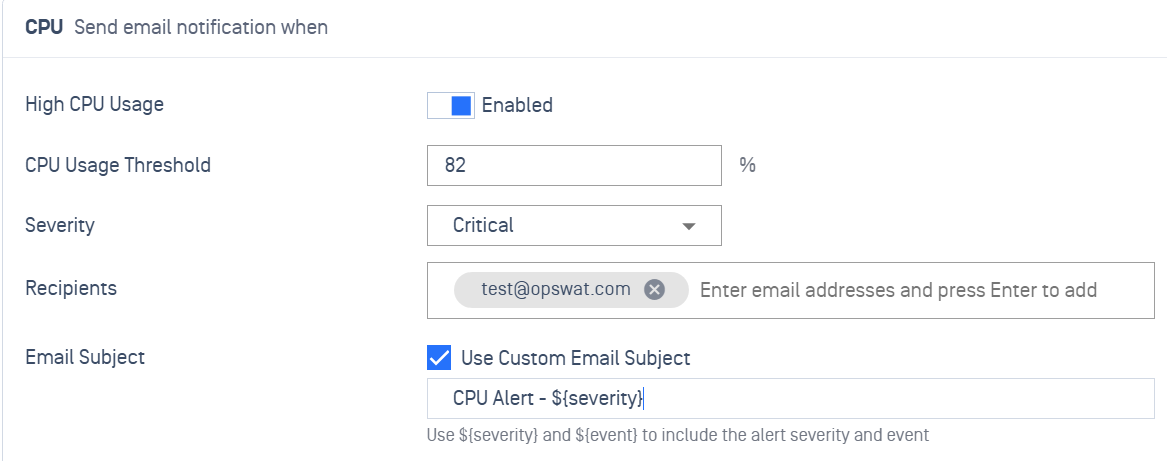
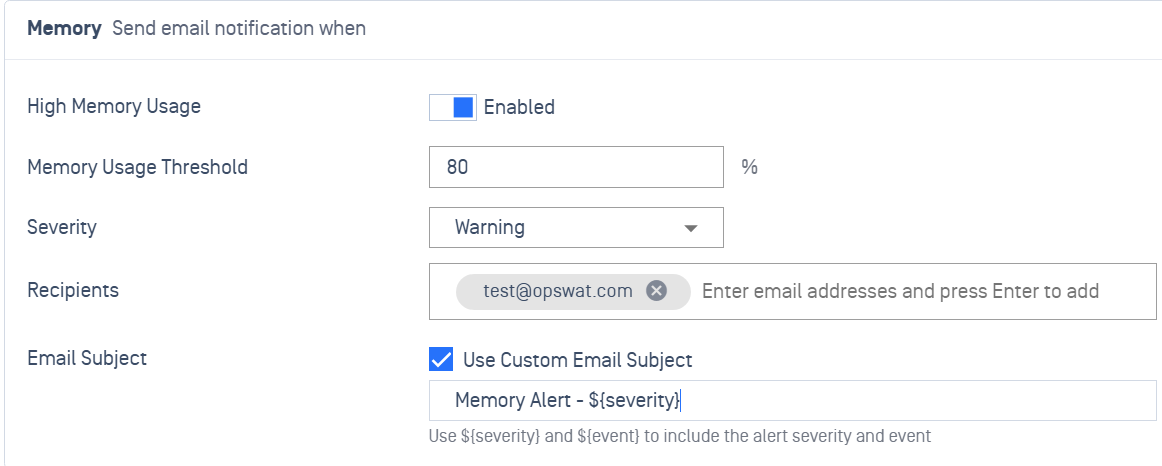
Enabled: Enable email notification for each issue type.
Threshold: The alert threshold for each resource metric type, by percentage.
Severity: The severity level of each issue type, for information purpose. This information will be included in the email notifications.
Recipients: The recipient email addresses.
Email Subject: The customizable email subject.
To account for oscillation, which can cause email spamming, each type of health issues requires 3 consecutive success checks for transition from failure to success state.
For example, with a memory usage threshold of 90%, the memory usage must remain below 90% for 3 consecutive checks before the memory health status can be changed from failure to success state.