
My OPSWAT Central Management supports routing traffic through a forward proxy. Administrators can configure proxy settings by navigating to Settings > Servers in the left-hand menu and selecting the Proxy Server tab
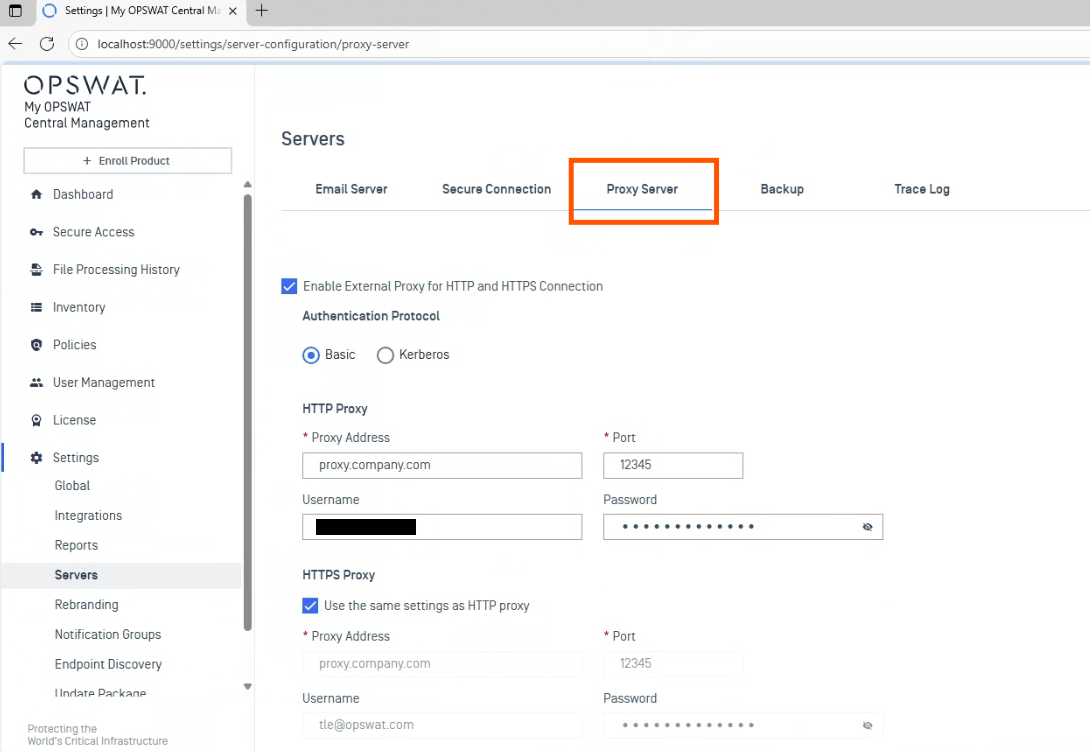
Enable External Proxy for HTTP and HTTPS Connections: Activate proxy support to route HTTP and HTTPS traffic through a designated external proxy server.
There are 2 authentication protocols: Basic and Kerberos authentication
Basic Authentication:
Proxy Address & Port: Specify the address and port number of the proxy server used for routing traffic.
Username & Password: Enter the credentials required to authenticate with the proxy server. If the proxy server does not require authentication, enter Test/Test
HTTPS proxy: encrypt the connection between My OPSWAT Central Management and the proxy server
Kerberos Authentication:
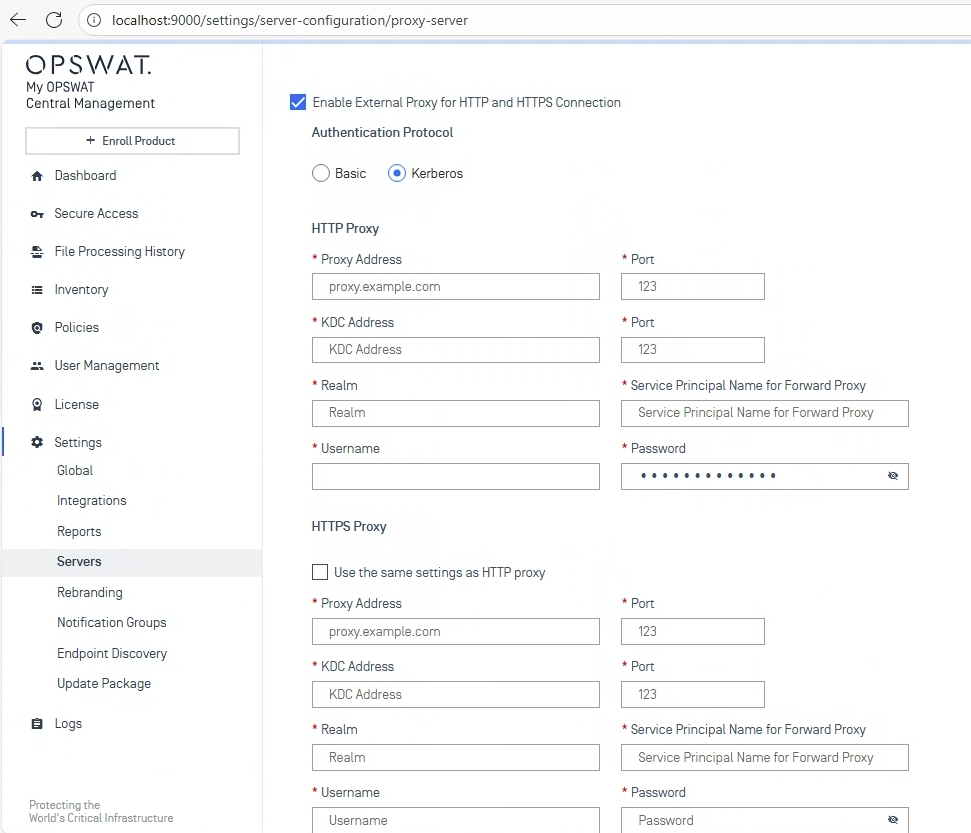
Proxy Address & Port: Specify the address and port number of the proxy server used for routing traffic.
KDC (Key Distribution Center) address & Port: Kerberos authentication service located on a domain controller that provides clients with tickets to access network resources
Realm: The name of the Kerberos realm to which the proxy server belongs.
Service Principal Name for Forward Proxy: A unique identifier for the proxy service within the Kerberos realm. This is crucial for Kerberos to correctly identify and authenticate the proxy.
Username & Password: a username and password for Kerberos authentication to initially authenticate with the Kerberos Key Distribution Center (KDC)