
MetaDefender Endpoint
The Endpoint Components tab manages updates and installers for MetaDefender Endpoint.
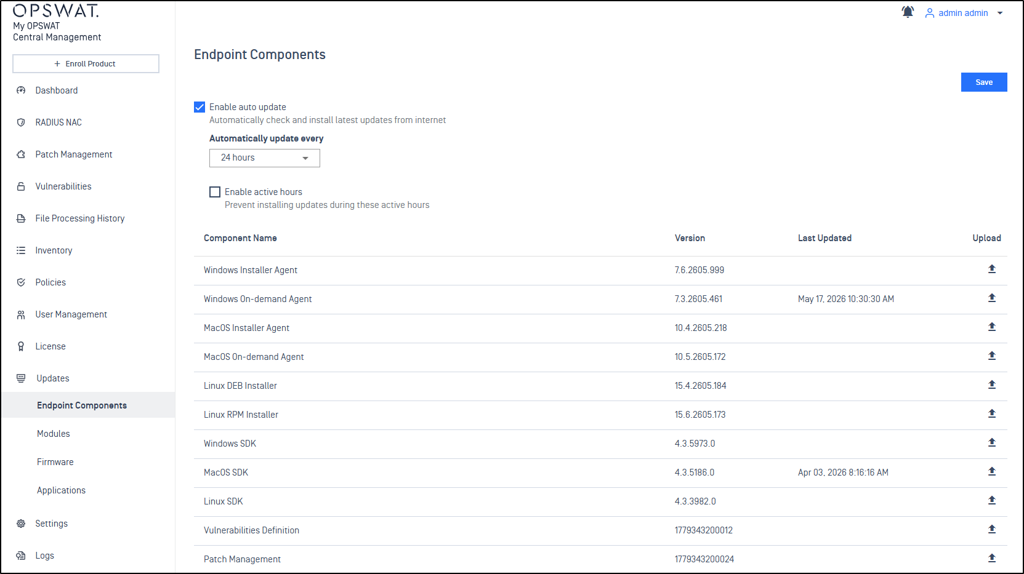
Auto Update Settings
Configure automatic update preferences for the system.
Settings:
Enable auto update: Automatically checks and installs the latest updates from OPSWAT hosting servers.
Update frequency: the frequency that My OPSWAT Central Management checks for an update.
Active hours: My OPSWAT Central Management won't check for updates during the specified times
Ex: Weekdays (Monday-Friday) from 8:00 to 17:00
Module Updates
Administrators can configure how My OPSWAT Central Management updates modules for products such as MetaDefender Core, MetaDefender Kiosk Linux. A product instance checks if a new module version is available within My OPSWAT Central Management and updates itself if any.
Note Staged Module Rollout is available for MetaDefender Core, see our detailed instructions.
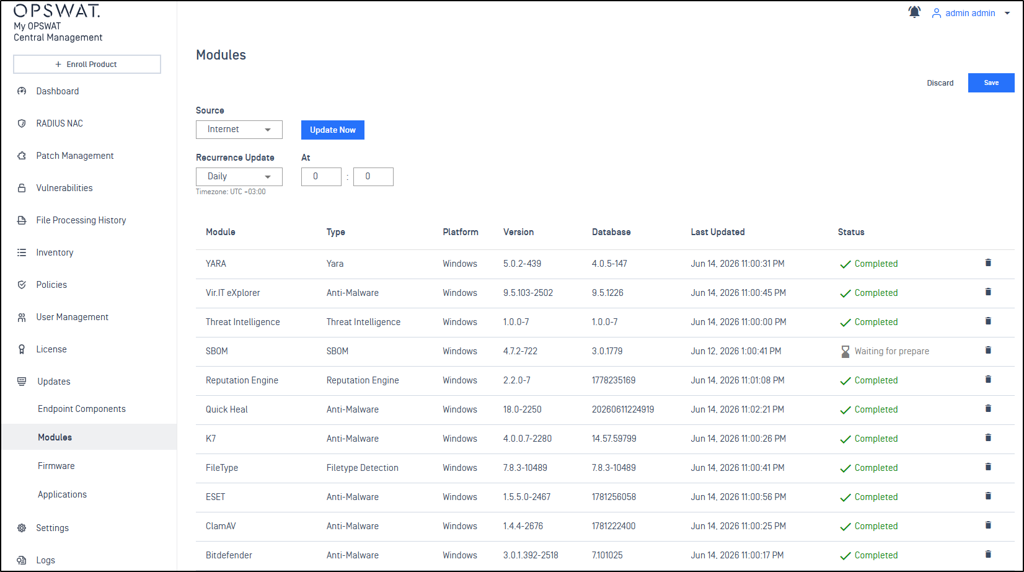
The following options are currently available:
Internet
My OPSWAT Central Management periodically reaches to OPSWAT update servers to fetch the latest update files. This requires an outbound connection from My OPSWAT Central Management to OPSWAT update servers.
Recurrence Update: Daily/Weekly
At: select a time in a day to check for updates.
Manual
An administrator must manually upload the update files to My OPSWAT Central Management.
Folder
In Folder mode, OPSWAT Central Management continuously monitors the configured folder and automatically imports any available module updates from the specified location into the module update pool.
Delete files after import: If selected, the files of the imported modules are deleted from the pickup folder after the import process finishes.
Product Firmware Updates
Administrators can configure how My OPSWAT Central Management updates a firmware package for managed MetaDefender Kiosk Windows instances. A MetaDefender Kiosk Windows instance checks if a new version is available within My OPSWAT Central Management and updates itself if any.
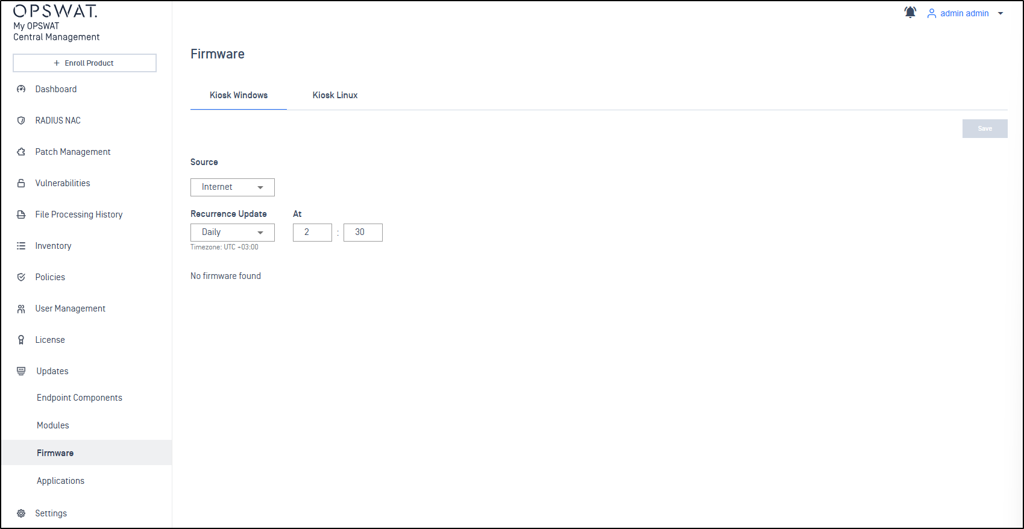
The following options are currently available:
Internet
My OPSWAT Central Management periodically reaches out to OPSWAT update servers to fetch the latest update files. This requires an outbound connection from My OPSWAT Central Management to OPSWAT update servers.
Recurrence Update: Daily/Weekly
At: select a time in a day to check for updates.
Manual
An administrator must manually upload the update files to My OPSWAT Central Management.
All times are displayed in the system's local timezone
Manual updates can be performed by selecting appropriate yml and zip files
System administrators can add additional rules for update management
Applications Updates
Select OPSWAT Applications such as Kiosk, Core, and Industrial Firewall, can be updated from this section as detailed at Update Application - My OPSWAT Central Management