
This article applies to all MetaDefender Optical Diode releases deployed.
Cause
The device emits a continuous audible alarm when one of the two power supplies is disconnected or not receiving power. This alarm is a hardware safety feature designed to alert users of a redundant power supply failure.
Resolution
Verify that both power supply units (PSUs) are properly connected to the device.
Ensure that both power sources are supplying power.
Once both PSUs are connected and receiving power, the beeping will stop automatically.
If it is not possible to use two cables
The workaround is to keep one cable connected to the Optical Diode and press the following button in the back of the Diode:
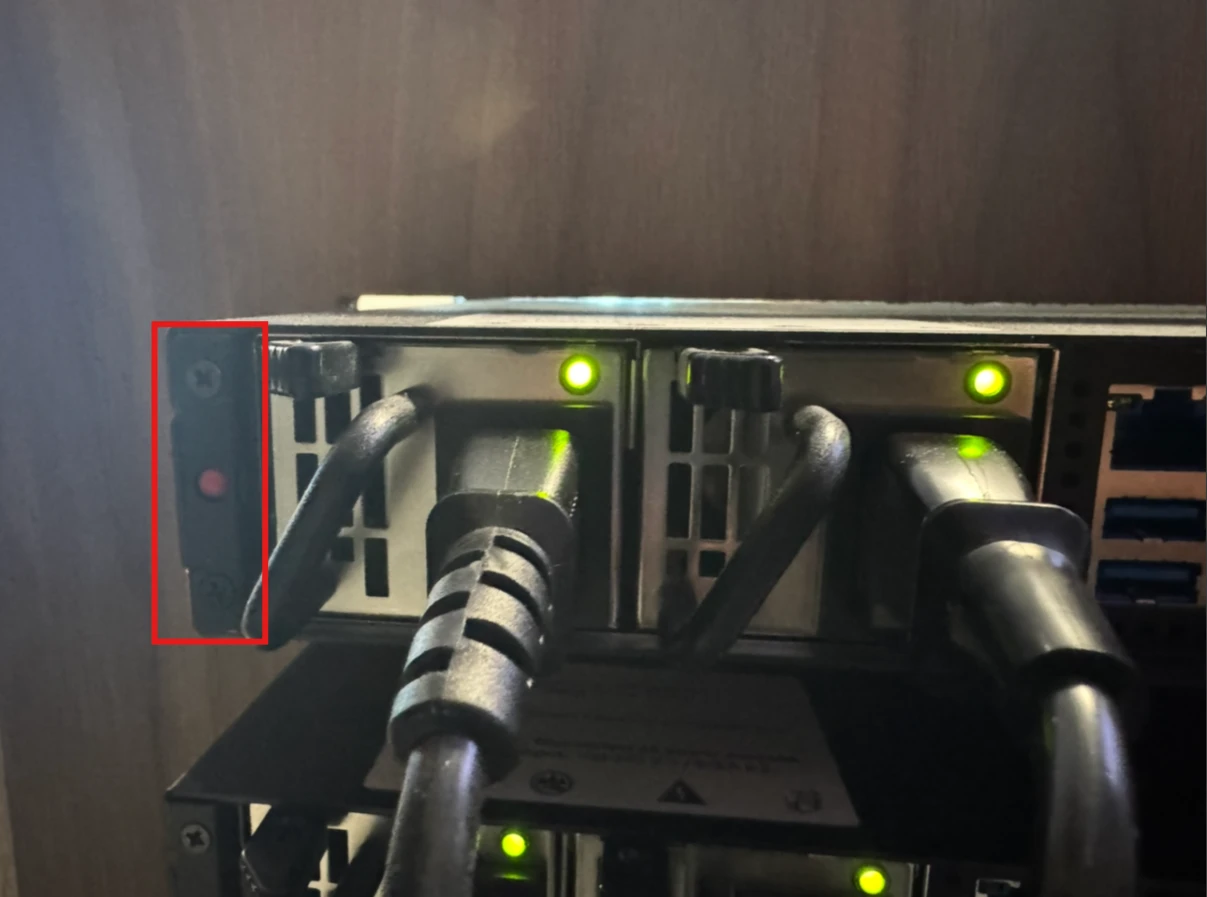
This will stop the beeping sound while only one of the cables is connected.
If Further Assistance is required, please proceed to log a support case or chatting with our support engineer.