
MetaDefender Storage Security allows users to manually initiate a new scan for files. This feature provides control and flexibility, enabling rescans for the following scenarios:
Investigating potential false positives
Re-evaluating a file after anti-malware definition updates
Re-processing a file after a policy configuration change
Attempting to scan an encrypted file by providing the correct password(s)
Files can be rescanned using either the graphical user interface (GUI) or the Application Programming Interface (API).
Reprocess actions have been designed for finished scans and are not applicable to running scans or active Real-Time Processing (RTP) scans.
Using the Report Reprocess Flow
You can initiate a batch rescan directly from the MetaDefender Storage Security web interface:
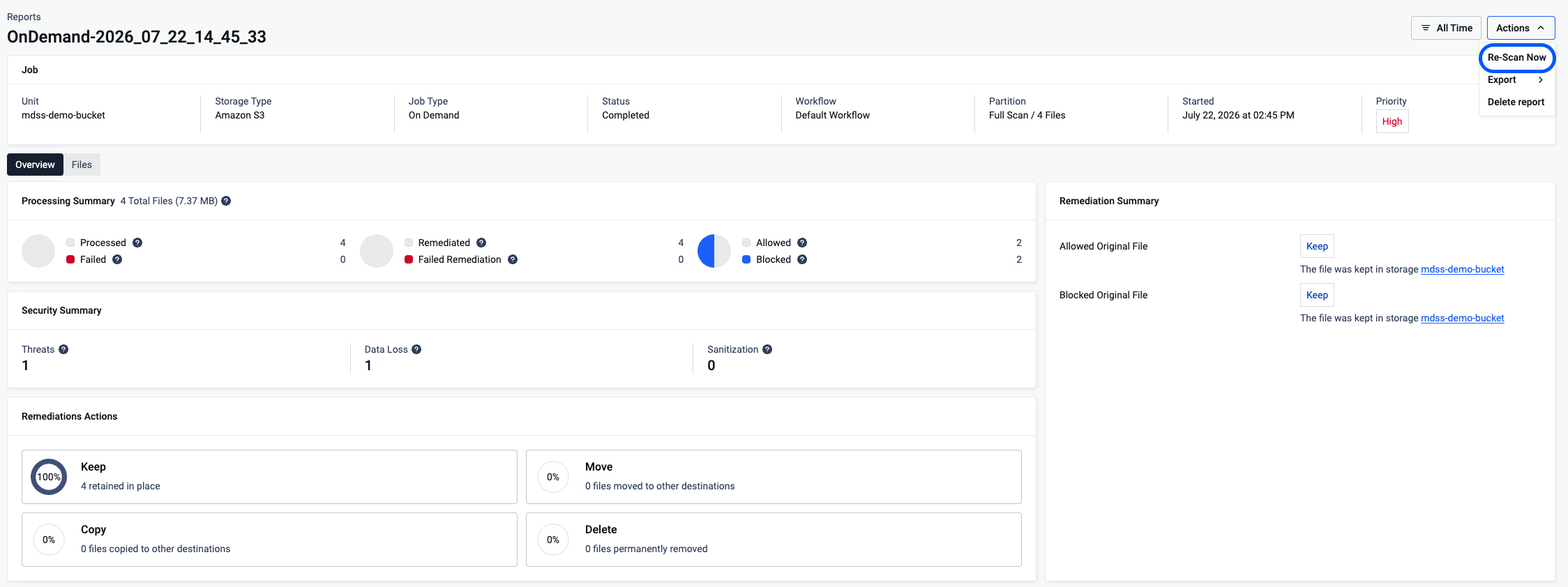
From the scan report, go to Actions -> Re-Scan Now
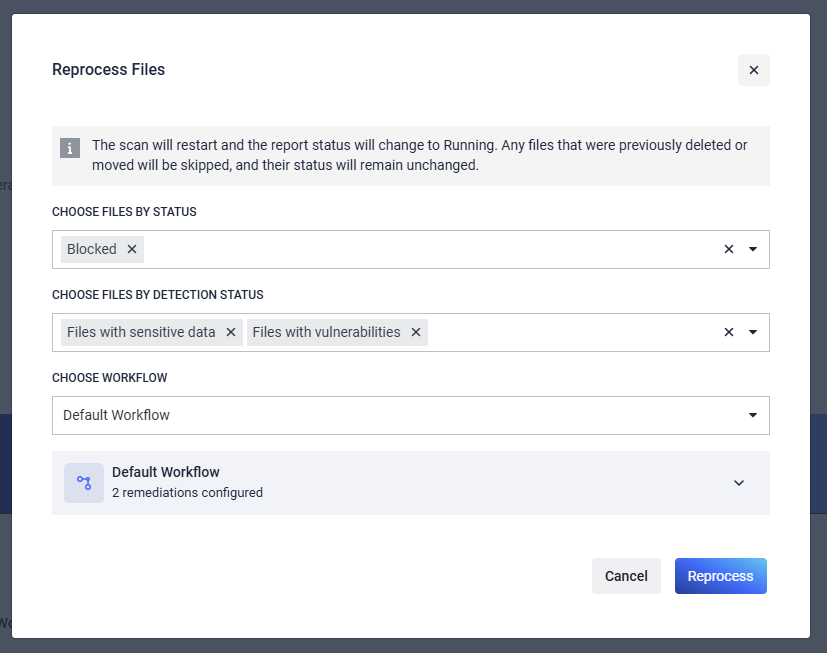
Configure the reprocess filters with the desired Status, Detection, and Workflow to be used by the rescan action.
After a batch rescan, the files of the report can be filtered by the Workflow and Date of the rescan action.

The rescan process will filter for files that match both the STATUS and the DETECTION filters.
Adding multiple DETECTION filters will scan will filter for files that match ALL DETECTIONS and not at least one of them.
Rescanning for Blocked files with Sensitive Data - AND - Vulnerabilities will not rescan any files because no files have triggered both DLP and Vulnerability detection flags in the scenario above.
Reprocessing for Allowed and Blocked files will reprocess all files with Allowed and Blocked files but not any with Failed Remediations or other results.

Allowed and Blocked file results are 1 tier above Failed, Failed Remediations, and Canceled file results.
Reprocessing for Allowed and Failed Remediations Files will NOT rescan Blocked files with Failed Remediation results because the rescan did not target Blocked files. Only Allowed files, with or without Failed Remediations, will be reprocessed.


Reprocessing for ONLY Failed Remediation files will reprocess both Allowed and Blocked files that have Failed Remediations

Using the Reports GUI
You can initiate a single file rescan directly from the MetaDefender Storage Security web interface:
Navigate to the Active Scans page or the Reports page.
Locate the specific file you wish to rescan within the list (status is indicated by icons or labels).
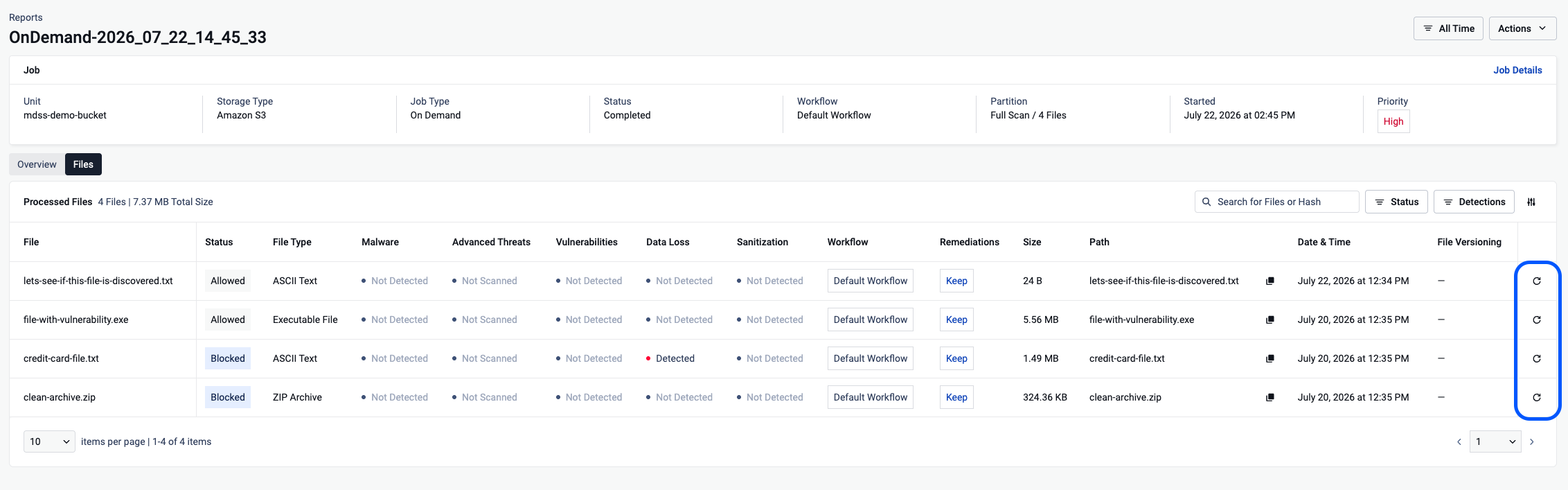
Click the Reprocess File button in the actions column for the blocked or failed file. For encrypted files, click the lock icon, enter the passwords, and click the rescan icon.
The file will be re-queued for processing using the currently applicable workflow.
Monitor the scan progress and final result on the Reports page.
Using the API
Files can be programmatically submitted for rescan using this API from the MetaDefender Storage Security API. This is useful for automation or integration with other systems.
You will need the unique identifier (
fileId) of the blocked file you wish to rescan. This ID can typically be retrieved from scan reports or event logs associated with the initial block action.Missing Information : the specific endpoint for triggering a rescan of any blocked file in MDSS based on
fileIdshould be documented here / link to itSend an API request (POST) to the determined endpoint. The request body should be in JSON format (below)
The API should return a response indicating whether the rescan request was successfully submitted (a success message, perhaps a new
data_idor task ID for tracking or whatever it is). The actual scan results will be available asynchronously and can be retrieved via subsequent API calls or viewed in the GUI.
For standard rescan
For encrypted blocked files
Full API documentation is available to guide your implementation.