
User Guide
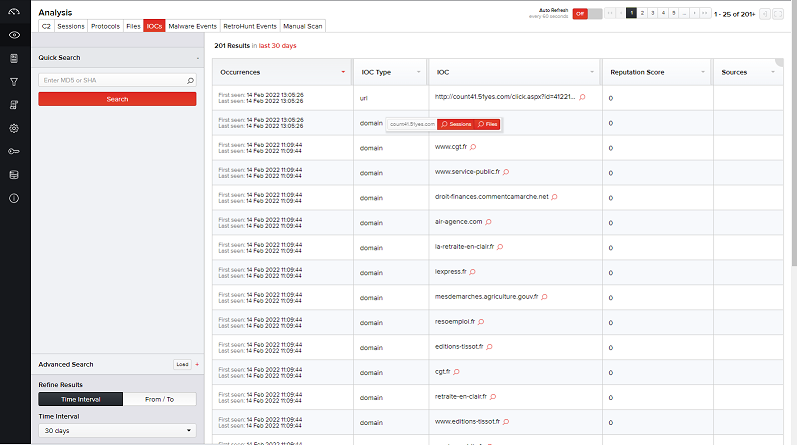
IOCs with a list of indicators carved and stored by MetaDefender NDR are displayed in a tabular form. Basic details of the sessions appear in the right pane and include:
Occurrences– First seen and last seen timestamps
IOC Type – Type of indicator. Types include:
- Domain*
- Email address
- Hash
- IP address*
- URL*
- UUID
- XMPID ( * supports reputation scoring)
IOC – The specific indicator that was processed during Deep File Inspection.
Reputation Score – Poor reputation produces a higher score.
Sources - Intelligence source for the reputation score
To view further details of an IOC and its session on a new page, click Pivot to Search corresponding to a file in the table. The Files Details page displays detailed information of the file along with its related session details.
Was this page helpful?