
This article applies to all MetaDefender Kiosk V4 releases deployed on Windows systems.
If thus configured, MetaDefender Kiosk will, after scanning and sanitizing files as part of its session workflow, wipe the user’s original media before copying the remediated files to it.
There are 3 areas where wipe/format can be configured and each serve their own purpose:
Configuration → Kiosk UI → Wipe Method **Note:**The Wipe Method here refers to a pre-scan wipe. When enabled, this option erases all data from detected media by overwriting the entire disk with random data before any files are scanned by MetaDefender Core. This is typically used in dedicated wipe sessions.
For enabling the Wipe session type to wipe\format inserted media; can be multiple media
Workflows → <workflow> → File Handling → For <Blocked, Allowed> Files → Copy to → User Media → Wipe user media before copying
For enabling the ability to wipe the destination media before copying files over
Workflows → <workflow> → File Handling → For Allowed Files → Wipe and Copy to Original Media **Note:**In contrast, the post-scan wipe settings found within individual workflows (under File Handling) take effect after scanning is complete. These determine how files are handled post-scan and whether media is wiped before copying allowed files back to it.
For enabling the ability to clear out the scanned media’s content and restore back only the allowed files
This functionality is enabled as an added security measure intended to leave no trace of the original, possibly malicious or corrupt files on the user’s removable media.
Format, 1-pass, 3-pass and 7-pass describe various media-wipe processes, with respectively increasing levels of effectiveness.
The more effective the method, the more secure the method, and the more unlikely it is that any of the original data will be recoverable from the media post-wipe.
Format is the fastest (and least effective) of these methods, as it simply removes references to the files on the drive without physically overwriting the files themselves.
The 1, 3 and 7 pass wipe options physically overwrite all data stored on the drive with a range of differing algorithms, making retrieval of the original data much more unlikely.
The wipe/overwrite options are the only way to fully erase the contents of a drive or removable media.
The numbers 1, 3 and 7 refer to the number of passes made during the wiping process. It follows that choosing the 7-pass option will be the most effective way of erasing your drive.
The United States Department of Defense recommends using a 7-pass wipe to clean media.
For all wipe options, OPSWAT conducts a low-level (meaning sector by sector) wipe of the media, which is the slower and more rigorous method of data erasure.
Enabling the wipe feature will completely erase and reformat all information and data on your device. This includes the partition table and master boot record, along with any file system information.
Please note that using the wipe function may take a considerable amount of time to complete, depending on the size of the media.
Algorithm Details
Num. of Passes | Algorithm Steps in Order | Security Standard |
|---|---|---|
1 |
|
|
3 |
|
*We select 0xFF and 0x00 (reverse of standard), then pseudorandom data instead of a fixed character for our final pass |
7 |
|
|
Encrypted or private partitions
If a device has an encrypted or private partition, MetaDefender Kiosk may not be able to read it. For more information, please read Known Limitations of MetaDefender Kiosk.
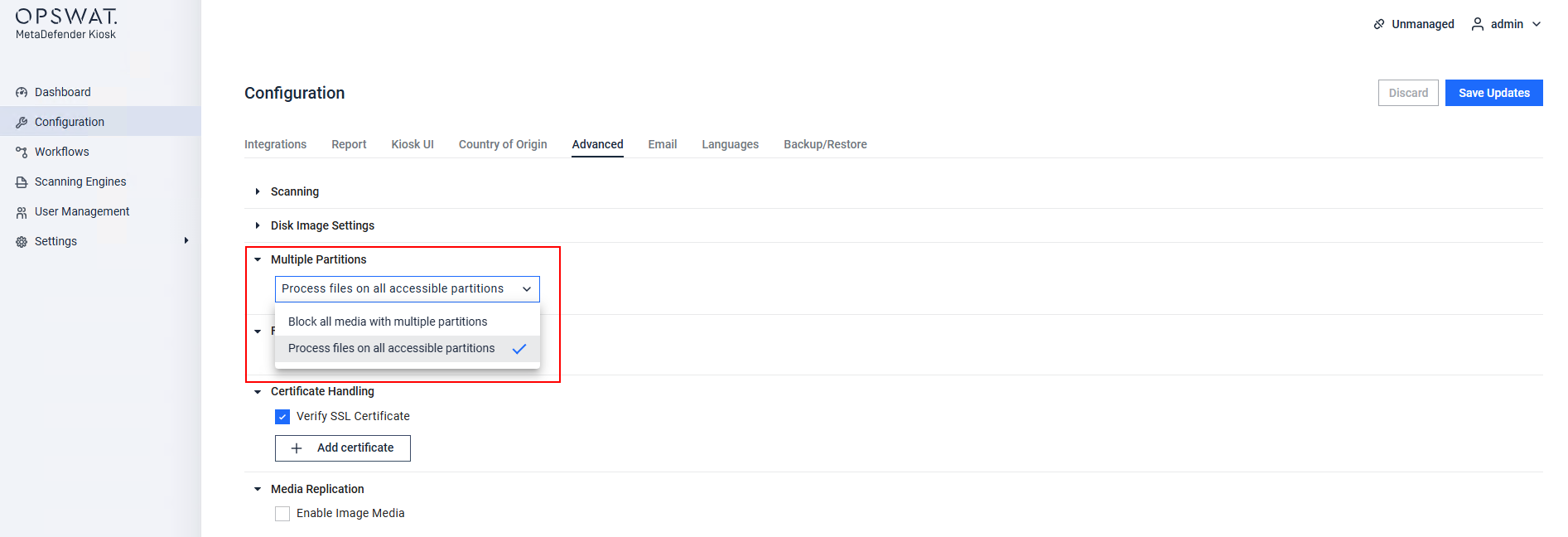
Media with non-primary encrypted partitions can be blocked via the MetaDefender Kiosk Management Console>Configuration>Advanced Configuration>Multiple Partitions, as illustrated in the following screenshot.
The OPSWAT team highly recommends using the wipe functionality so that, should a drive contain any non-readable encrypted or private partitions, these will be thoroughly wiped along with any malicious or threatening files they contain.
How to configure the Kiosk Media
Wipe feature
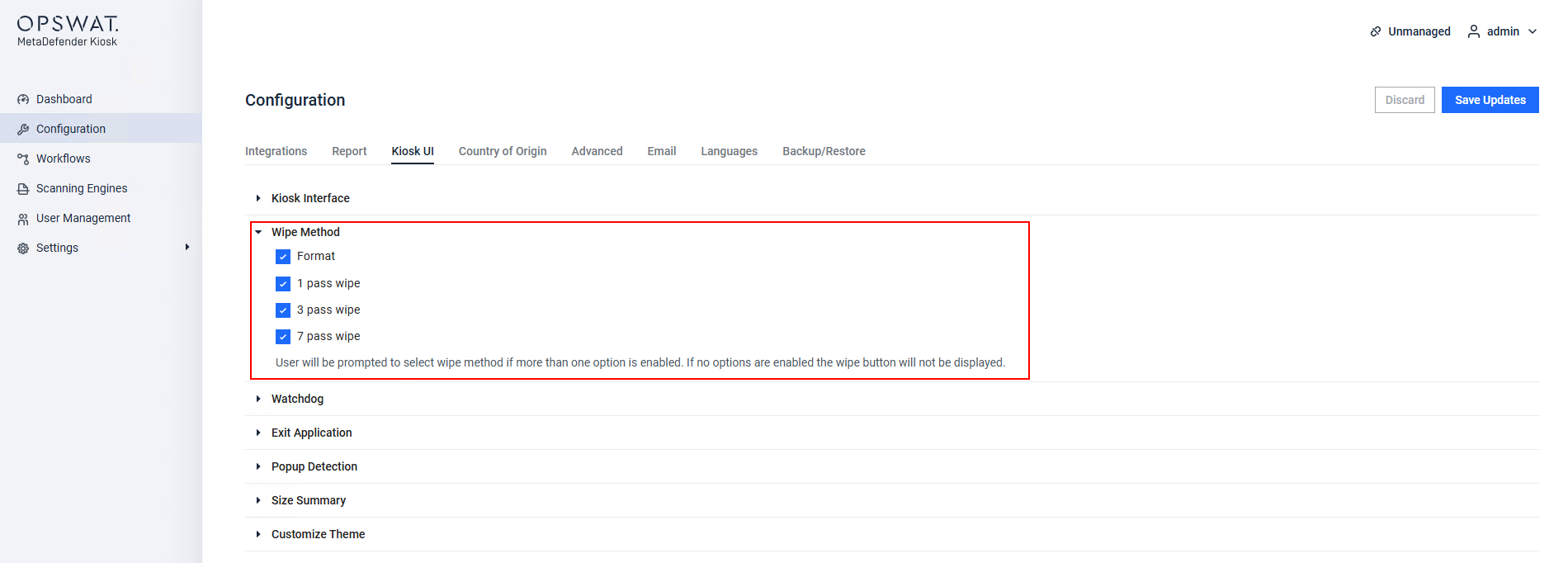
To configure Kiosk’s wipe functionality, navigate to the MetaDefender Kiosk Management Console > Configuration > Kiosk UI > Wipe Method and select the appropriate options, as illustrated in the screenshot below.
If you have any queries regarding the MetaDefender Kiosk’s Media Wipe Functionality, please follow these instructions on How To Create a Support Package, before creating a support case or chatting with our support engineer.