
How can I generate an API key on the Kiosk side?
This article applies to all MetaDefender Kiosk releases after version 4.7.0, deployed on both Windows and Linux systems.
In order to generate an API key on the KIOSK side (necessary for different OPSWAT product integrations) you will need to take the following steps:
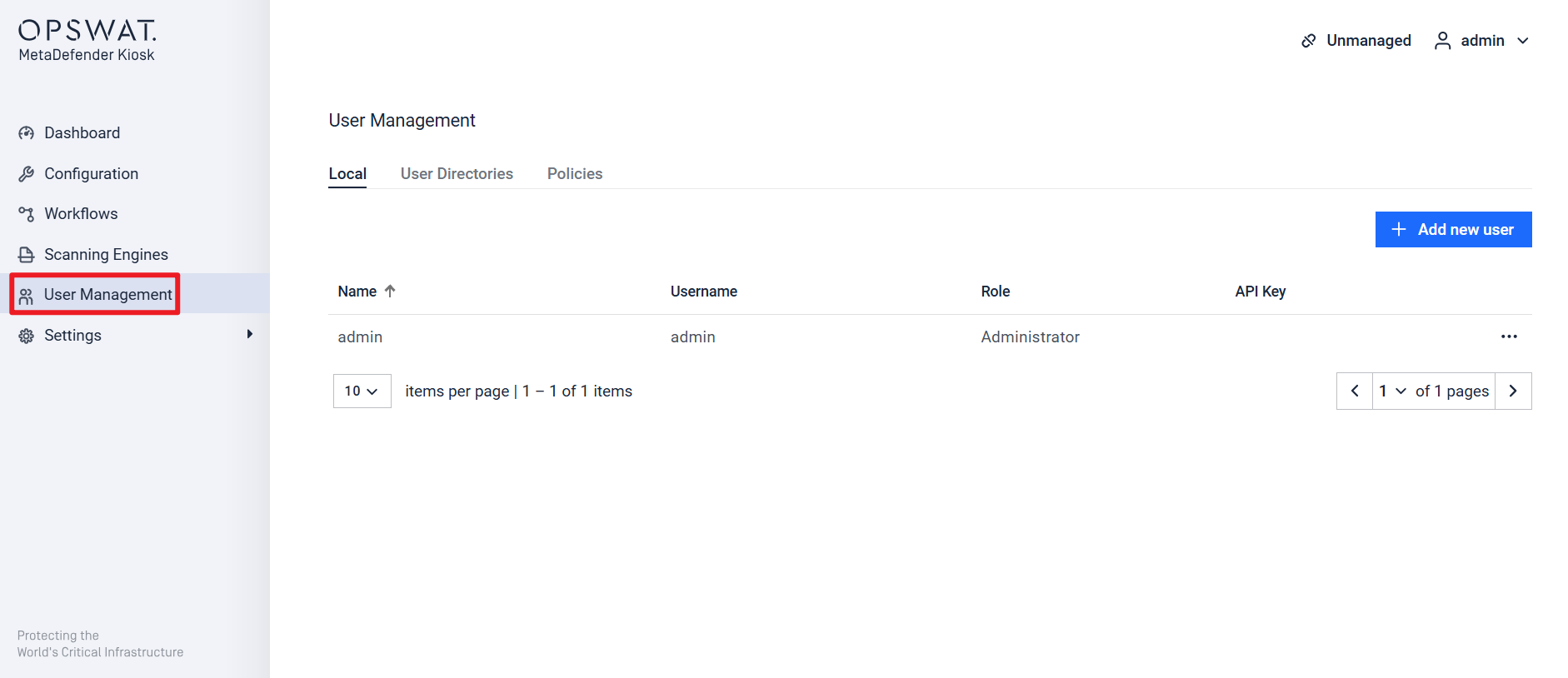
Navigate to the User Management tab.
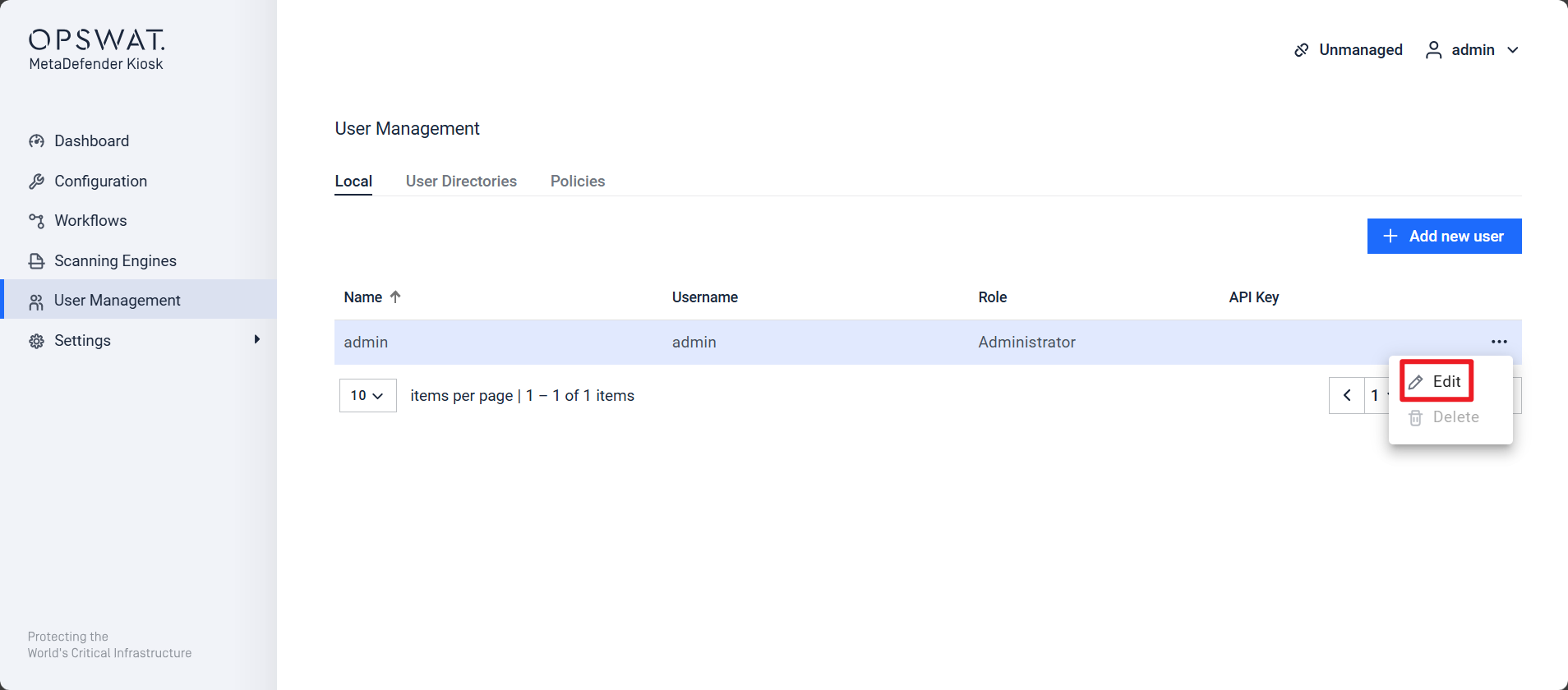
Select the user for whom you want to generate an API key, then click the three dots > Edit.
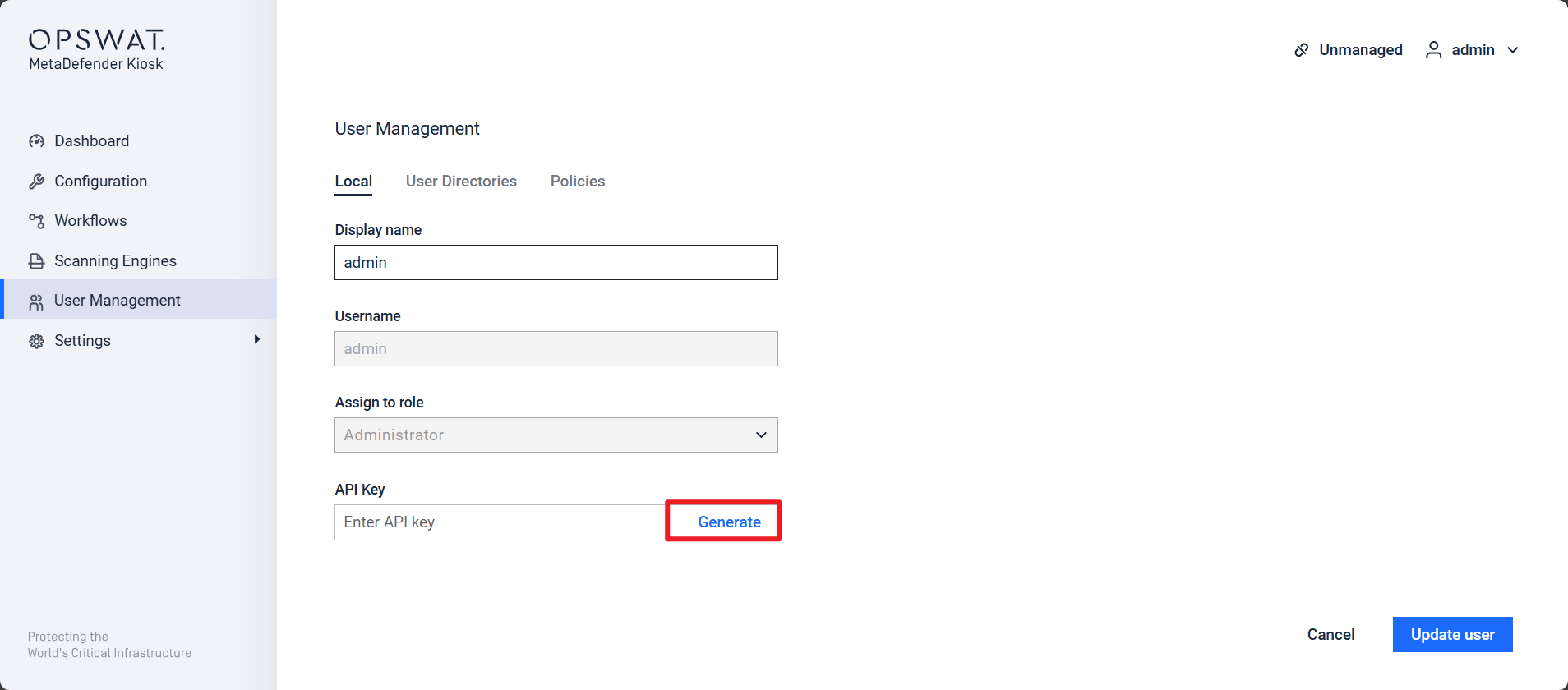
Click Generate to create the API key.
After generating the API key, click Update User to apply the changes.
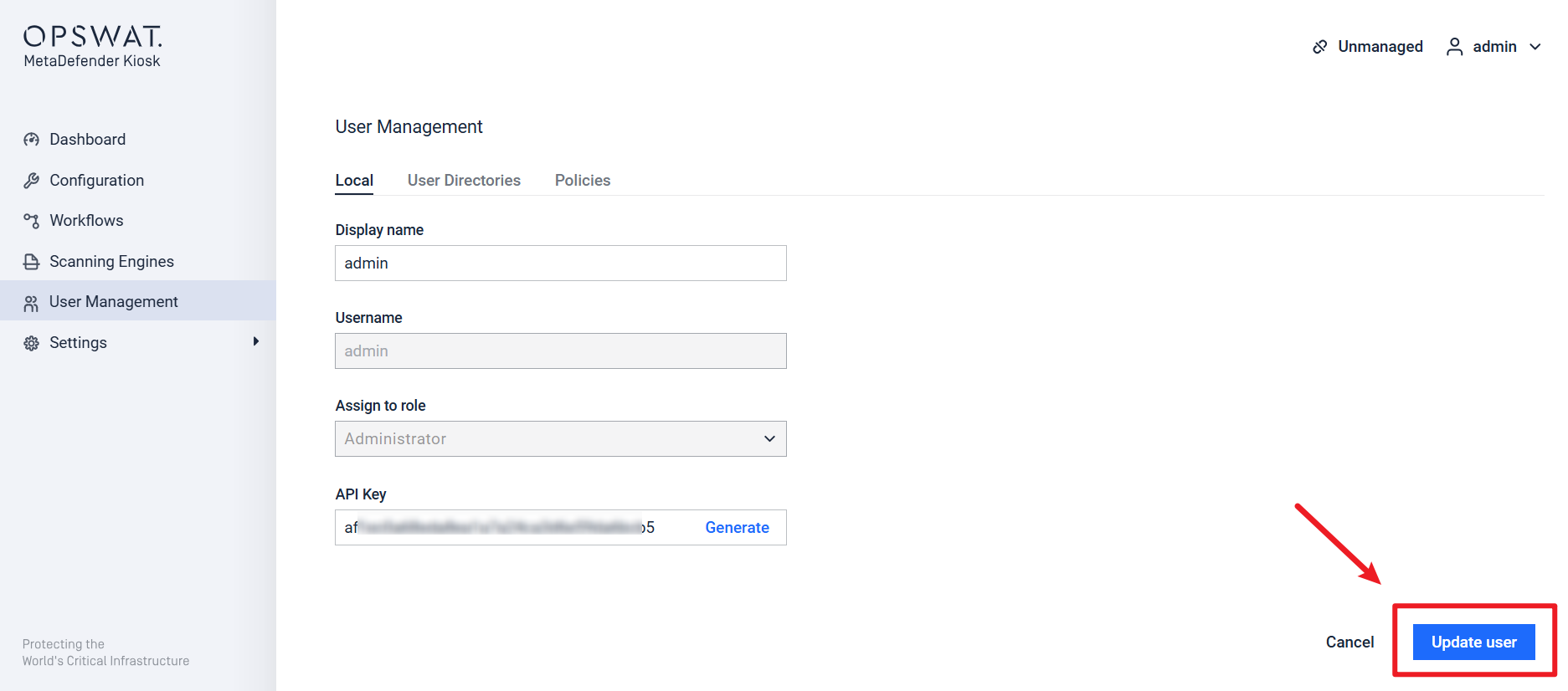
Once all the steps above have been completed the API key will be saved for the selected user and can be used in different integrations. (The API key does not have an expiration date).
If Further Assistance is required, please proceed to log a support case or chatting with our support engineer.