
This article applies to the current MetaDefender IT-OT Access Console and all MetaDefender Endpoint releases deployed on Windows, macOS, Linux, Android and iOS systems.
MetaDefender IT-OT Access policies include a feature that allows administrators to exclude specific missing patches from the Patch Management issue reporting component.
To utilize this feature and exclude specific missing patches, please follow the instructions below.
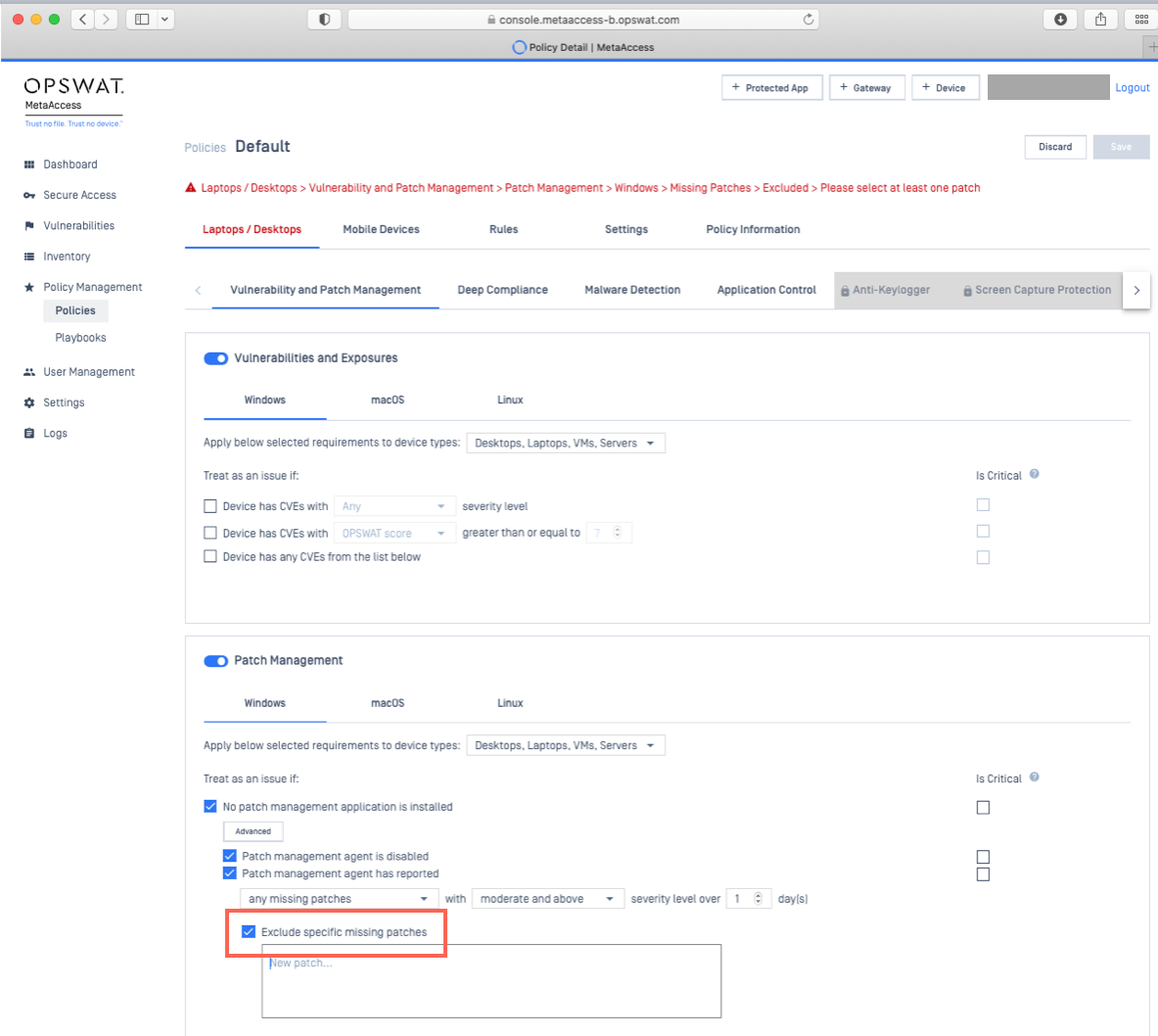
Log into the MetaDefender IT-OT Access Console and navigate to Policy Management>Policies>Relevant Policy>Vulnerability and Patch Management.
Check the option to Exclude specific missing patches, as illustrated below.
In the provided field, type out the name of each patch to be excluded, hitting Enter after each name, as illustrated below. To streamline the process, you can Copy/Paste the names directly from your previous patch management scan results.
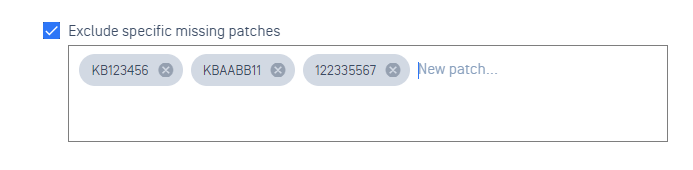
To remove a patch exclusion, simply click the X alongside the relevant patch.
Once all the required patches have been submitted, click Save to apply your settings, before confirming with your PIN, as required.
If you have followed the instructions above but are having further queries regarding How To Exclude Specific Missing Patches In MetaDefender IT-OT Access, please open a Support Case with the OPSWAT team via phone, online chat or form, or feel free to ask the community on our OPSWAT Expert Forum.