
This article applies to all MetaDefender Endpoint releases deployed on Windows and macOS systems.
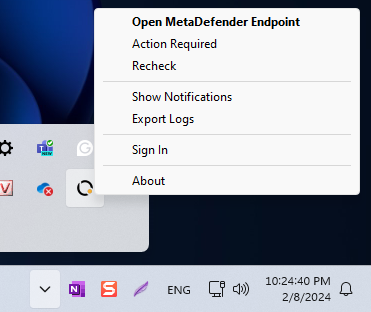
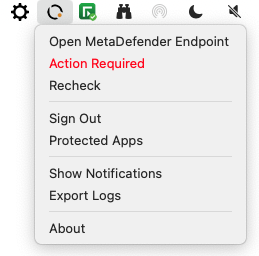
MetaDefender Endpoint features an optional tray icon, enabled by default, that displays pertinent information and functions to Client endpoint users, including:
Actions needed
Notification settings
The option to export logs
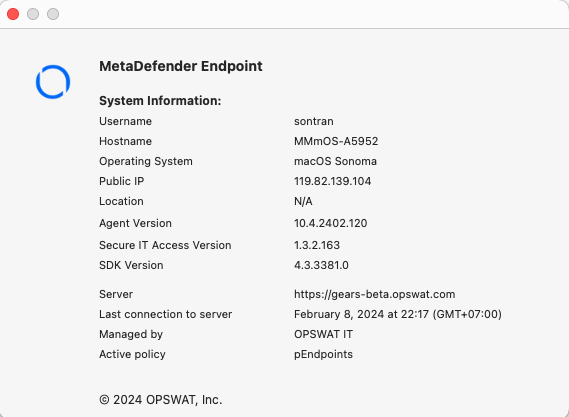
System information.
The screenshots below illustrate the tray icon in Windows (Screenshot A) and macOS (Screenshot B), as well as the standard System Information pop-up (Screenshot C).
Screenshot A
Screenshot B
Screenshot C
Understandably, some organizations prefer that the tray icon not be displayed to Client endpoint users. In which case, administrators can opt to disable/hide all device Client tray icons remotely, by following the instructions below.
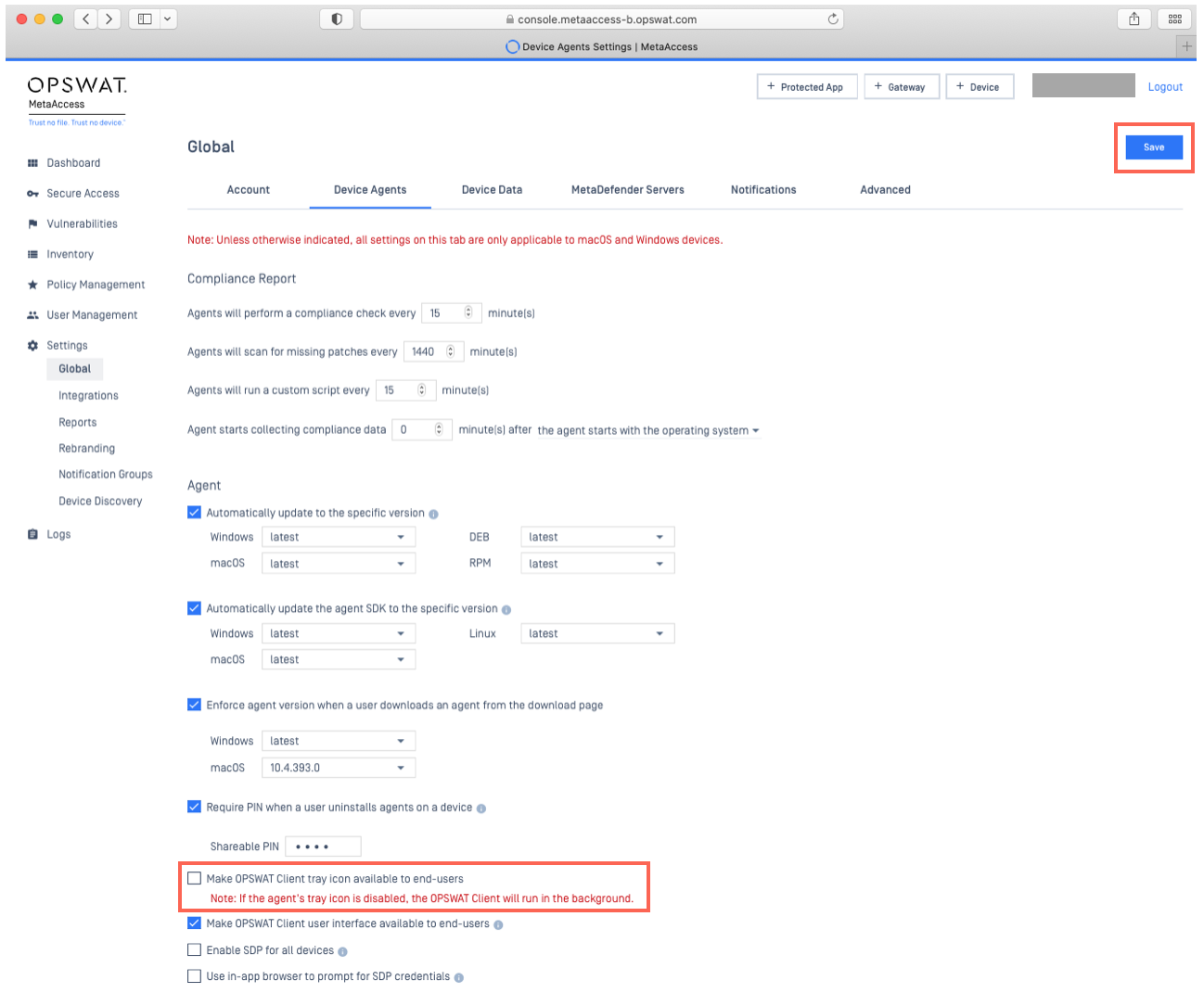
Log into your MetaDefender IT-OT Access Console and navigate to Settings>Global>Device Agents.
Uncheck the option to Make MetaDefender Endpoint tray icon available to end-users, as illustrated in the screenshot below.
Finally, click Save to apply your settings, also illustrated below.
If you have followed the instructions above but are Unable To Disable The MetaDefender Endpoint Tray Icon, please open a Support Case with the OPSWAT team via phone, online chat or form, or feel free to ask the community on our OPSWAT Expert Forum.