
This article applies to all MetaDefender Drive releases.
This article will guide you through the process of reflashing or reimaging a MetaDefender Drive . This can apply with the MD Drive is under Lock status
Preparation
A MetaDefender Drive
A Windows PC or laptop with an internet connection
Instructions
This step of using the utility to delete the partition of the MetaDefender Drive is only necessary when the drive encounters issues such as errors, being unformatted, or corrupted, and when the Drive Toolkit (DTK) is unable to resolve the problem.
Delete the NTFS partition of the MetaDefender Drive
Open Disk Management on Windows
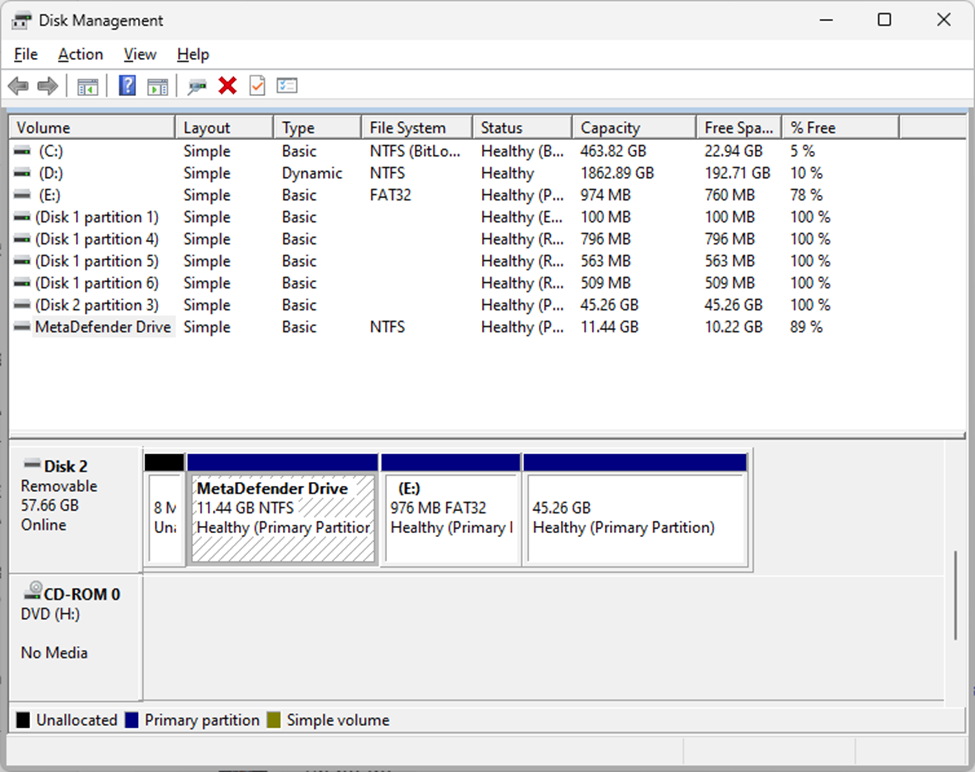
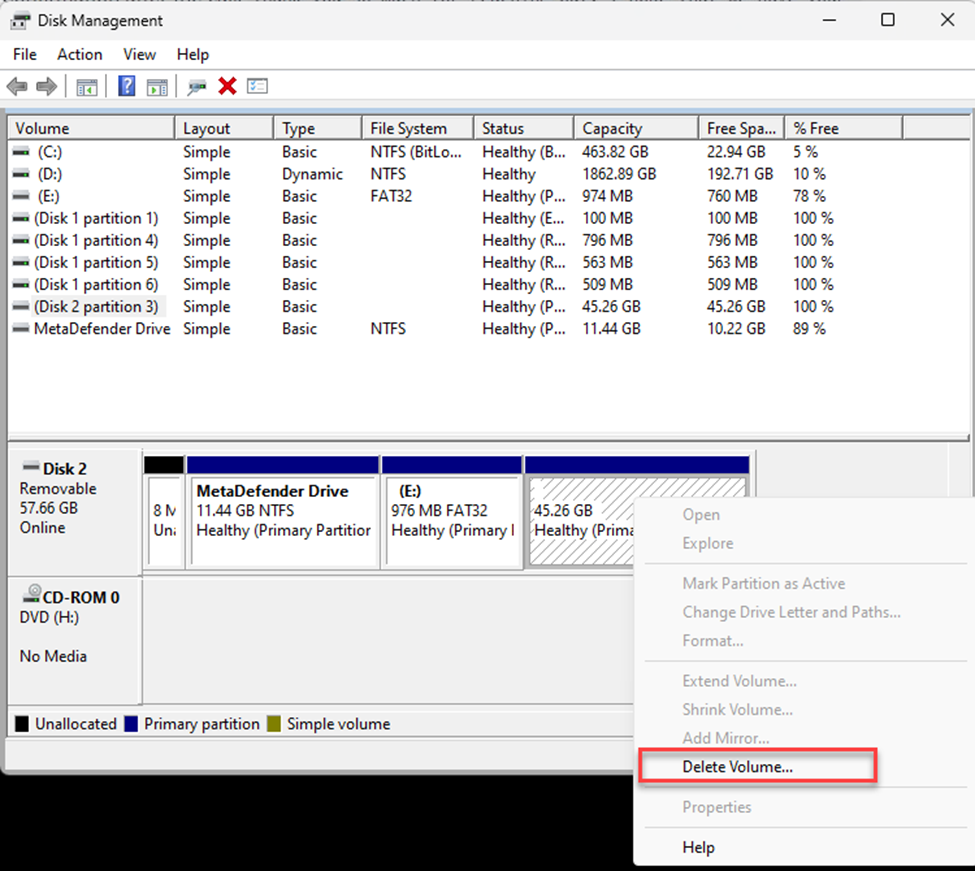
Right-click the partition names MetaDefender Drive and select "Delete Volume" to delete it.
Reflash / Reimage the Drive with MetaDefender Drive Toolkit
If Further Assistance is required, please proceed to log a support case or chatting with our support engineer.