
This article applies to all releases of MetaDefender Core deployed on Windows and Linux operating systems where the Proactive DLP feature has been purchased and enabled.
Issue:
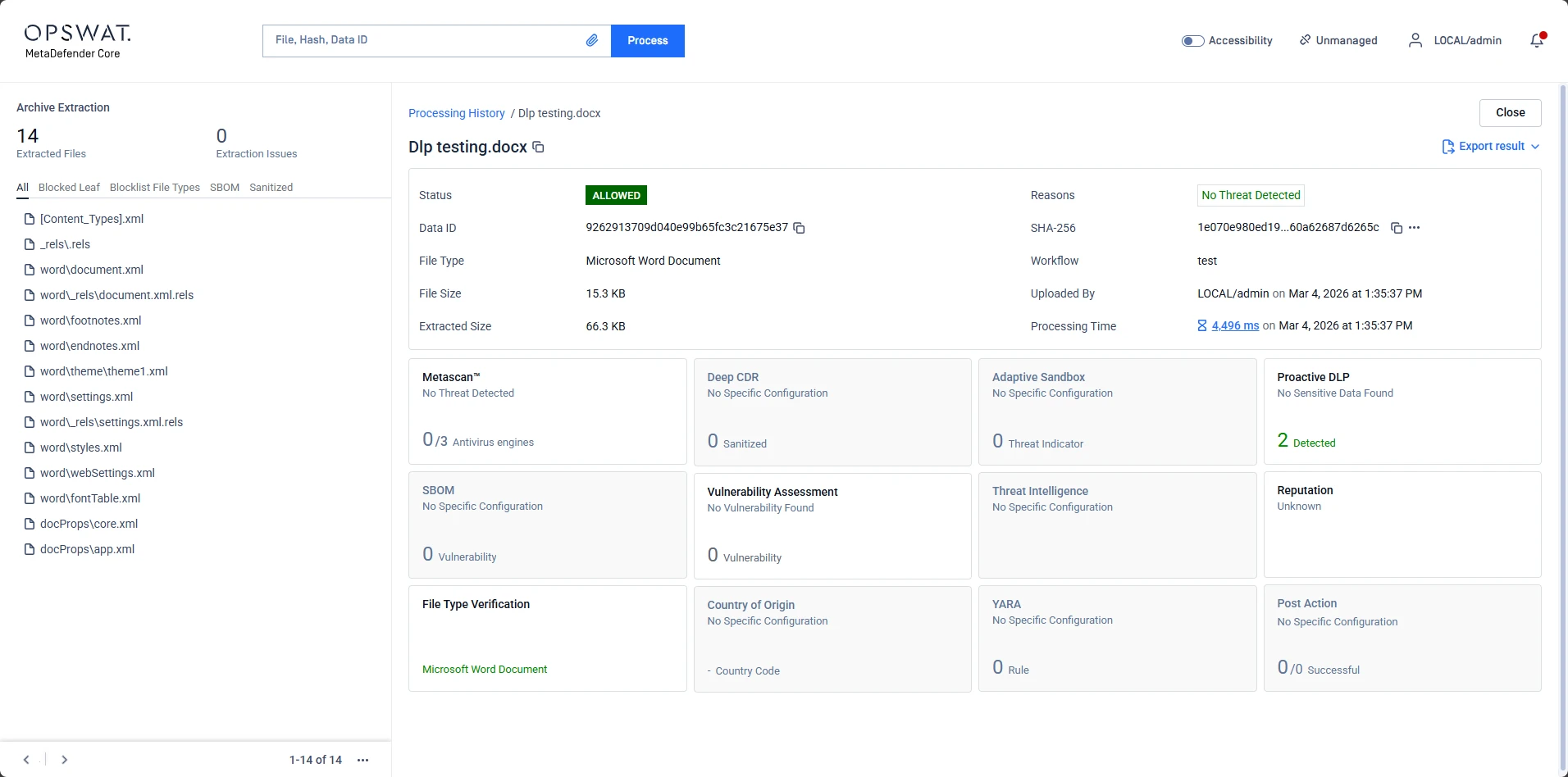
In MetaDefender Core, a file may contain sensitive information (such as SSNs or phone numbers) but still receive an "ALLOWED" status. This typically occurs due to the Sensitive Info Threshold settings.
Understanding the Threshold Logic
The "Sensitive Info Threshold" acts as a filter for the severity and certainty of detections. The engine evaluates hits based on a scale (e.g., Low to High).

The Rule:
A file is only flagged as "Sensitive Data Found" if at least one detection meets or exceeds the selected threshold level.
The Scenario:
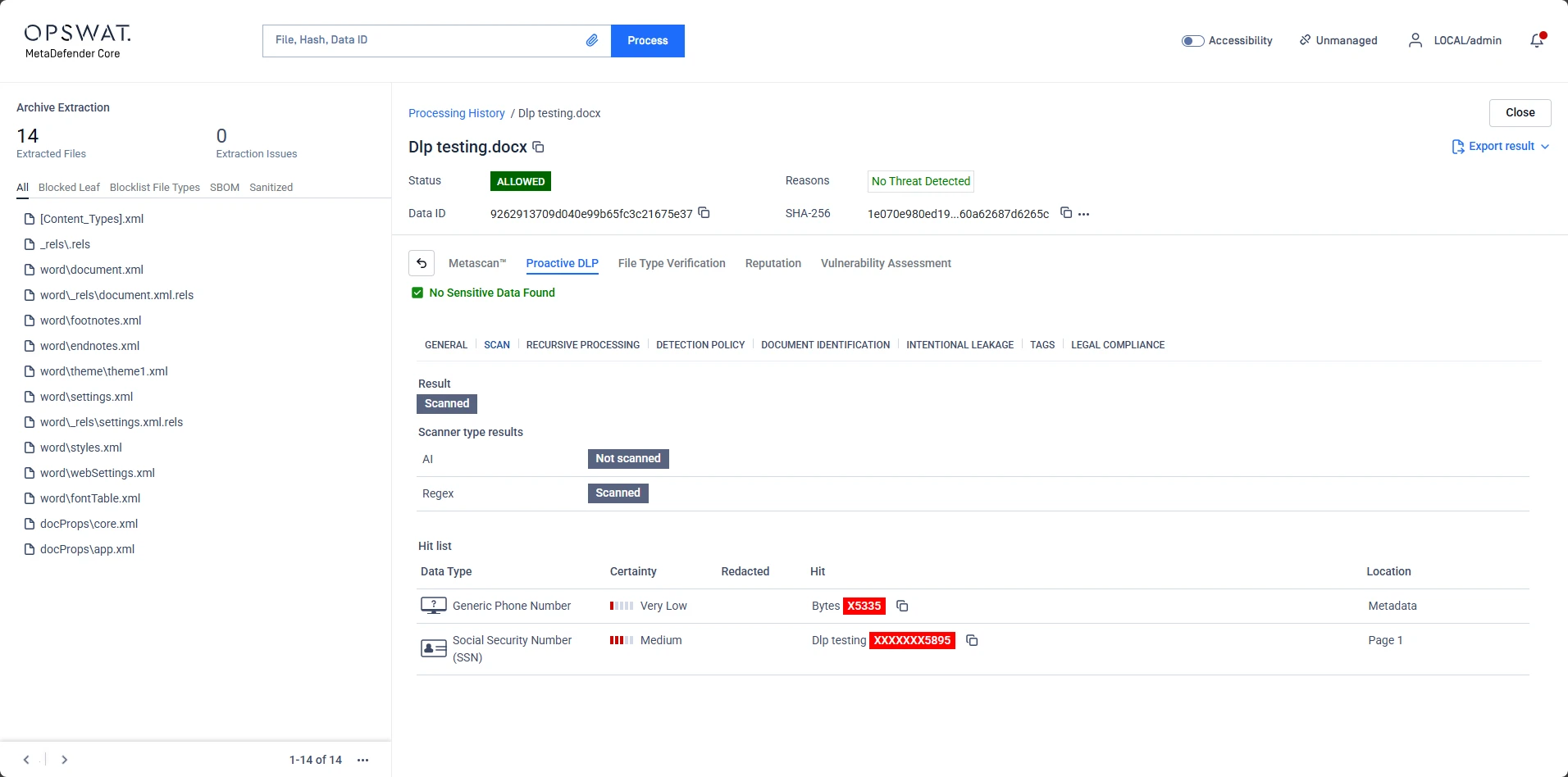
If your threshold is set to High, but the Proactive DLP engine identifies hits with Very Low or Medium certainty, the system will conclude that no actionable sensitive data was found.
Analysis of Scan Result
Looking at the example file Dlp testing.docx:
Hit 1 (Phone Number): Detected with Very Low certainty.
Hit 2 (SSN): Detected with Medium certainty.
Result:
Because neither hit reached the "High" threshold (assuming that is your current configuration), the final status remains "No Sensitive Data Found" and the file is ALLOWED.
Resolution:
If you want these files to be blocked in the future, you should:
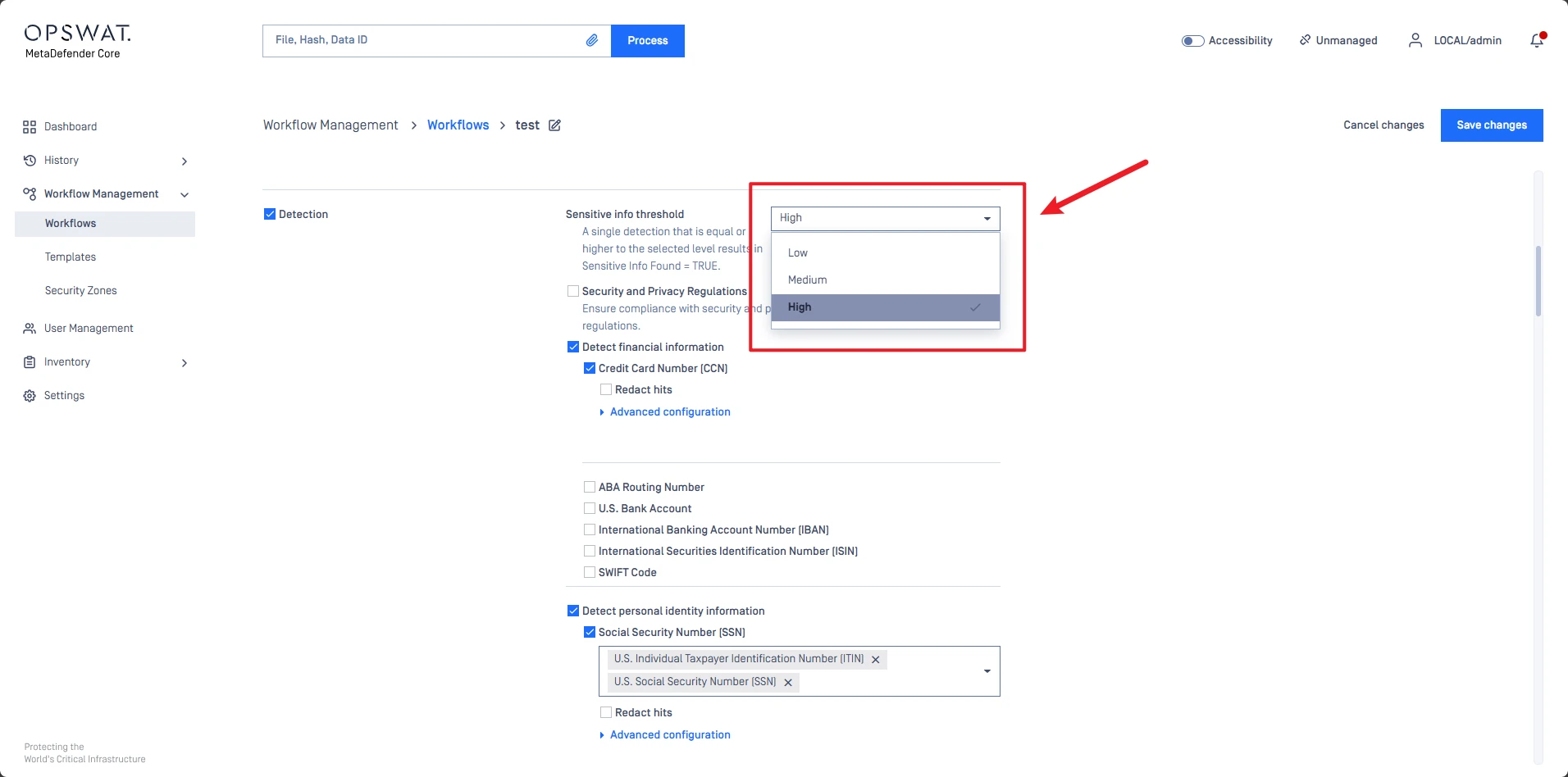
Navigate to your Workflow Management settings.
Locate the Proactive DLP configuration.
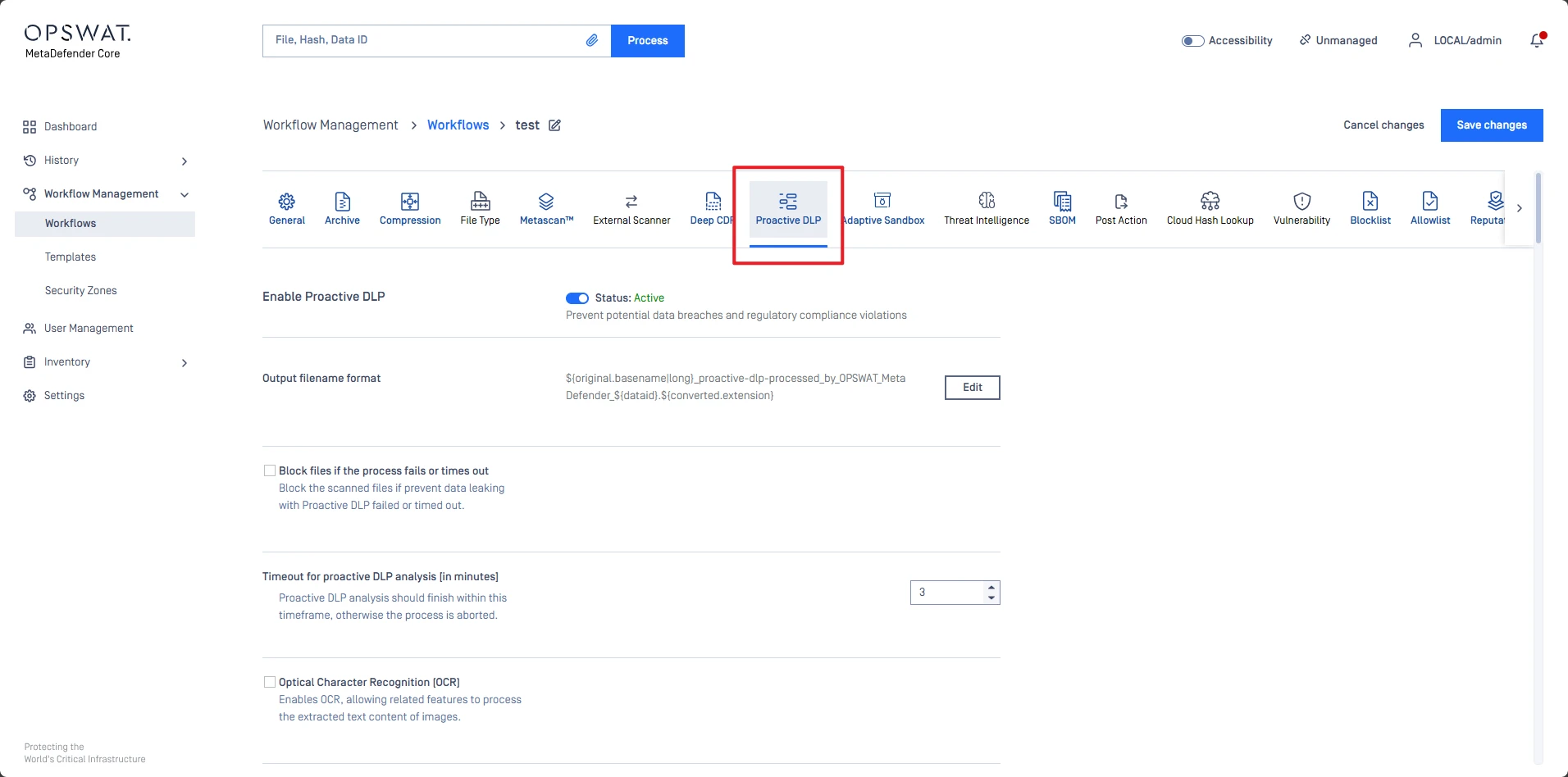
Under Detection > Lower the Sensitive Info Threshold to Medium or Low to capture less certain matches.
If Further Assistance is required, please proceed to log a support case or chatting with our support engineer.