
Knowledge Base
10.7.26092
Search this version
How to allow a specific threat in My OPSWAT Central Management admin console?
Summarize Page
Copy Markdown
Open in ChatGPT
Open in Claude
Connect to Cursor
Connect to VS Code
Login to the My OPSWAT Central Management admin console.
Go to Policy Management and select the policy.
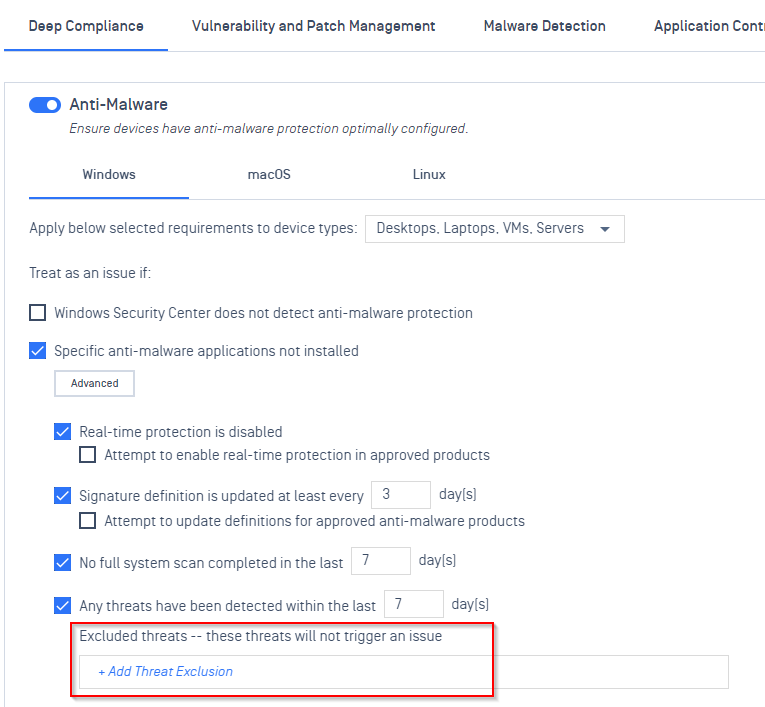
In Deep Compliance – Anti Malware, add the threat exclusion you want.
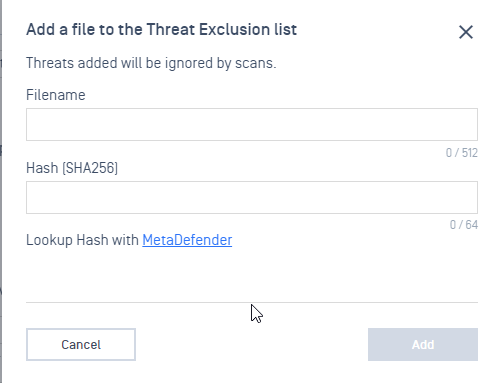
Enter the file name and hash of the threat to be excluded, then select Add.
Once all of your exclusions have been entered, select Save to save all changes to your policy.
Last updated on
Was this page helpful?
Knowledge Base
Knowledge Base
METADEFENDER ENDPOINT
GENERAL
MOBILE CLIENT
Integration
Others