
This article explains how to enable direct fetching of scan result details from MD Core in OCM/CM by using a configured CM10 user account.
When this feature is enabled, OCM/CM retrieves scan result details directly from MD Core by using a user email defined in the MD Core override configuration.
This article applies to OCM releases from version v10.x
Create or update the configuration file by following the steps outlined below:
NOTE: Ensure MD Core is enrolled/managed in OCM/CM.
Create or update the following file:
Add these entries:
Replace <any valid email> with any valid email address, and does not need to exist beforehand or the user does not need to be pre-created in OCM, and there is no OCM user email to match.
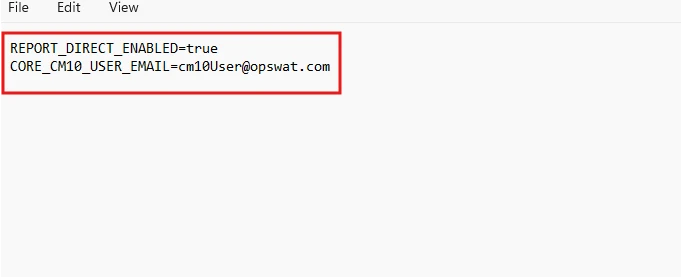
Restart the console: The configuration is read only when the console starts, so any change to mdcore-console.override (including REPORT_DIRECT_ENABLED and CORE_CM10_USER_EMAIL) takes effect only after the console is restarted. There is no live/dynamic reload. So, whenever a change that applied to the override file, please make sure to restart the console.
The CM10 user is automatically created on MD Core as a LOCAL user with the Helpdesk role.
User creation happens in two cases:
At console startup — But only for MD Core instances that are already enrolled at that moment.
On demand — The first time scan result details are opened from the Processing History.
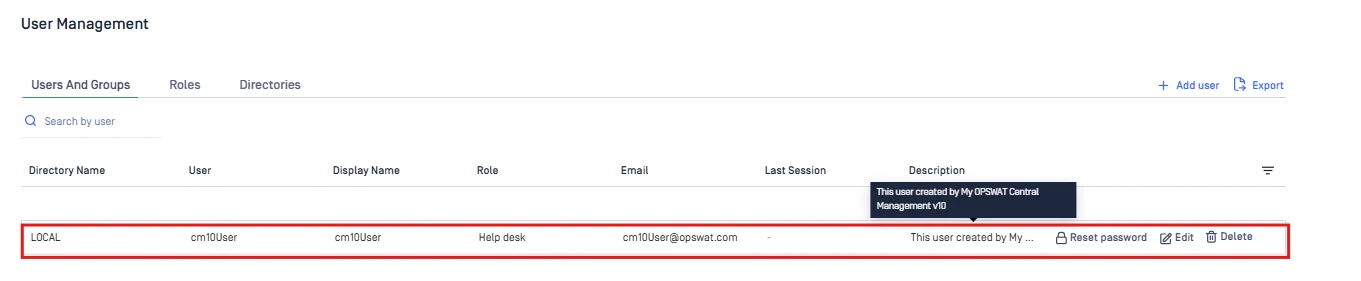
Important: The "console startup" trigger applies to MD Core instances that are already enrolled when the console starts. A Core that enrolls after the console has started will have its user created the first time scan result details are opened from Processing History.
To view scan results from OCM:
In OCM, navigate to Inventory > Services > MD Core > Processing History and open the scan result details. If the user does not already exist in MD Core, wait a few minutes for the processing to complete and the user to be created. Once the user has been created, OCM automatically retrieves the results from MD Core, as shown below.
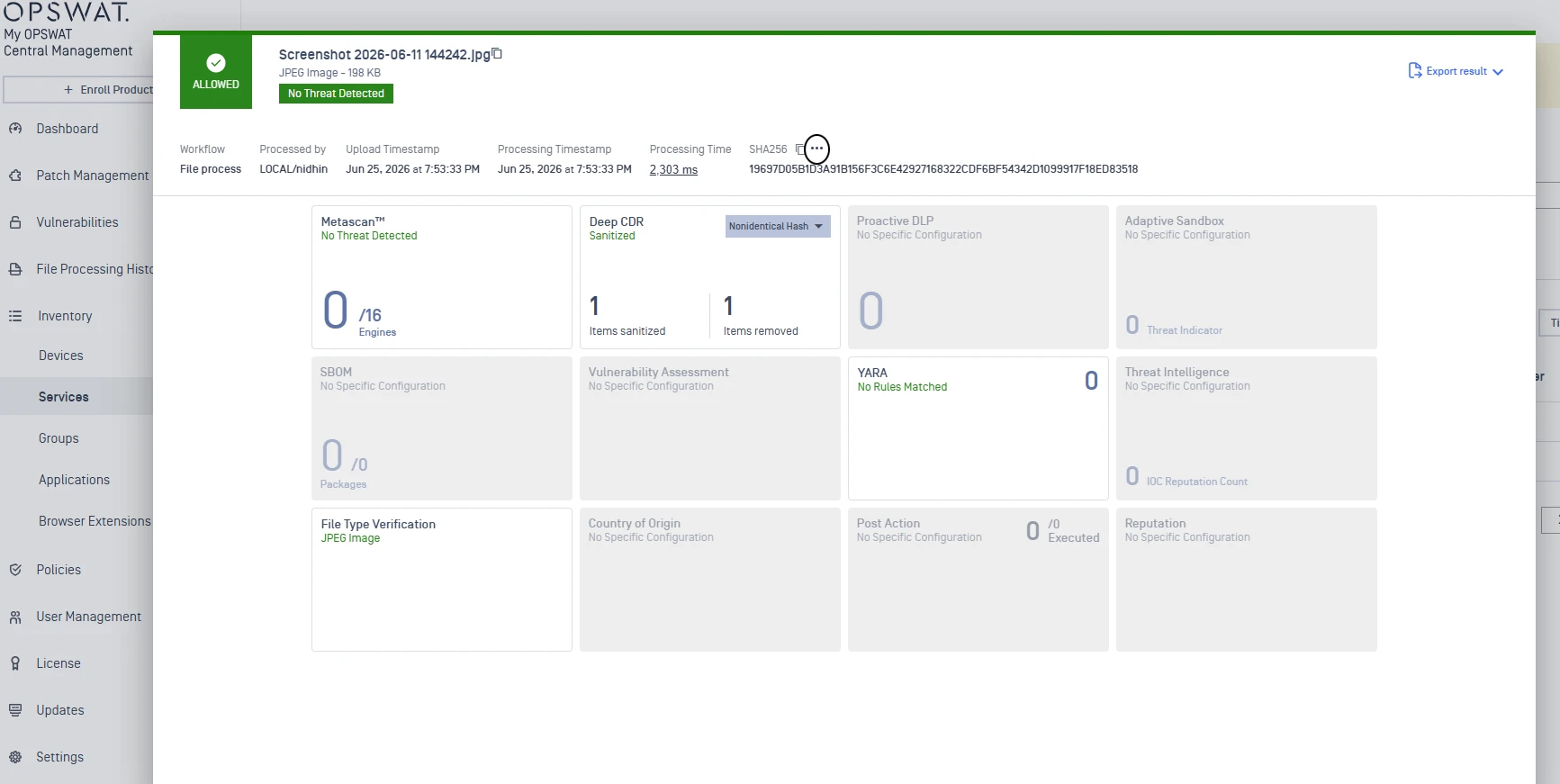
Note: The direct-fetch method is supported only when there is no proxy between CM and MetaDefender Core. If a proxy is present, CM will not be able to determine the correct IP address to communicate directly with the Core instance, causing the direct-fetch operation to fail. In such deployments, use a MetaDefender Core version that supports gRPC to retrieve scan result details instead.
Symptom
The scanned file appears in Processing History, but scan result details remain stuck at Waiting. The configured CM10 user is also not visible in MD Core.
Common causes
The override file is in the wrong location.
The configuration values are missing or misspelled. Confirm the email is in a valid email format and the feature flag is enabled.
MD Core is not enrolled/managed successfully, or there is an OCM/CM to MD Core communication issue.
Scan result details were never opened from the Processing History. This is one trigger for automatic user creation; the user is also created at console startup for an already-enrolled MD Core.
Recommended checks
Confirm
REPORT_DIRECT_ENABLED=trueandCORE_CM10_USER_EMAILis set to a valid email, not the default placeholder.Confirm the override file is in the correct location and was loaded. Restart the console to reload the configuration.
Confirm MD Core is enrolled/managed successfully. User creation and report fetching both depend on this connection.
Perform a new scan and open scan result details from Processing History to trigger user creation and result fetching.
Review OCM/CM and MD Core logs for errors related to user creation, enrollment, authentication, or result retrieval.
FAQ
Do I need to manually create the CM10 user in MD Core?
No. You do not manually create the CM10 user in MD Core or OCM. Set a valid email in CORE_CM10_ USER_EMAIL in the override file. MD Core creates the user automatically as a LOCAL user with the Helpdesk role.
When should I restart the services?
Restart the console whenever you change the override file — the configuration is loaded only at startup, so new values do not take effect until the console restarts. (Restarting MD Core is only needed if it is already enrolled and you suspect a connection issue.)
Where can I check scan results in OCM?
Go to Inventory >> Services >> MD Core >> Processing History.
When should the user appear in MD Core?
The console startup trigger applies only to MD Core instances that are already enrolled when the console starts. A Core that enrolls after the console has started will have its user created the first time scan result details are opened from Processing History.
If Further Assistance is required, please proceed to log a support case or chatting with our support engineer.