
This article applies to all My OPSWAT releases on the Cloud
To follow these instructions you will need:
Access to the internet.
Access to your Reset code setup during MFA enrollment.
Please follow the instructions below to reset your MFA and access your account:
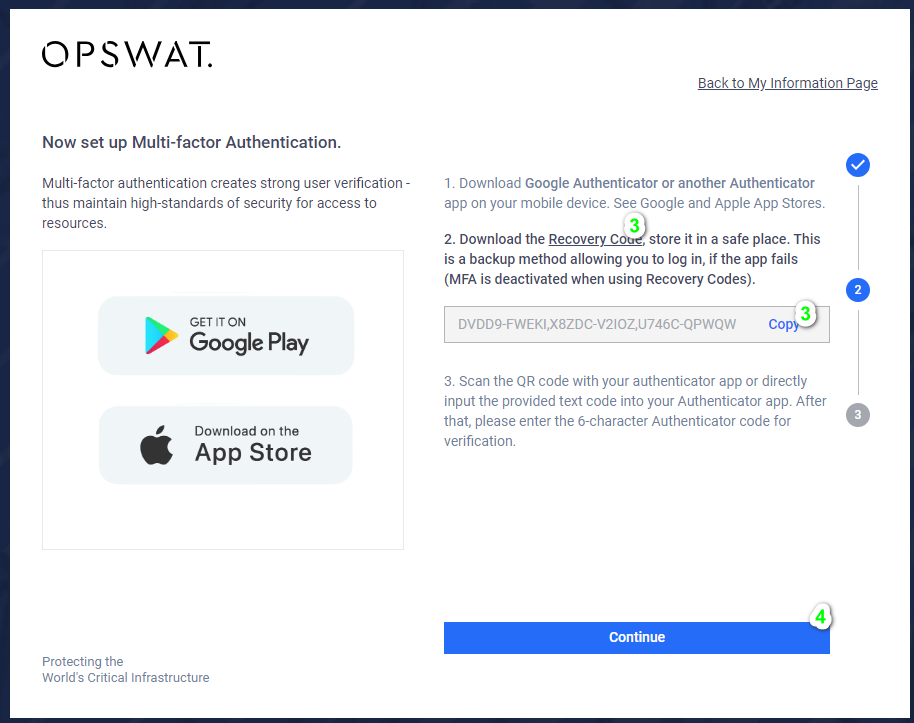
Make sure you have access to your reset code from your initial MDA enrollment. This was the second step during enrollment as shown in the example below:
To use this code, you will have to enter your email address at my.opswat.com and sign in. When prompted for TOTP code, select “User recovery code”.
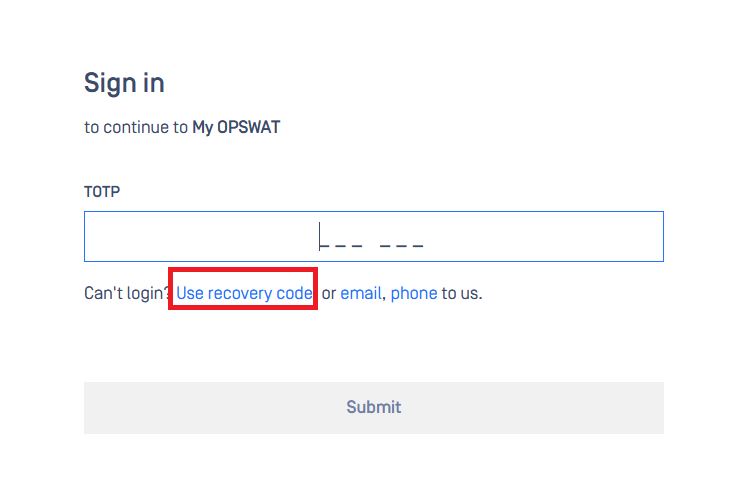
Enter your recovery code. After this, you will be redirected to MyOPSWAT portal screen.
At this point, you should be able to go to gears.opswat.com and access your account without the need to enter an TOTP code.
Please keep in mind that depending on your organizations policies, you will be required to enable MFA again.
If Further Assistance is required, please proceed to log a support case or chatting with our support engineer.