
This article applies to the current My OPSWAT Central Management Console, MetaDefender Cloud, supported versions of the MetaDefender Core API, and all MetaDefender Endpoint releases deployed on Windows, macOS, Linux, Android and iOS systems.
To reduce the number of False Positives being reported by My OPSWAT Central Management’s Threat Detection feature (available via integration with MetaDefender Cloud or MetaDefender Core API), please do the following.
Bear in mind that, while the following methods may limit the number of false positives being detected, they may also lessen the efficacy of overall threat detection.
Option 1
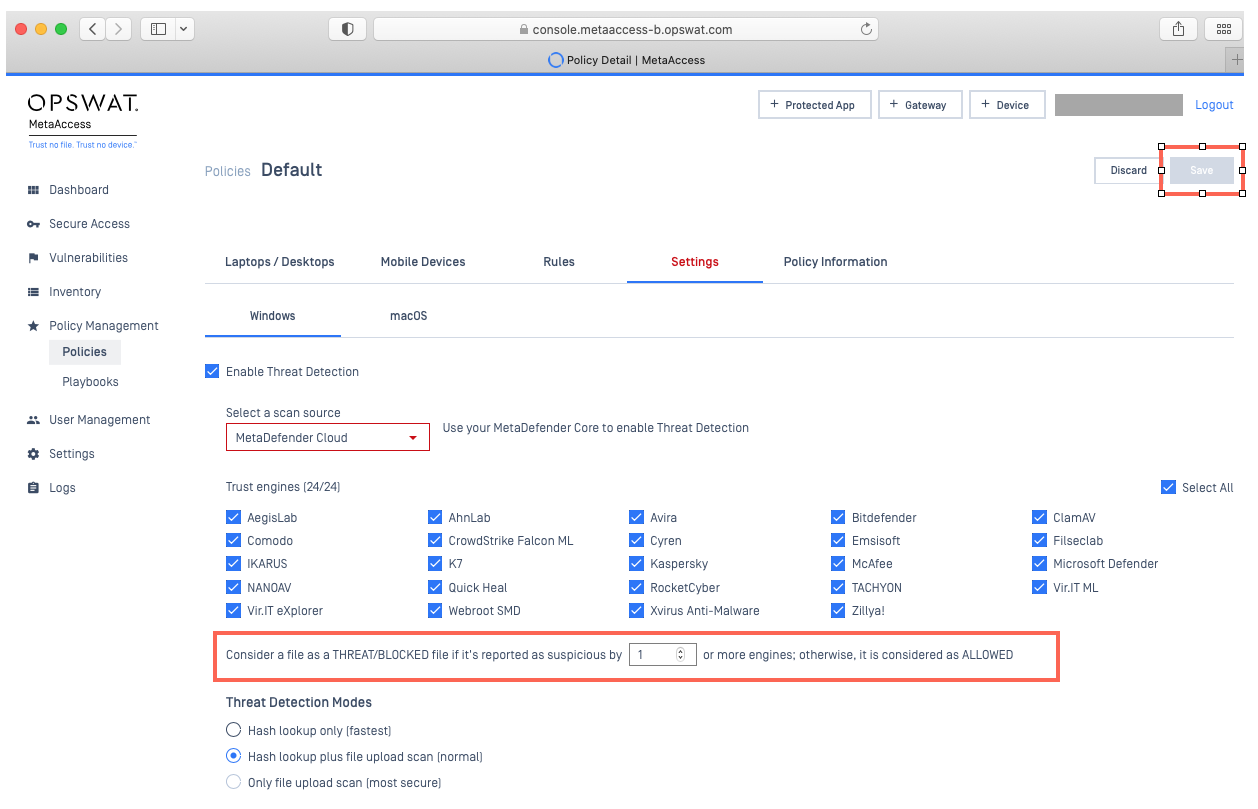
Open your My OPSWAT Central Management Console and navigate to Policy Management>Policies>Relevant Policy>Settings>Threat Detection.
Adjust the option to Consider a file as a THREAT/BLOCKED if it’s reported as suspicious by X or more engines.
Then, click Save, as illustrated below.
While the default setting is 1 anti-malware engine, you are free to select up to the number of engines supported by your My OPSWAT Central Management license and scan source settings (scan server settings).
Raising the number above the default would mean that you would not be notified of any threat unless X number of engines detected it, thereby reducing the number of false-positives reported, potentially.
Option 2
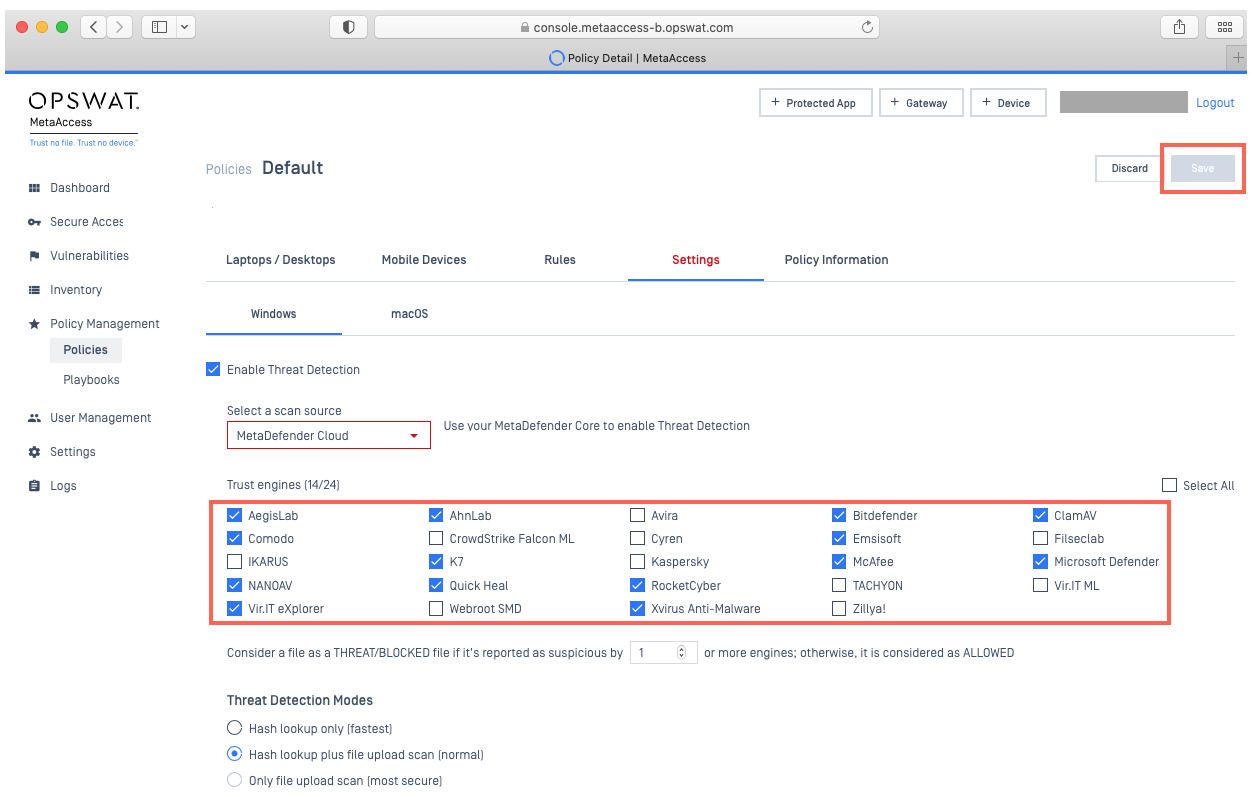
Open your My OPSWAT Central Management Console and navigate to Policy Management>Policies>Relevant Policy>Settings>Threat Detection.
Select the engines that you would like to use for threat detection under this policy, by unchecking the selection boxes alongside the engines that you feel are responsible for the most false positives.
Finally, click Save, as illustrated below.
The lower the number of engines selected for threat scanning, the lower the number of false-positives, potentially, but the lower the efficacy of overall threat detection.
The higher the number of engines selected for threat scanning, the higher the number of false-positives, potentially, but the higher the efficacy of overall threat detection.
For queries, concerns or issues regarding Reducing The Number Of False Positives In Threat Detection, please open a Support Case with the OPSWAT team via phone, online chat or form, or feel free to ask the community on our OPSWAT Expert Forum.