
My OPSWAT Central Management offers an integration with a 3rd-party Single Sign-on Service (SSO). This enables an account to provision new users to manage your account. When a user logs into the My OPSWAT Central Management console through your own SSO service, My OPSWAT Central Management will provision that user as a read-only user on your account. You can update the user's role later.
My OPSWAT Central Management uses the secure and widely adopted industry standard Security Assertion Markup Language 2.0 (SAML 2.0), so that you can integrate easily with any large identity provider that supports SAML 2.0.
Prerequisites
The 3rd-party Single Sign-on Service (SSO) feature is available for paid Customers. If you are using a free account and would like to use this feature, please click the "Upgrade Request" button under Console Management > Settings > Global > Account tab.
Supported features
IdP-initiated SSO
SP-initiated SSO
Just-In-Time provisioning
Configuration steps
Log into Okta as an administrator
Navigate to Applications and click on "Browsers App Catalog" button
Search OPSWAT and select My OPSWAT Central Management application
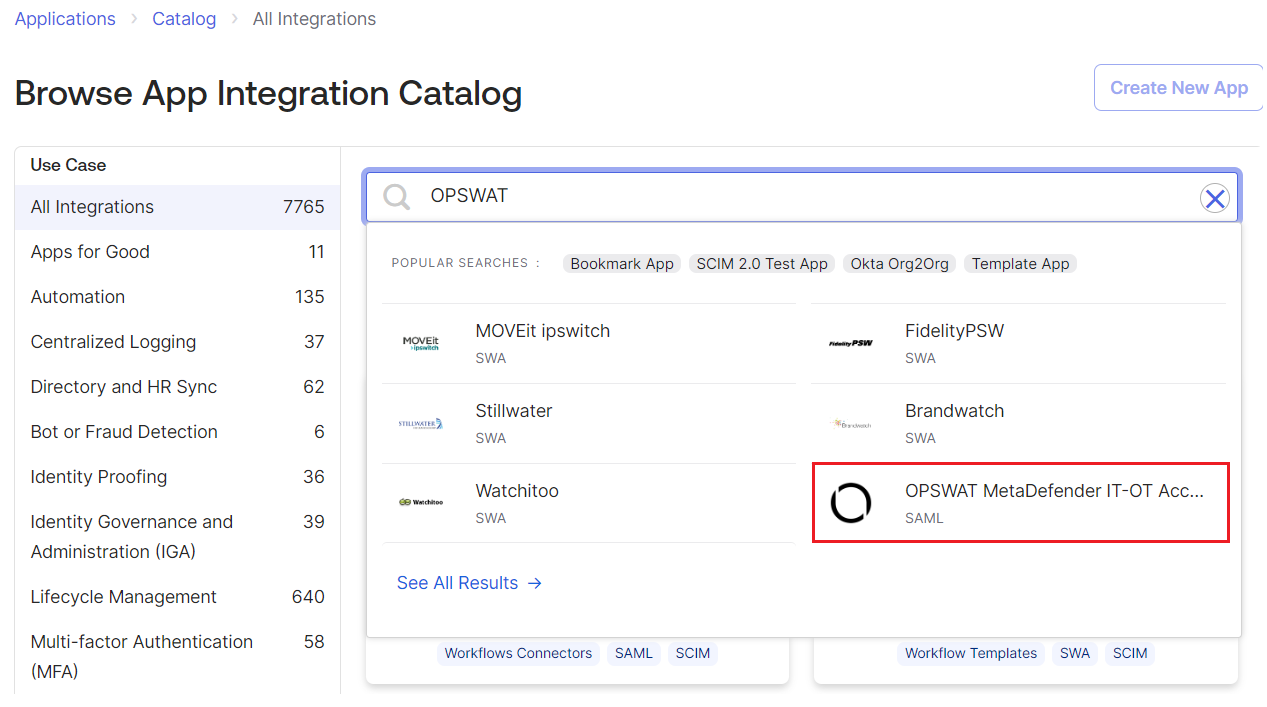
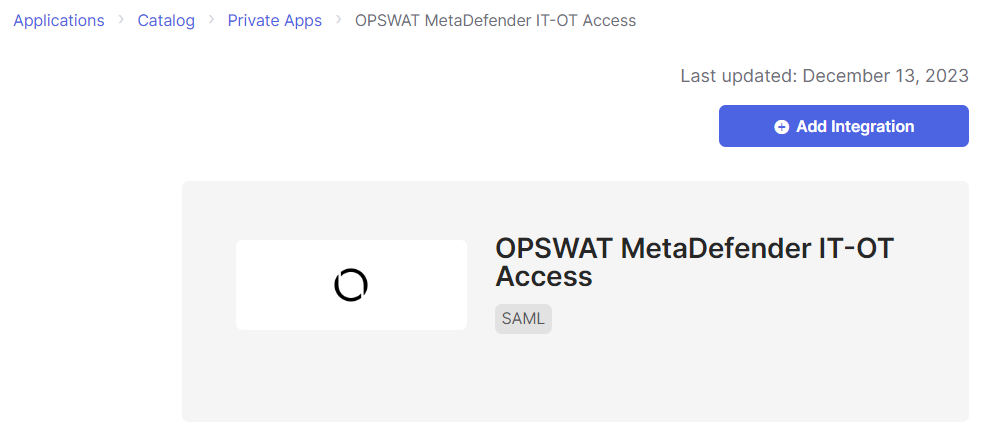
Click the Add Integration button
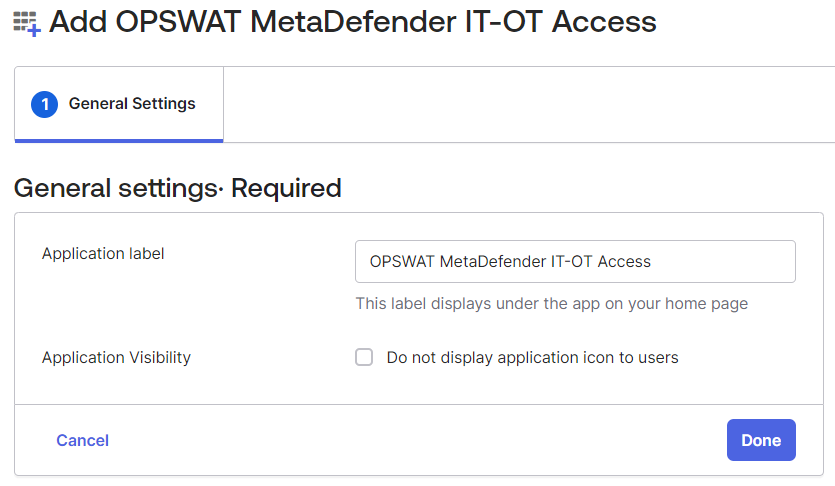
Enter the Application Label, for example My OPSWAT Central Management and click the Done button
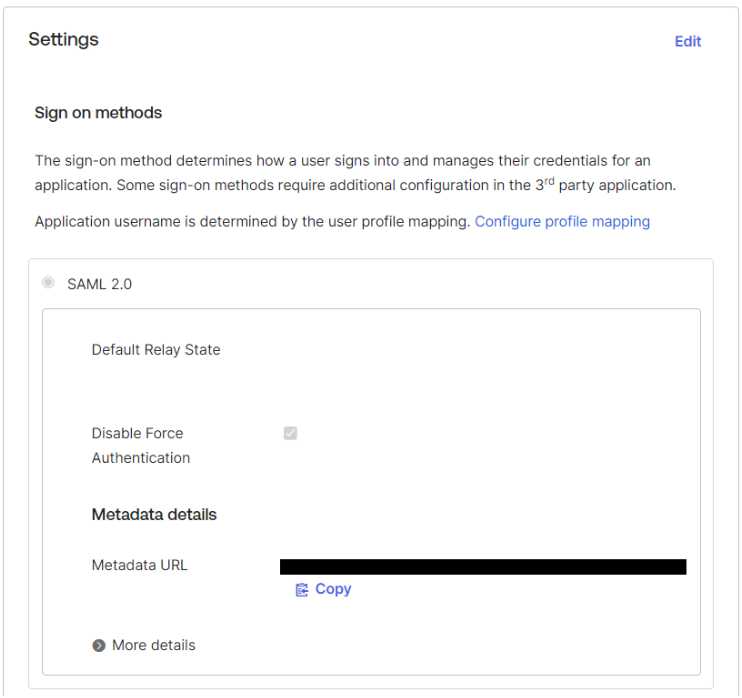
Navigate to Sign On tab.
Open the Metadata URL on another tab and save the content as idpmetadata.xml
Login My OPSWAT Central Management Console
Navigate to User Management > SSO > Console Authentication
Check Enable Single Sign On
Upload idpmetadata.xml from step 7 and click the SAVE button
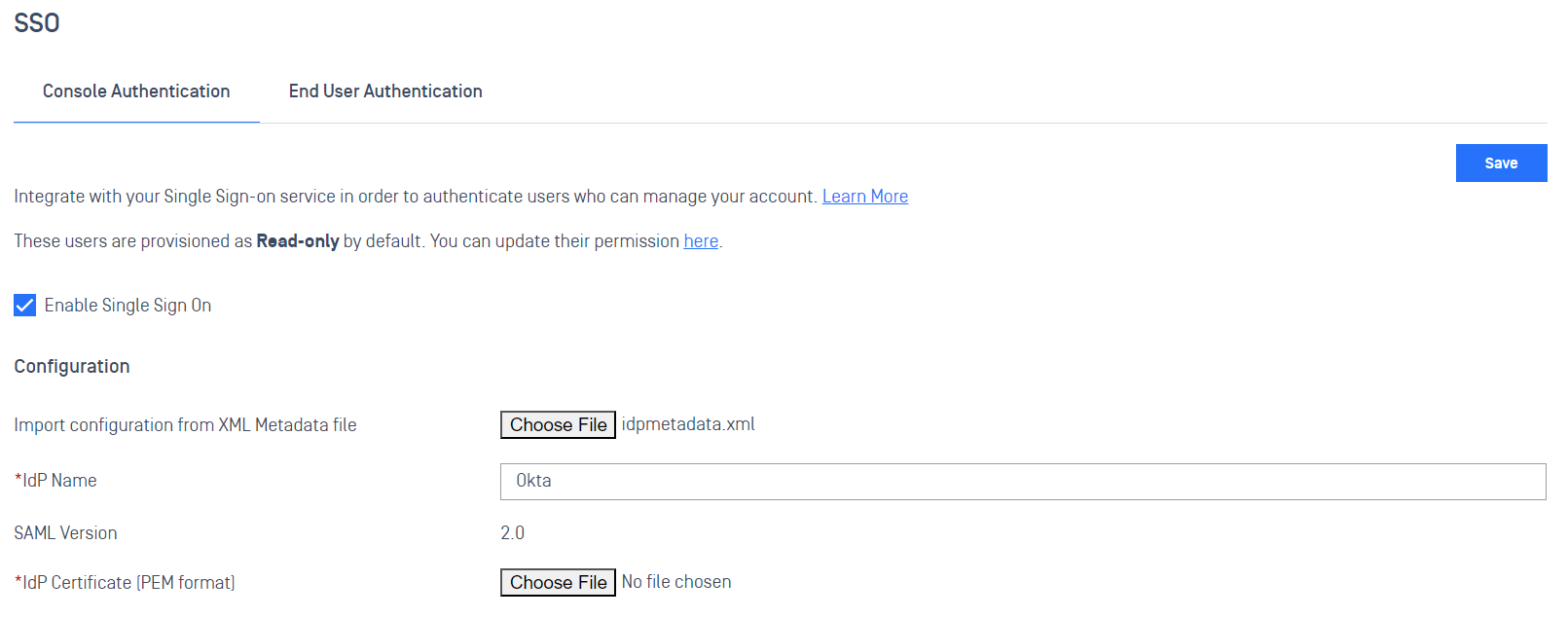
Scroll down to the My OPSWAT Central Management Login URL and copy the URL

Switch to Okta Admin
Click the Edit button
Scroll down to the Advanced Sign-on Settings and paste the My OPSWAT Central Management Login URL
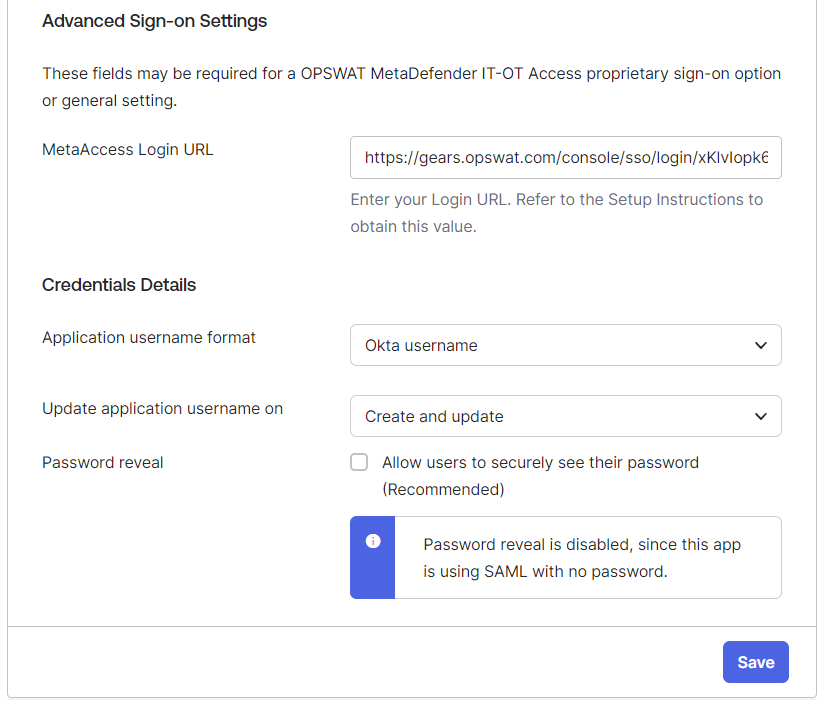
Click the Save button
DONE. Now you need to assign people/groups who can access this application on Okta.
If You couldn't import the identity provider information from the IdP metadata file, you can get information from the Set up instruction page of the app and copy IdP certificate, Issuer, and IdP SSO URL to the My OPSWAT Central Management console
IDP Mappings
IdP Mapping allows you to synchronize user groups from your external Identity Provider (IdP) to specific roles within My OPSWAT Central Management . This ensures users are automatically assigned the correct permissions upon their SSO login.
To enable group syncing, Okta must be configured to include group memberships in the SAML assertion.
Step A: Attribute & Group Statements
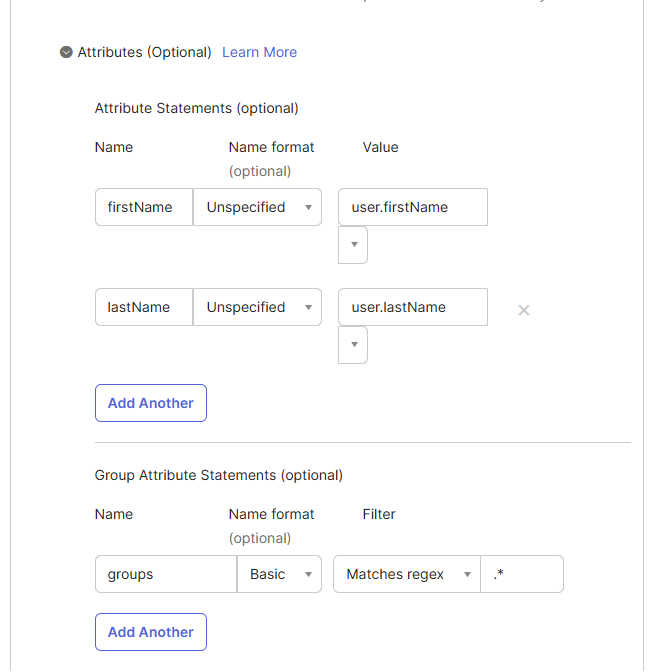
Navigate to your My OPSWAT Central Management Application in Okta > General > SAML Settings > Edit.
In Attribute Statements, ensure these core fields are mapped:
Name:
firstName| Value:user.firstNameName:
lastName| Value:user.lastName
In Group Attribute Statements, add:
Name:
groupsName format:
BasicFilter:
Matches regex| Value:.*(This sends all groups the user belongs to).
Step B: OCM Configuration
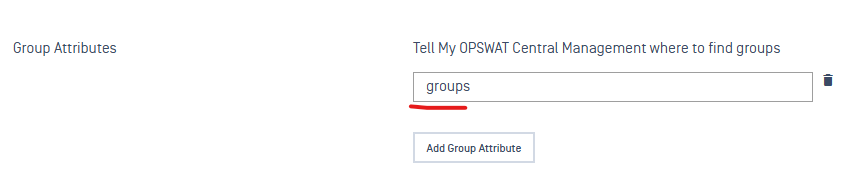
Go to My OPSWAT Central Management > User Management > SSO.
In the Group Attributes field, enter:
groups(This must match the "Name" defined in Okta).Navigate to User Management > IdP Mappings > Add IdP Mapping.
Name on IdP: Enter the exact Group Name from Okta (e.g.,
IT_Admins).Role: Select the corresponding OCM role (e.g.,
Security-Admin).
SP-initiated SSO
Contact OPSWAT Support to enable SP-initiated SSO for your domain users