
Secure Access Solution
Authentication sources are used to determine valid user credentials and collect group memberships. Configuring an LDAP sources is required if there is a need to assign RADIUS attributes, such as VLAN assignment, outside of the NAC Policy engine. If the RADIUS server is integrated with AD for EAP-PEAP authentication, a separate LDAP connection must still be defined for this functionality to work. This requirement is present as the Direct Active Directory integration is not able to perform the level of group lookups required for this functionality.
Steps by Steps configuration
Create Authentication Sources
Refer to document
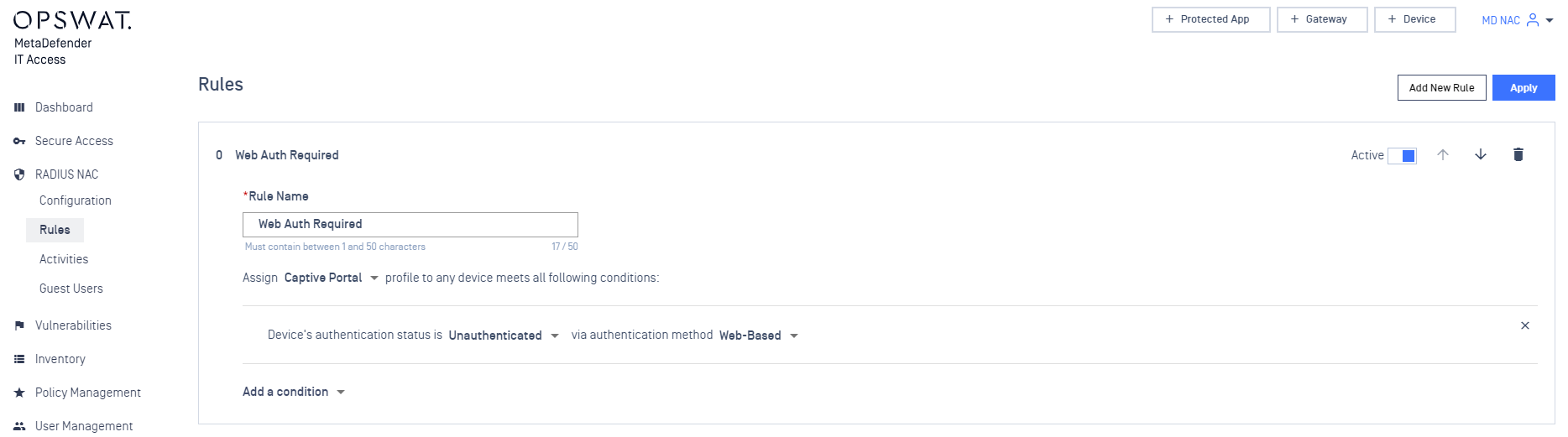
Setup Rules for Web Authentication
On RADIUS NAC > Rule, define a Rules for authentication as below:
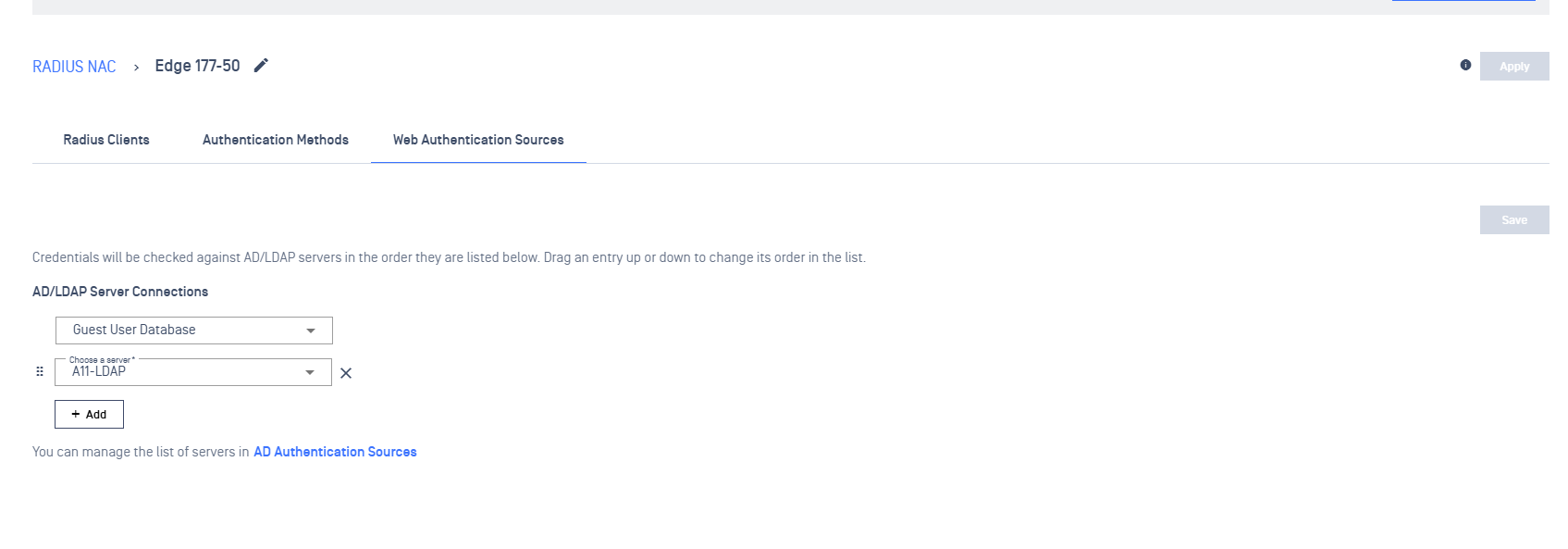
Select Web Authentication Sources
- Navigate to RADIUS NAC > RADIUS Configuration > Select your Edge type
- Select Web Authentication Sources
- On AD/LDAP Server Connections, select Guest User Database
- Select an Authentication Source (multiple sources can be selected)
- Click on Save
Was this page helpful?