
Summary
This document provides scripts to complete the installation of Cloud NAC with RadSec capability for Aruba
Prepare Certificate
Log into the OPSWAT Central Management console as an administrator
Navigate to RADIUS NAC
Click on OPSWAT Cloud RADIUS
Click on RadSec Clients tab
Click Add RadSec Client button
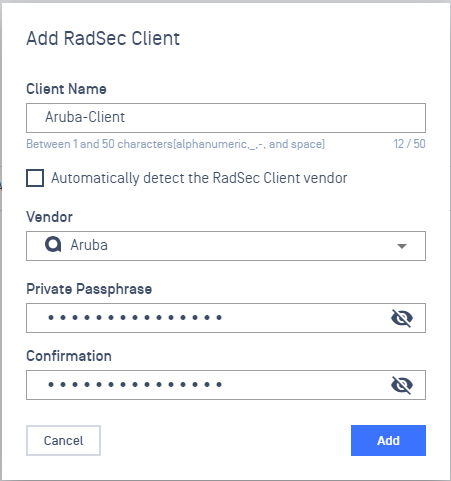
Provide a name for the RadSec Client
Uncheck Automatically detect the RadSec Client vendor
Select vendor Aruba
Input the Passphrase
Click on Add
Upon successfully creation, a message popup should appears reminding user to download the associate certificate.

Download RadSec Clients Certificate
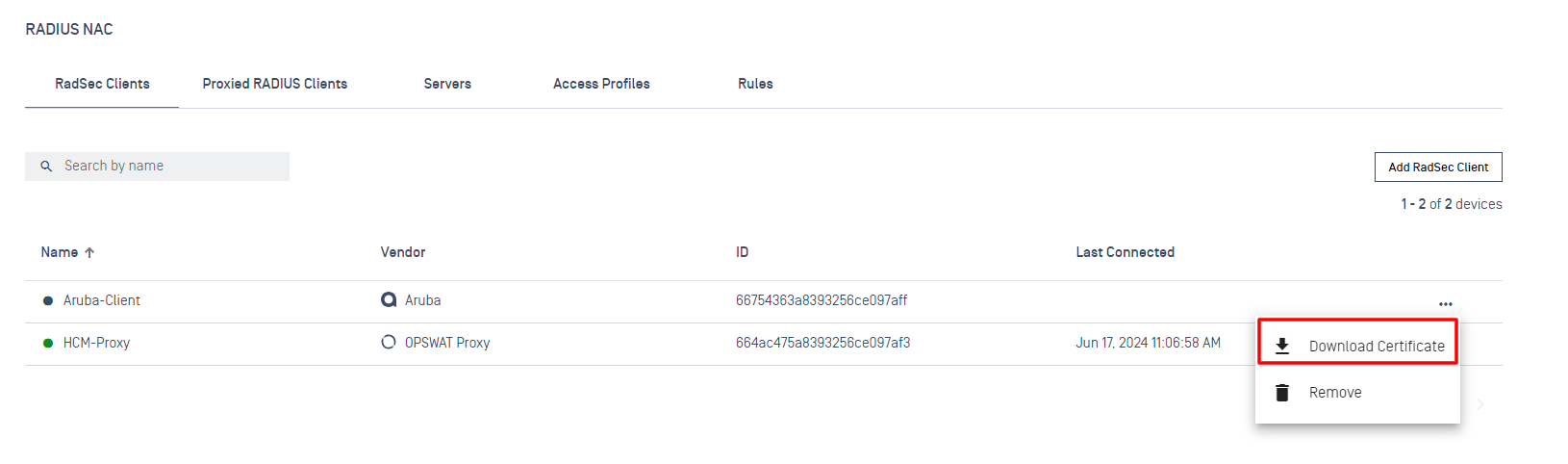
To download the certificate:
Click on the three dots icon
Select Download Certificate
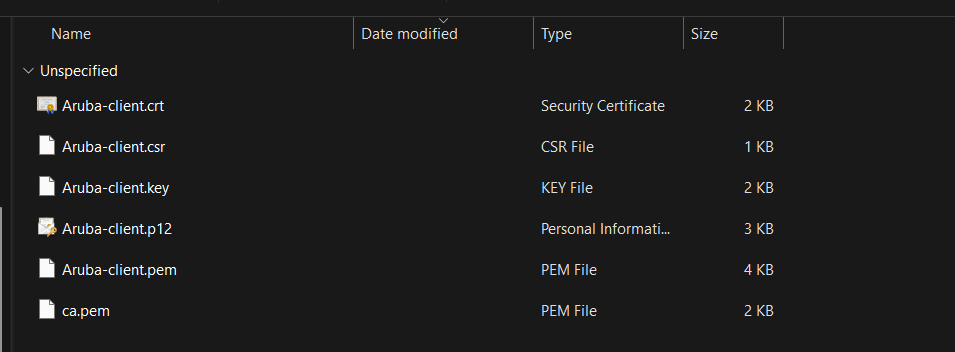
A sample Certificate folder should looks like:
Import RadSec Clients Certificate to the NAS
Aruba Configuration
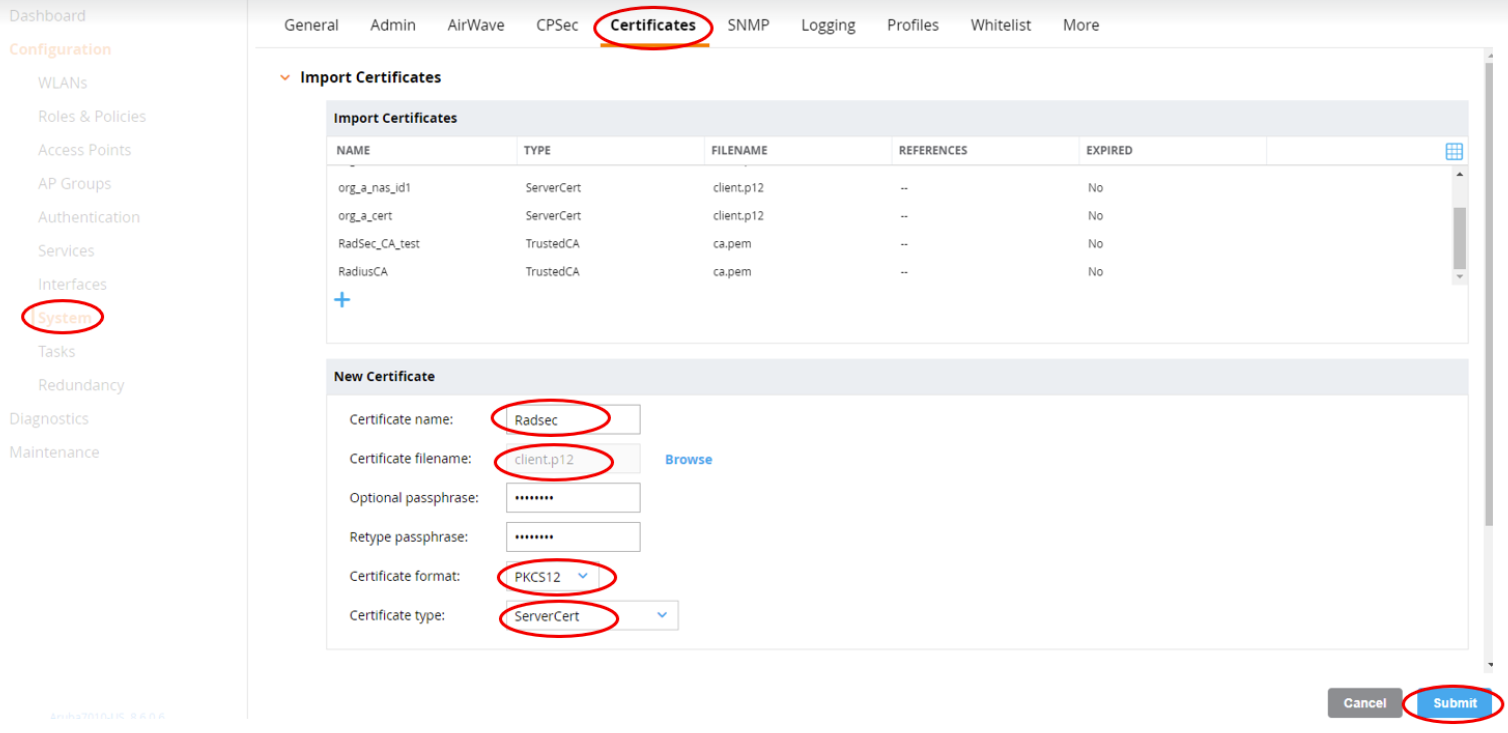
Import certificates:
Import the root certificate of the CA that has issued your RADIUS NAC with the type CA certificate
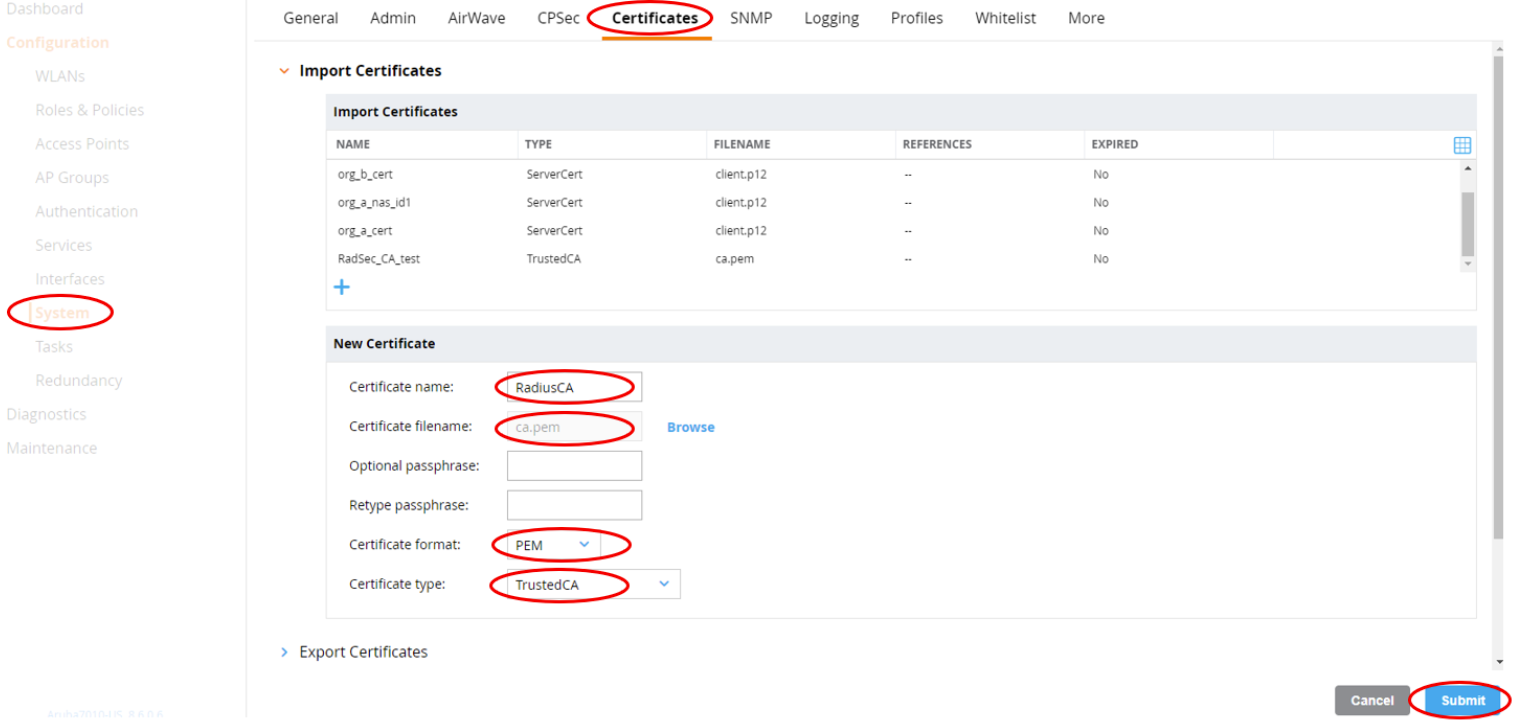
Import your Aruba Client certificate with the type Server certificate
Setup Radius over TLS and Role
Create OpenWireless Example