
Version | v2026.3.4.0 |
|---|---|
Release date | August 24th, 2026 |
Release Summary | This release introduces AI Content Recommendation, which brings relevant OPSWAT content to your Overview dashboard. The Expiring License Email Notification now reaches across your whole organization hierarchy for recipients who manage sub-organization licenses. Partners also gain a status timeline on every MDF request, plus deal-focused labels and metrics across the Partner Portal. |
New Features
AI Content Recommendation (Beta)
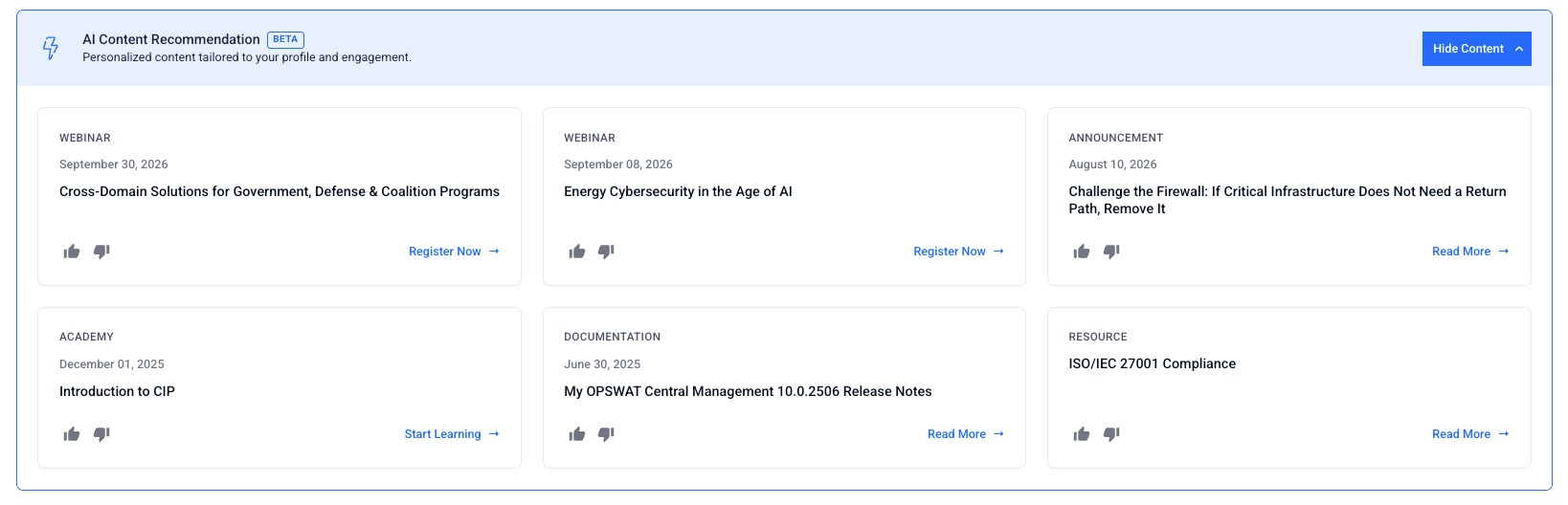
The Overview dashboard now recommends OPSWAT content to you, selected and ranked from the products your organization is licensed for and the material you have already engaged with, so relevant articles, announcements, webinars, and Academy training reach you without a search.
The banner is collapsed by default and shows the header AI content recommendations; click View Content to expand it.
This capability ships as Beta while the selection logic is monitored and tuned, and it appears only for personal users and for organizations with AI Assistance enabled. You can rate any recommendation with thumbs up or thumbs down to tell OPSWAT how useful it was.
Further reading: AI Content Recommendation
Enhancements
Expiring License Email Notification for the Whole Organization Hierarchy
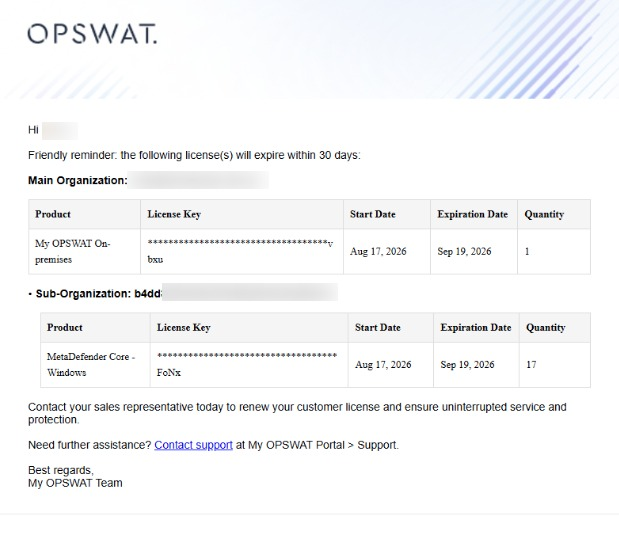
The 60-day and 30-day expiring license reminder now covers a full organization hierarchy. Recipients on the Critical Alerts Users list who hold permission to manage sub-organization licenses receive one email covering the main organization and each of its sub-organizations, so sub-organization renewals get the same advance warning as the main organization's.
Access path: My Organization > Critical Alerts Users
Further reading: Organization Licenses
Confirmation When Changing Your MFA Method
Switching your Multi-Factor Authentication (MFA) method now asks you to confirm before the change is saved, rather than applying the moment you select a different option.
Access path: My Information > Security
Newest-First History on Vulnerability Disclosure Reports
The history timeline on a vulnerability disclosure report now lists the most recent entry at the top, so the latest activity is the first thing you see.
Access path: Vulnerability Disclosure
[For Partners] Partner Portal Overview and Deal Registration Updates
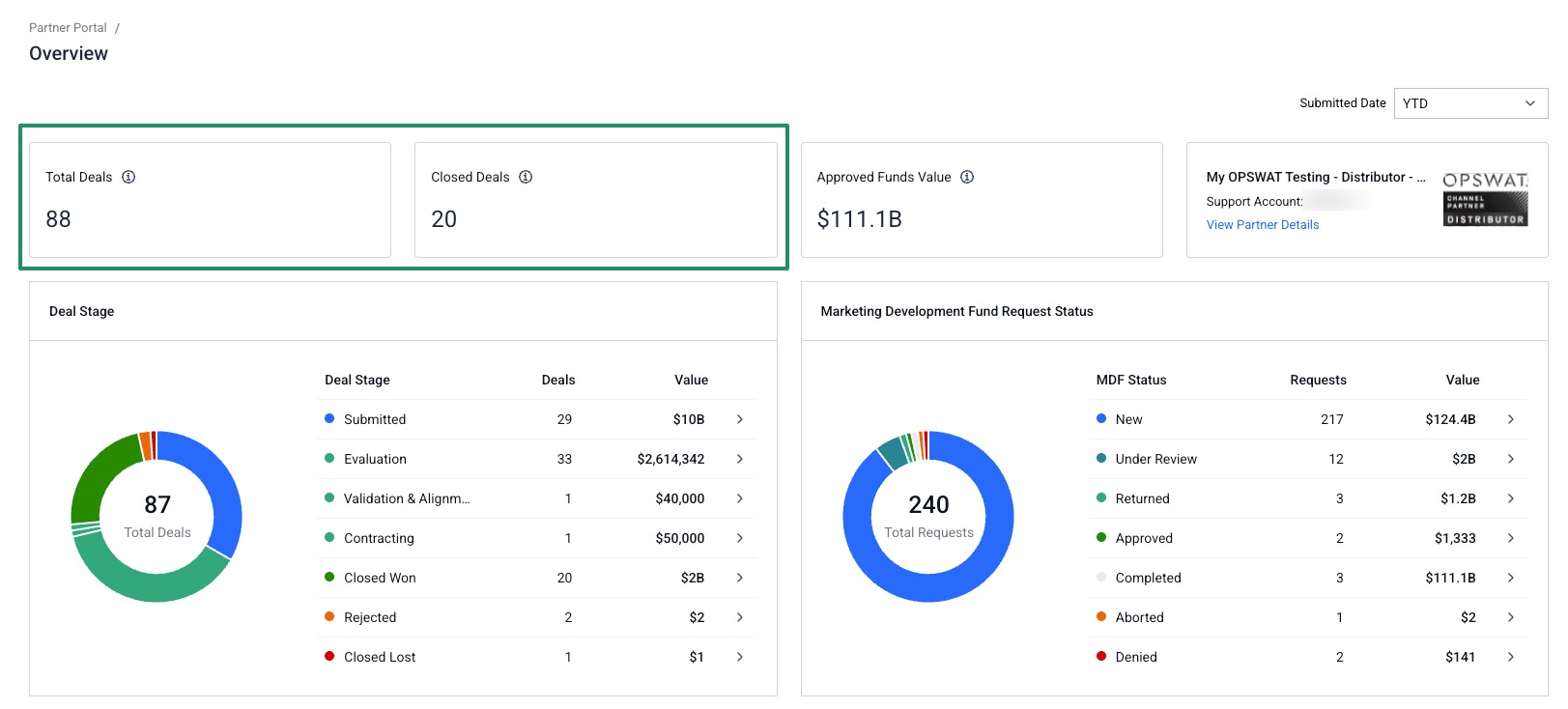
Partners now see deals rather than opportunities on the Partner Portal. On the Overview, Total Pipeline Created and Revenue are now Total Deals and Closed Deals, and the Deal Stage chart breaks down the total estimated value by status
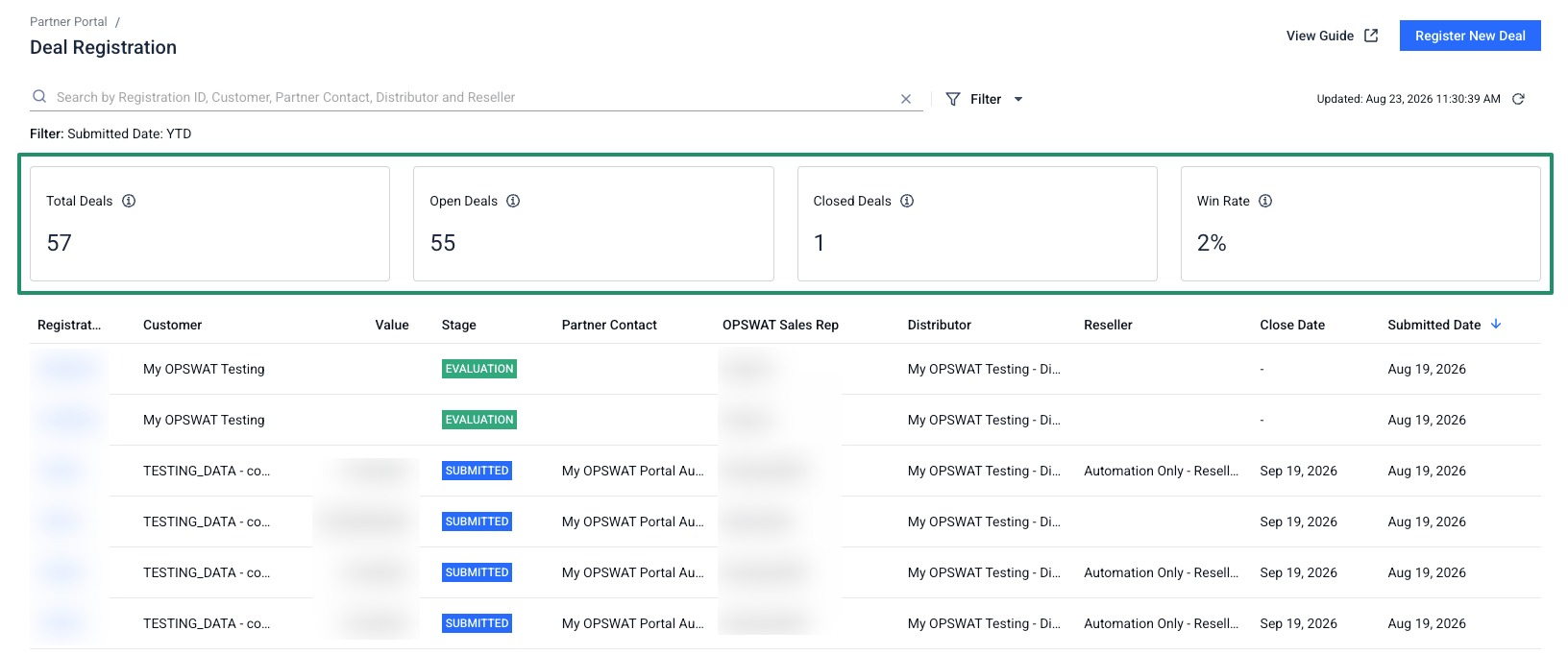
On Deal Registration page, a Win Rate percentage replaces Revenue. Partners also now see every deal tied to their account, not just the ones they registered.
Further reading: Partner Portal
[For Partners] MDF Request Timeline
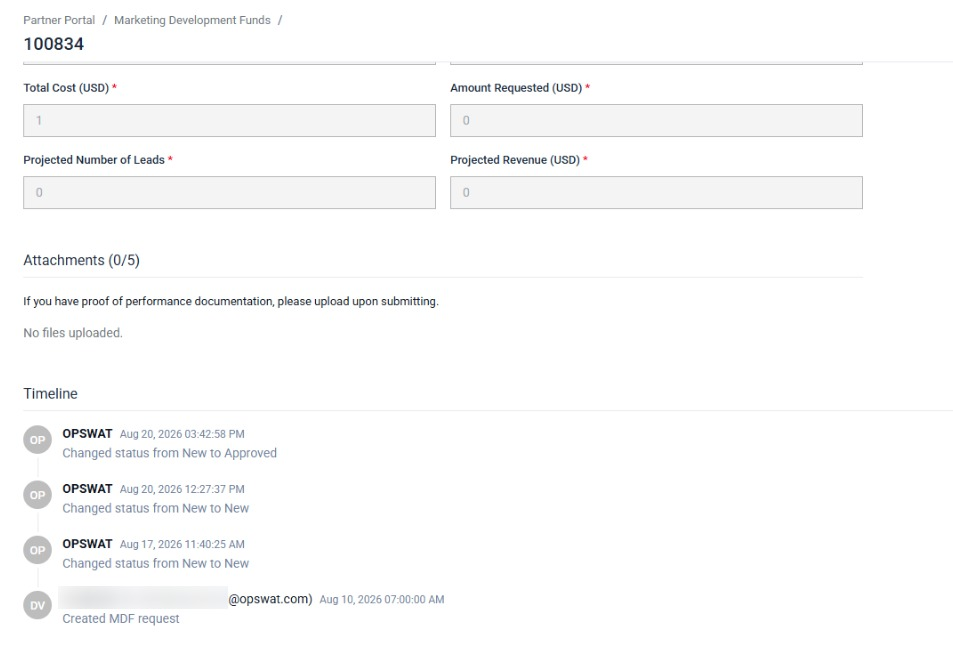
An MDF request detail page now carries a timeline of the request's recorded status changes, listing who made each change, what changed, and when, with the most recent entry first. Partners can see how a submitted request has progressed without asking their OPSWAT Marketing Manager for an update.
Further reading: Marketing Development Funds
Bug Fixes
Bug fixes Pasting the MFA Key
Fixed an issue where pasting the MFA key into its input field filled only the first box, leaving the rest of the key to be typed by hand.
Bug fixes Unrequested Email MFA Code After a Password Change
Fixed an issue where an Email MFA code was still delivered after you changed your own password, even though no verification had been requested.
Bug fixes reCAPTCHA Rejected on the Sign-In Page
Fixed an issue where the sign-in page reported Your reCAPTCHA is invalid even when the reCAPTCHA challenge had been completed correctly, blocking access to the Portal.
Bug fixes reCAPTCHA Error Blocking MFA Verification
Fixed an issue where submitting a valid MFA code returned a reCAPTCHA error with no challenge on screen to clear it, leaving sign-in blocked.
Bug fixes Sign-In Limit Exceeded Message
Fixed an issue where the Limit exceeded message shown after too many sign-in attempts did not say which limit had been reached or how long the block would last. The message now names the limit that was reached and states how long the block lasts, instead of asking you to contact Support with an error ID.