
Vulnerability Disclosure is a feature allowing you to report a security vulnerability you have found in an OPSWAT product or service and follow it through to resolution. The program is open to all eligible My OPSWAT users following OPSWAT Vulnerability Disclosure Program
Prerequisites
A verified My OPSWAT Portal account.
Availability depends on your region. Where the program is not available, the Vulnerability Disclosure module does not appear.
How to submit a vulnerability report
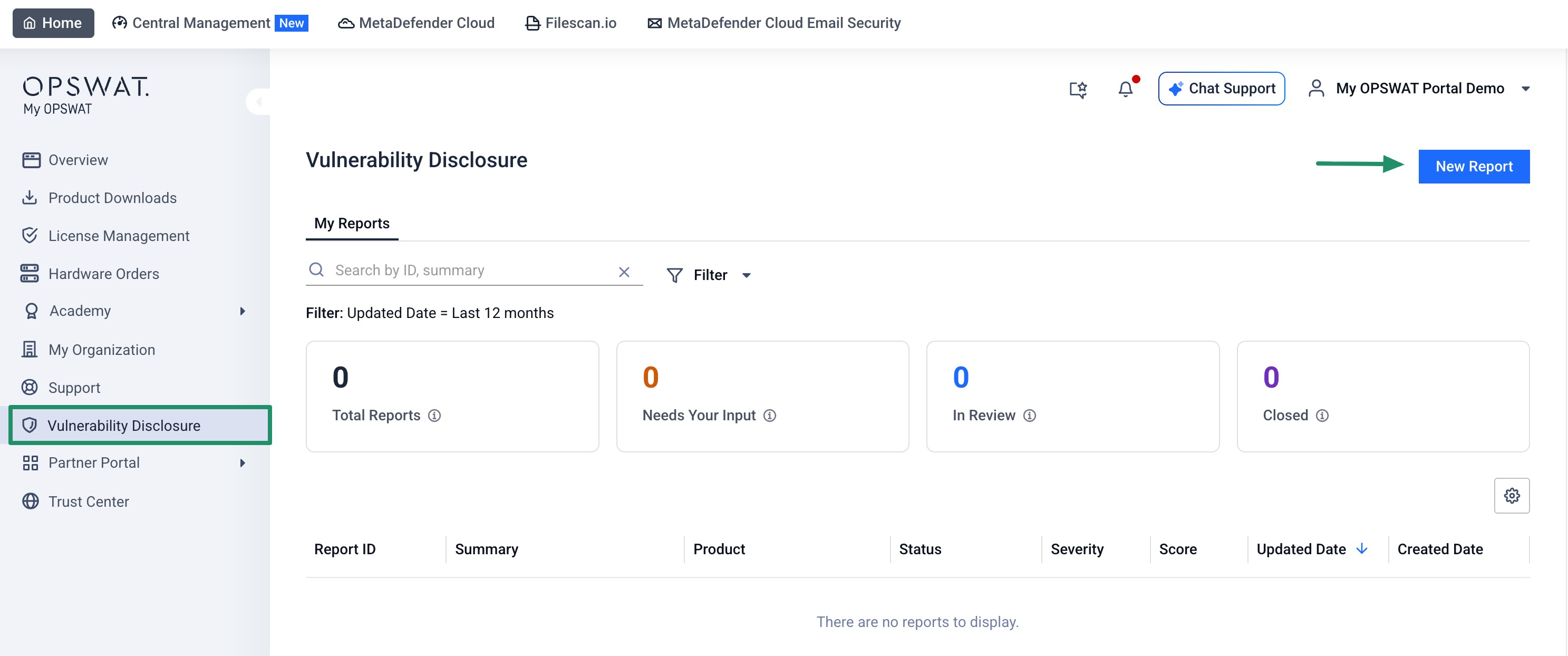
Sign in to My OPSWAT Portal.
In the left menu, select Vulnerability Disclosure.
Select Submit New Report.
Complete the form:
Select the affected product or service. You can add more than one product in a single report.
Select the affected version. This field is optional for cloud products.
Select the vulnerability category
Enter a Summary (up to 120 characters).
Enter a Detailed description. You can include up to 10 images, 30 MB total.
Enter the Impacts.
Enter the Reproduction steps. You can include up to 10 images, 30 MB total.
Optionally set a severity by entering a CVSS 3.1 vector. The built-in calculator sets the Score and Severity automatically.
Add your attachments. Allowed file types are PNG, JPEG, and PDF, up to 10 files and 250 MB in total. Attachments are scanned for malware before they are accepted.
Choose whether to be acknowledged by name or to remain anonymous. Remain anonymous is the default.
Read and select the checkbox to agree to the OPSWAT Vulnerability Disclosure Program terms and safe harbor policy.
Select Submit. The Submit button stays disabled until all required fields are filled in and the terms checkbox is selected.
When your report is submitted, it receives a unique tracking ID in the format VDP-YYYY-NNNNN (for example VDP-2026-00001), and you receive a confirmation email.
If any attachment is flagged as malicious, the report is not accepted, the file is not stored, and you receive an email asking you to resubmit with a clean attachment.
Please note:
You can submit one report every 24 hours.
How to track your reports
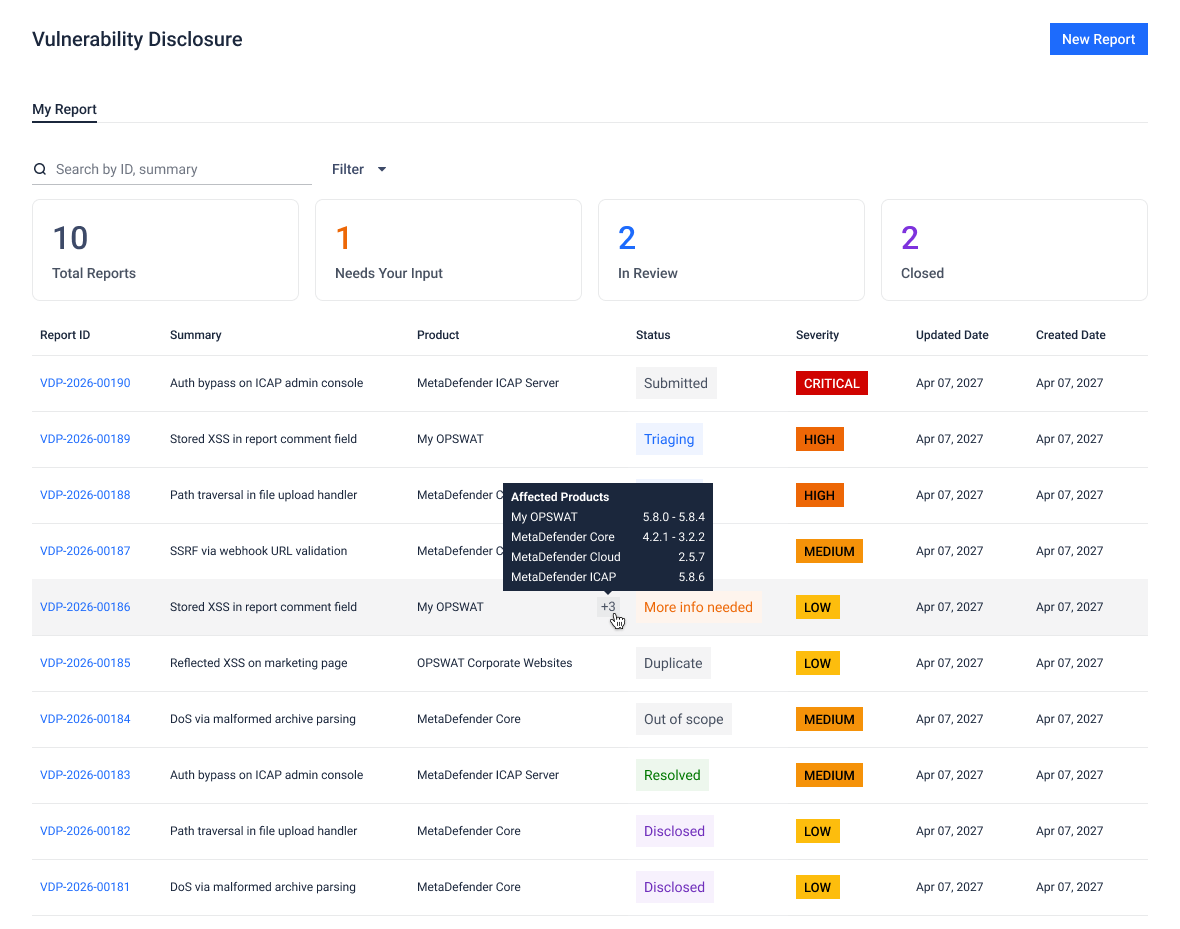
The top of the module shows four summary tiles that count only your reports:
Total Reports: all of your reports.
Needs your input: reports that are waiting for more information from you.
In review: reports OPSWAT is currently working on.
Closed: reports that have reached a final state.
Below the tiles, the reports list shows Report ID, Summary, Product, Status, Score, Severity, Updated Date, and Created Date. You can filter the list by Status, Product, Severity, Created Date, and Updated Date, and search by report ID or summary.
How to view a report and reply
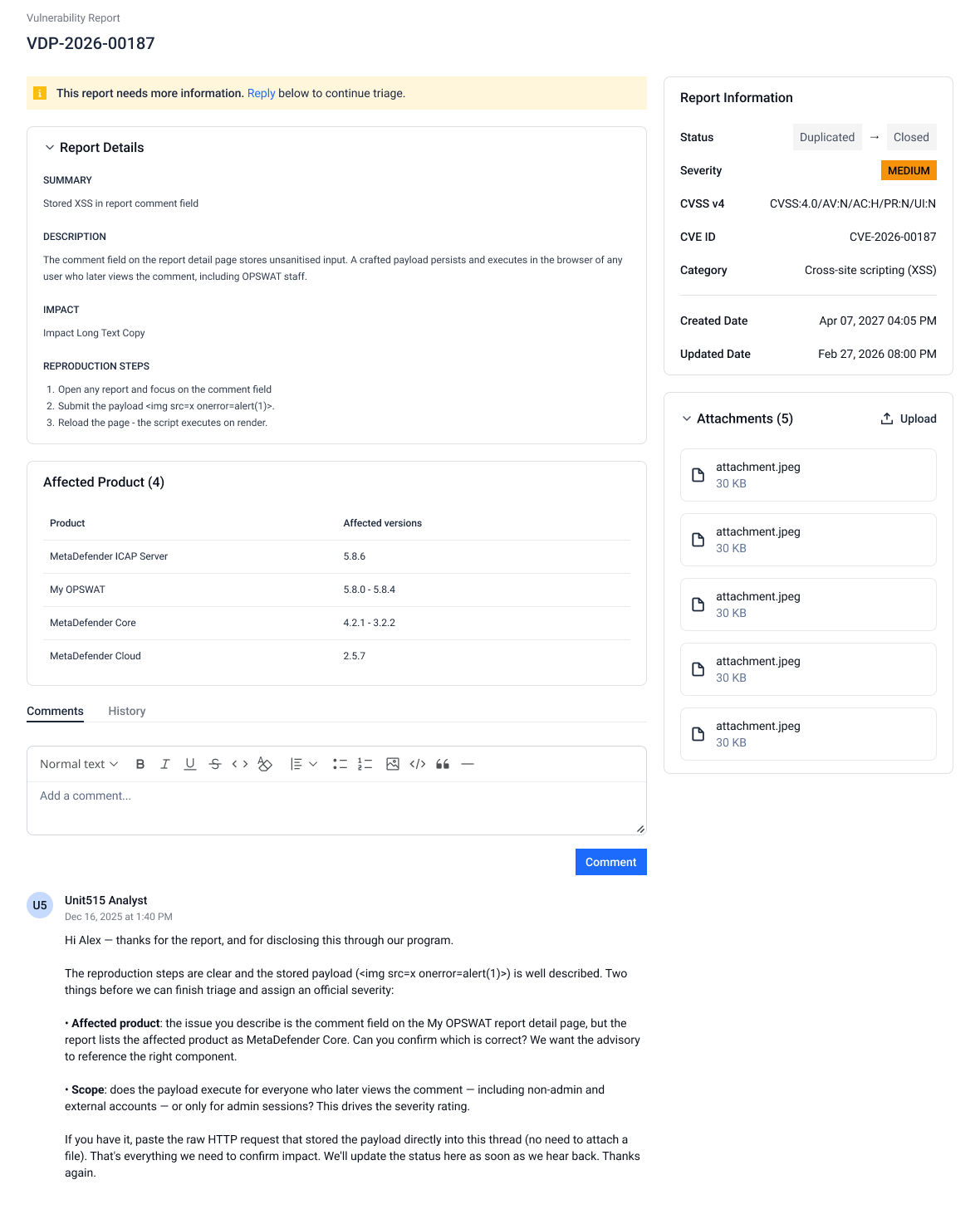
Select a report in the list to open its detail page.
Review the report information, including status, CVSS vector, score, severity, category, dates, attachments, comments, and a history of all changes.
To reply, add a comment. Comments support rich text with up to 10 images, 30 MB total. You can add up to 10 comments per report every 24 hours.
To add more evidence, upload an additional attachment. New attachments are scanned before they are accepted.
Note
You cannot download or delete attachments on a report.
Comments and attachments become read-only once a report is closed.
How you are notified
OPSWAT sends email from no-reply@opswat.com when you submit a report, when a report changes status, and when the OPSWAT security team adds a comment. The emails direct you back to My OPSWAT Portal for the full details.