
User type: Organization user
Role: Super Admin and Admin
OAuth Application allows you to create and manage OAuth applications in My OPSWAT Portal. You use these applications to generate Client Credentials (Client Key and Client Secret) and authenticate your server-to-server integrations with the Portal.
Overview
To access the OAuth Application feature:
Open My OPSWAT Portal
Click your Account menu at the top-right corner.
Select OAuth Application.
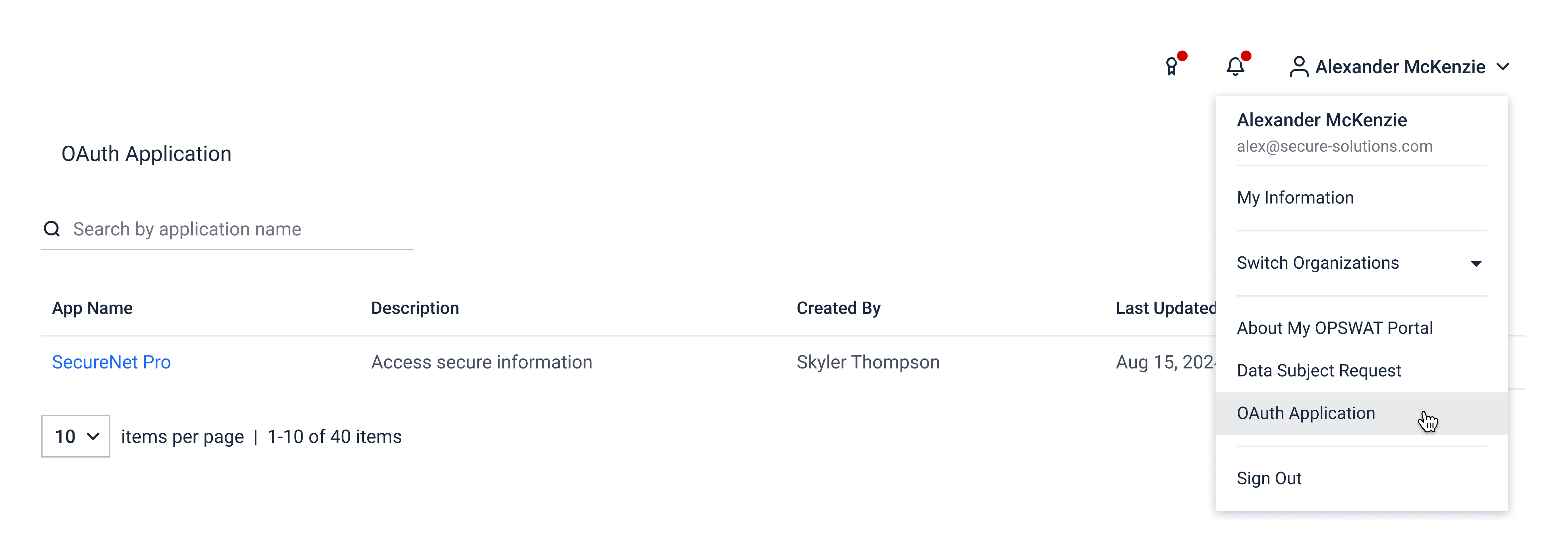
You are taken to your organization OAuth Applications page . All data on this page is specific to your user account.
Each application will have App Name, Description, Created By, Last Updated
You can:
Search by App Name.
Sort by Name or Created Date.
For each application, you can:
Update Name and description
Delete the application
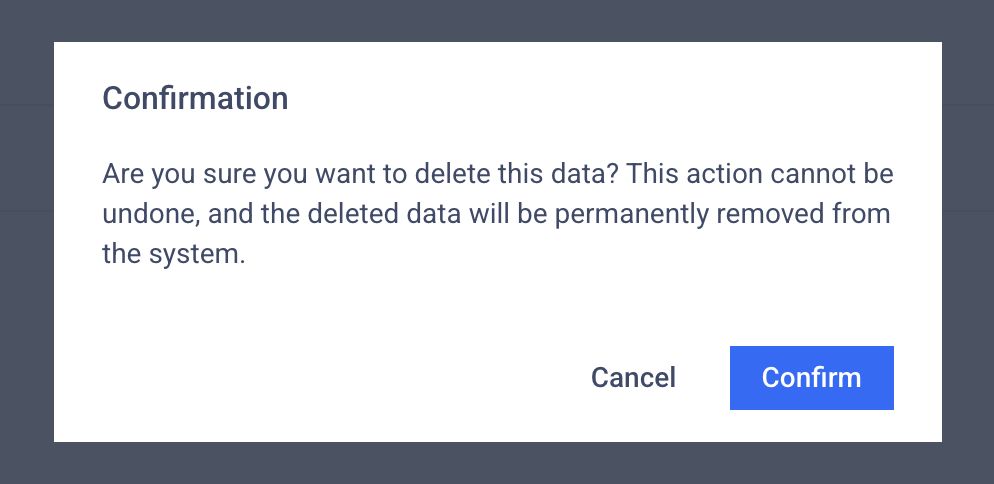
This list shows all OAuth applications created by authorized users who has full access on OAuth applications in the organization.
Register New Application
To create a new OAuth application:
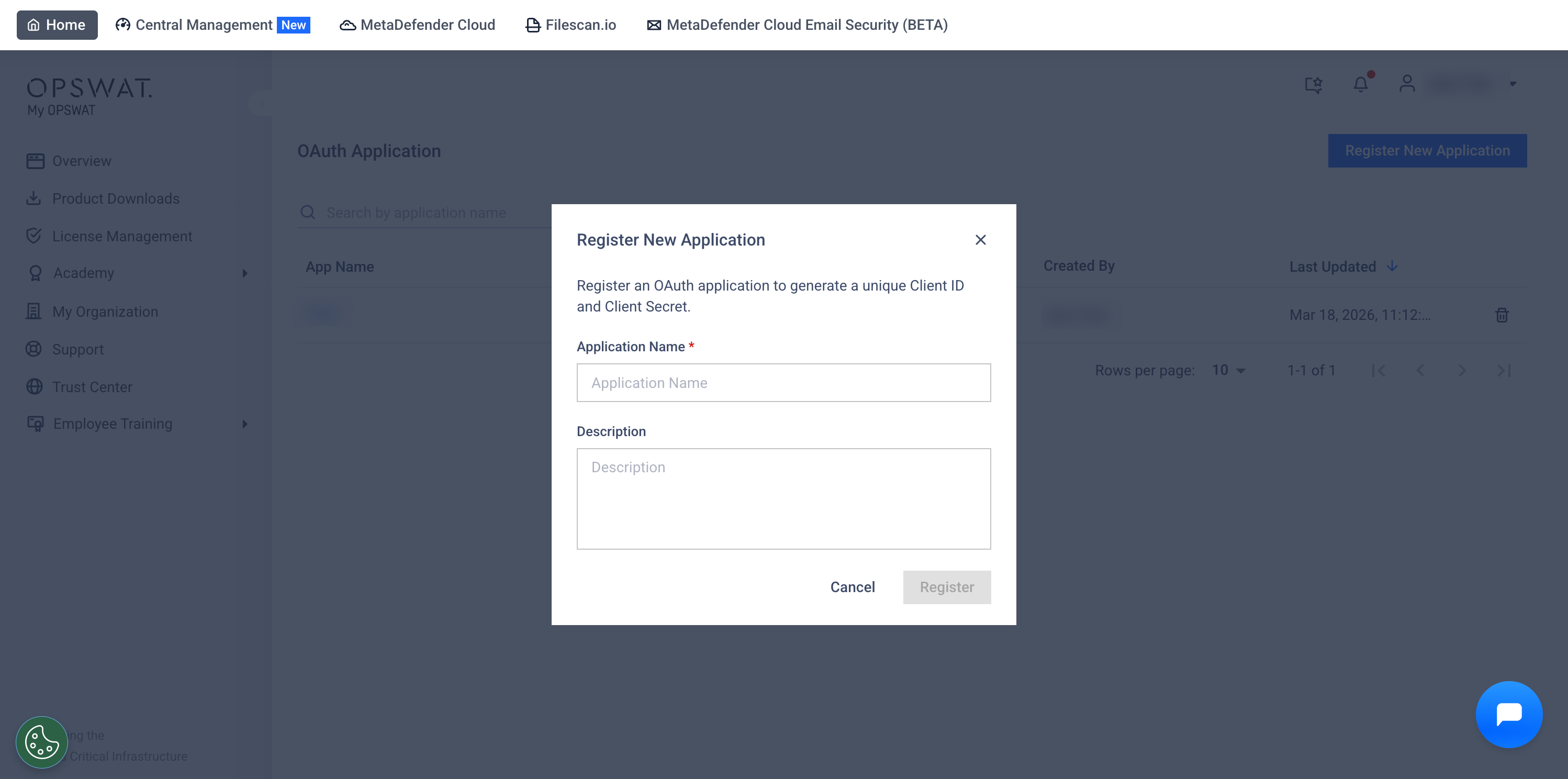
On the OAuth Applications page, click the Register New Application button.
In the creation form, enter:
App Name (required, must be unique)
Description (optional)
Click Register to create the application.
When you confirm, the system:
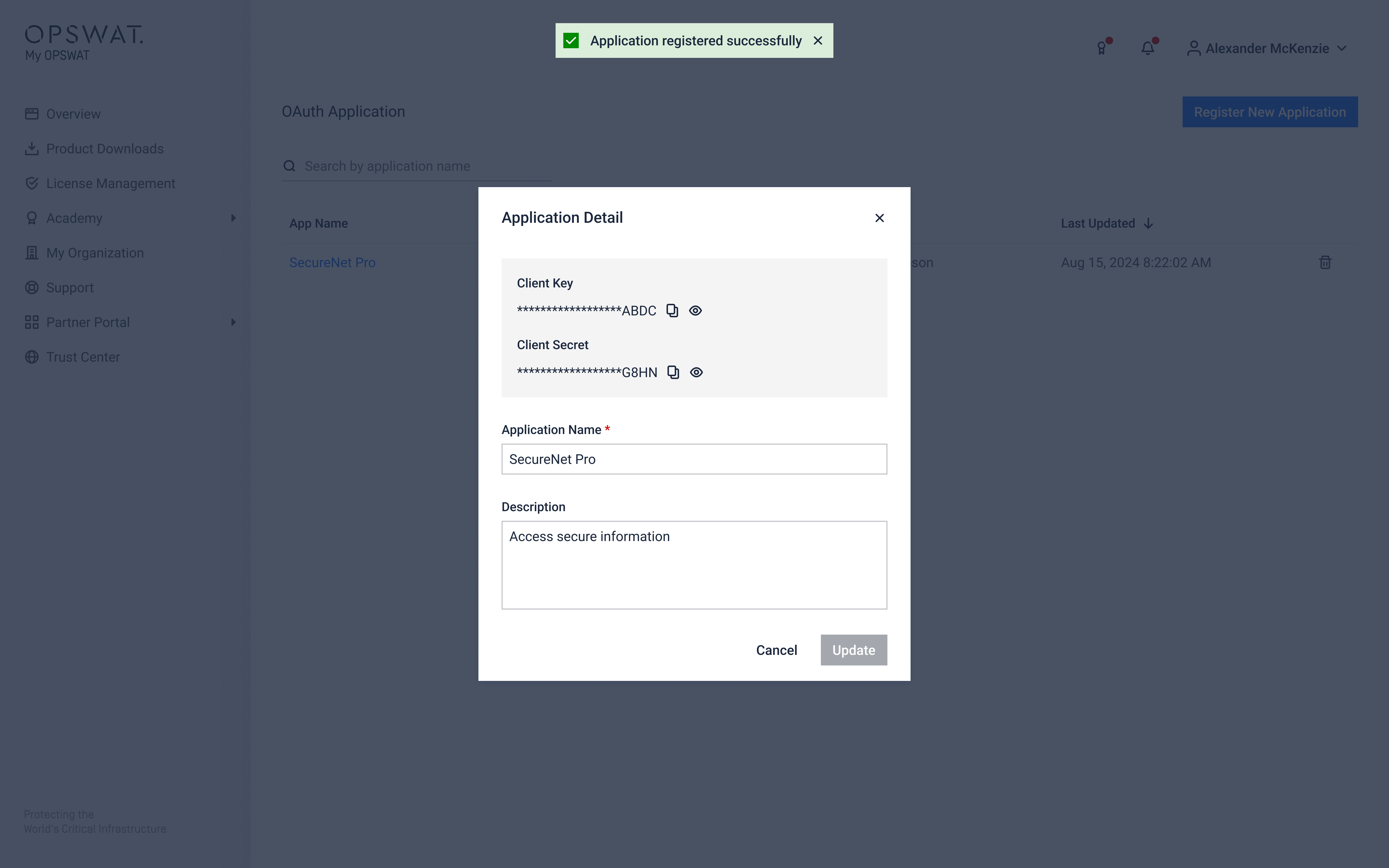
Creates a new OAuth application.
Generates a unique Client Key and Client Secret.
Encrypts the Client Key and Client Secret at rest.
Displays the details of the new application.
Using OAuth credentials to call OAuth APIs
After you create an OAuth application and obtain its Client Key and Client Secret, you can use them to call OAuth APIs.