The OEM Portal is a dedicated area in My OPSWAT Portal for OPSWAT OEM customers. It brings OPSWAT OEM solutions, enablement resources, OEM license details, and OEM news together in one place. The landing page is designed to make it easy to navigate OPSWAT's OEM offerings and find what you need.
Prerequisites
Your account or organization must be an OPSWAT OEM customer. If you belong to an organization, the organization's OEM status determines access.
How to access the OEM Portal
Sign in to My OPSWAT Portal.
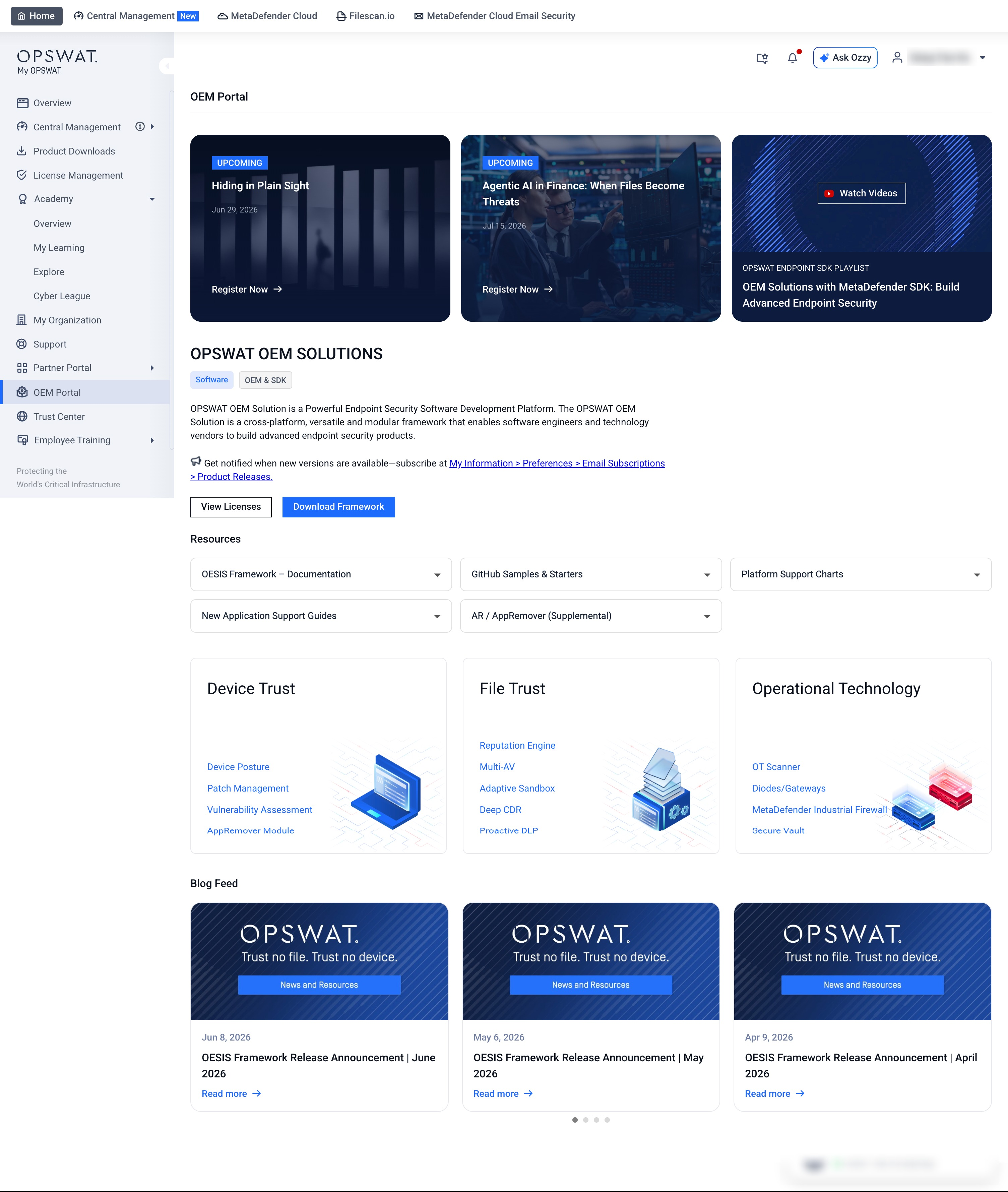
In the left menu, select OEM Portal.
OPSWAT OEM Solutions
The OPSWAT OEM Solutions section is the main area of the page. From here you can:
Read the solution description and open the linked enablement resources.
Select Download Framework to open the download dialog for the OEM framework.
Select View Licenses to open your OEM license details. This is available to OEM organizations only.
Below the main section, solution cards are grouped into categories so you can browse by area:
Device Trust
File Trust
Operational Technology
Select a card to open the related product page.
Resources
The Resources section gathers MetaDefender Endpoint Security SDK enablement materials, including documentation, release notes, knowledge base, FAQ, GitHub code samples, platform support charts, and a link to the OPSWAT Endpoint SDK video playlist.
Webinars and blog
The Webinars section shows upcoming and on-demand OPSWAT webinars. Select Register Now or Watch the Webinar to continue.
The blog feed at the bottom of the page shows the latest OPSWAT OEM blog posts. Select Read More to open a post.
How to view OEM licenses
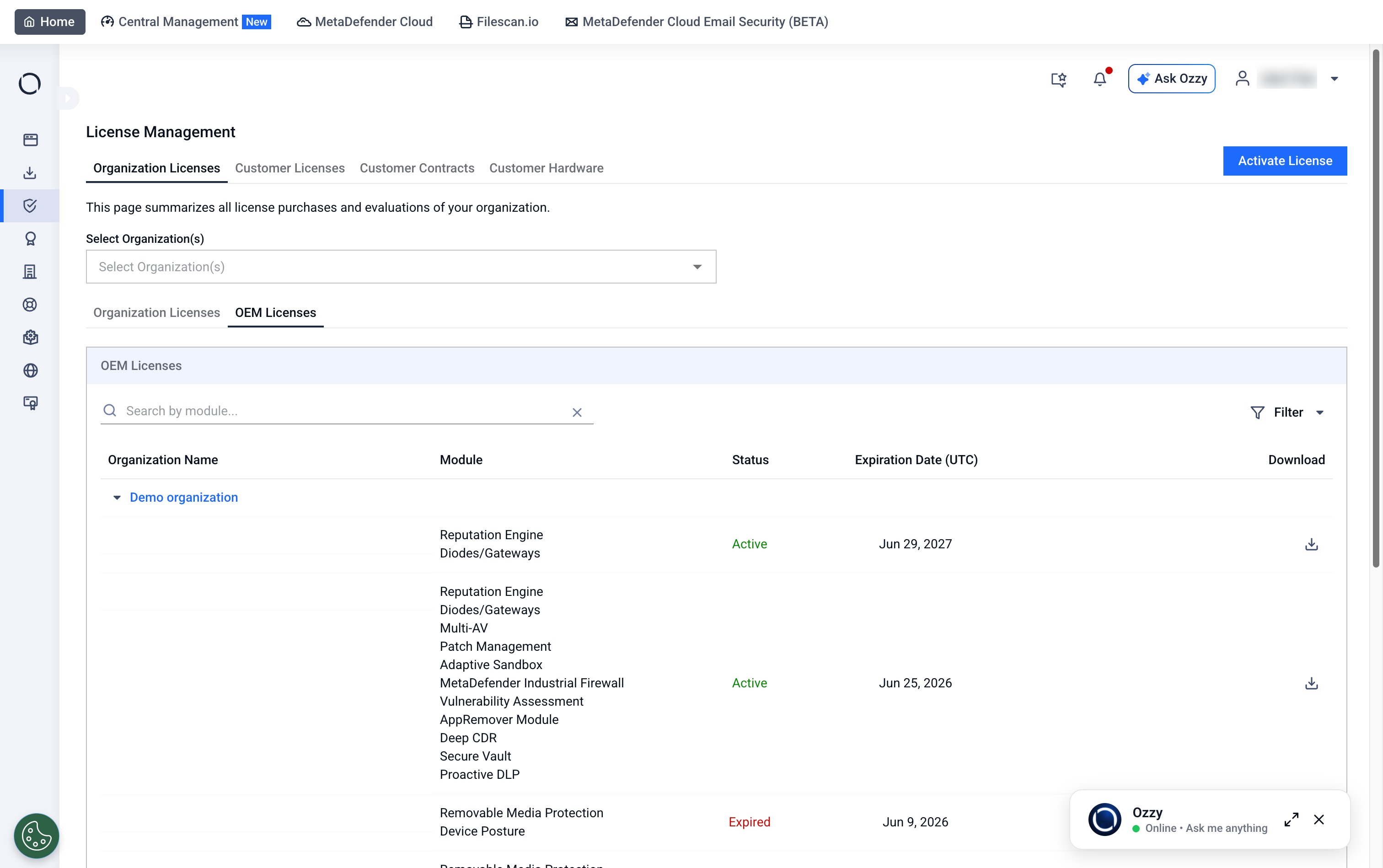
OEM customers can view their OEM-specific licenses without leaving the Portal. Each license shows its included modules, status, and expiration date in one view, with the license file ready to download.
In the OEM Portal, select View Licenses in the OPSWAT OEM Solutions section.
Review each license's included modules, status, and expiration date.
Select the download action to save the license file.