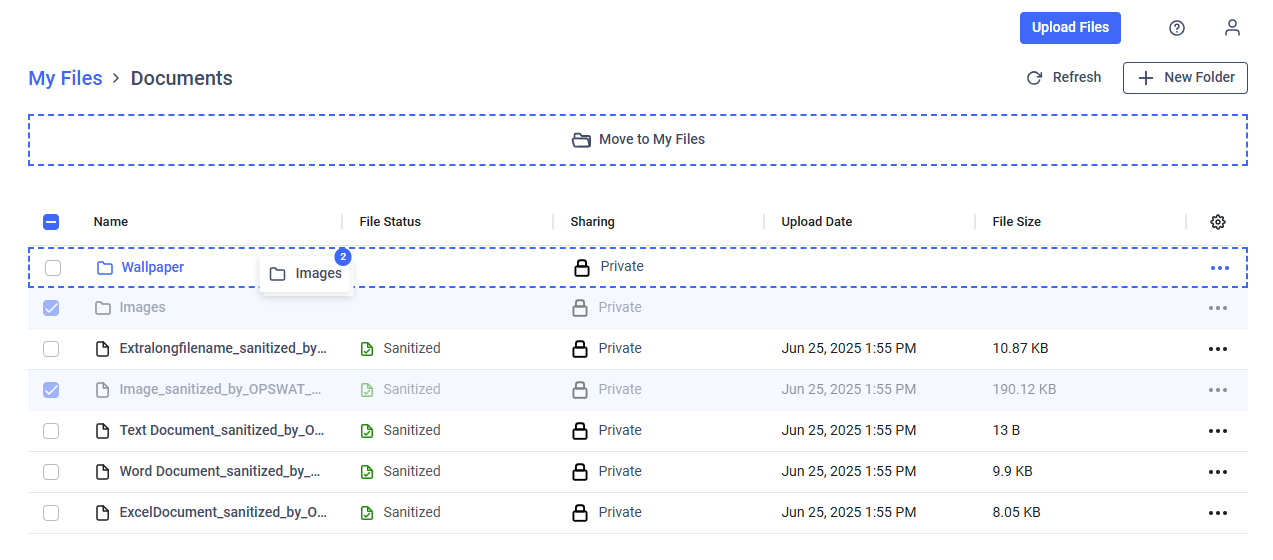
You can perform common file operations such as deleting, moving, and renaming files and folders.
Single File Operations
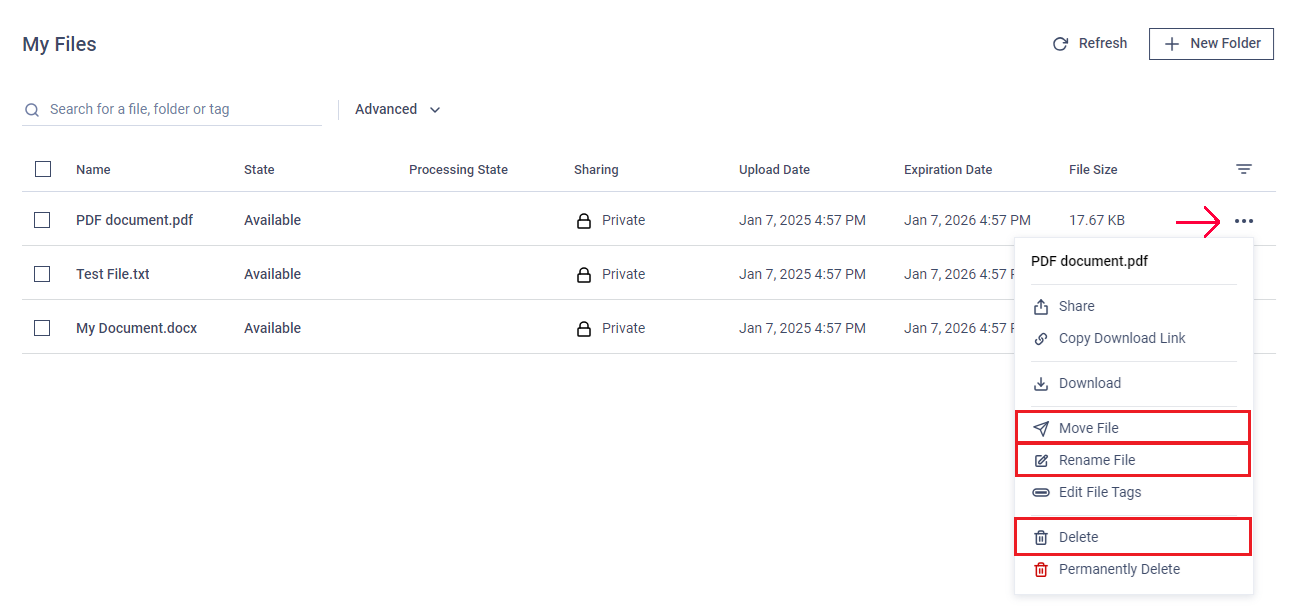
Click the action menu (three dots) next to the file.
Select "Delete," "Move," or "Rename" as needed.
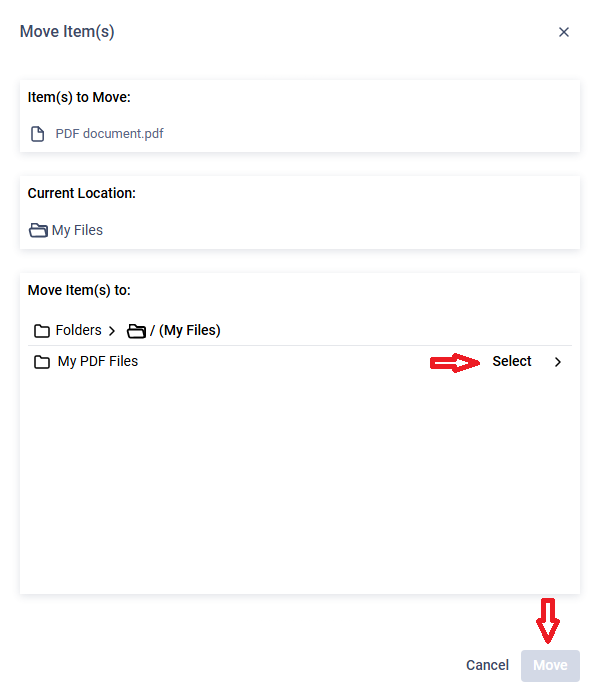
If moving files, select the target folder from the list and click "Move."
Deleted files are sent to the Recycle Bin and can be restored later. To permanently delete files, use the "Delete files permanently" option (explained below).
Deleted folders are not sent to the Recycle Bin—only their files are moved there.
Managing Multiple Files Simultaneously
Check the boxes next to the files you want to delete or move.
A menu will appear above the file list.
Click "Delete" or "Move."
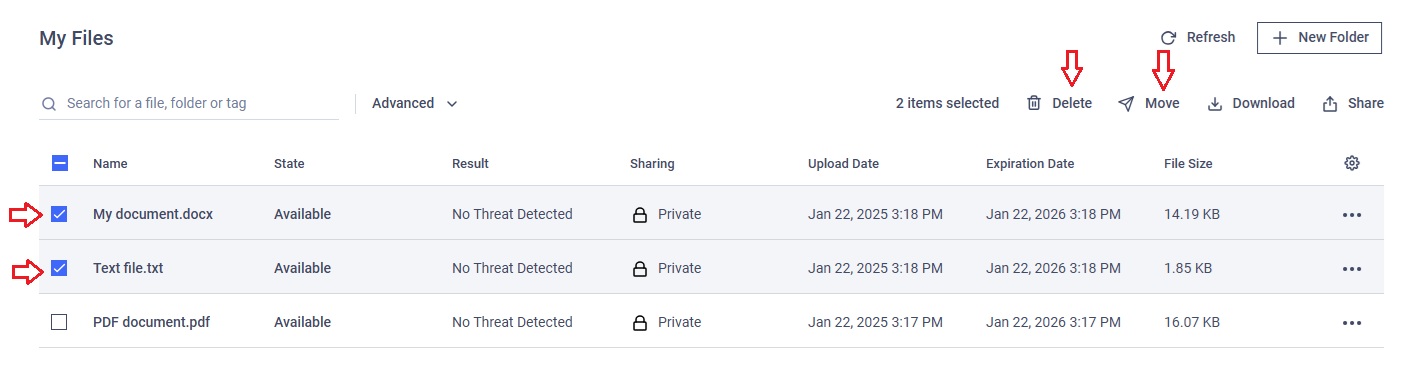
For moves, select the target folder and click "Move Here."
Deleting Files Permanently
If MetaDefender® MFT is configured to allow permanent file deletion:
A "Permanently Delete" option will appear in the three-dot menu or after right-clicking on multiple selected items.
Use this option as you would the standard delete.
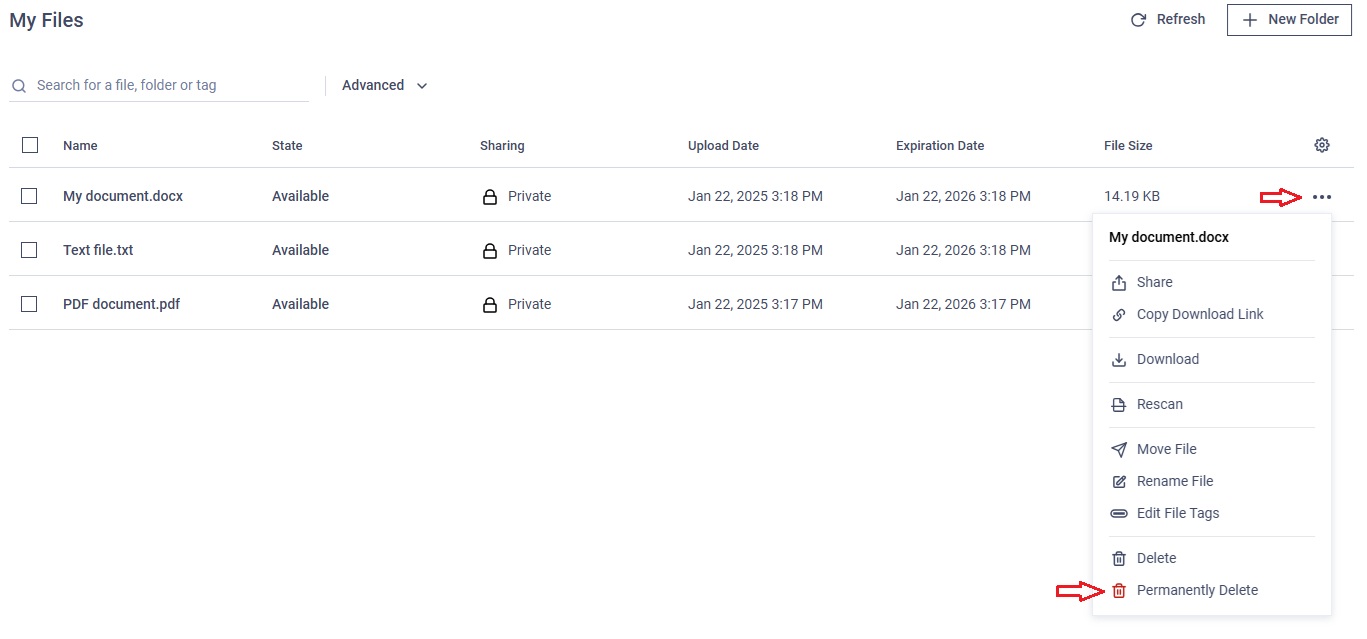
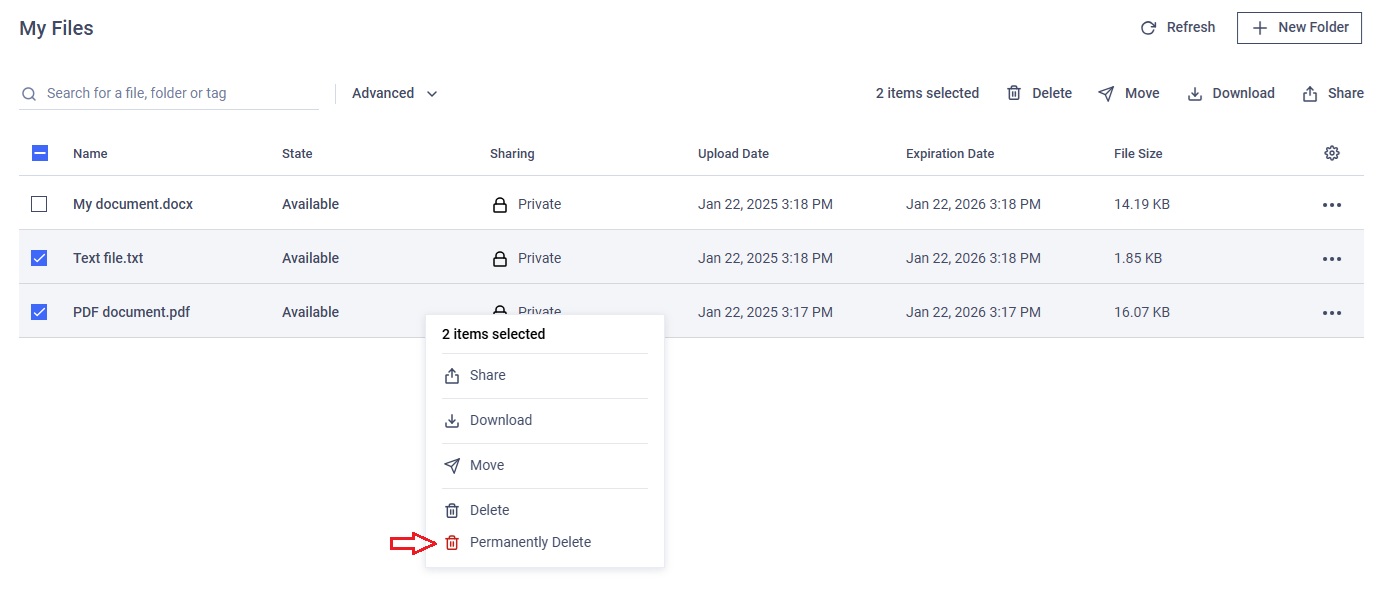
Permanently deleted files cannot be restored.
Moving Files with Drag and Drop
On the My Files page, you can move selected files or folders by dragging them to a visible folder or to the parent folder. Simply drag and drop the selected items onto the desired destination.