
You can change your password, personalize your language and download preferences from the User Preferences page .
To open User Preferences:
Click the user icon in the top-right corner of the application.
Select User Preferences from the menu.
Make your changes in the relevant section.
Click Save to apply.
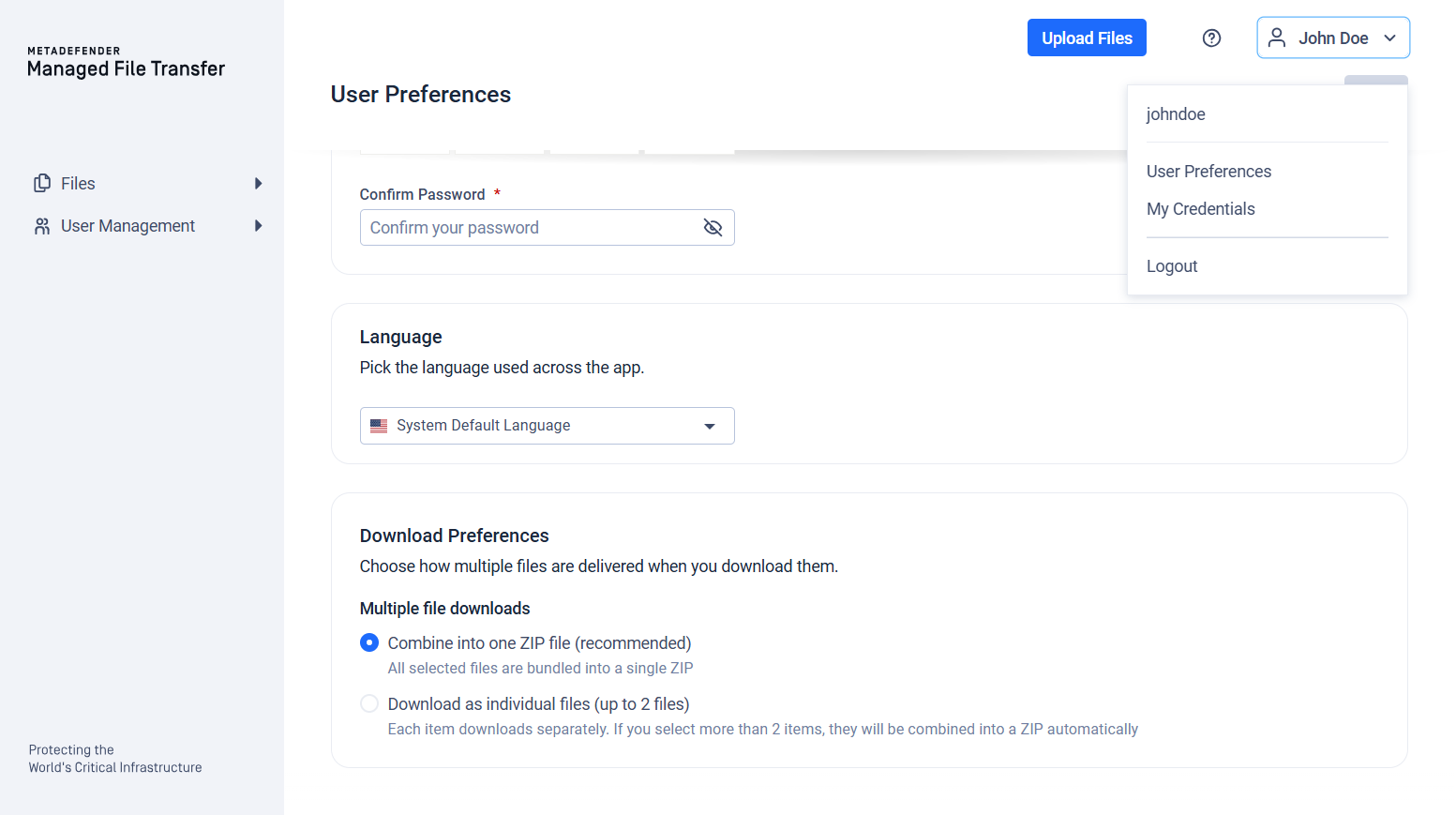
Language
MetaDefender® MFT uses the default system language set by the administrator, but you can personalize your language.
Select your preferred language from the dropdown in the Language section and click "Save".
Changing the language only affects your preferences and does not alter the settings for other users.
Download Preferences
The Download Preferences section controls how multiple files are packaged when you download them.
Multiple file downloads offers two options:
Combine into one ZIP file (recommended) — All selected files are bundled into a single ZIP archive.
Download as individual files — Each item downloads separately. If you select more files than the configured maximum (set by your administrator, between 2 and 10), they are automatically combined into a ZIP instead.
If the selection contains at least one folder, the download is always delivered as a ZIP archive, regardless of your download preference and regardless of how many items are selected.
If your administrator has enforced password-protected downloads, this preference is locked to ZIP delivery and cannot be changed. All downloads will be delivered as a password-protected ZIP archive. Contact your administrator for more information.