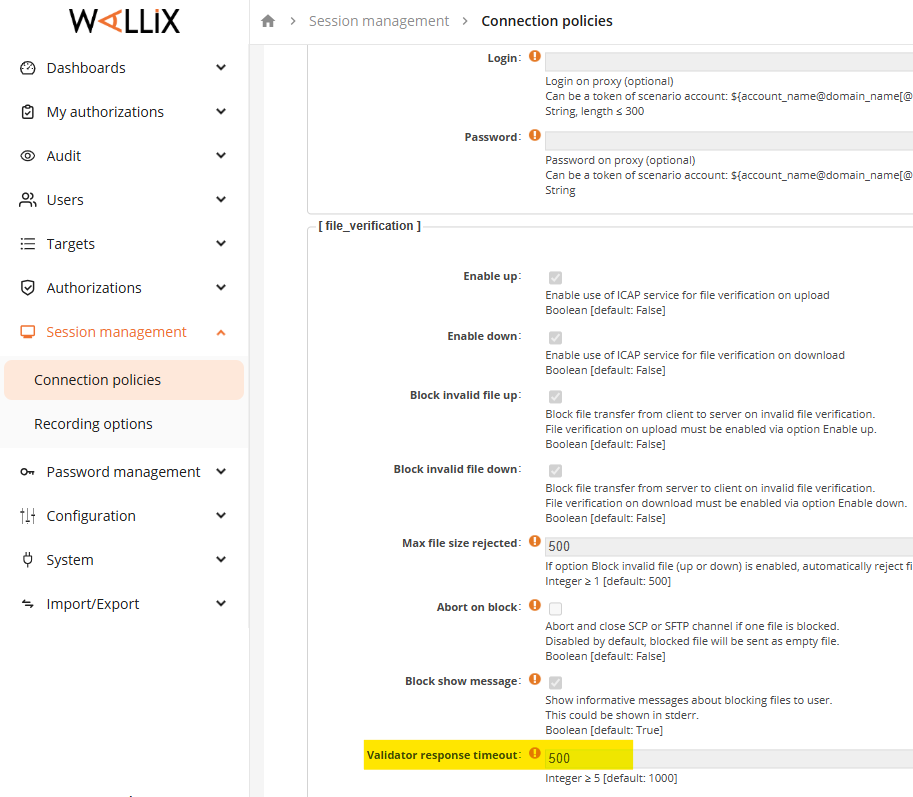
Wallix only supports AV multi-scanning. It does not accept Sanitized/Redacted content in the response (e.g. from CDR or redact feature of DLP).
Important: The default scan timeout for Wallix Bastion is 10 seconds for SCP and 20 seconds for copy file over RDP. If this timeout needs to be adjusted to handle large and complex files, please refer to How to increase the scan timeout to adjust this value
Note: This document was made base on Wallix Bastion v12.0.9
Integration With MD ICAP Server
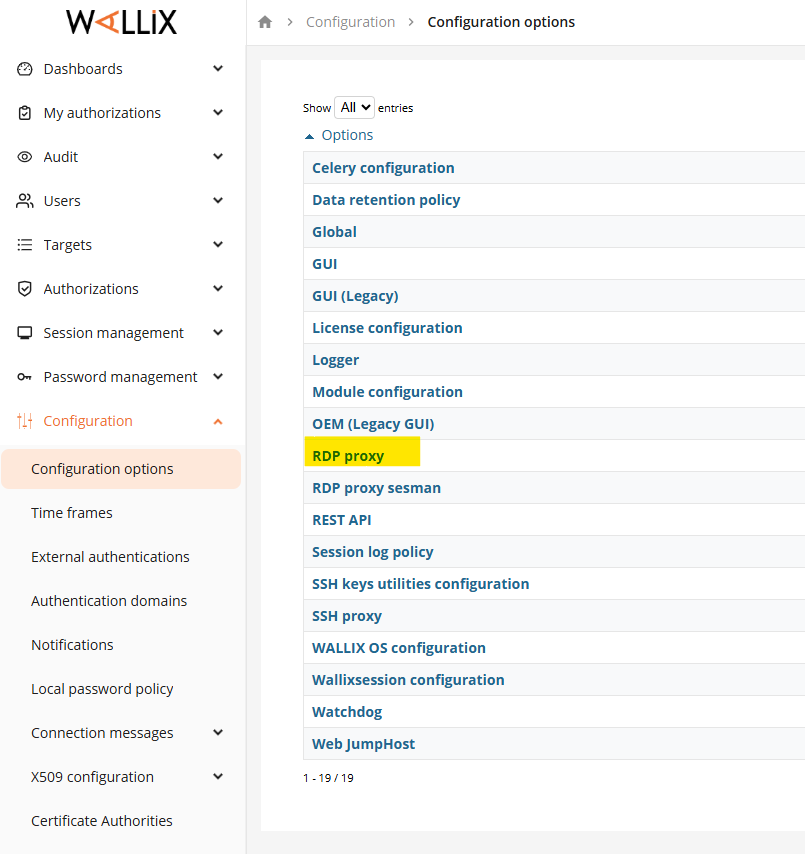
RDP
Configure the MD ICAP Server as AV Scan for RDP
Step 1: Go to Configuration -> Configuration Options -> RDP proxy
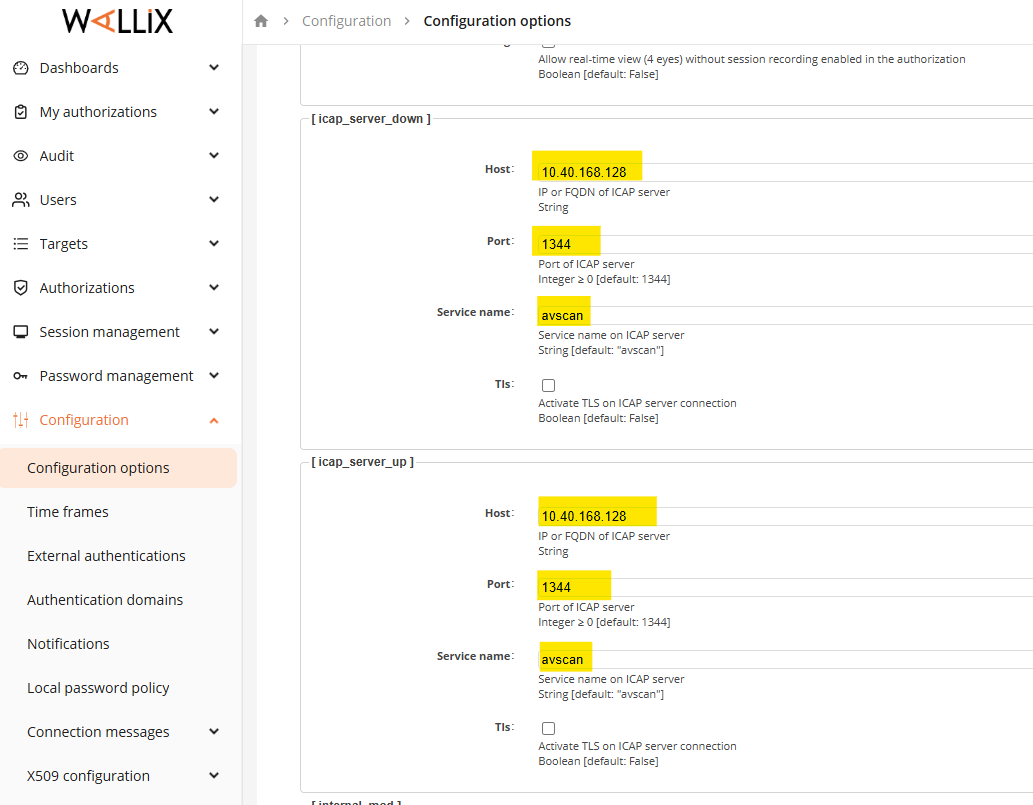
Step 2: input the IP Adress of MD ICAP Server into section "icap_server_down" and "icap_server_up"
E.g:
the IP address of MD ICAP Server is 10.40.168.128
default port of ICAP communication: 1344
Service name can be set "avscan" as default
Enable the AV scan for RDP
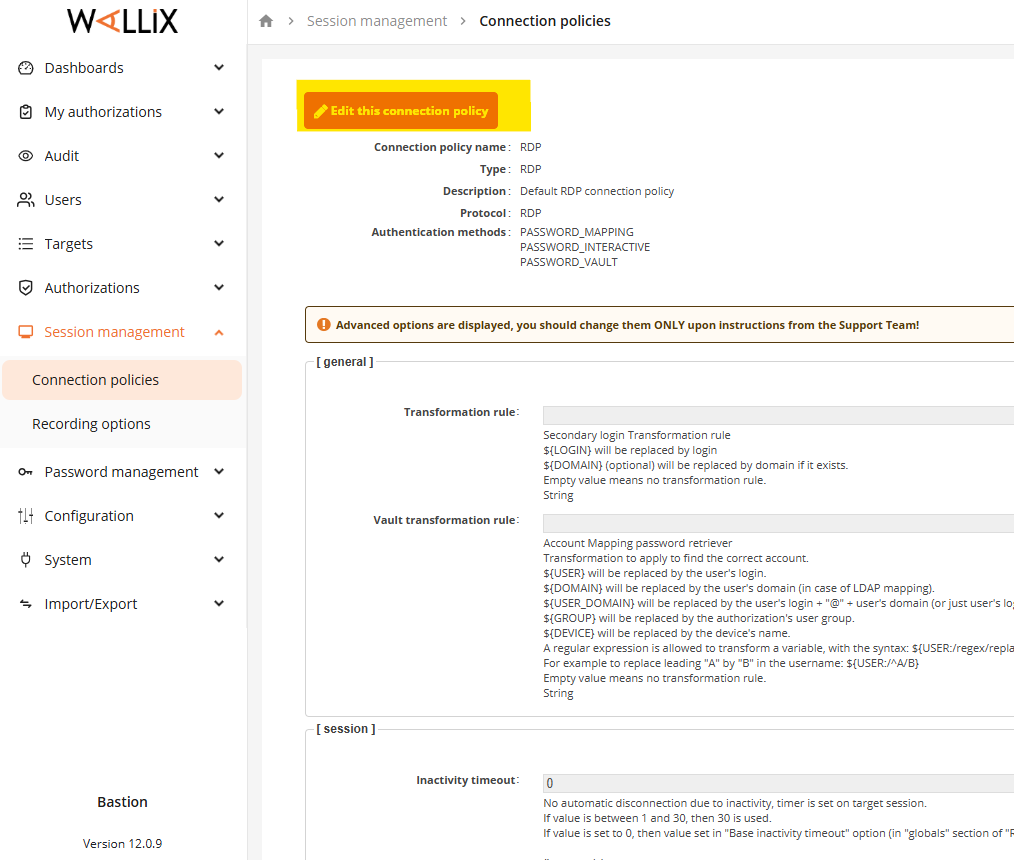
Step 1: Go to Session Management -> Connection policies -> RDP
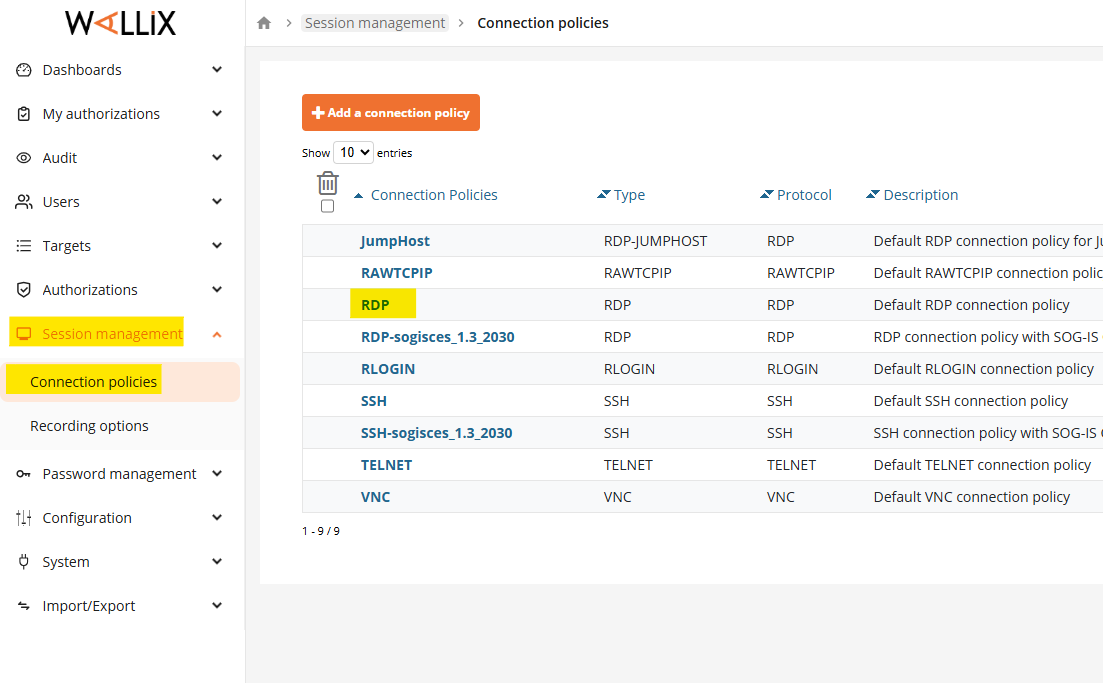
Step 2: Edit the policy for RDP
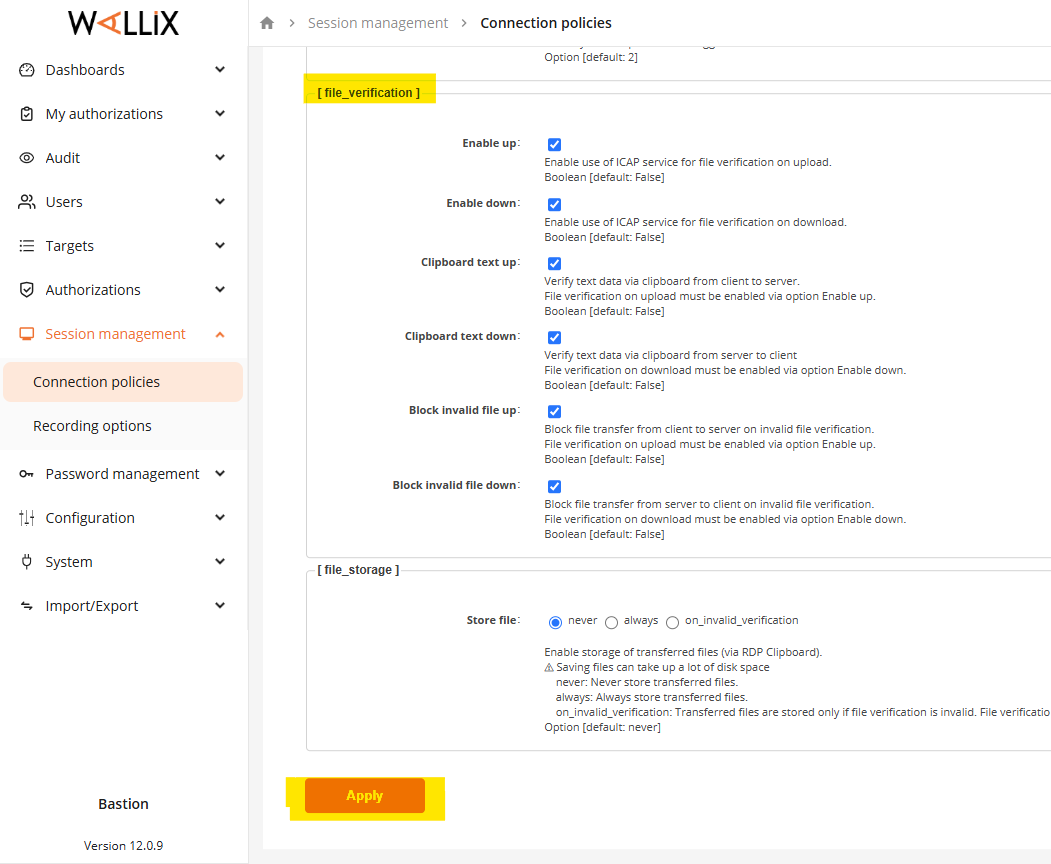
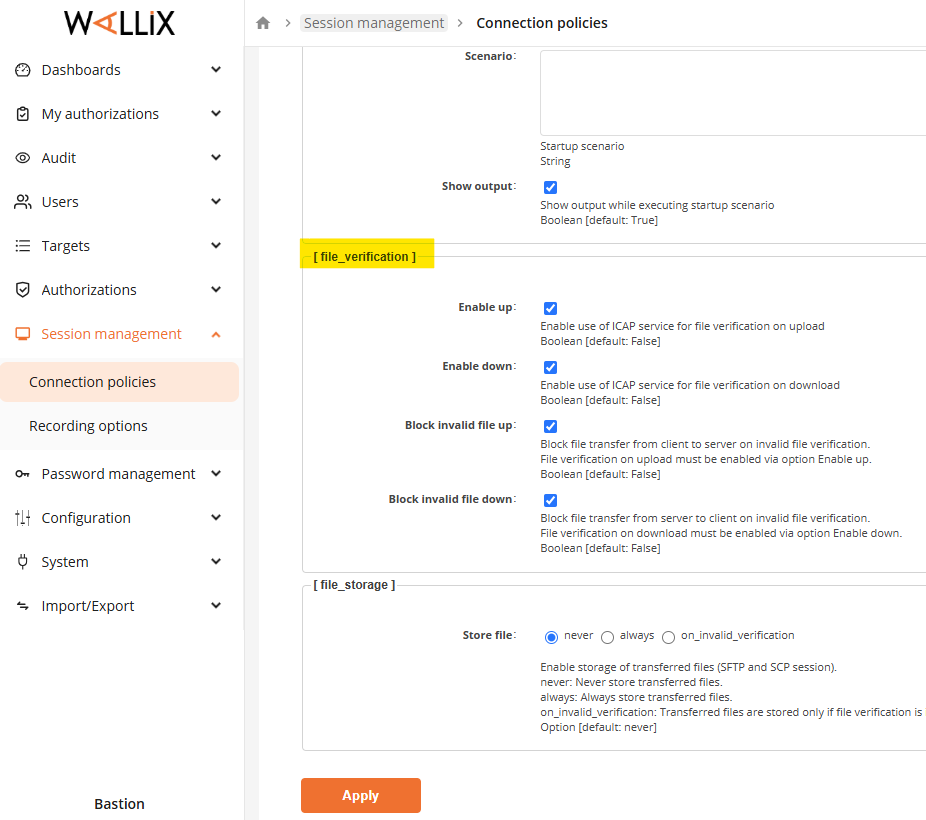
Step 3: enable all checkboxes in "File_verification" section and hit "Apply" button
SSH
Configure the MD ICAP Server as AV Scan for SSH
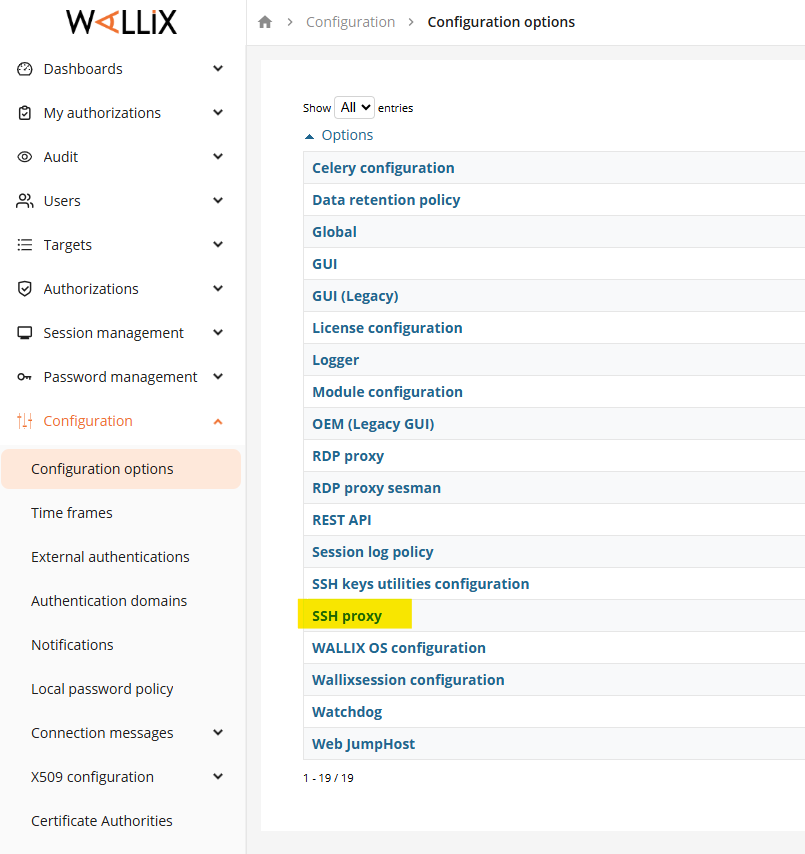
Step 1: Go to Configuration -> Configuration Options -> SSH proxy
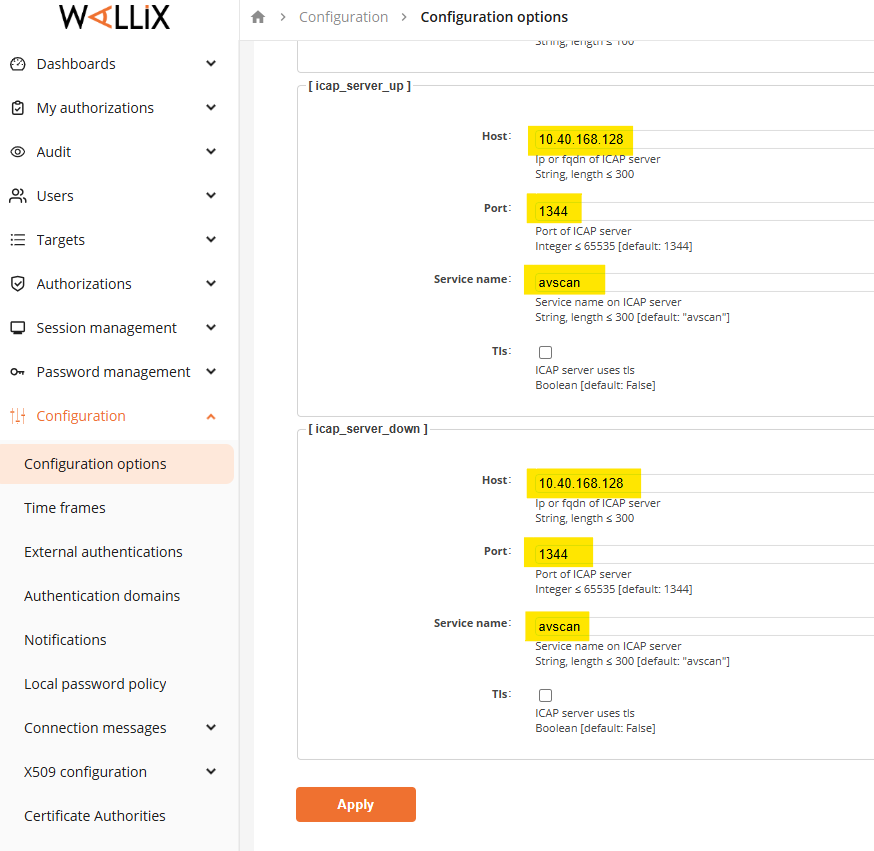
Step 2: Add MD ICAP Server information to 2 sections "icap_server_up" and "icap_server_down"
e.g:
the IP address of MD ICAP Server is 10.40.168.128
default port of ICAP communication: 1344
Service name can be set "avscan" as default
Enable the AV scan for SSH
Step 1: Go to Session Management -> Connection policies -> SSH
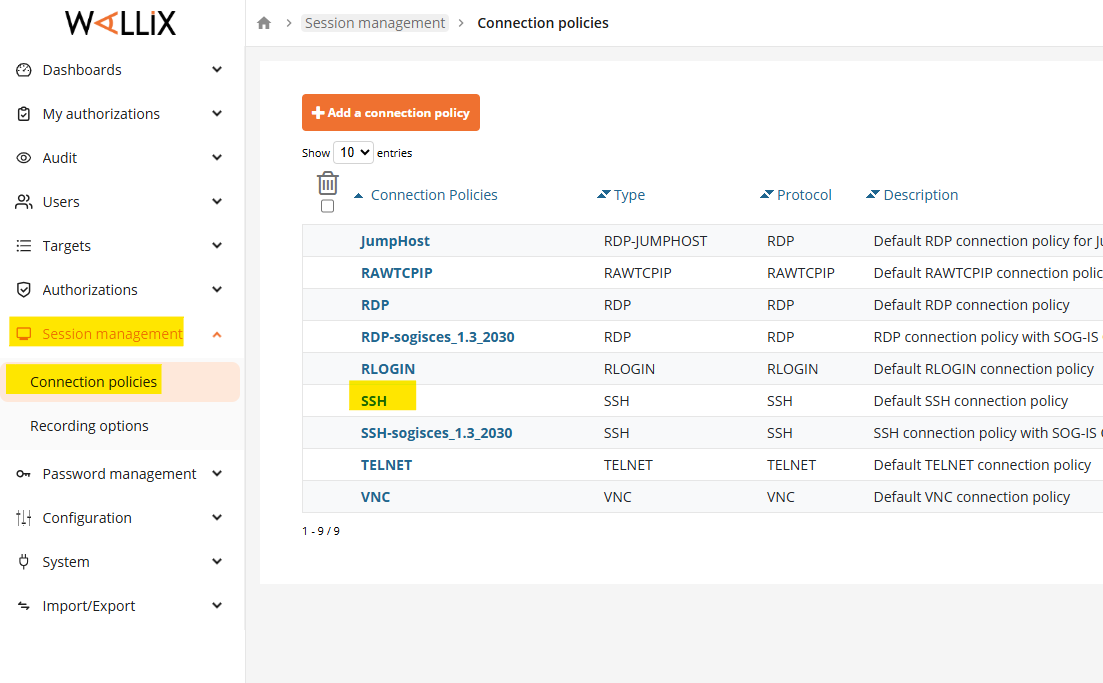
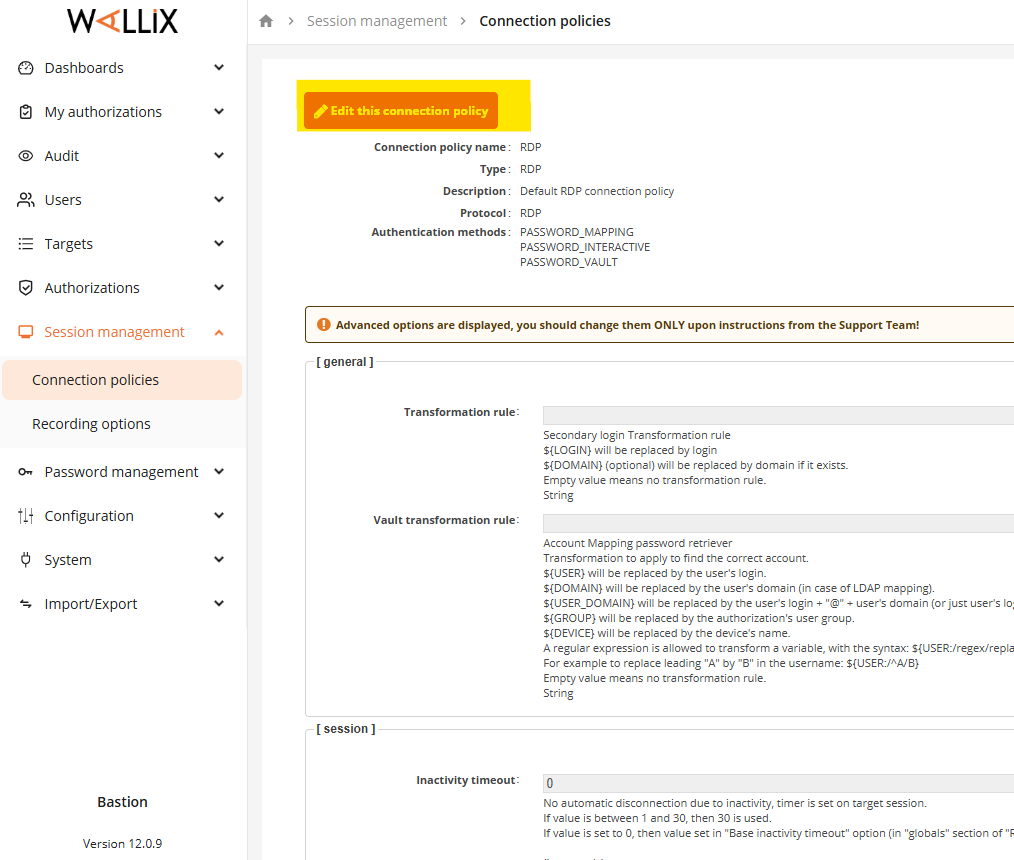
Step 2: Edit the policy for RDP
Step 3: enable all checkboxes in "File_verification" section and hit "Apply" button
How to increase the scan timeout
by default, Wallix Bastion v12.0.9 can not adjust the scan timeout for both RDP and SSH, below deb package need to be downloaded and installed
link to download
Install as below steps:
Adjust scan timeout for RDP
Step 1.Connect to the Bastion with SSH on port 2242
Step 2.In the file /opt/wab/share/conf/rdpproxy.spec, in the two sections [icap_server_up] and [icap_server_down], add:
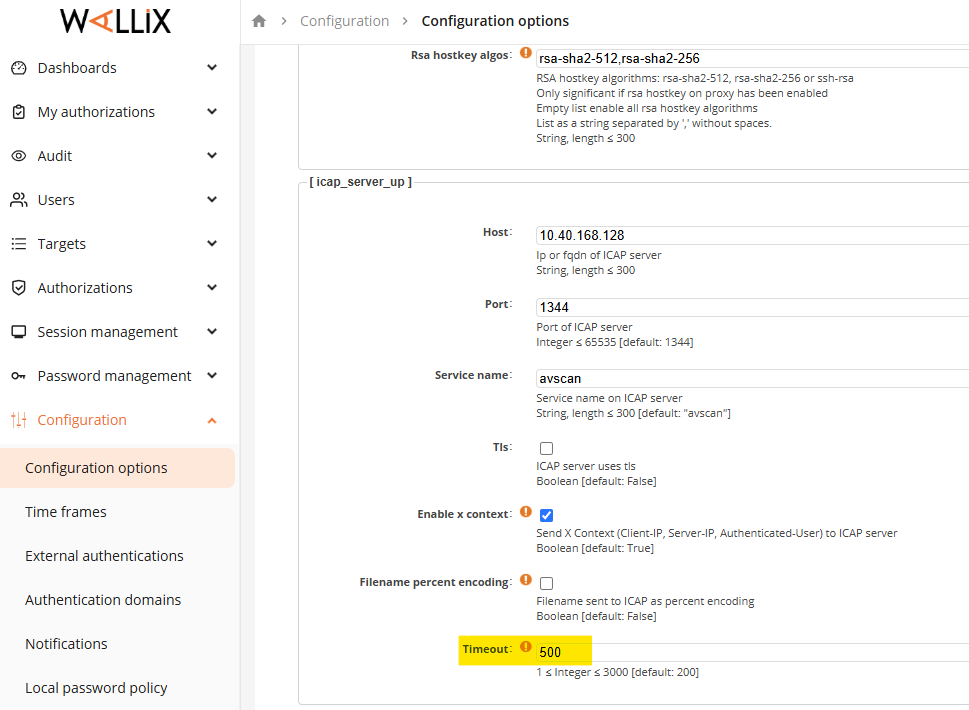
now you are able to configure the timeout from the WEB UI in Configuration -> Configuration options -> RDP proxy (with "Advance Options" checkbox enable)
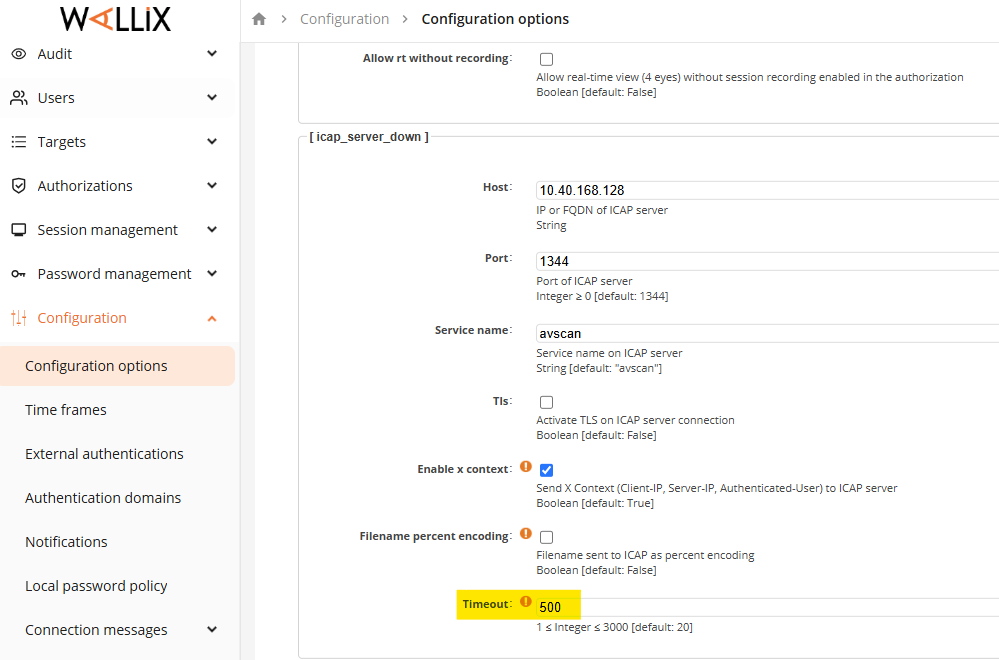
Adjust scan timeout for SSH
Step 1.Connect to the Bastion with SSH on port 2242
Step 2.In the file : /opt/wab/share/conf/sashimi.spec , in the two sections [icap_server_up] and [icap_server_down], add:
now you are able to configure the timeout from the WEB UI in Configuration -> Configuration options -> SSH proxy (with "Advance Options" checkbox enable)
Step 3.In the file /opt/wab/share/conf/protocols/ssh.spec , in the sections [file_verification] add:
now you are able to configure the timeout from the WEB UI in Session management -> Connection policies-> SSH (with "Advance Options" checkbox enable)