
This article applies to the current MetaDefender IT-OT Access Console and API, and all MetaDefender Endpoint releases deployed on Linux systems.
Users running MetaDefender Endpoint on one or more Linux devices may occasionally see MetaDefender IT-OT Access device compliance warnings/flags related to User Authentication, although this depends entirely on policy configurations.
These warnings/flags are triggered by device issues and will appear under MetaDefender IT-OT Access Console>Inventory>Devices>Relevant Device>Detailed Device Information>Deep Compliance>User Authentication, as illustrated below.
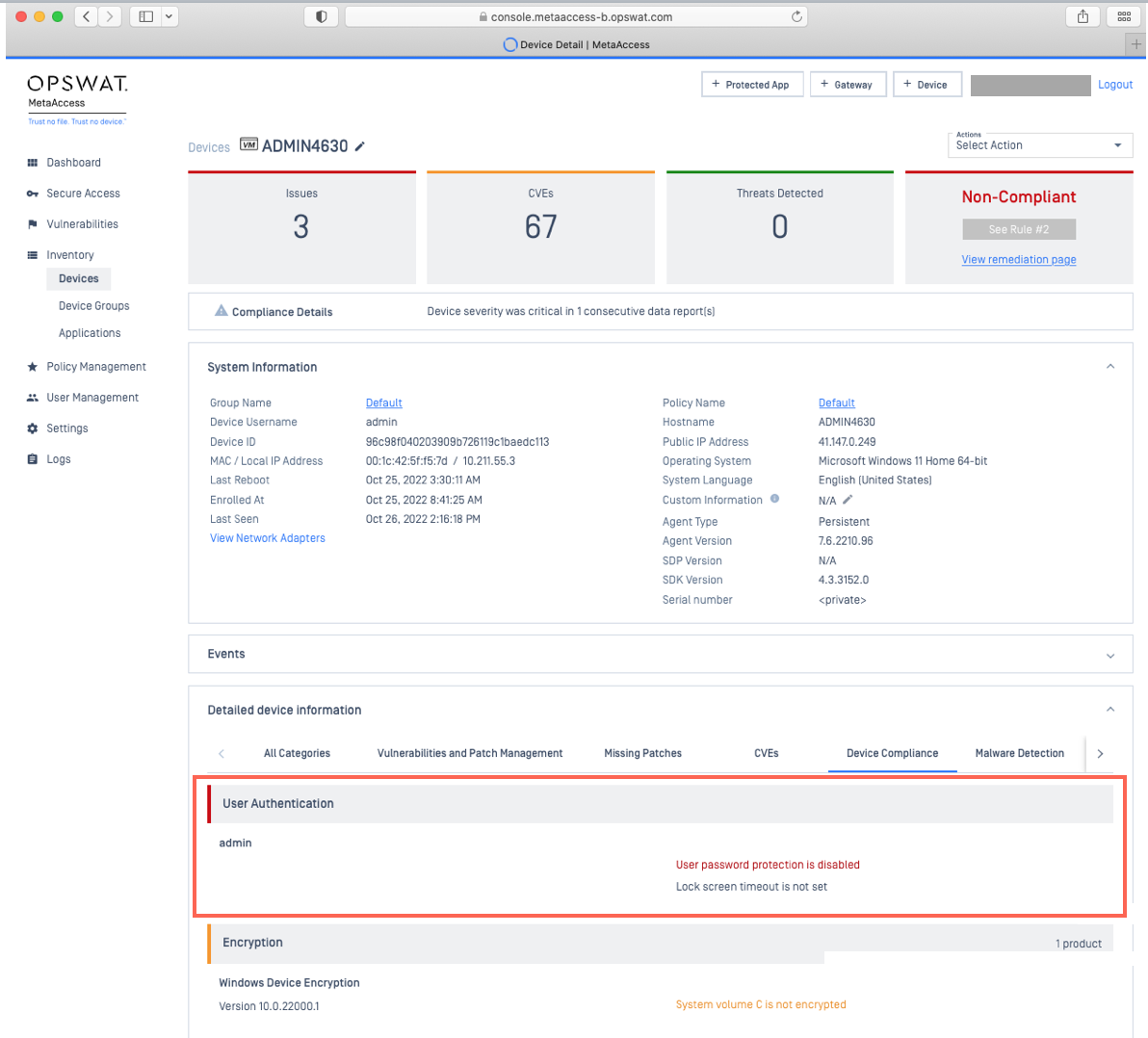
To remediate authentication-related device compliance issues on managed Linux devices, please follow the instructions below.
The following remediation guidelines were written based on CentOS 7 x64, and the process may vary depending on your distro and version.
MetaDefender IT-OT Access Compliance Warning: User Authentication - User Password Protection Is Disabled
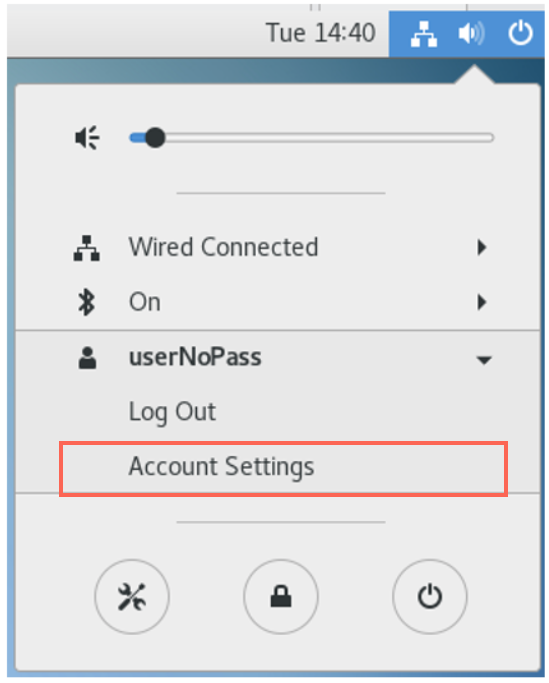
Click the Power icon in the top right-hand corner of the screen and, from the pop-up menu, select Account Settings, as illustrated below.
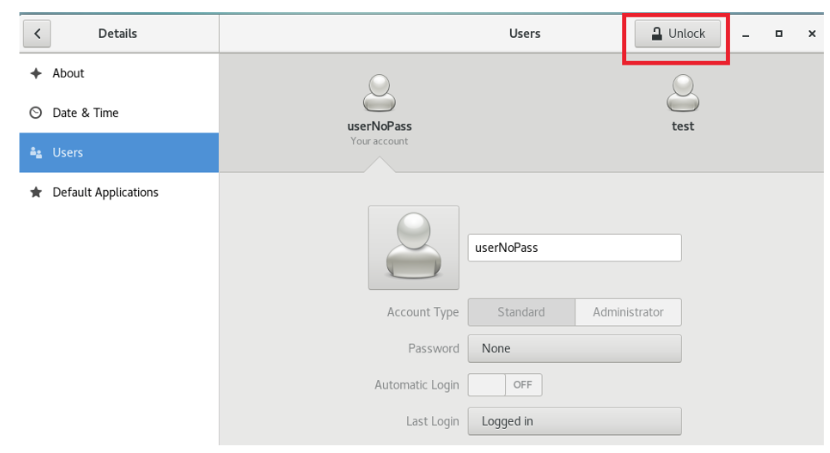
Click the Lock, then enter your Root password to unlock the account settings.
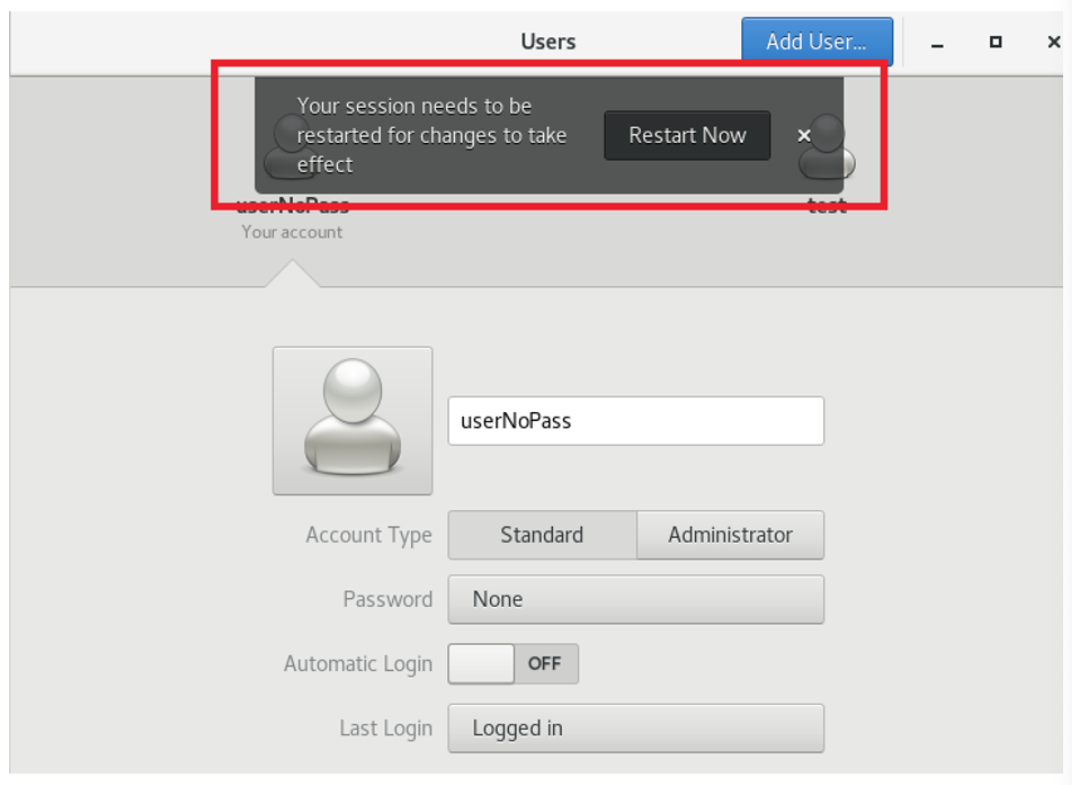
Click on the Password field, then change your Password.
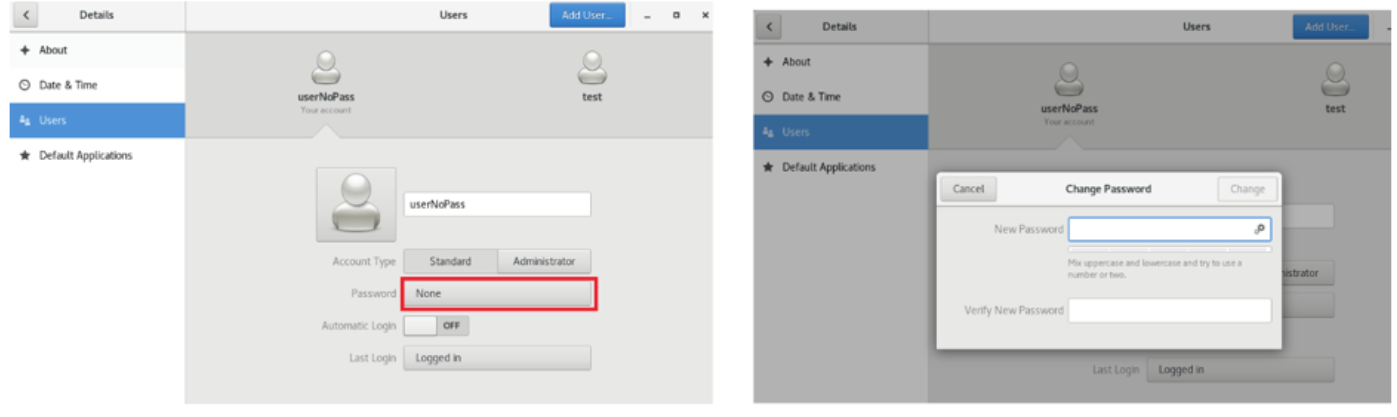
Once your password has been set, Restart the device to apply your settings.
If you have followed the instructions above but Continue To Experience User Authentication Issues On Your MetaDefender Endpoint/MetaDefender IT-OT Access Managed Linux Devices, please open a Support Case with the OPSWAT team via phone, online chat or form, or feel free to ask the community on our OPSWAT Expert Forum.