
This article applies to all MetaDefender Email Gateway Security V5 and 6 releases deployed on Windows systems.
Overview
In older versions of MetaDefender Email Security, the Blocked Email notification included details about the rescan link availability.
In newer versions, the notification only displays the rescan link itself, without the availability details.
Currently, the rescan link availability details:
Can only be configured under:
Advanced Threat Prevention > Handling of the Email (Delete Blocked Contents) > Encrypted Email Disclaimer*
Cannot be configured under:
Advanced Threat Prevention > Handling of the Email (Block Email)*
There is no built-in option to configure the display of the rescan URL availability for blocked emails in the UI.
Workaround: Manually Edit the Notification Template
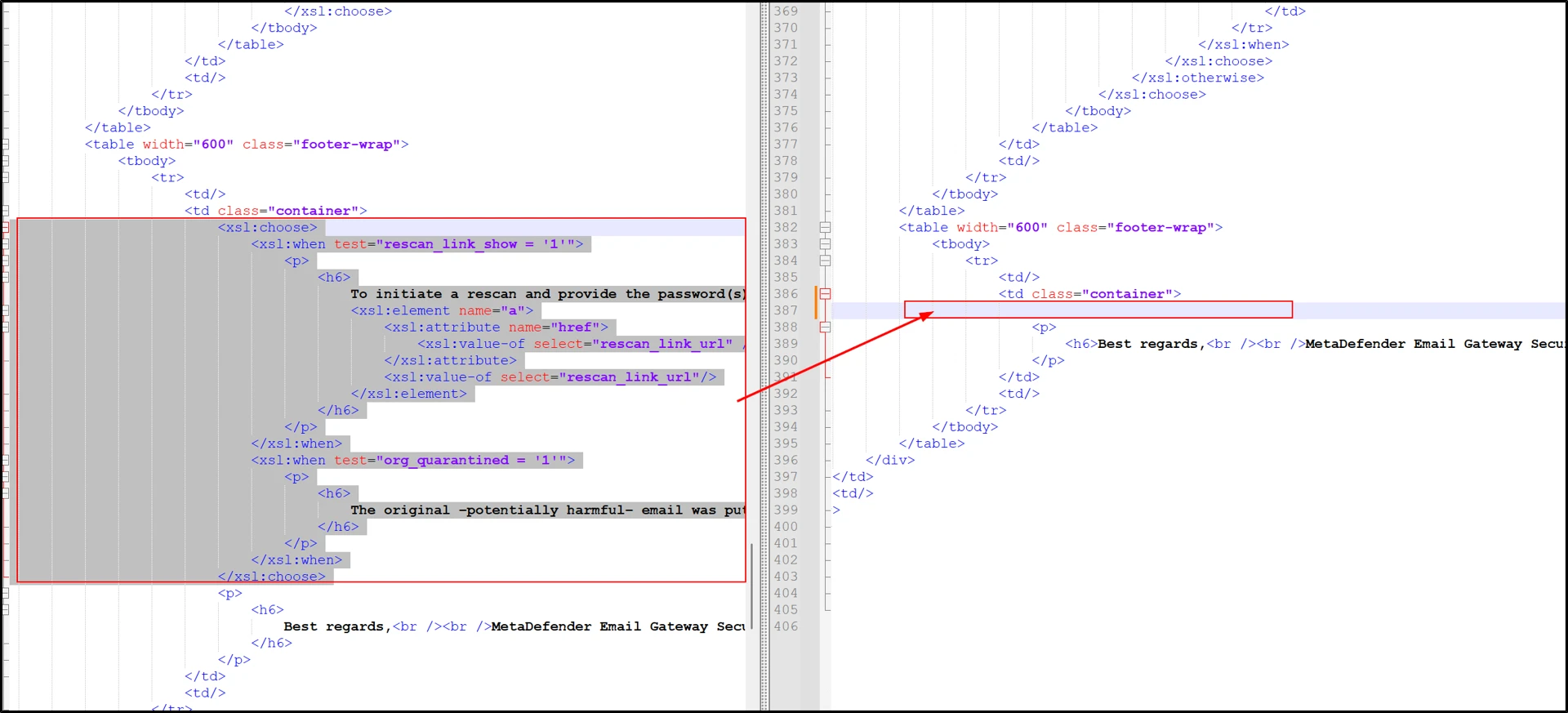
To display the rescan link availability details in blocked email notifications, you must manually edit the notification_blocked.xsl file.
Default File Location
C:\Program Files\OPSWAT\MetaDefender Email Security\mailagenthost\xslt\
Steps to Configure
Navigate to the following folder in the Email Security installation directory:
C:\Program Files\OPSWAT\MetaDefender Email Security\mailagenthost\xslt\Locate the file:
notification_blocked.xslOpen the file using a text editor such as:
Notepad
Notepad++
Add the required rescan link availability text in the appropriate section of the template.
Save the file. The text can be customized according to your requirements.
Important Note
The notification_blocked.xsl file will be overwritten during product upgrades.
To prevent losing your customization:
Back up your modified
notification_blocked.xslfile before upgrading.Restore your customized version or add the customized text after the upgrade is complete.
Rescan link availability details are not configurable via the Block Email handling settings.
Manual modification of
notification_blocked.xslis required.Always back up the file before performing upgrades.
If you require assistance modifying the XSL template safely, consider testing changes in a non-production environment first.
If Further Assistance is required, please proceed to log a support case or chat with one of our support engineers.