
Step 1: Run the Uninstallation
Option 1: Using the Start Menu
Click on the Start Menu and type Uninstall MetaDefender Email Gateway Security.
Select Uninstall MetaDefender Email Gateway Security from the search results.
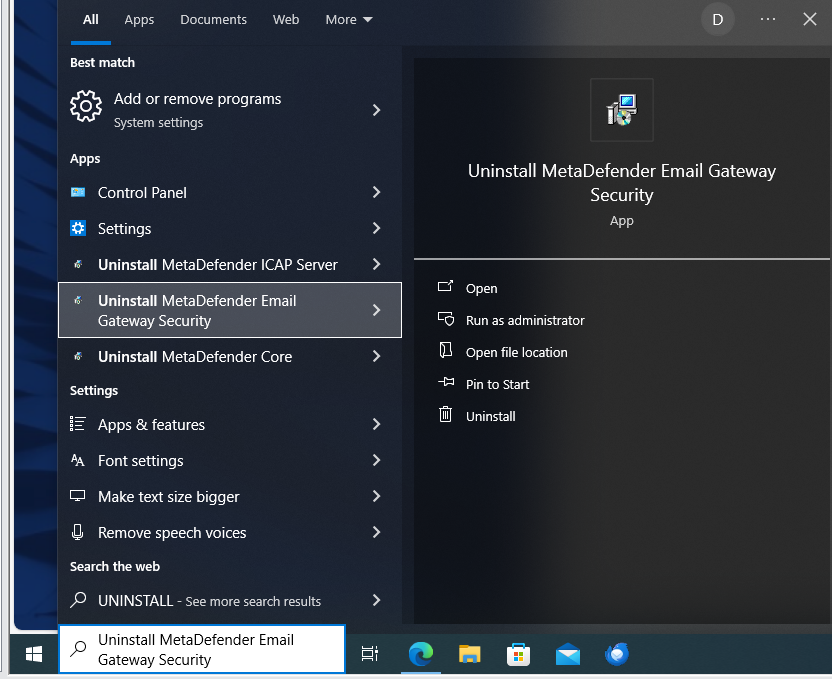
Right-click and choose Run as administrator (if required).
Follow the on-screen prompts to complete the uninstallation process.
Option 2: Using Control Panel
Open Control Panel and navigate to: Programs > Uninstall a program.
In Programs and Features, locate MetaDefender Email Gateway Security.
Right-click and select Uninstall.
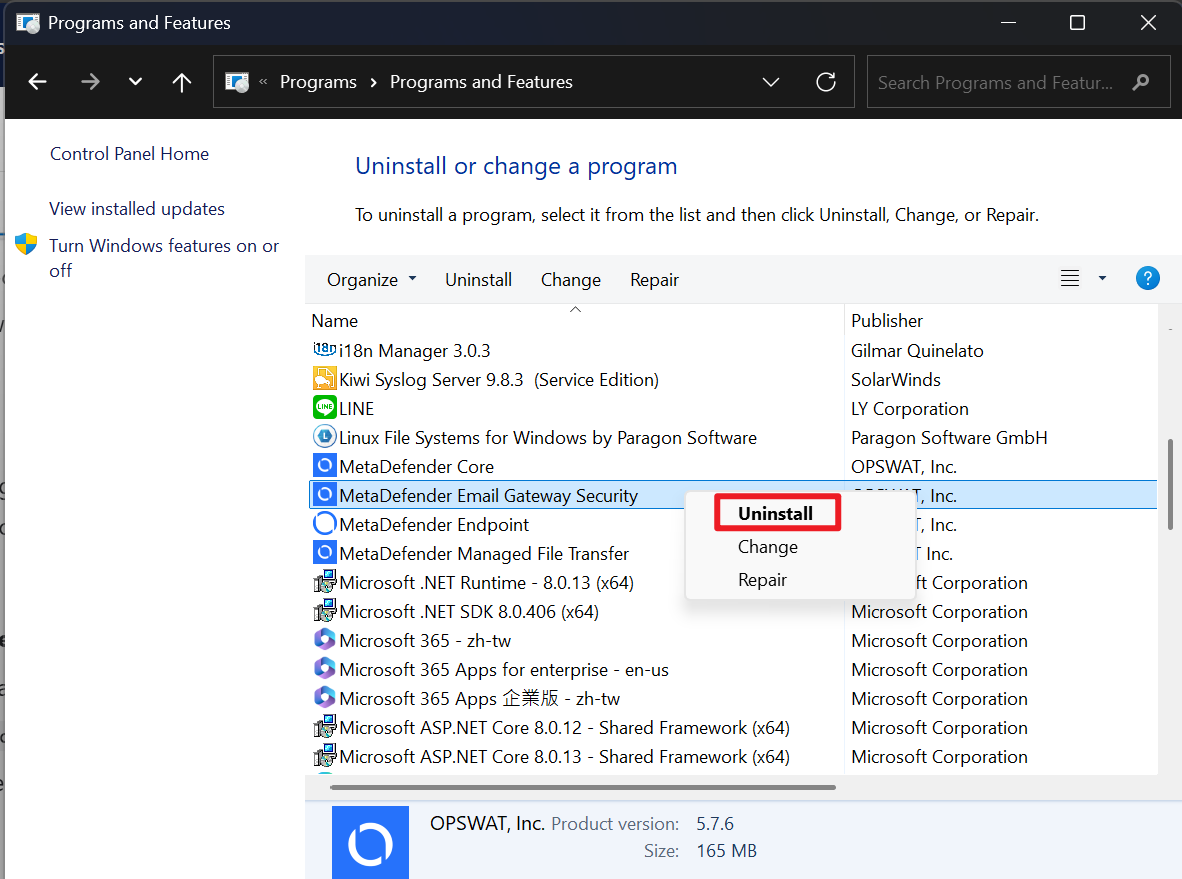
Follow the steps in the installer to complete the process.
Step 2: Remove Remaining Files
Navigate to the installation folder (default location):
C:\Program Files\OPSWAT\MetaDefender Email SecurityDelete any remaining files and folders.
Step 3: Clean-up Windows registry
Open Registry Editor (regedit):
Press Win + R, type
regedit, and press Enter.Navigate to the following path:
HKEY_LOCAL_MACHINE\SOFTWARE\OPSWAT\MetaDefender Email SecurityDelete the MetaDefender Email Security key along with all its subkeys.
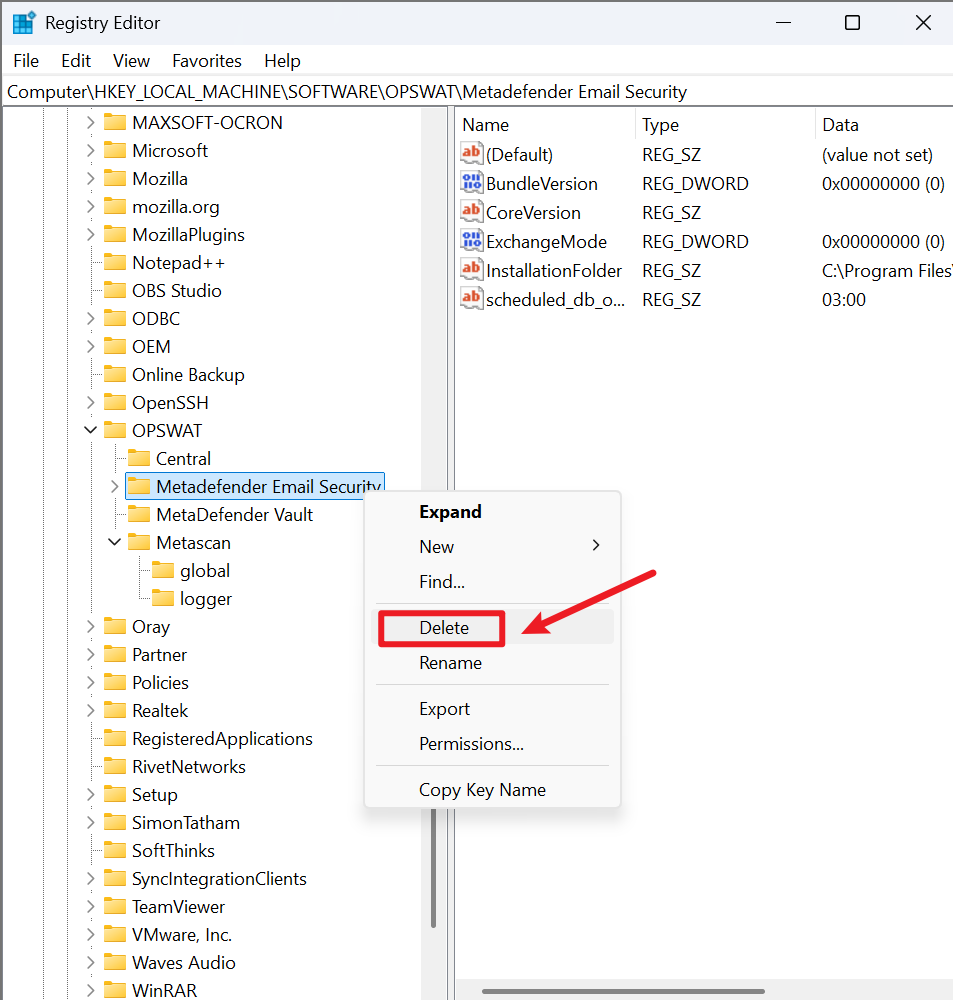
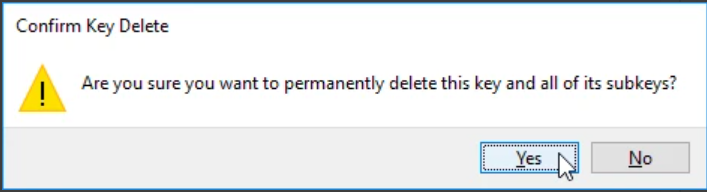
Confirm the deletion when prompted.
If Further Assistance is required, please proceed to create a support case or chat with our support engineer.