
This knowledge base article provides detailed instructions how to filter emails for a specific domain or domains of which recipients are part from Active Directory.
If you use MetaDefender Email Gateway Security integration with Active Directory and want to have Security Rules filtered by domain or domains, than the following steps should be used:
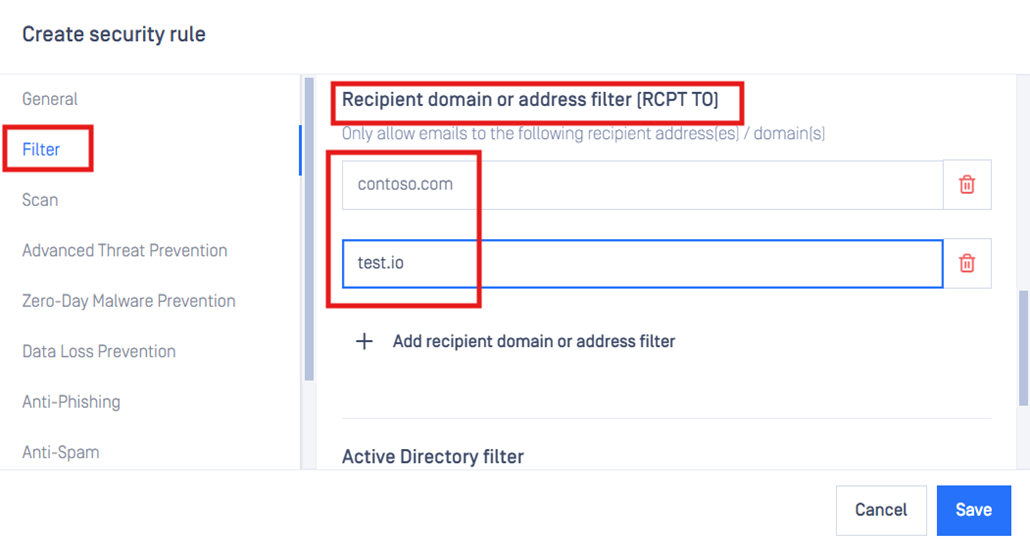
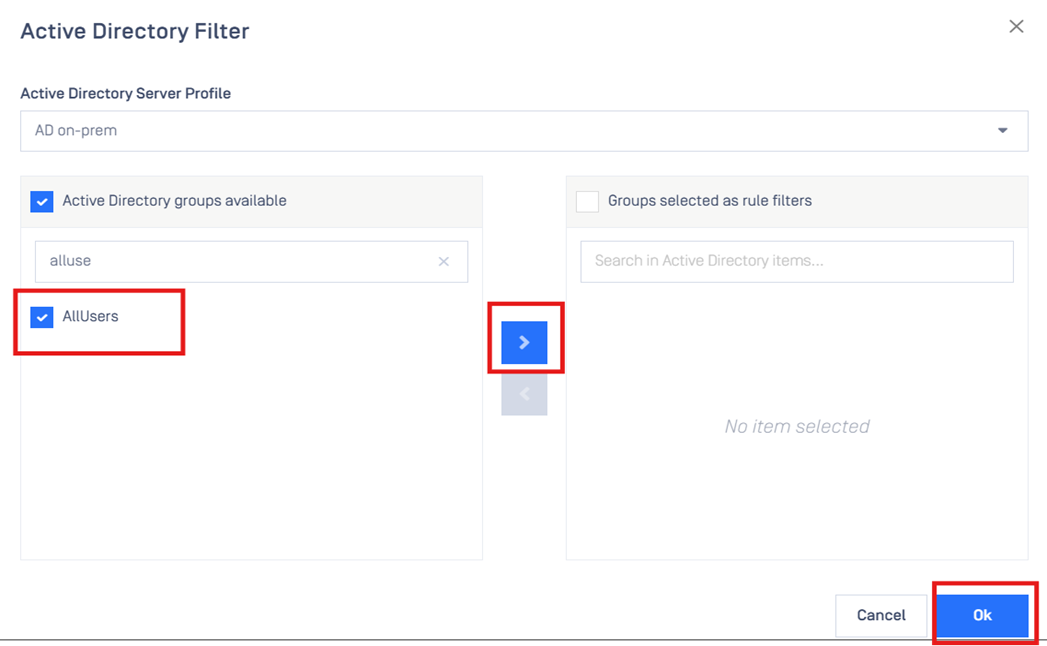
If you have a security group in AD which contains all users from your organization:
Create a new Security Rule and specify domain or domains in scope as per screenshot below:
Add the AD security group under Filter section of Security Rule
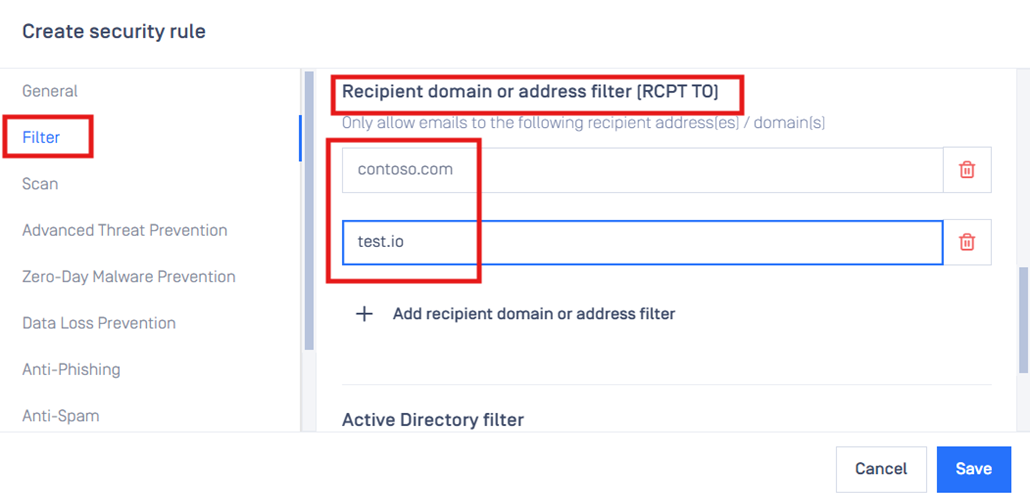
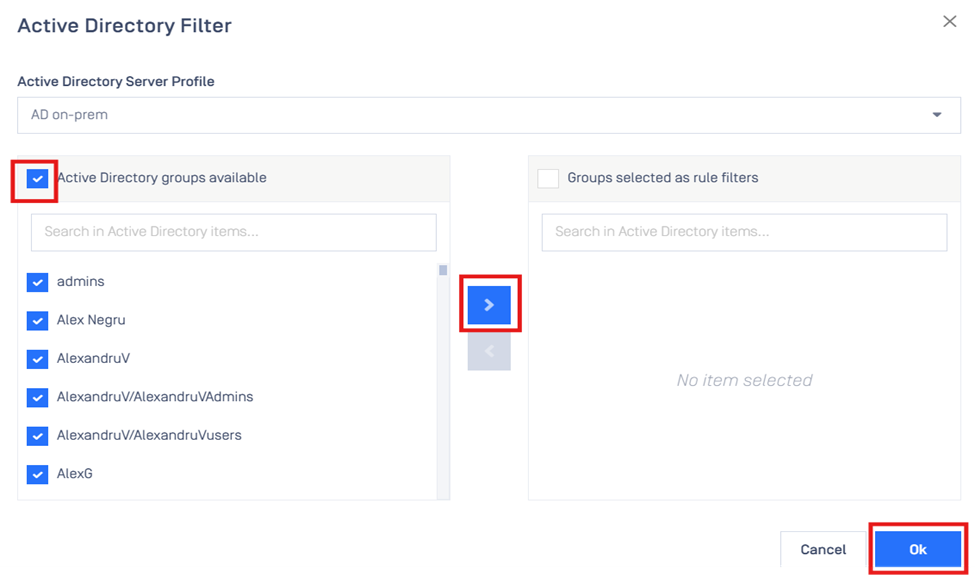
If you don’t have a security group in AD containing all users:
Create a new Security Rule and specify domain or domains in scope as per screenshot below:
Under Active Directory filter select all items displayed
If Further Assistance is required, please proceed to create a support case or chat with our support engineer.