
Deep CDR allows organizations to enforce schema validation on XML files. If a file does not conform to the specified schema, it will fail validation.
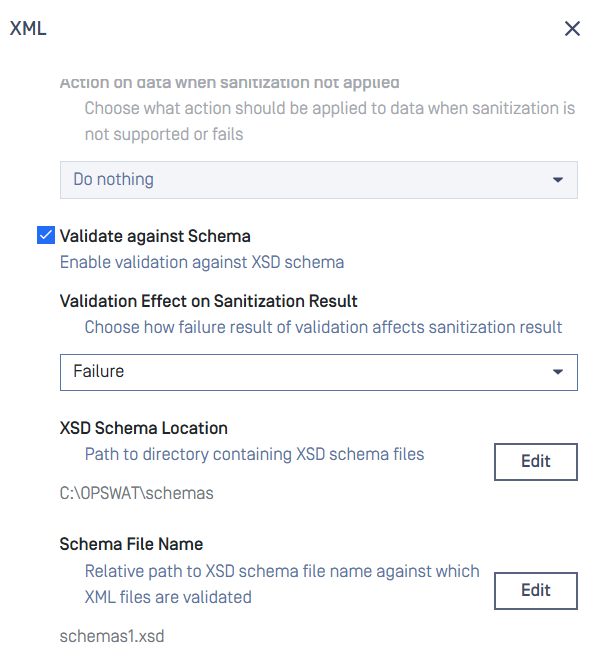
Configuration: Workflow > [Workflow Name] > Deep CDR > Advanced Configuration > Others > XML, then:
Enable "Validate against Schema": Activates XML schema validation.
Validation Effect on Sanitization Result: Choose how the system should behave when validation fails. Selecting "Success" will treat the failure as informational only, not as a processing error.
XSD Schema Location: The folder where your schema files are stored. Multiple schema files can be placed in this location.
Schema File Name: The default schema file to be applied for this workflow.
If you want to use different schema files for different input files, you can utilize the engines-metadata header when calling REST API