
This article applies to all MetaDefender Core releases subsequent to V4.8.0, including all MetaDefender Core V5 releases, deployed on Windows systems.
The following sample script is provided for illustrative purposes only and is not guaranteed to be functional in a production environment. Please be aware that script only works Windows platforms.
MetaDefender Core V4.8.0 and all subsequent releases include the Post Actions feature:
This feature allows you to define a Post Action which is then invoked through a command line executable or script.
This executable/script will be called following each scan.
Additional documentation for this feature can be found here: External Scanners And Post Actions.
The sample in the images below is a Powershell script. For this script to work properly, we must call the Powershell executable via the Inventory>Post Actions tab in the MetaDefender Core Management Console, as follows:
Once on the Post Actions screen, we click Add Action before entering the chosen name and full path to the executable, as illustrated in the screenshots below.
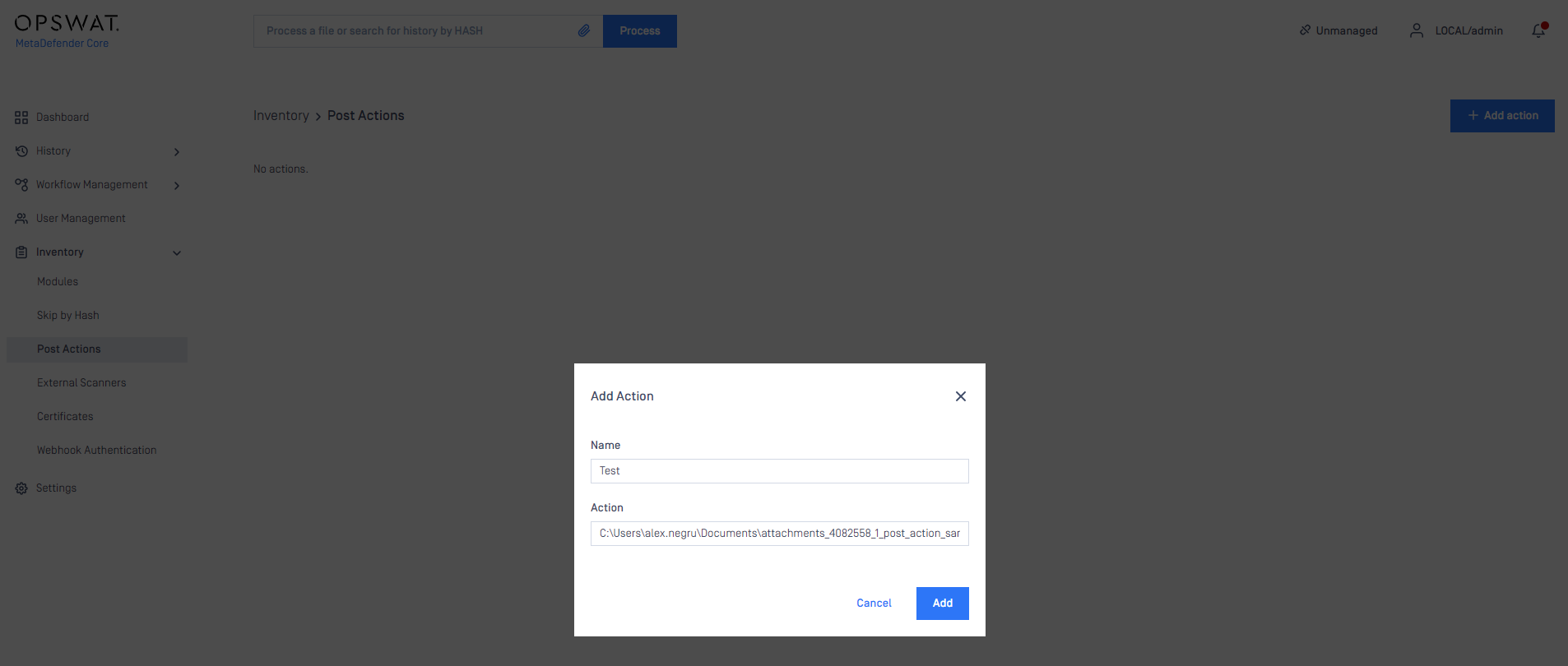
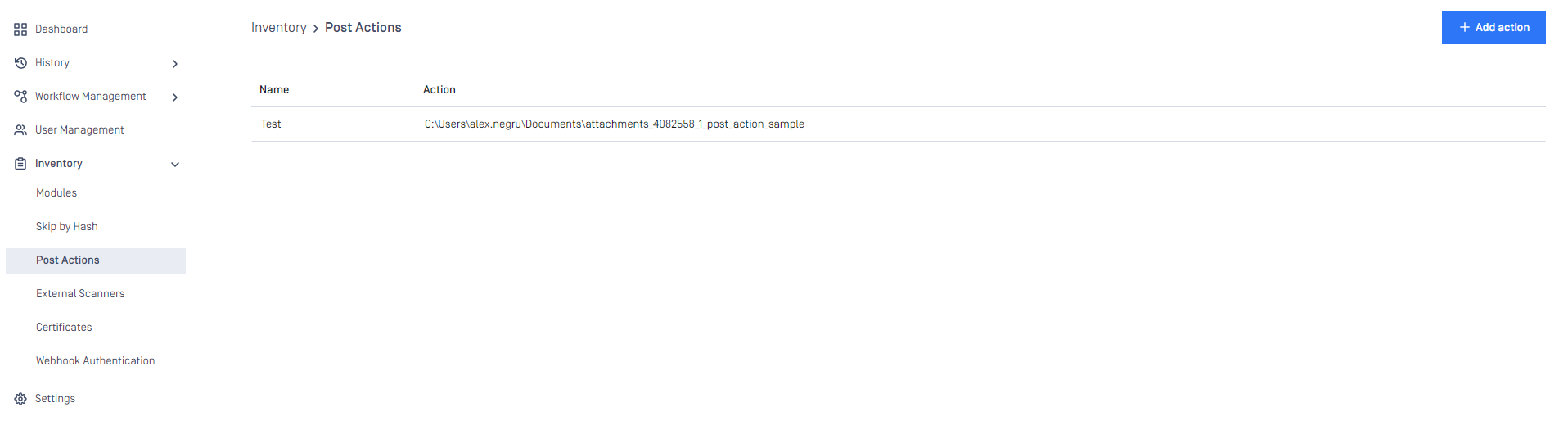
You will need to specify the location from where Powershell is running in your system, followed by:
ExecutionPolicy Bypass
-File <PathToYourScriptFile>
We created a sample Powershell script that sorts the files according to their results - either Allowed or Blocked.
The script is called after the scan is finished.
Input:
The current scan results JSON from STDIN.
The full path to the currently scanned file as the last argument on the command line.
Output:
The script has 5 possible return values:
0 - success
1 - JSON parse error, the script was unable to parse the expected JSON from STDIN
2 - copy error, the file copy failed
3 - file path of the currently scanned file is invalid
4 - the destination path of either allowed, blocked or both is invalid.
The script itself can be found and downloaded from the following link:
If you have any issues navigating MetaDefender Core’s Post Actions feature, please follow these instructions on How To Create a Support Package, before creating a support case or chatting with our support engineer.