
Since version 5.18.0, MetaDefender Core supports searching by file extension.
Please note that this search is based on the file name extension, not the actual file type detected by the file type engine.
For example, a file named test.pdf will have an extension of “pdf” based on its name, even if it is detected as a different file type (e.g., TXT) by the file type engine.
Users can search by extension using the following format: /ext=<your_extension>
The extension is case insensitive - which means it can be JSON or json or even JsON
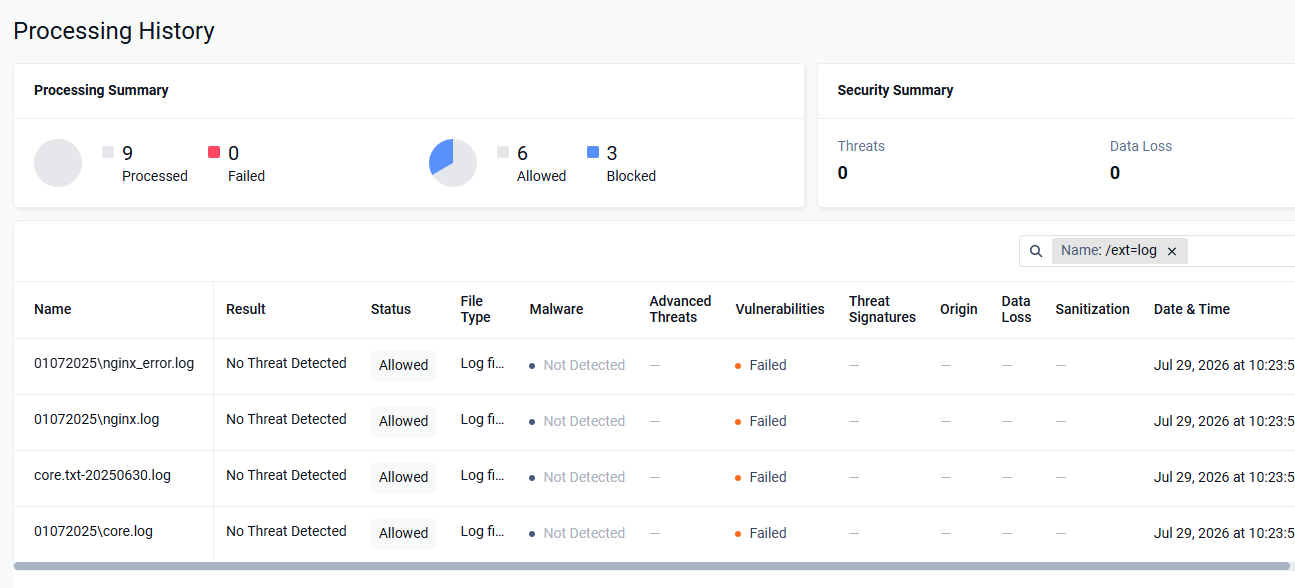
For example: /ext=log
The Processing History will then display all files whose names contain the specified extension.
Was this page helpful?
Operating