
What is Advanced Export Result ?
When you open a scan result in History → Processing, you can export it as PDF or JSON. Advanced Export lets you choose exactly which sections appear in the report, such as:
File Details, Process Result, Metascan / AV Engines
Deep CDR, Proactive DLP, Threat Intelligence, SBOM, and others
Previously, every export started with all sections enabled, and you had to turn options off manually each time. Export templates let you save those choices under a name and reuse them later.
Where to find it
Go to History → Processing
Open a scan result
Click Export → Advanced Export
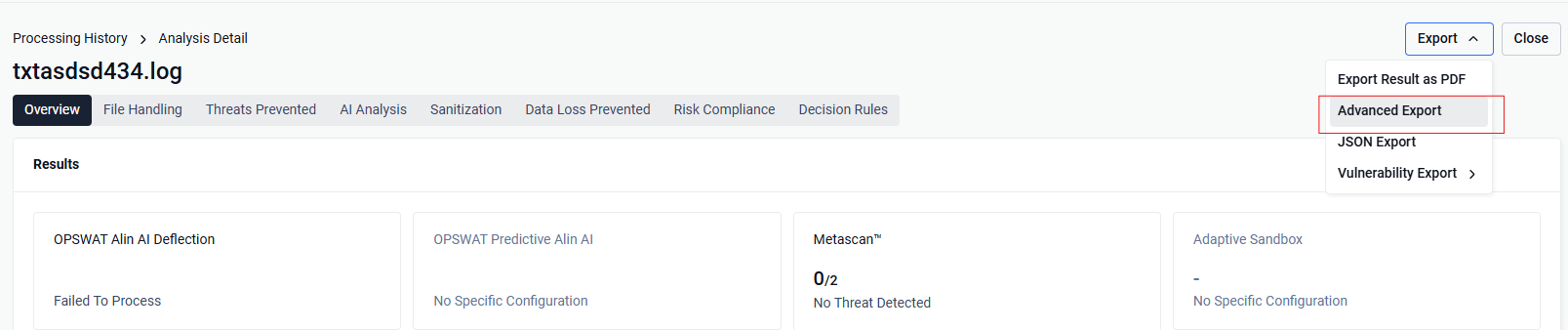
The Advanced Export dialog shows:
Left panel — section categories (File Details, Metascan, etc.)
Right panel — fields you can include or exclude
Toolbar — the template currently in use (if any)
If you have a default template, it is applied automatically when you open Advanced Export.
Click Create a Copy for creating a new template
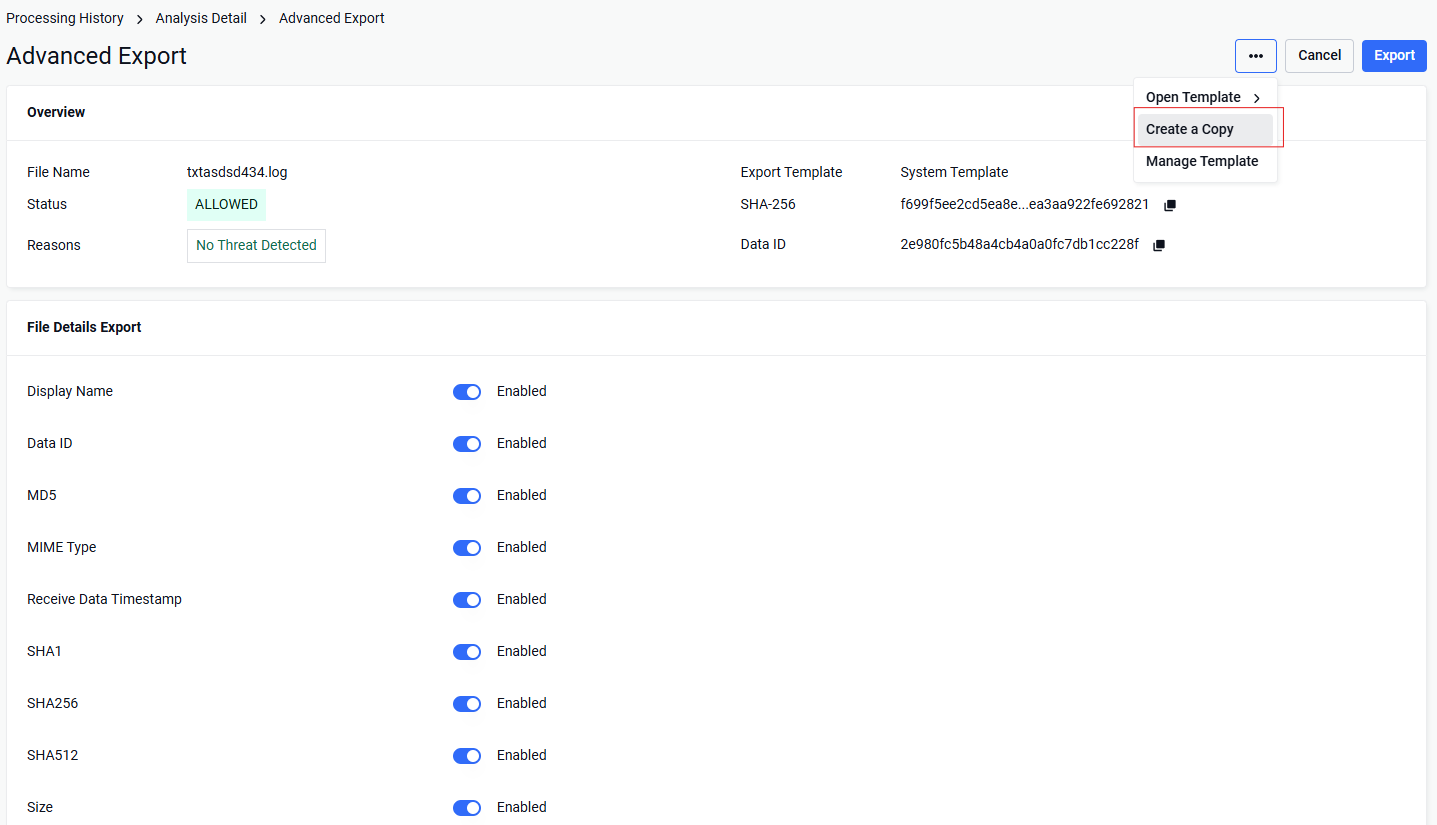
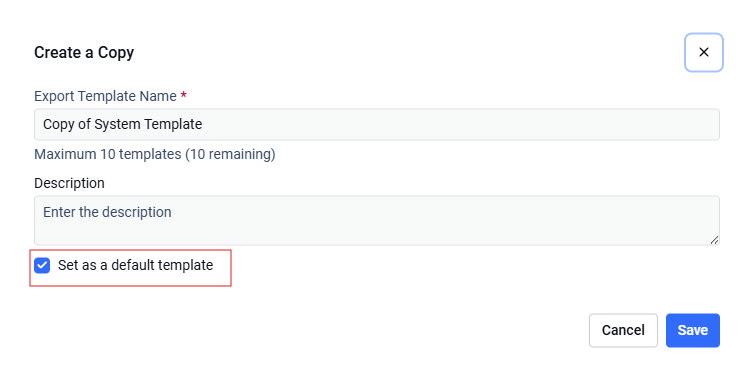
NOTE: Please make sure to check "Set as a default template" - so you don't need to select the template in the next time
Key concepts
Concept | What it means |
|---|---|
Template | A saved set of export field selections under a name (e.g. "Summary only") |
Default template | The template that loads automatically each time you open Advanced Export |
System default | All sections and fields enabled — the original behavior with no template applied |
Per-user | Templates belong to your login account. Other users on the same Core have their own templates |
Restriction and notes
Up to 10 templates per user account
Template names must be unique for your account, non-empty, and at most 32 characters
Templates are private — each user manages their own; admins cannot see or edit another user's templates through this feature
Guest / anonymous users can still use Advanced Export, but cannot create or use templates — they must select fields manually each time