
Engine type details
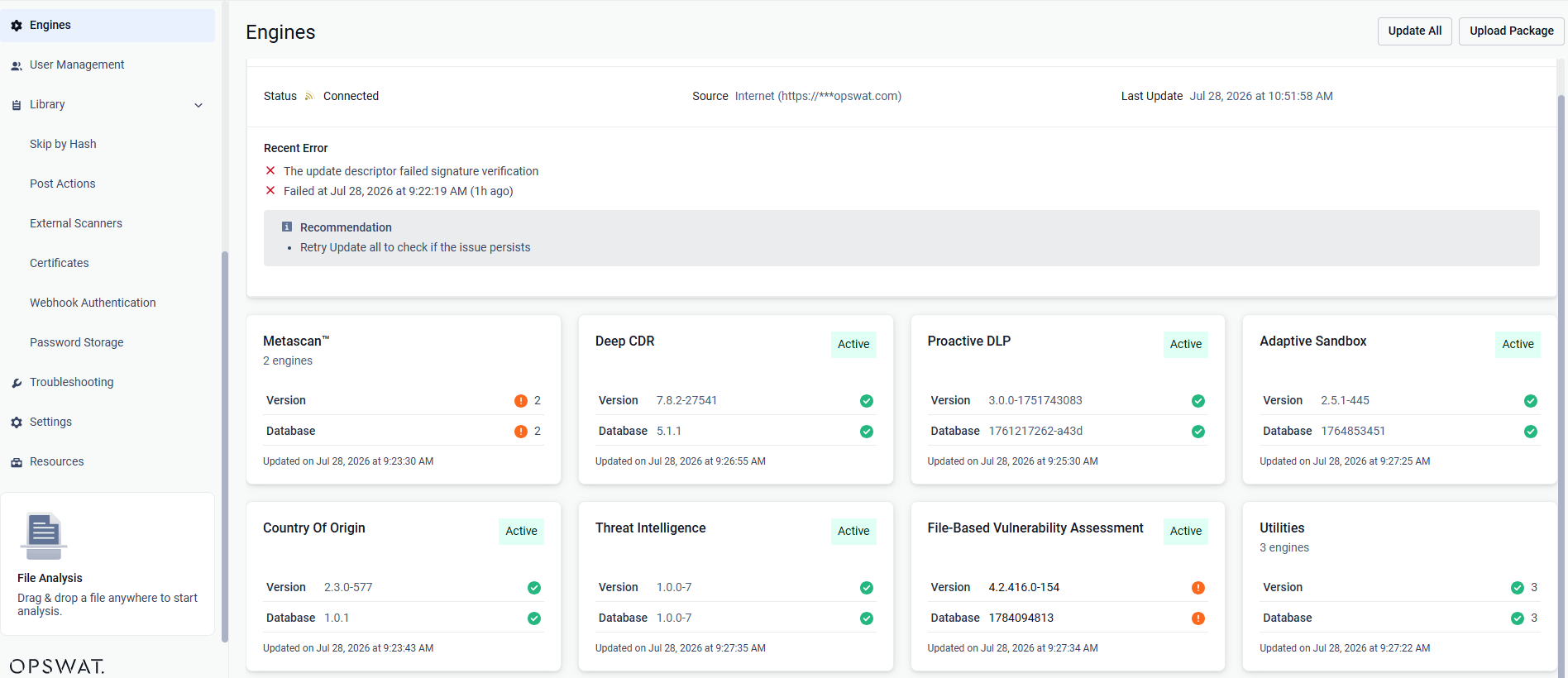
Under the Modules menu all the installed engines are listed with their details such as
Type of engine. Possible types are
Anti-malware engine
Archive engine
Proactive DLP engine
Deep CDR engine
Adaptive Sandbox engine
Software Bill of Materials engine
Filetype detection engine
Reputation engine
Country of Origin engine
Utility engine
Vulnerability detection engine
Elapsed time since last update
Proportion of active and non-active engines of a particular type
Engine version
Version of database the engine is crrently using
Engine status (Active/Non-Active)
Engines can be disabled (and re-enabled afterwards) by clicking on the switch at the end of the line that belongs to that particular engine. When an engine is disabled neither the engine nor the corresponding database package is updated and it will be removed from every node.
Lock & Unlock engines (for auto-update prevention)
Engine and its database can be locked (previous called pin and unpin) to prevent it from being applied new updates when you allow auto update on Core.
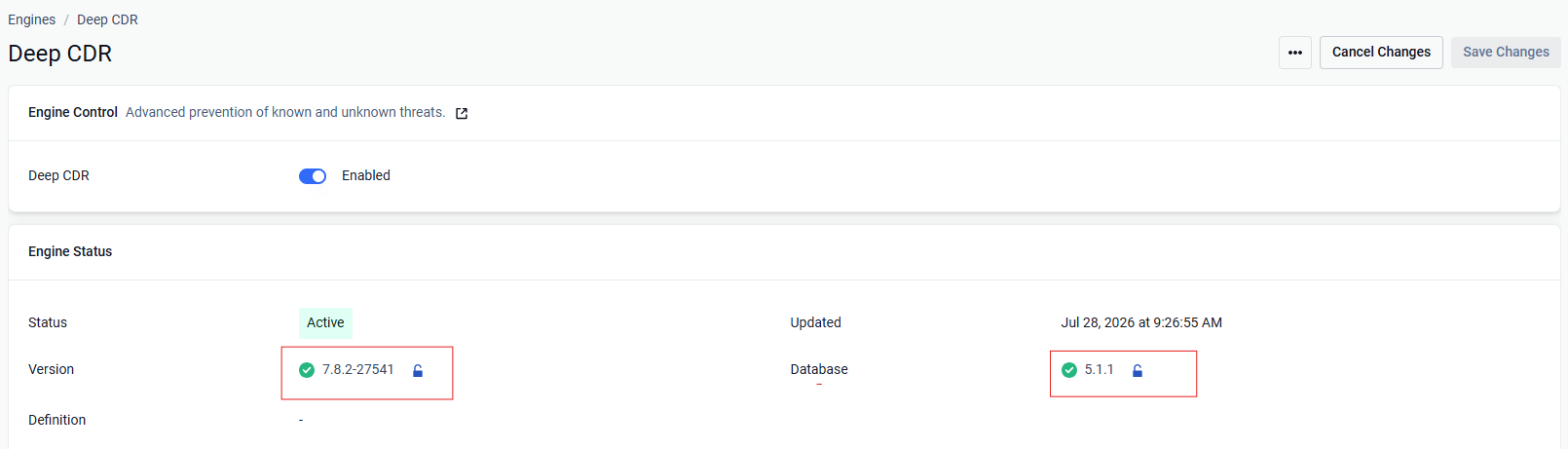
You can lock engine and database individually on same engine
When locked, that means no auto update can be applied on that part (engine / database), even when user triggers "Update All" button
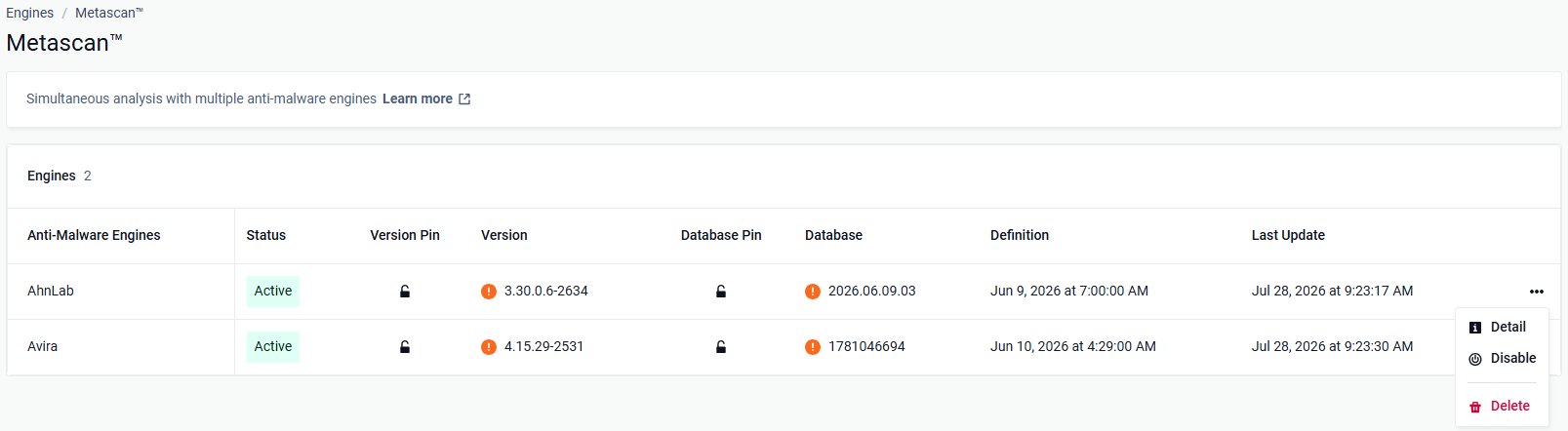
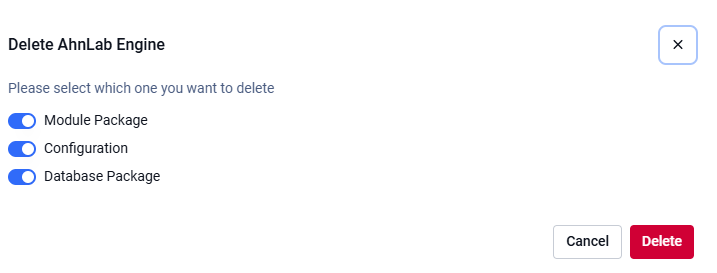
Remove engines (to start over engine download and deployment)
At some points, when engines become problematic and comes to the state of permanent failed, then you may need to remove engine.
Manual updates
To manually trigger update of scan engine and database packages, click on the Update now button.
To provide engine or database packages on your own, select the Upload package option.
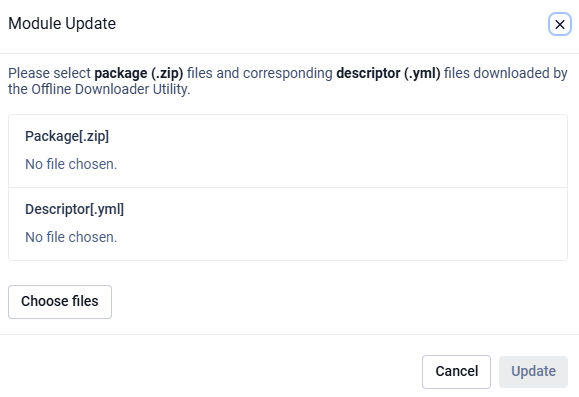
Upload packages
The package should be a ZIP and the descriptor YML file, which can be downloaded with the Update Downloader. Multiple files can be selected.
Engine or database versions that have ever been used on a system won't be accepted as updates.
YARA Rule Package Generation
MetaDefender Core supports generating YARA packages from two types of sources:
HTTP source
Local directory
To generate a YARA package:
Go to Engines > Utilities > YARA.
Click Add Source.
Select the source type, enter the path, then click Add Source.
Repeat step 3 if you need multiple sources.
Click Generate Package.
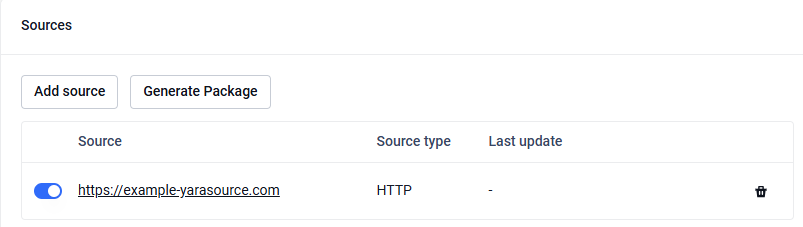
You can also generate a YARA package via MD Core API endpoints: POST - Generate YARA package
For HTTP sources, to protect MD Core from several attack methods, YARA packages must meet certain constraints. Packages that violate these constraints are rejected. The required constraints include:
Constraint | Limit | Description |
|---|---|---|
Archive Size | 50 MB | Maximum size of the compressed YARA package file |
File Entry Count | 1,000 files | Maximum number of individual files allowed within the archive |
Nested Folder Depth | 50 levels | Maximum recursive depth for nested directories within the archive |
File Path Length | 255 - engine DB path length | Maximum allowed path length for each file entry (calculated dynamically based on engine database folder location) |
Extracted Content Size | 50 MB | Maximum total size of all files after extraction from the archive |
Configuring engine advanced settings
Some engines advanced settings can be configured.
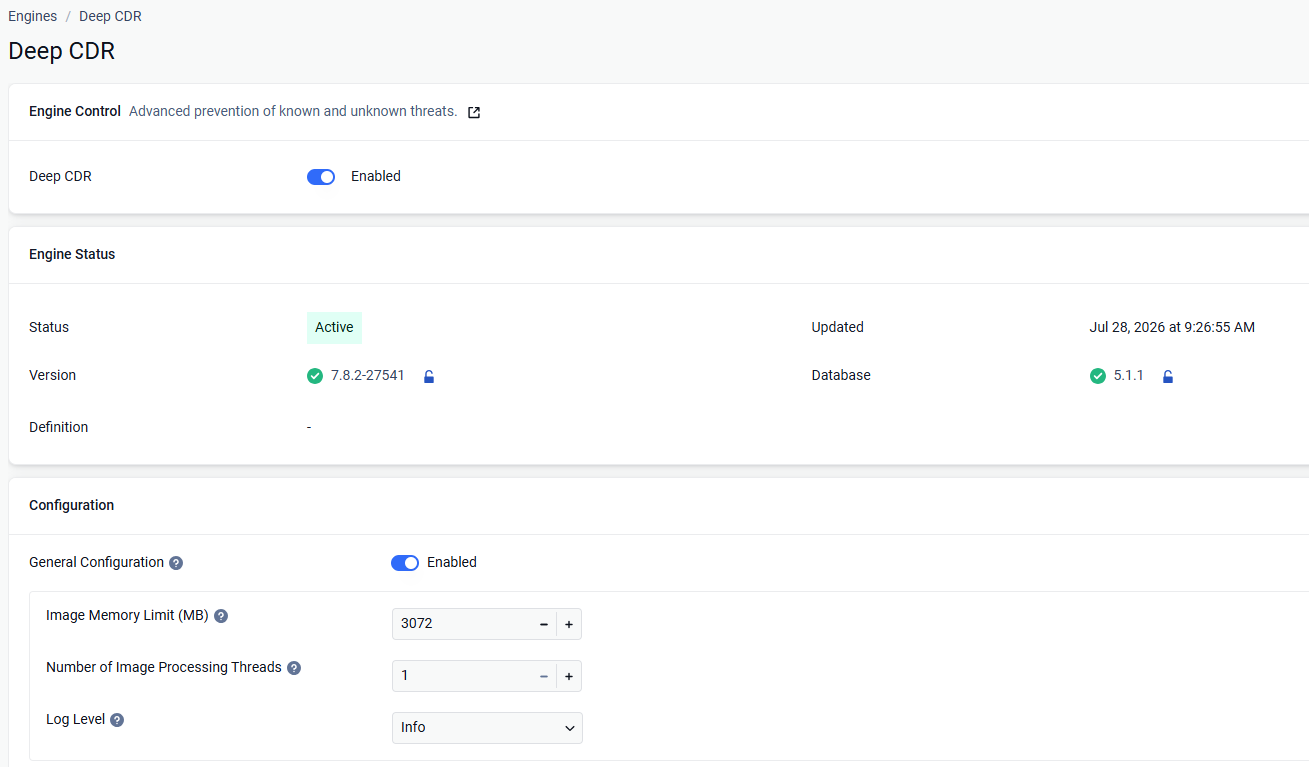
Choose your desired configurations and click Save changes, then Close.