
MetaDefender Core version 5.0.0 or newer
Health check API feature supports you to verify MetaDefender Core application readiness in term of file processing and licensing, before making a decision to submit files and avoid time and resources being wasted predictably.
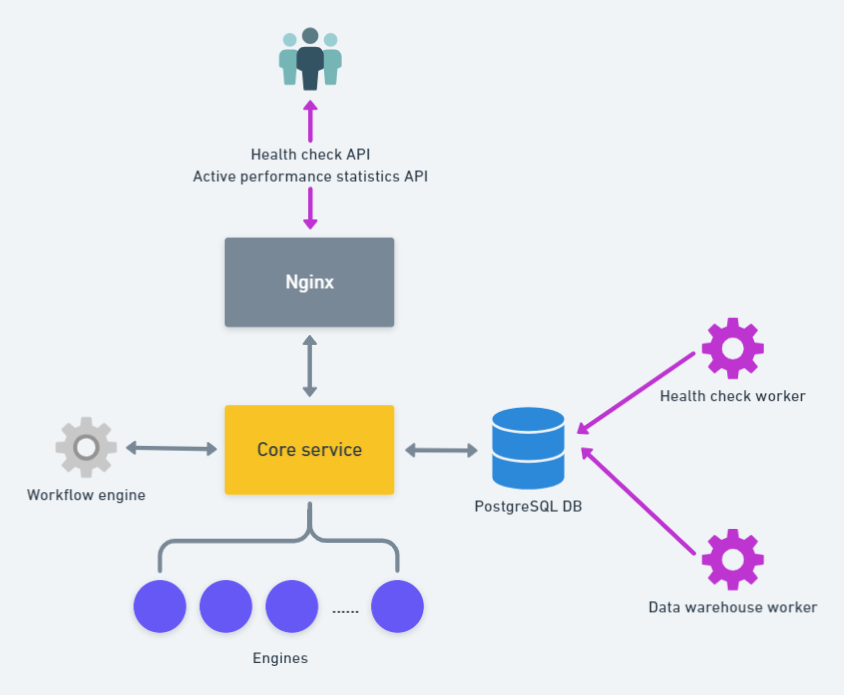
Using the health check API
Health check API expects to return HTTP(S) 200 Successful only when all pre-configured conditions met.
Learn more on how to use the heath check API at: GET - Get health check status
Configure health check policy
You are supported to adjust thresholds on vital criterias as your own policy tailored for heath check verification, via both REST API and MetaDefender Core management console.
Using UI
The relevant settings could be found under "Settings" page
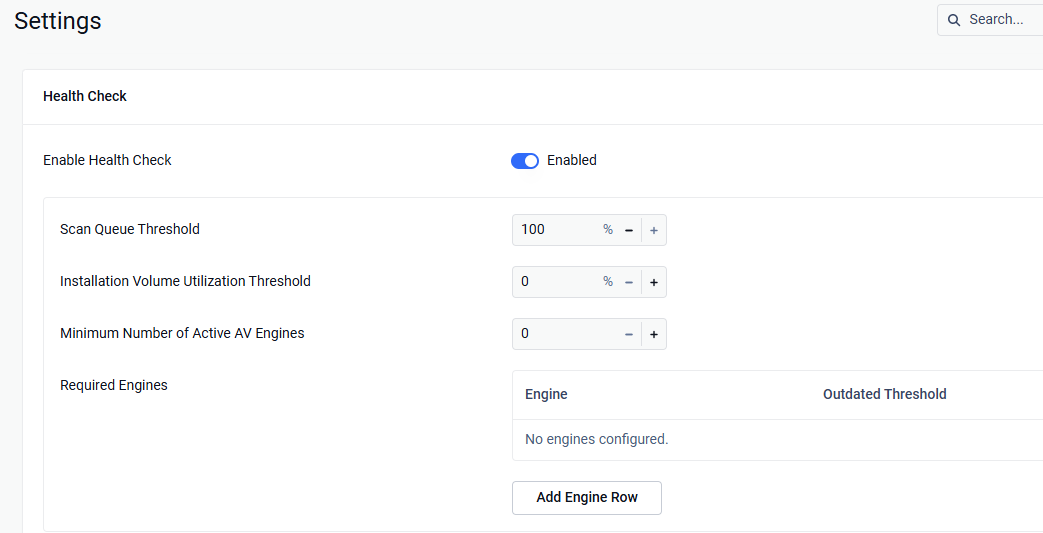
When enabled, expecting all conditions in associated configurations met to determine MetaDefender Core's readiness for file processing.
Value | Description | |
|---|---|---|
Enable health check | On / Off | Enabling this option will allow MetaDefender Core automatically run a background task to collect application operational data for health check logic. |
Scan queue threshold | 0% - 100% | MetaDefender Core's occupied percentage slots in queue must be equal or smaller than what configured. |
Installation volume utilization threshold | 0% - 100% | Monitor whether the free disk space on the MetaDefender Core installation drive falls below the configured threshold. |
Minimum number of active engines | >= 0 | Applicable to AV engines only. Making sure the pre-configured value is not greater than your current actual licensed AV engines. |
Required engines | Select which engines are required for the health check to pass and configure their outdated threshold in days. |
Using administrative REST API
Learn more at: GET - Get health check