
Administrator can configure Email Notification settings to receive notifications for detected threats and incidents, providing real-time updates on potential security risks.
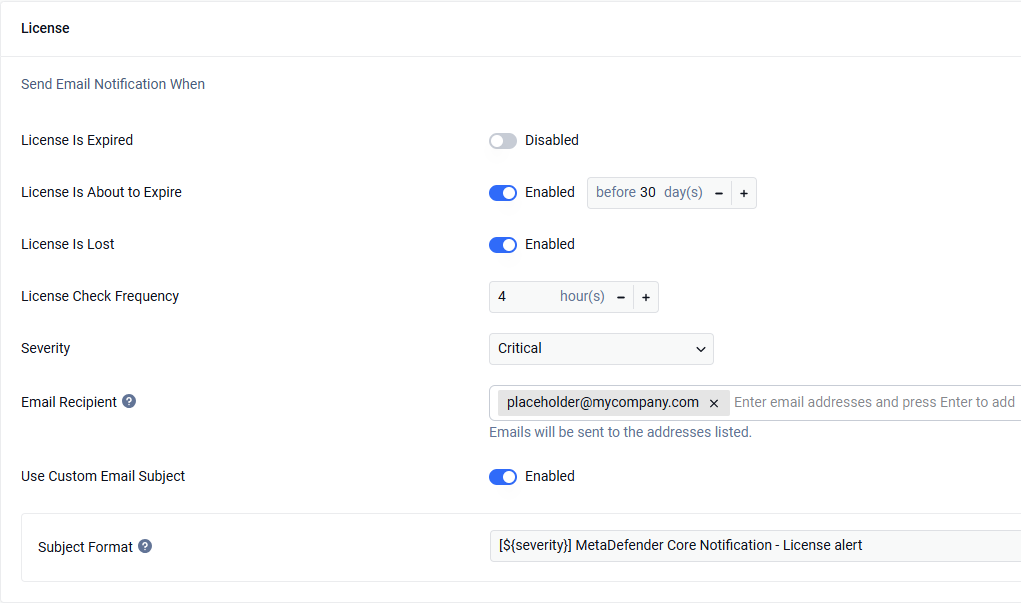
Soon-to-Expire Licensing: Helps avoid service interruptions by facilitating timely license renewals.
Disk Space: Helps avoid service interruptions by the system running out of disk space
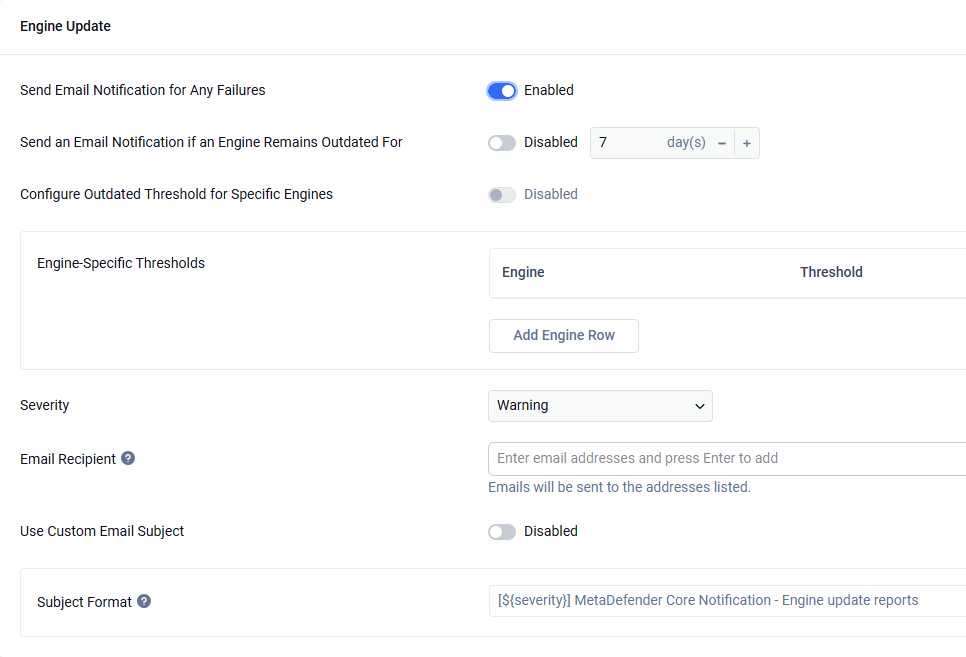
Failed-to-Update Engine: Notifies on “Download Failed”, “Permanently Failed”, Temporary Failed”, and “Content Invalid".
Outdated engines: Notifies when there is any engine that not updated (update new database version) in a period of time.
Pre-defined Scan Outcomes: Controls which scan results trigger an email notification. Choose one of two filtering modes:
By Scan Results — Notify based on what was detected (infections, suspicious activity, sensitive data, etc.).
By Status — Notify based on what happened to the file (blocked or allowed). Useful when you care about enforcement outcomes rather than specific findings.
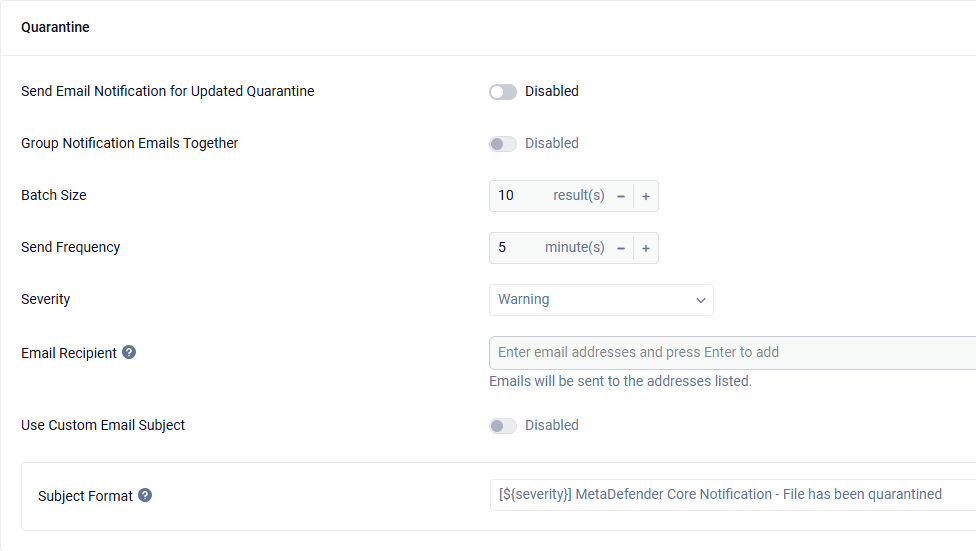
Quarantined Files: Alerts users about files that need review, assisting in managing false positives and potentially malicious files.
Failed Scans: Monitors the scanning process, prompting rechecks of failed scans to maintain continuity.
System monitor: Alerts users about CPU and RAM usage.
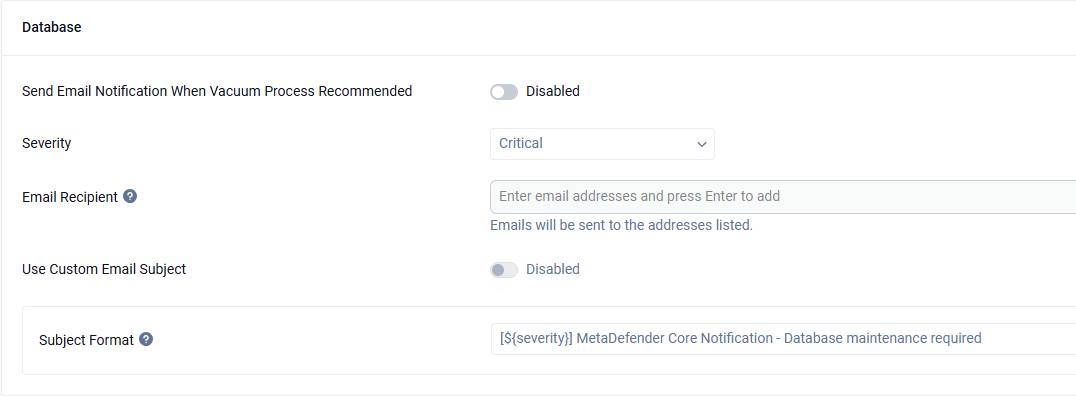
Database monitor: Alerts users about current status of Database, notify for users for running vacuum process if needed
Please read more on this article to understand about database dead tuples: Database dead-tuple alert: what it means and how to tune PostgreSQL autovacuum
Including Instance Alias in Email Notifications
Starting from version 5.18.0, MetaDefender Core allows users to configure an instance alias to differentiate between multiple instances. When configured, the instance alias will be included in the body of email notifications. This setting can be managed in the General Configuration section: General Configuration
Custom Email Subject Format
For each section, user can define custom subject format. MetaDefender Core provide 3 pre-define macro
${severity} : Severity
${deployment_id} : Deployment ID
${instance_name}: identifier of the instance, configuration when fresh install, if not, it will be automatically generated. This macro only available for shared database mode
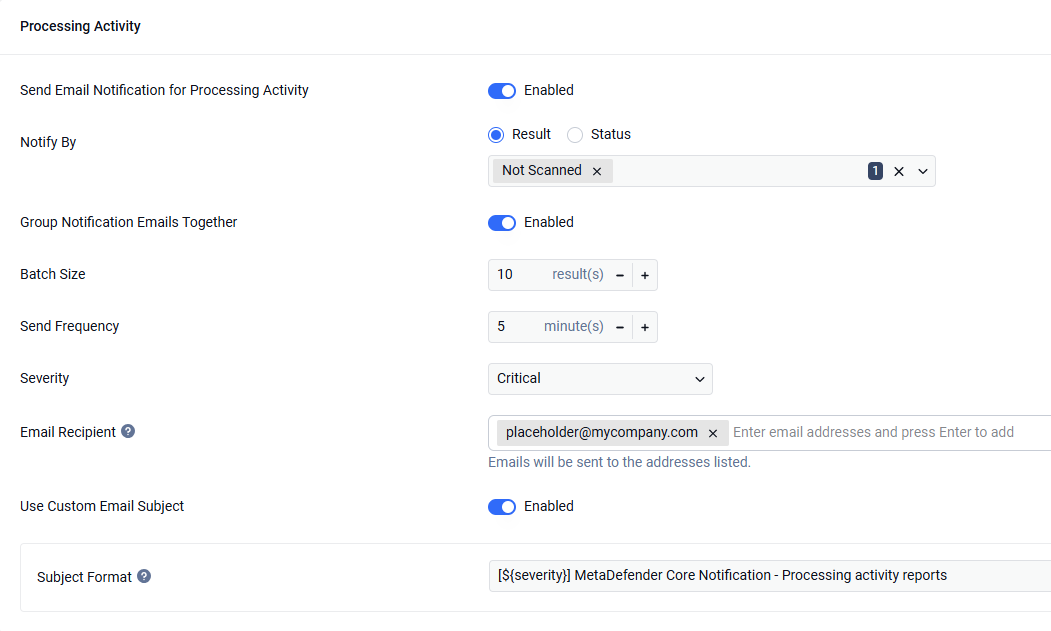
This feature consolidates notification emails to reduce noise while ensuring important alerts are delivered promptly. It is controlled by two settings:
Batch Size Defines the maximum number of requests included in a single notification email. For example, if the batch size is set to 3, MetaDefender Core will send one email containing the results of up to three requests with the status “Not Scanned.”
Send Frequency Specifies the time interval (in minutes) at which notification emails are sent, if any qualifying events occur. For example, if the send frequency is set to 1 minute and only one “Not Scanned” request occurs within that minute, MetaDefender Core will still send a notification email, even if the batch size has not been reached.
Together, these thresholds ensure that notifications are sent in batches to minimize email spamming, while also guaranteeing timely delivery so that no important notifications are missed.
Custom email body template
The users can also custom their own email body template, please check details: Email Template