
The Patching Management tab is accessible under Assets → Patching Management.
This page is Integrated patching capabilities for firmware from Siemens vendor to streamline updates and manage vulnerabilities.
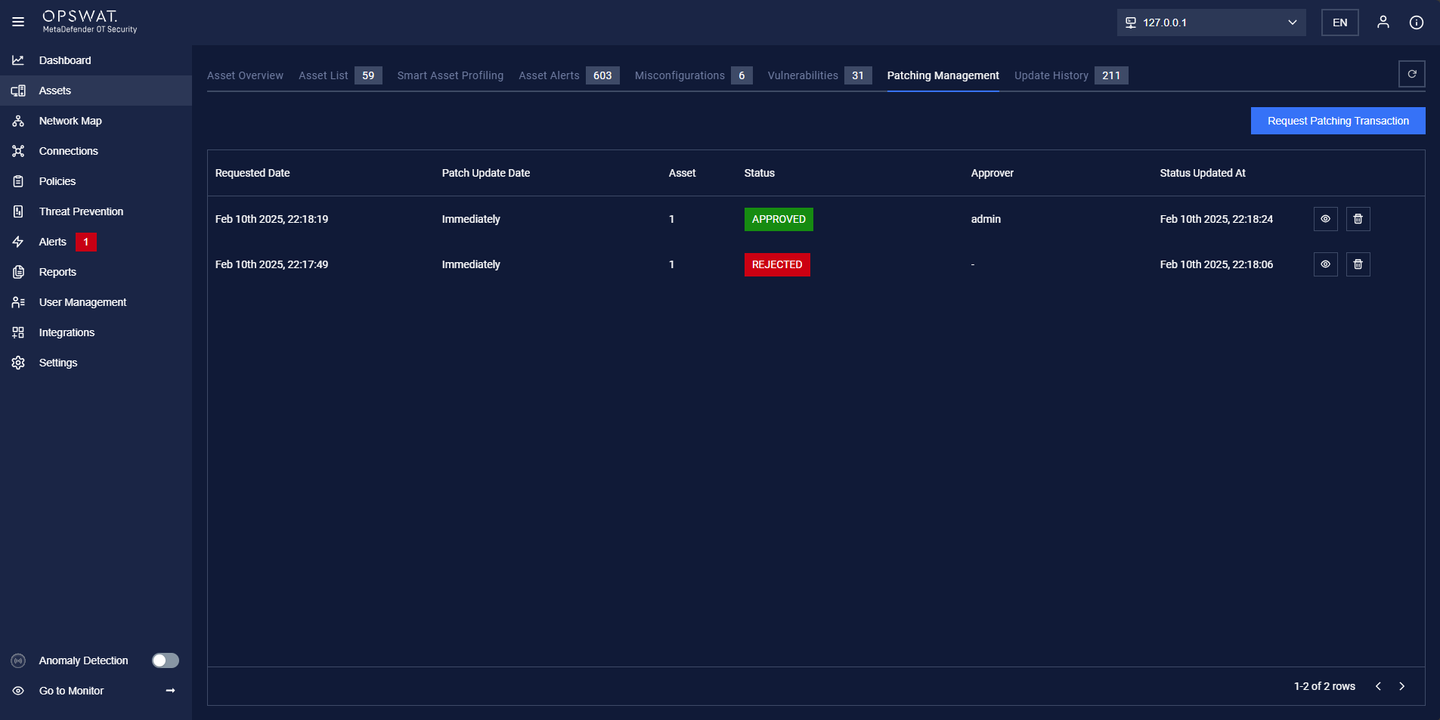
How to create a request Patching Transaction:
Important before proceeding
Before proceeding, ensure that:
The selected NIC for Patch Management is properly configured.
The PLC Firmware has already been downloaded.
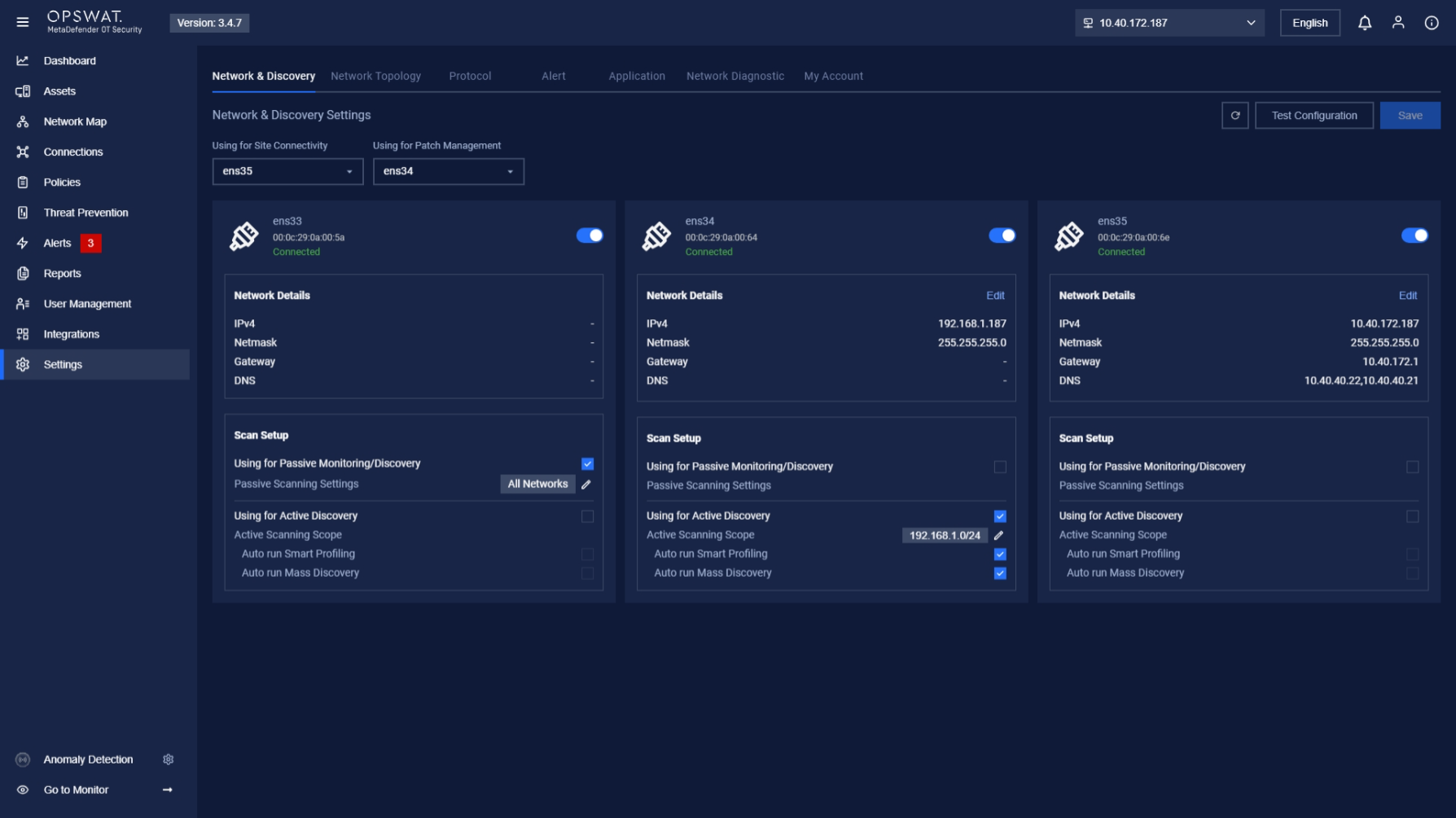
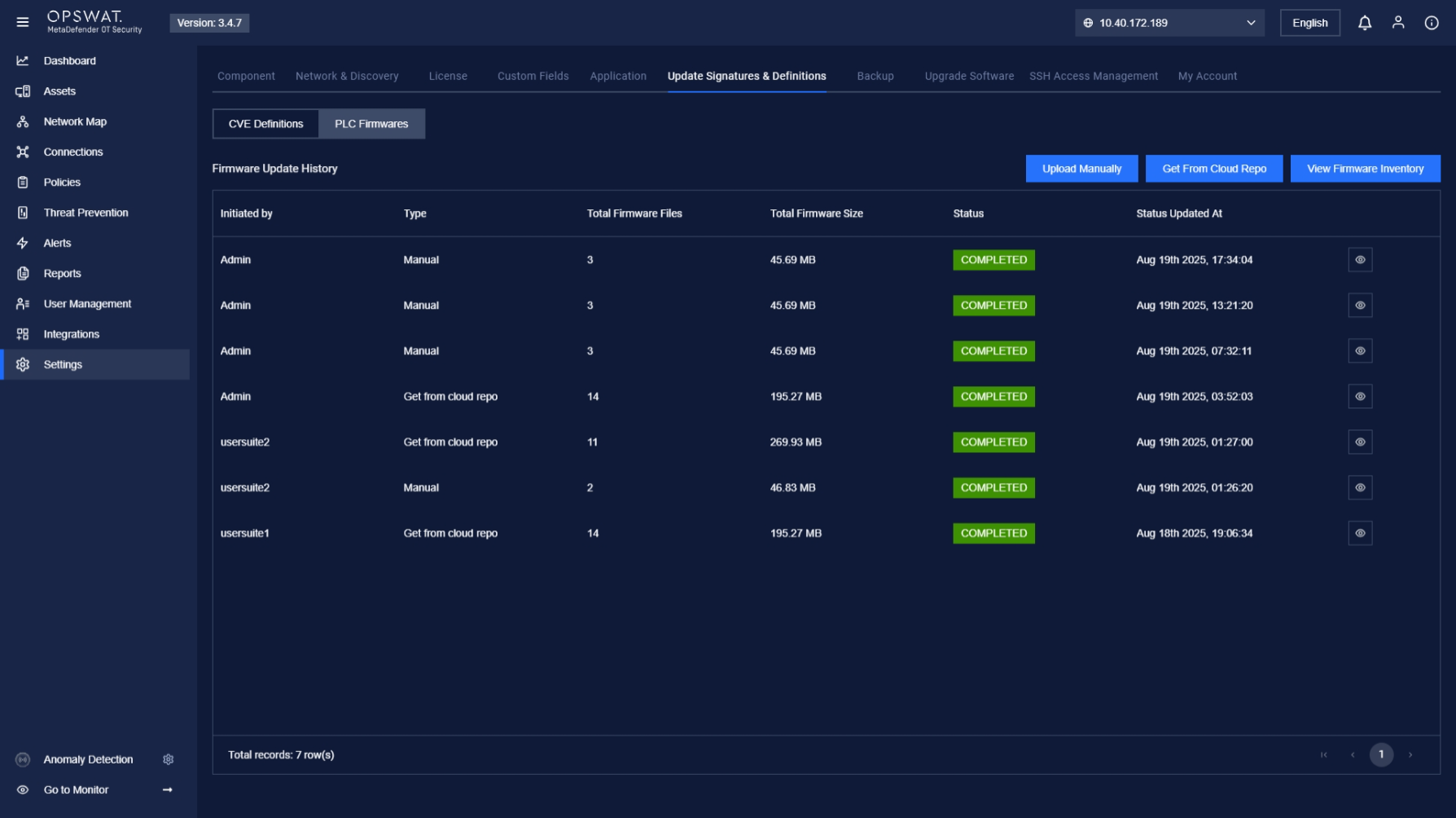
Detailed steps to create Patching Management
Step 1: Click Request Patching Transaction.
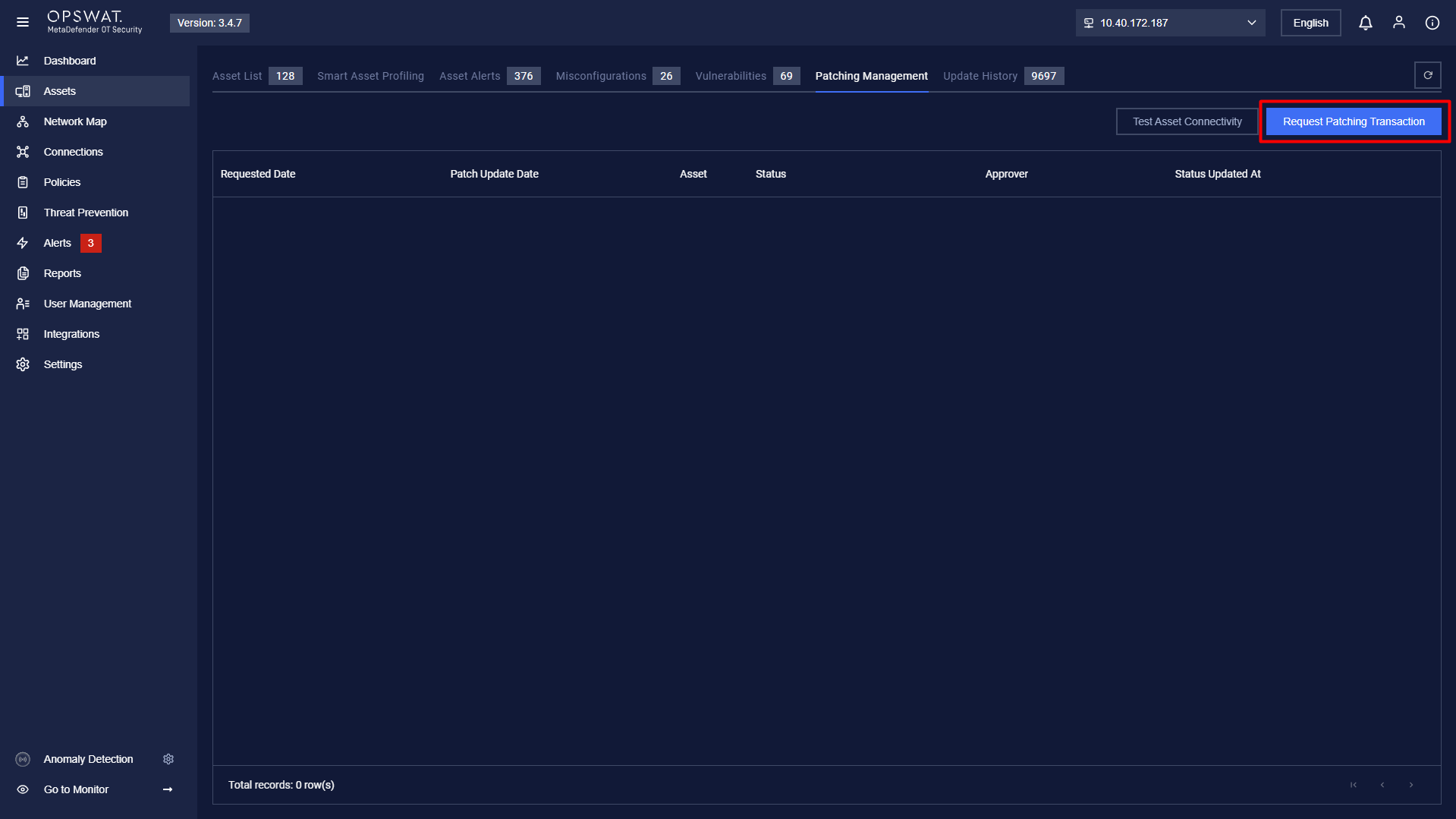
Step 2: Add Assets by clicking the Add Assets button.
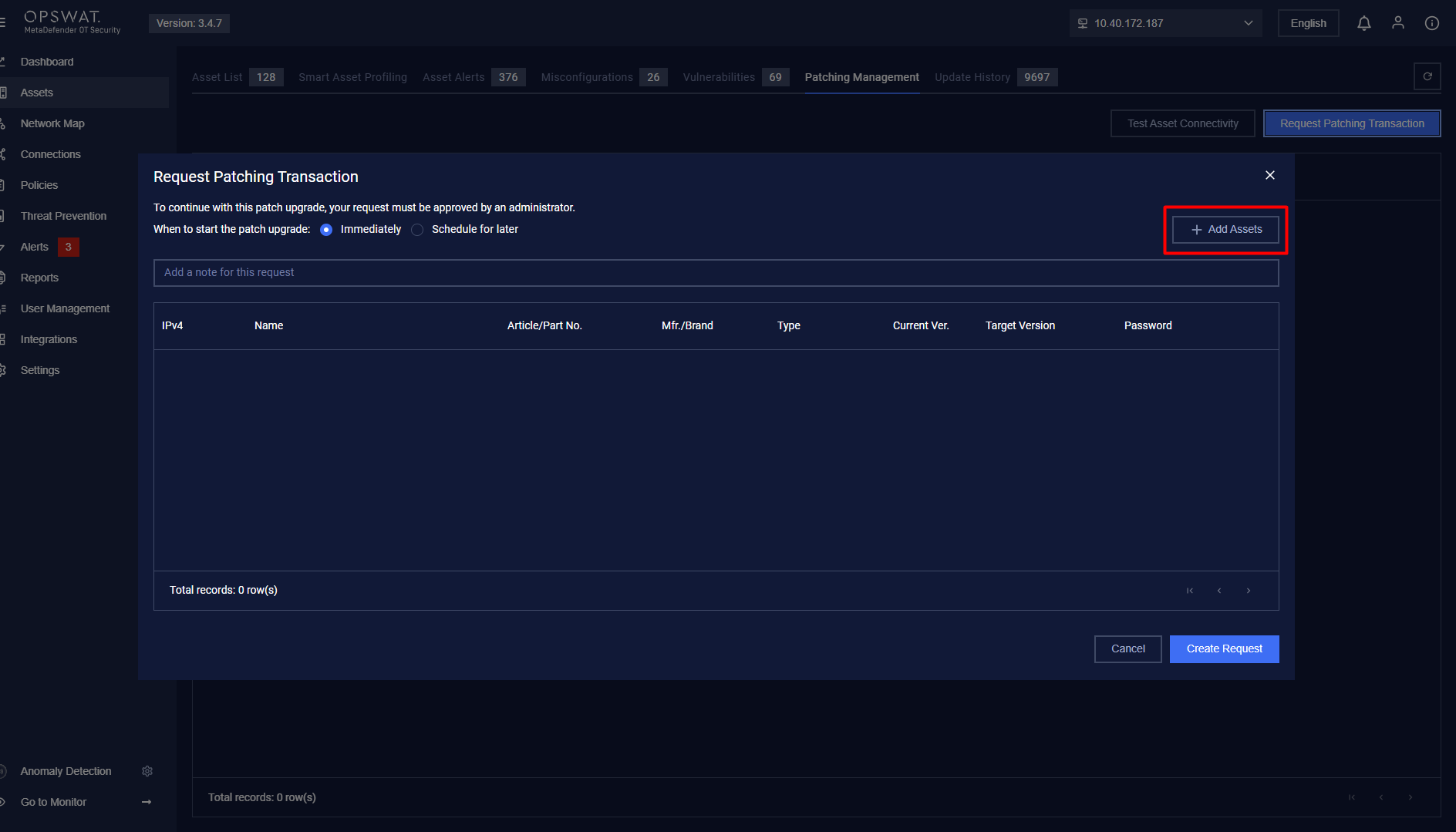
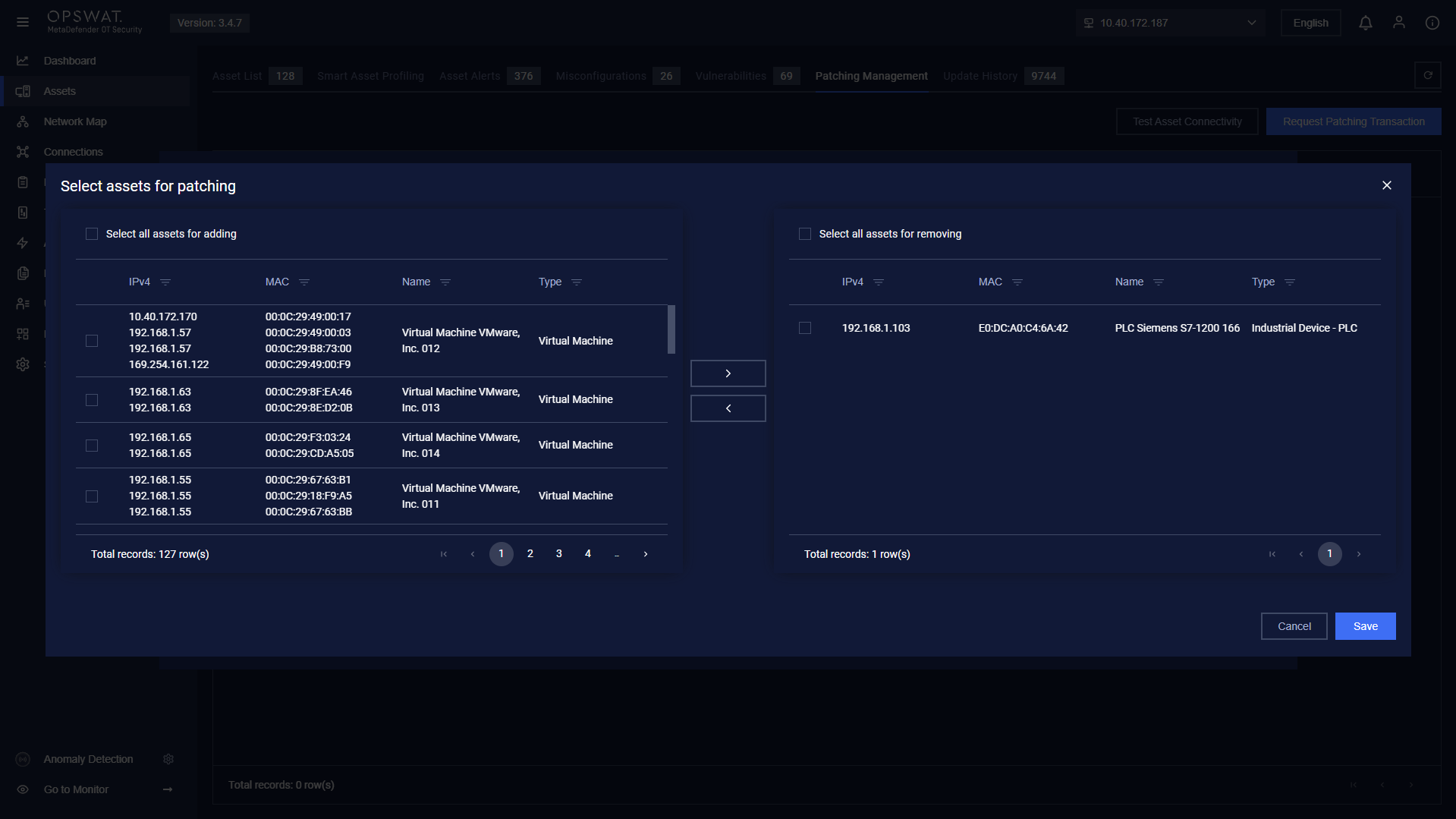
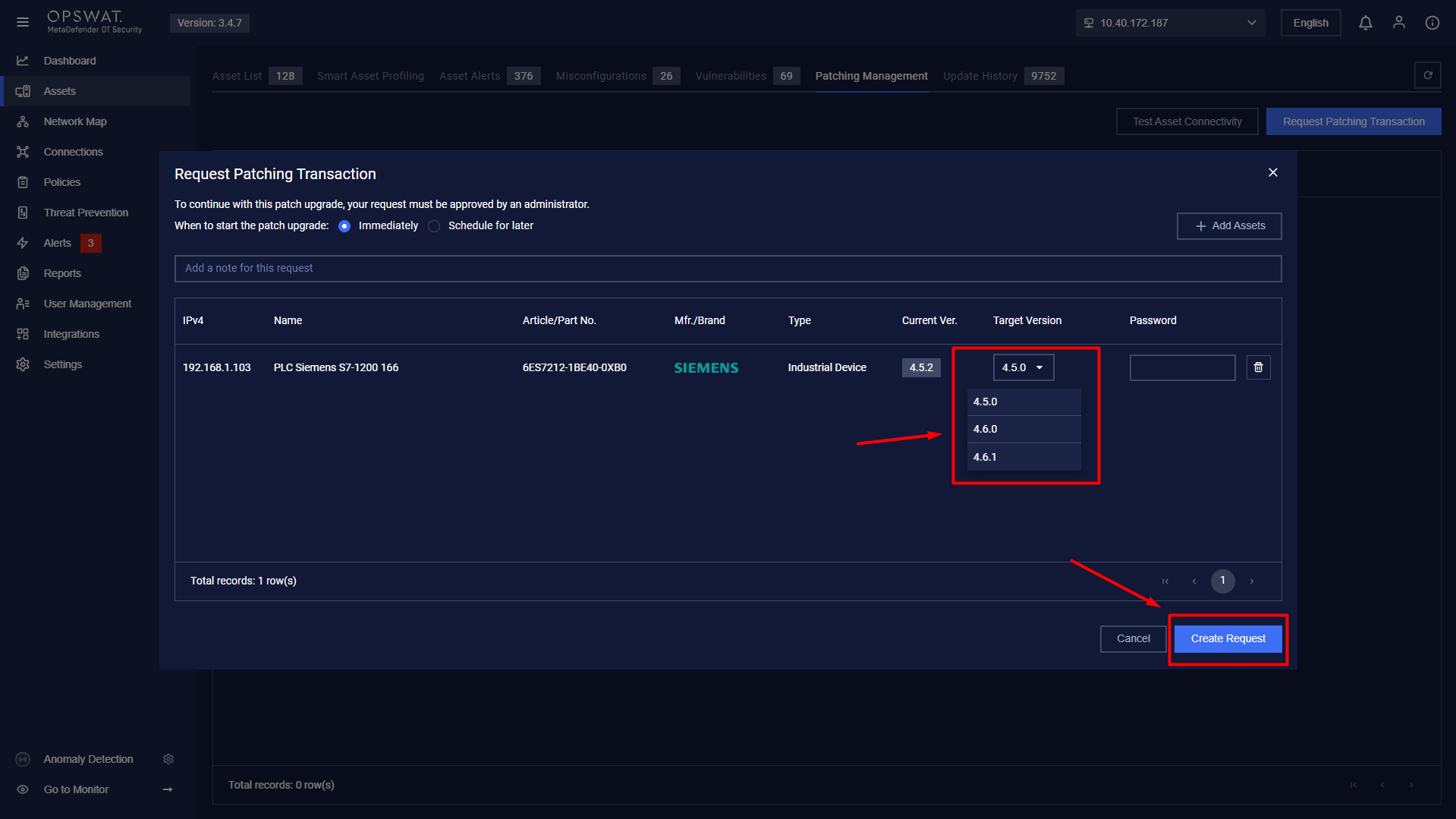
Step 3: Select the Target Version and click Create Request.
Step 4: Users can edit the request if needed.
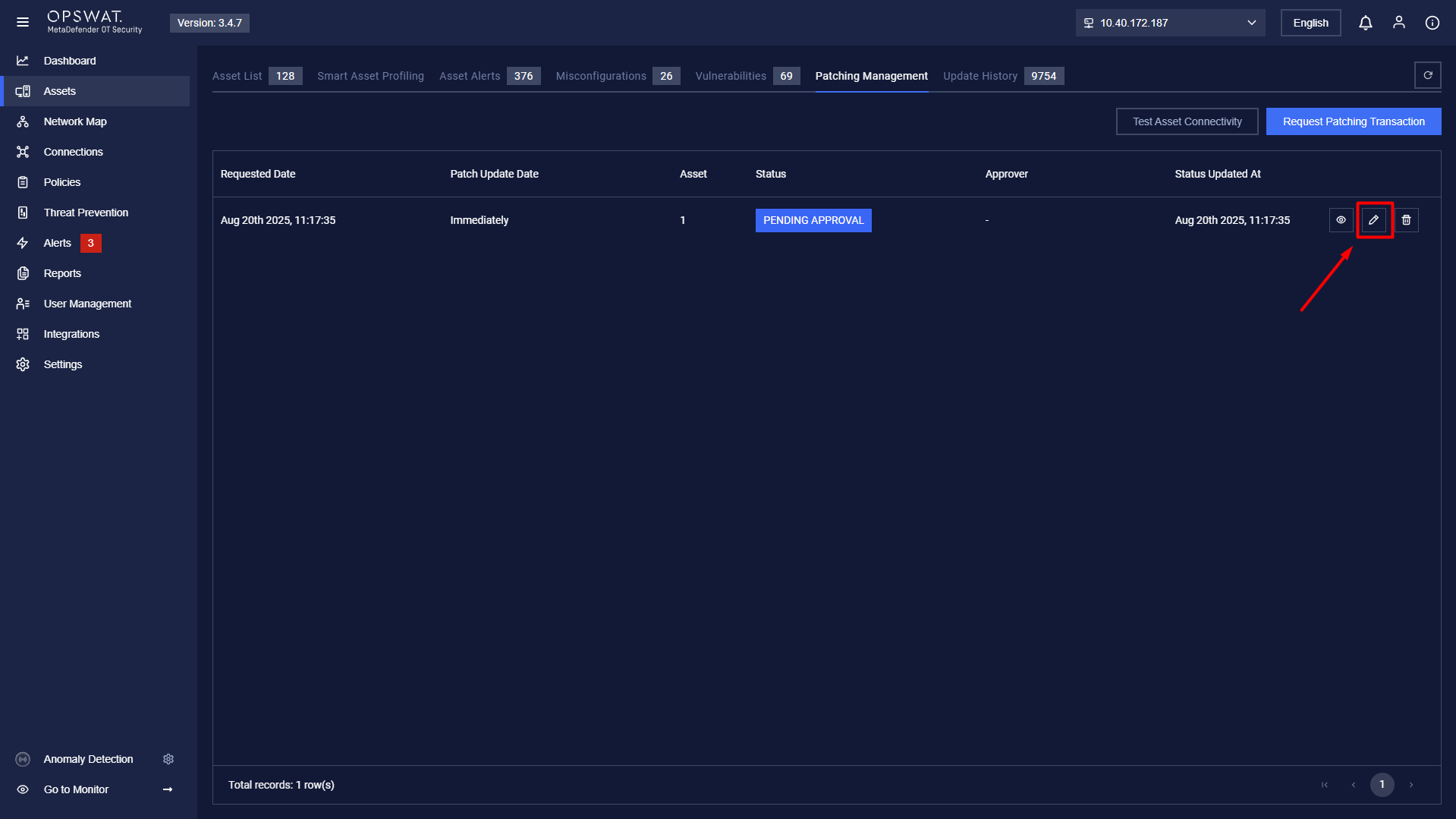
Step 5: Click the View icon to open the request popup, where you can:
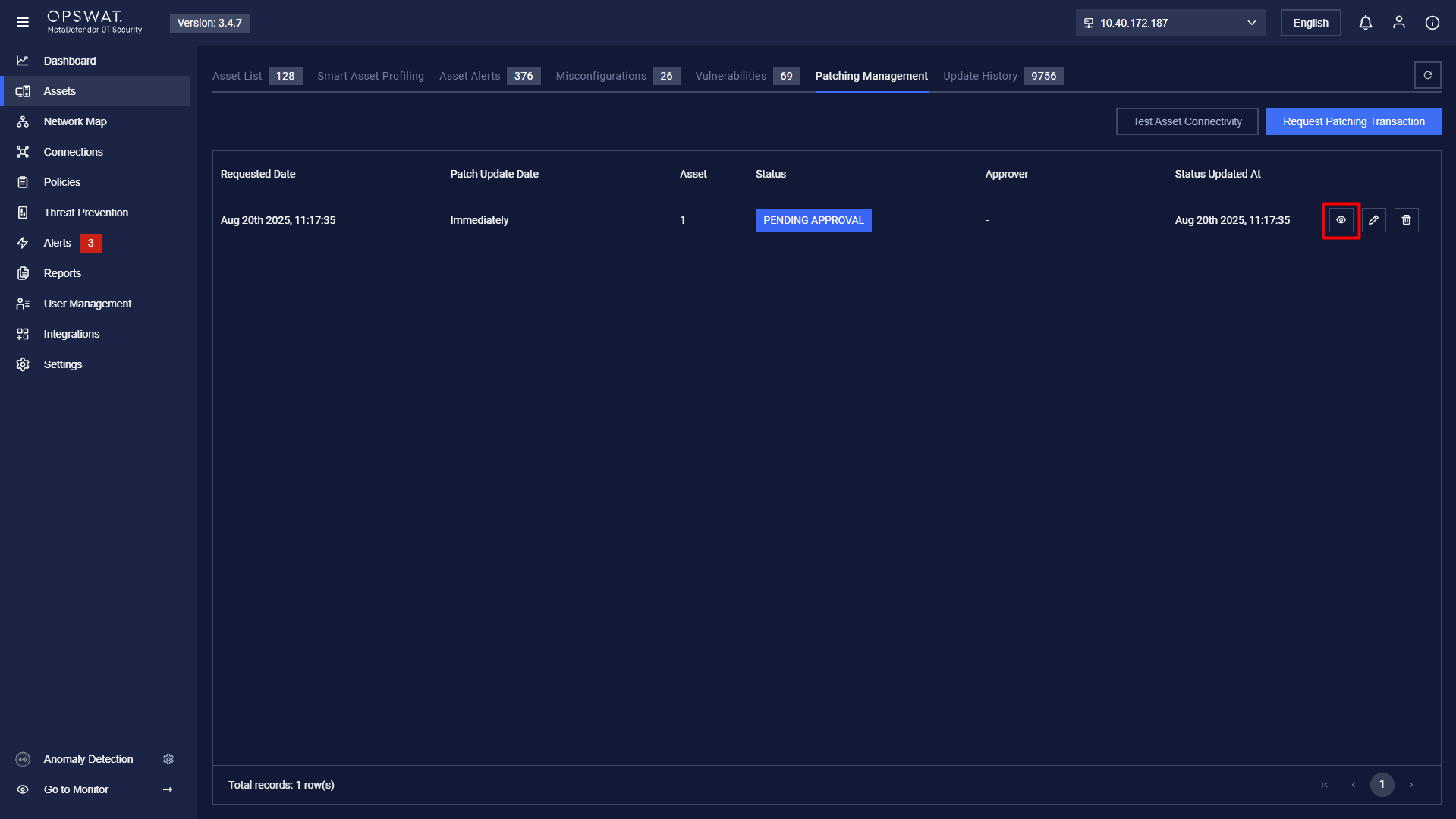
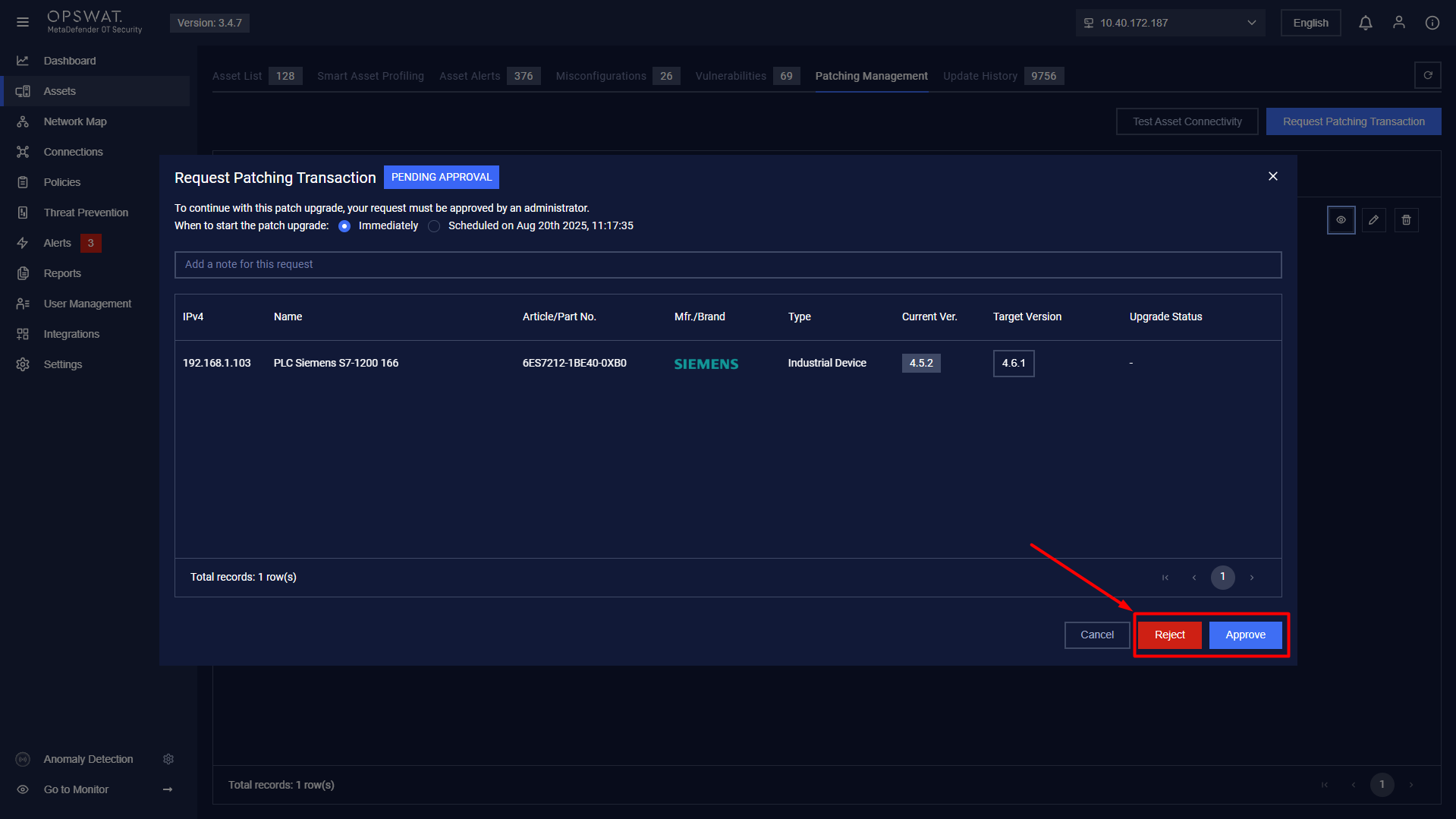
Step 6: Reject or Approve the request.
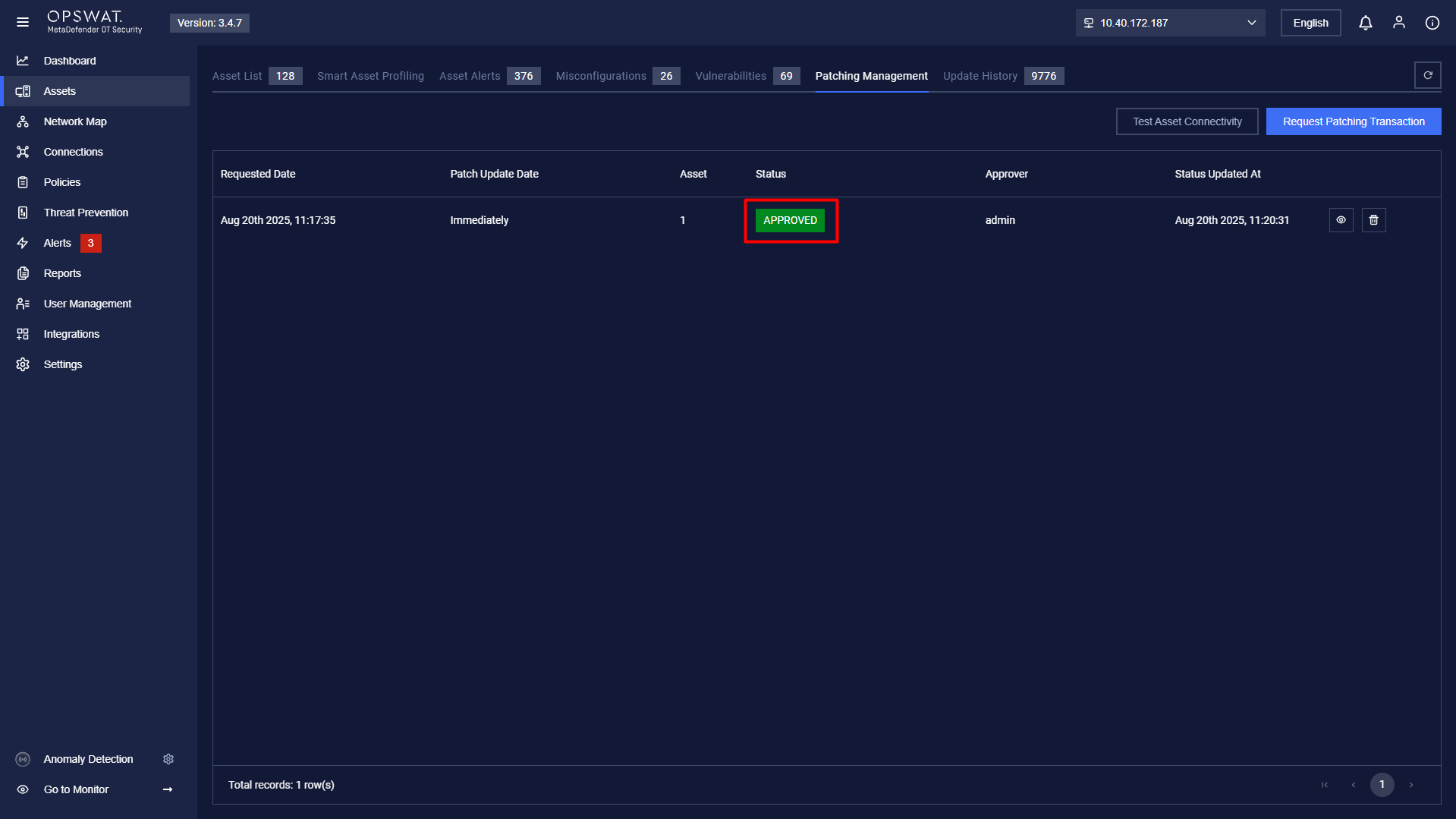
Step 7: After approval, monitor the Upgrade Status.
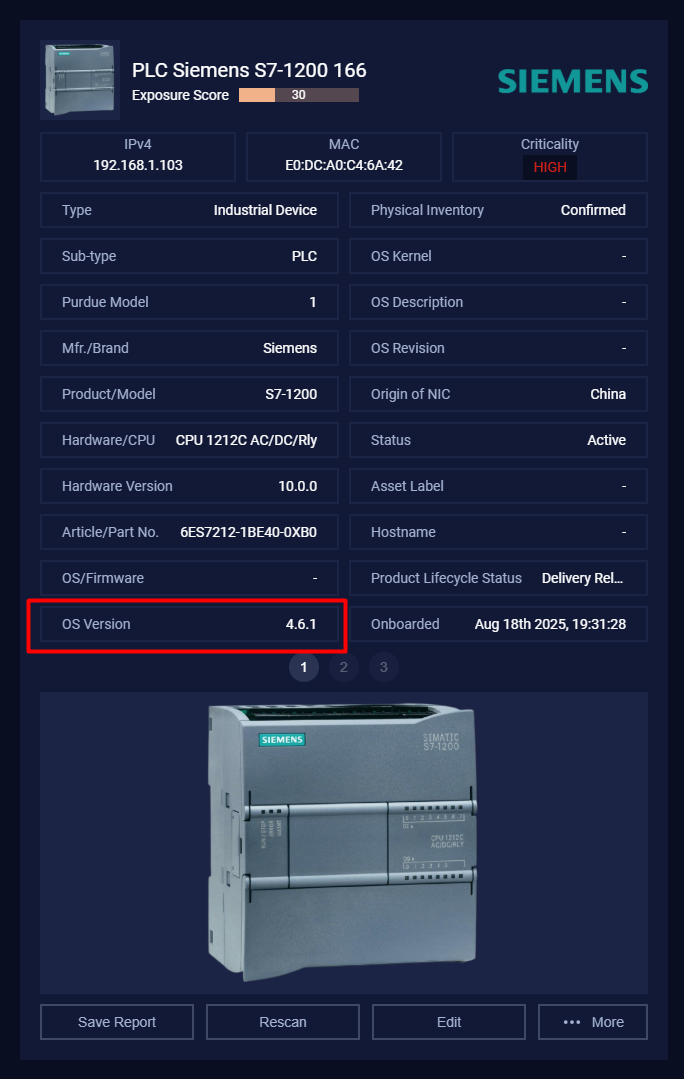
This process ensures a structured and controlled patching workflow for Siemens firmware updates.