
License
License setting is accessible under Settings > License.
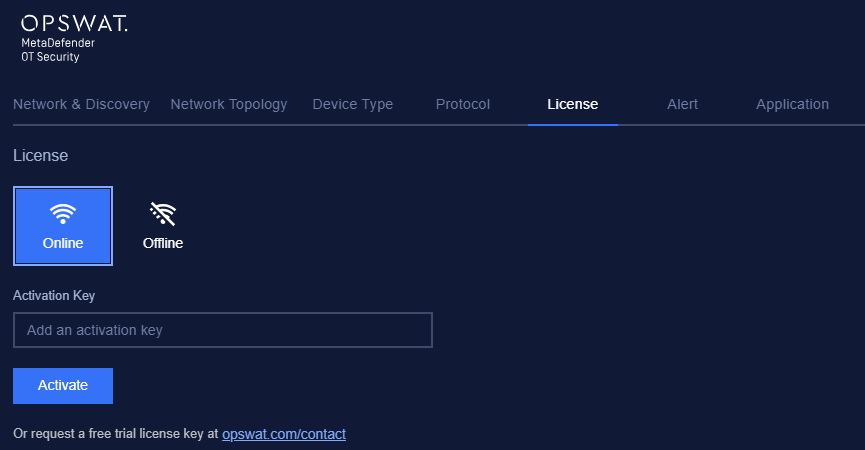
In this section, you can choose the method by how the new MetaDefender OT Security license will be activated.
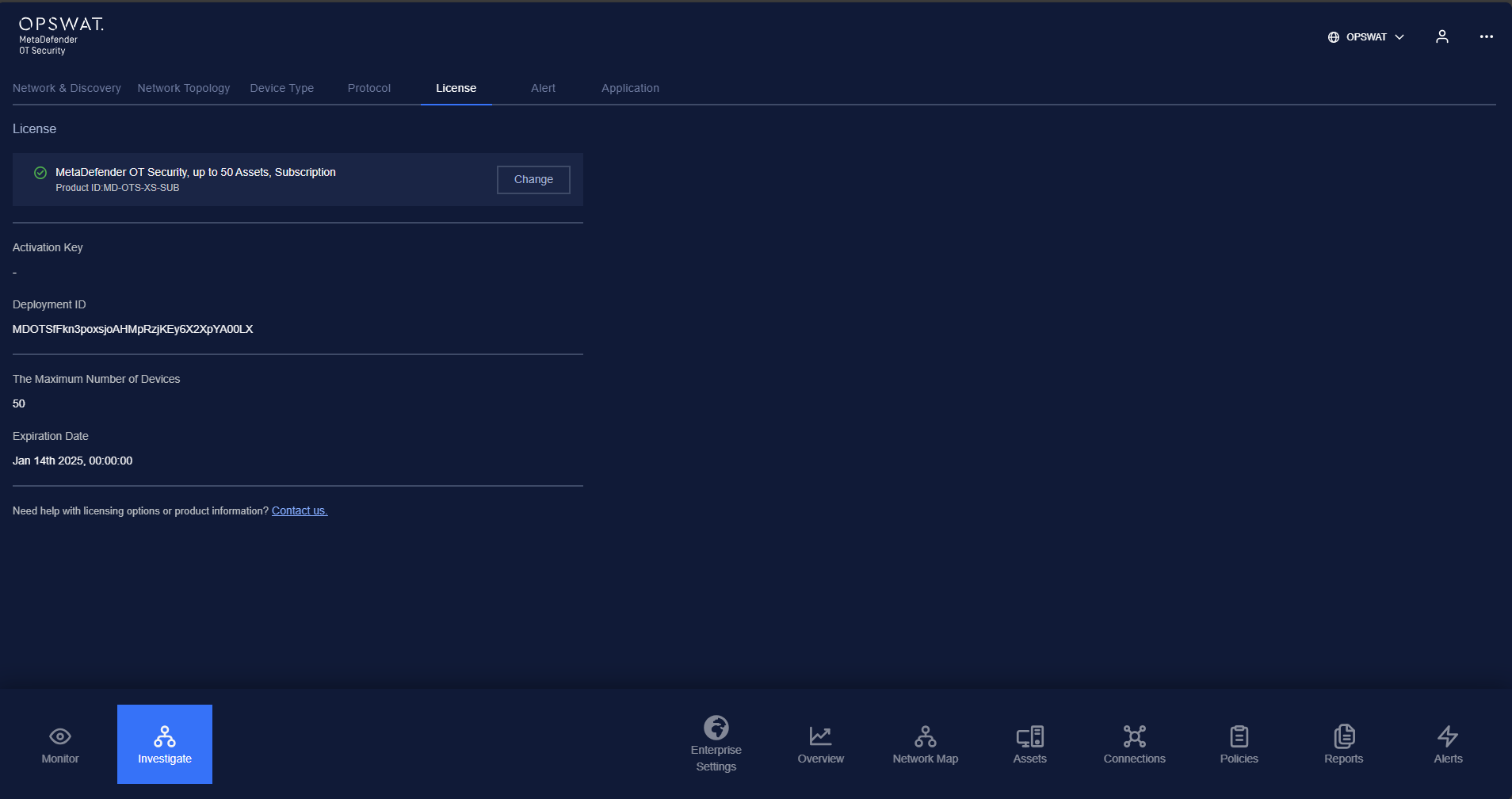
You can choose one of two update methods:
Online activation: The application will perform a check on the server for a new license of the system. You need to have the activation key to do this.
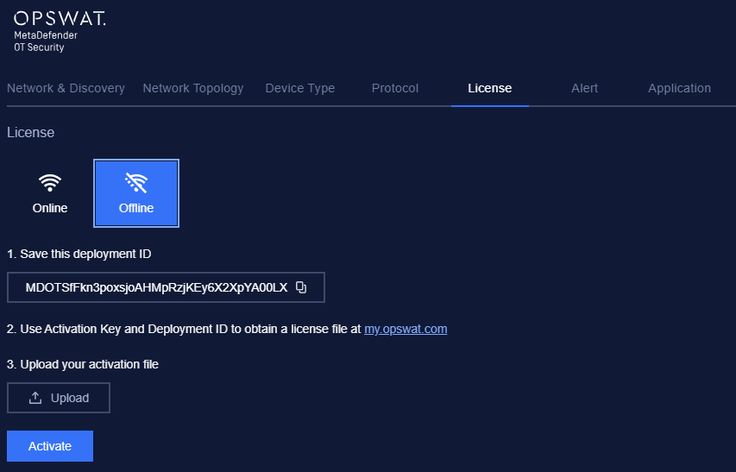
Offline activation: The application will perform a check on the USB or external storage plugged into the device for getting the deployment ID. Then you can click on Activate button to download activation file and activate the system.
User can also request a trial license key for MetaDefender OT Security.
Note: Don’t forget to press the Save button for the changes to be applied. In case you are leaving without saving, MetaDefender OT Security will display a reminder pop-up.